Introduction
In the fast-paced world of software development, efficient collaboration and a stable codebase are paramount. As teams scale and projects grow in complexity, traditional Git workflows, while robust, can sometimes become bottlenecks. Developers often face challenges like merge conflicts, a frequently broken main branch, slow code reviews, and the daunting task of managing large, monolithic pull requests (PRs).
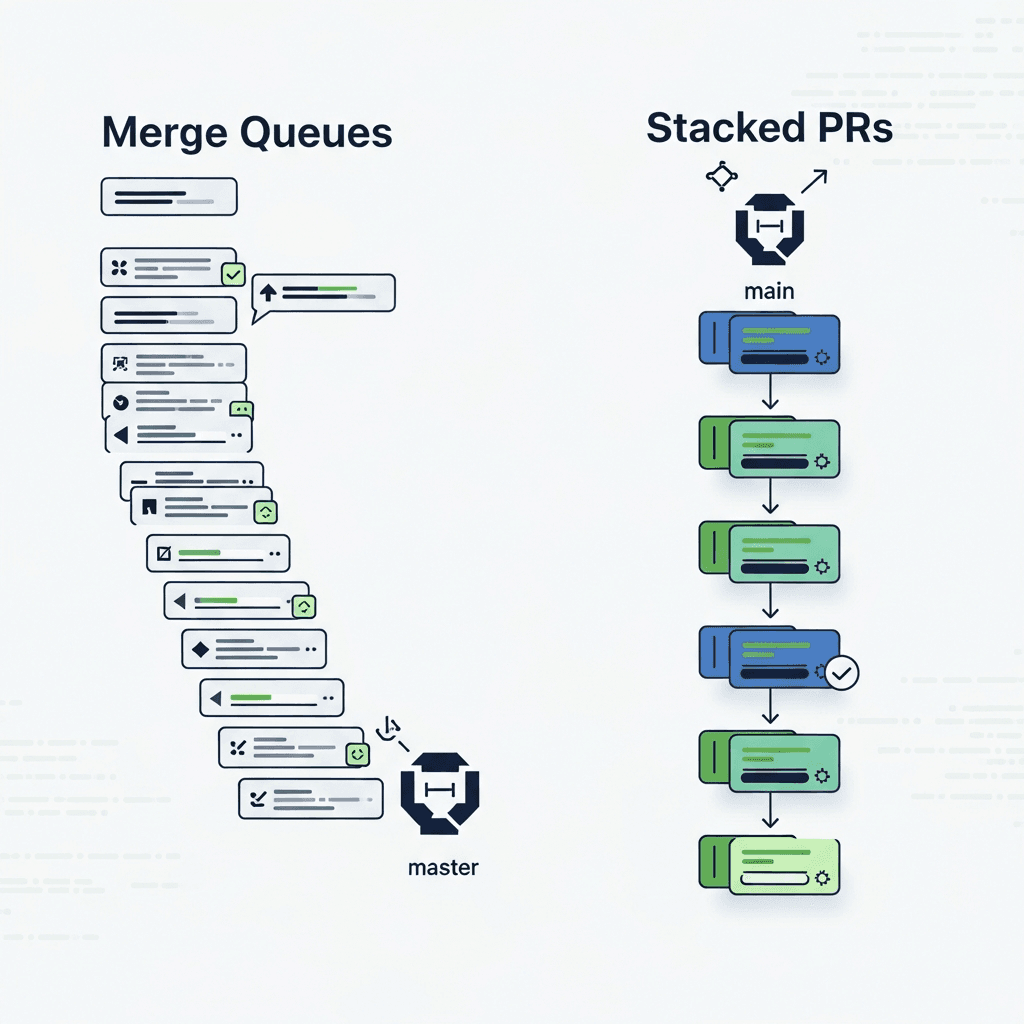
This guide delves into two powerful, advanced Git workflows designed to tackle these very problems: Merge Queues and Stacked Pull Requests. By understanding and implementing these techniques, teams can significantly improve their development velocity, maintain a perpetually green main branch, and foster a more agile and productive coding environment. We'll explore the 'how' and 'why' behind each, demonstrating their practical application and how they can be combined for maximum effect.
Prerequisites
Before diving into these advanced concepts, a solid understanding of fundamental Git operations is essential. You should be comfortable with:
- Basic Git commands:
git clone,git add,git commit,git push,git pull - Branching and merging:
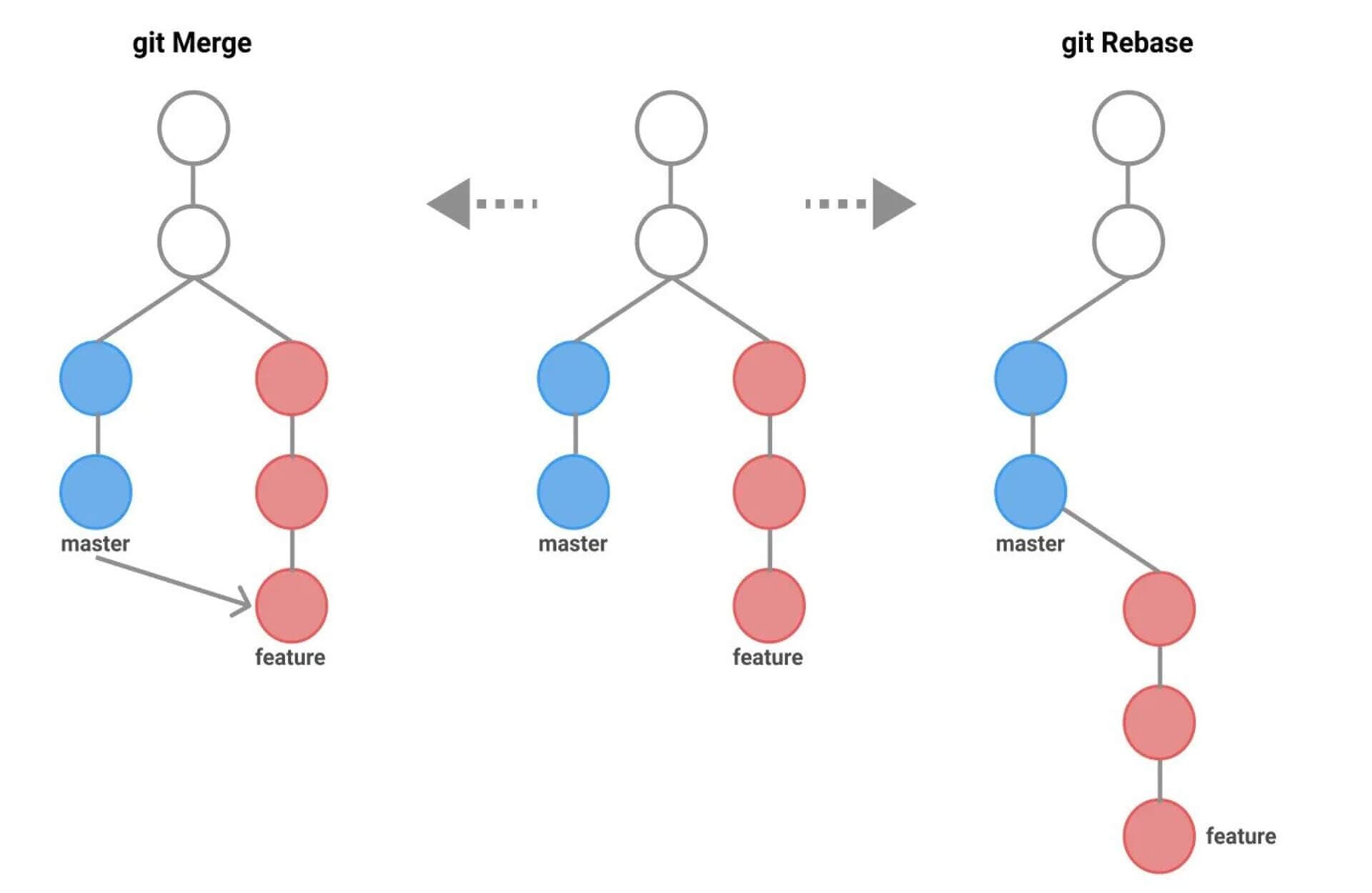
git branch,git checkout,git merge - Rebasing:
git rebase(interactive and non-interactive) - Understanding of Pull Requests (PRs) or Merge Requests (MRs) in platforms like GitHub, GitLab, or Bitbucket
- Familiarity with Continuous Integration/Continuous Delivery (CI/CD) principles
The Problem with Traditional Pull Request Workflows
Consider a busy repository where multiple developers are contributing simultaneously. The typical workflow involves creating a feature branch, working on it, and then opening a PR to merge it into main. While straightforward, this approach has several drawbacks:
- "Main is Broken" Syndrome: If a PR is merged before all tests pass, or if it introduces a regression, the
mainbranch becomes unstable. This halts development for everyone downstream, leading to frustrating rollbacks and firefighting. - Merge Conflicts: The longer a feature branch lives, the higher the chance of significant merge conflicts when trying to integrate it with
main, especially ifmainis frequently updated. - Slow Review Cycles for Large PRs: Large PRs are daunting to review. They take longer, often lead to superficial reviews, and can hide subtle bugs, further slowing down the entire development process.
- Flaky CI/CD: Even with robust CI/CD, the state of
maincan change between the time a PR passes its checks and when it's actually merged, leading to a race condition where a once-passing PR might breakmainupon integration. - Developer Overhead: Developers spend time manually rebasing, resolving conflicts, and waiting for CI checks to pass before they can safely merge.
These issues compound as teams grow, highlighting the need for more sophisticated strategies.
What is a Merge Queue?
A Merge Queue is an automated system designed to ensure that your main branch remains perpetually green and deployable by serializing merges and re-validating changes just before they land. Instead of merging a PR directly into main once its checks pass, you add it to a queue.
How a Merge Queue Works
- PR Submission: A developer opens a PR and it passes its initial CI checks and code review.
- Add to Queue: Instead of merging, the developer (or an automated system) adds the PR to the merge queue.
- Speculative Merge: The merge queue takes the first PR, rebases it on the latest
main(or the statemainwould be in if all preceding PRs in the queue were merged), and then runs all CI checks again on this temporarily merged branch. - Validation: If all checks pass, the merge queue considers this PR safe. It then proceeds to merge it into
mainand moves to the next PR in the queue. - Failure Handling: If checks fail, the PR is removed from the queue, and the developer is notified.
mainremains untouched and stable. - Concurrency: Some advanced merge queues can process multiple PRs concurrently by speculatively merging them in batches, further optimizing throughput while maintaining safety.
Benefits of a Merge Queue
- Always Green
main: The primary benefit is absolute confidence thatmainis always stable and deployable. - Eliminates Race Conditions: By running final CI checks on the exact state that will be merged, it prevents situations where
mainchanges after a PR's checks pass, but before it's merged. - Reduced Developer Overhead: Developers no longer need to manually rebase and re-run checks repeatedly to keep their branch up-to-date with
mainbefore merging. - Faster Integration: While it serializes merges, the automation often leads to faster overall integration by reducing failed merges and manual interventions.
- Improved Team Trust: Developers can trust
mainand pull from it without fear of breaking their local environments.
Conceptual Merge Queue Flow
Implementing Merge Queues (Tools and Platforms)
While the concept is powerful, implementing a merge queue typically relies on platform features or specialized tools. You wouldn't build this with raw Git commands.
- GitHub Merge Queue: GitHub now offers a native merge queue feature for repositories, allowing administrators to enable it and set rules (e.g., required status checks, merge method).
- GitLab Merge Trains: GitLab's equivalent, Merge Trains, provides similar functionality, ensuring that merges only happen after all pipelines pass on the target branch.
- Third-Party Solutions: Tools like Graphite, Aviator, and Mergeable offer robust merge queue capabilities, often with advanced features like speculative merging, batching, and integration with various CI/CD providers. These tools are particularly popular for managing stacked PRs (which we'll discuss next) alongside merge queues.
Example (Conceptual GitHub Merge Queue Configuration):
Imagine you've enabled GitHub's merge queue. When a PR is ready, instead of clicking "Merge pull request", you'd see an option like "Add to merge queue". GitHub then handles the rebasing and re-testing automatically.
What are Stacked Pull Requests?
Stacked Pull Requests (also known as "stacked diffs" or "change stacks") is a workflow where a series of small, dependent changes are submitted as individual, sequential PRs, rather than one large, monolithic PR. Each PR in the stack builds directly on the previous one, creating a linear history of focused changes.
Why Stack Pull Requests?
- Smaller, Faster Reviews: Each PR addresses a single, atomic concern. This makes reviews quicker, less mentally taxing, and more thorough. Reviewers can focus on a small, isolated change.
- Improved Focus: Developers can focus on one logical unit of work at a time, making development more modular and less prone to errors.
- Easier Debugging: If an issue arises, it's easier to pinpoint which small change introduced the bug, rather than sifting through a massive PR.
- Parallel Development: While PRs are dependent, the underlying work can often be done in parallel or in a logical sequence, improving the overall flow.
- Better Git History: The commit history becomes a clean, linear story of incremental improvements, rather than a jumble of large, complex merges.
The Anatomy of a Stacked PR Workflow
Imagine you need to implement a new feature that requires:
- Updating a shared utility function.
- Adding a new API endpoint that uses the updated utility.
- Building a new UI component that consumes the new API endpoint.
Instead of one large PR for the entire feature, you create three stacked PRs:
- PR #1 (Branch
feature/update-utility): Updates the utility function. Base:main. - PR #2 (Branch
feature/add-api): Adds the API endpoint. Base:feature/update-utility. - PR #3 (Branch
feature/add-ui): Builds the UI component. Base:feature/add-api.
Creating a Stack
You branch off main for the first PR, then off the previous PR's branch for subsequent PRs.
Updating a Stack
If main updates, or if a reviewer requests changes on an earlier PR in the stack, you'll need to rebase. This is the trickiest part but crucial for maintaining a clean stack.
Submitting and Managing
Each PR is submitted for review independently. As PRs get approved and merged (ideally via a merge queue!), you rebase the subsequent PRs in your stack onto main (or the new base branch) and push the updates.
Practical Guide to Stacked PRs with Git Commands
Let's walk through creating and managing a stack.
1. Start from main and create your first dependent branch:
# Ensure your main branch is up-to-date
git checkout main
git pull origin main

# Create the first branch for PR1 (e.g., 'refactor/utility')
git checkout -b refactor/utility

# Make your changes for PR1
# ... code changes ...

git add .
git commit -m "feat: Refactor shared utility function for better performance"

git push origin refactor/utility
# Open PR1 targeting 'main'
2. Create the second branch, basing it on the first:
# Create the second branch for PR2 (e.g., 'feat/new-api')
git checkout -b feat/new-api refactor/utility

# Make your changes for PR2, which depend on PR1's changes
# ... code changes ...

git add .
git commit -m "feat: Add new API endpoint for user data"

git push origin feat/new-api
# Open PR2 targeting 'refactor/utility'
3. Create the third branch, basing it on the second:
# Create the third branch for PR3 (e.g., 'feat/user-ui')
git checkout -b feat/user-ui feat/new-api

# Make your changes for PR3, which depend on PR2's changes
# ... code changes ...

git add .
git commit -m "feat: Implement user profile UI component"

git push origin feat/user-ui
# Open PR3 targeting 'feat/new-api'
Now you have three PRs: PR1 -> PR2 -> PR3. PR1 targets main, PR2 targets PR1's branch, and PR3 targets PR2's branch.
4. Updating the Stack (The Rebase Dance)
This is where it gets a bit more involved. Suppose PR1 is approved and merged into main. Or main has updated, and you need to bring your stack up to date.
Let's assume main has new commits, and PR1 is still pending but needs to be updated.
# 1. Update your local main branch
git checkout main
git pull origin main

# 2. Rebase the first PR's branch onto the updated main
git checkout refactor/utility
git rebase main
# Resolve any conflicts if they occur

# 3. Force push the updated branch (use --force-with-lease to be safer)
git push --force-with-lease origin refactor/utility

# 4. Now, rebase the second PR's branch onto the (now updated) first PR's branch
git checkout feat/new-api
git rebase refactor/utility
# Resolve any conflicts

# 5. Force push the updated branch
git push --force-with-lease origin feat/new-api

# 6. Repeat for the third PR's branch
git checkout feat/user-ui
git rebase feat/new-api
# Resolve any conflicts

# 7. Force push the updated branch
git push --force-with-lease origin feat/user-ui
Important Note on git push --force-with-lease: This command is critical when working with stacked PRs. It updates the remote branch only if your local branch is based on the same commit as the remote branch. This prevents you from accidentally overwriting changes pushed by another developer if you're not careful.
Once PR1 is merged into main, you would then rebase feat/new-api onto main directly, then feat/user-ui onto feat/new-api, and so on. This process is often automated by tools like Graphite or git-branch-stack CLI utilities.
Combining Merge Queues and Stacked PRs
The true power emerges when you combine these two workflows. Stacked PRs optimize the developer's local workflow and review process, while merge queues optimize the integration process into main.
The Synergistic Workflow
- Develop in Stacks: Developers create small, dependent PRs, stacking them on top of each other. This keeps individual changes focused and easy to review.
- Review and Approve: Reviewers quickly approve the small, atomic PRs in the stack.
- Merge via Queue: Once a PR at the bottom of the stack (or any independent PR) is approved, it's added to the merge queue.
- Automatic Rebase and Retest: The merge queue takes the PR, rebases it onto the latest
main, runs all CI checks, and only merges if everything passes. - Stack Update: As PRs from the bottom of the stack are merged into
mainby the queue, developers rebase the remaining PRs in their stack onto the newmain(or the new base of the next PR), keeping their stack clean and up-to-date.
This combination offers:
- Safe and Stable
main: Guaranteed by the merge queue. - Fast Reviews: Enabled by small, focused stacked PRs.
- High Throughput: Developers can get their small changes reviewed and integrated quickly, reducing context switching and friction.
- Clear History: A linear, understandable project history.
Best Practices for Advanced Git Workflows
- Keep PRs Atomic and Small: The golden rule. A PR should do one thing and do it well. This is fundamental to stacked PRs and makes merge queues more efficient.
- Atomic Commits: Within each PR, make sure individual commits are also atomic and have clear, descriptive messages. This aids in review and debugging.
- Regular Rebasing: When working with stacked PRs, regularly rebase your branches onto their base branches (or
main) to stay up-to-date and minimize conflicts. - Use
git push --force-with-lease: Always prefer this overgit push --forceto prevent accidental overwrites of others' work. - Robust CI/CD: A strong CI/CD pipeline is non-negotiable for merge queues. Fast, reliable tests are crucial for the queue to function effectively.
- Clear Communication: Ensure your team understands the chosen workflow. Document processes, especially for managing stacked PRs and using the merge queue.
- Leverage Platform Features/Tools: Don't try to manually implement a merge queue. Use native platform features or dedicated tools. For stacked PRs, consider CLI helpers.
- Squash and Rebase Before Merge (for individual PRs): Even if using a merge queue, individual PRs benefit from a clean history. Squashing feature commits into a single logical commit before merging (or letting the merge queue do a rebase merge) keeps
maintidy.
Common Pitfalls and How to Avoid Them
- "Rebase Hell": Frequent, complex rebases can be daunting. Mitigate this by keeping individual PRs small, rebasing often, and using
git pull --rebaseinstead ofgit pullon feature branches. Tools likegit-branch-stackcan also simplify the rebase process for stacks. - Overly Large Stacks: While stacking is good, a stack with 10+ dependent PRs can become unwieldy to manage, especially if changes are requested on early PRs. Break down very large features into smaller, independent stacks if possible.
- Misunderstanding Merge Queue Behavior: Not all merge queues are identical. Understand how your specific tool handles failures, retesting, and concurrency. Don't assume it will fix all merge conflicts automatically; it focuses on ensuring
mainremains green. - Force Pushing Without
--force-with-lease: This is a dangerous habit that can overwrite others' work or delete commits from the remote. Always use--force-with-lease. - Ignoring Conflicts on Rebase: If
git rebasereports conflicts, you must resolve them carefully before continuing the rebase (git add .,git rebase --continue). Skipping this step will lead to broken code. - Lack of Team Buy-in: Advanced workflows require discipline. If the entire team isn't on board or trained, the benefits will not materialize, and frustration may increase.
Tools and Ecosystem for Advanced Workflows
- GitHub: Native Merge Queue, Draft PRs (useful for WIP stacks).
- GitLab: Merge Trains, Draft MRs.
- Bitbucket: Less native support for merge queues, often relies on third-party integrations.
- Graphite: A comprehensive platform designed specifically for stacked PRs and merge queues, offering a CLI, web UI, and integrations.
- Aviator: Another robust solution for merge queues and workflow automation.
- Mergeable: Focuses on merge queue automation and developer experience.
git-branch-stack(CLI tool): Helps manage stacked branches locally, simplifying rebase operations.
These tools abstract away much of the manual git rebase complexity, making stacked PRs more accessible and less error-prone.
Conclusion
Advanced Git workflows like Merge Queues and Stacked Pull Requests are not just buzzwords; they are powerful methodologies that address fundamental challenges in modern software development. By adopting a merge queue, teams can virtually eliminate the dreaded "main is broken" scenario, ensuring a stable and continuously deployable codebase. Complementing this with stacked PRs empowers developers to work on smaller, more focused changes, leading to faster reviews, higher code quality, and a more enjoyable development experience.
While these workflows introduce a slightly steeper learning curve and require discipline, the long-term benefits in terms of productivity, code stability, and team morale are immense. Embrace these advanced techniques, invest in the right tools, and transform your Git workflow from a potential bottleneck into a powerful accelerator for your development team. The future of efficient, collaborative coding lies in these intelligent approaches to version control.

Written by
CodewithYohaFull-Stack Software Engineer with 7+ years of experience in Java, Spring Boot, and cloud architecture across AWS, Azure, and GCP. Writing production-grade engineering patterns for developers who ship real software.