
Implementing Passkeys (WebAuthn) in Modern Web Apps: A Step-by-Step Guide

Introduction
The traditional password-based authentication system, while ubiquitous, is fundamentally broken. It's a constant source of frustration for users (forgotten passwords, complex requirements) and a critical vulnerability for applications (phishing, credential stuffing, data breaches). For years, developers and security experts have sought a better way.
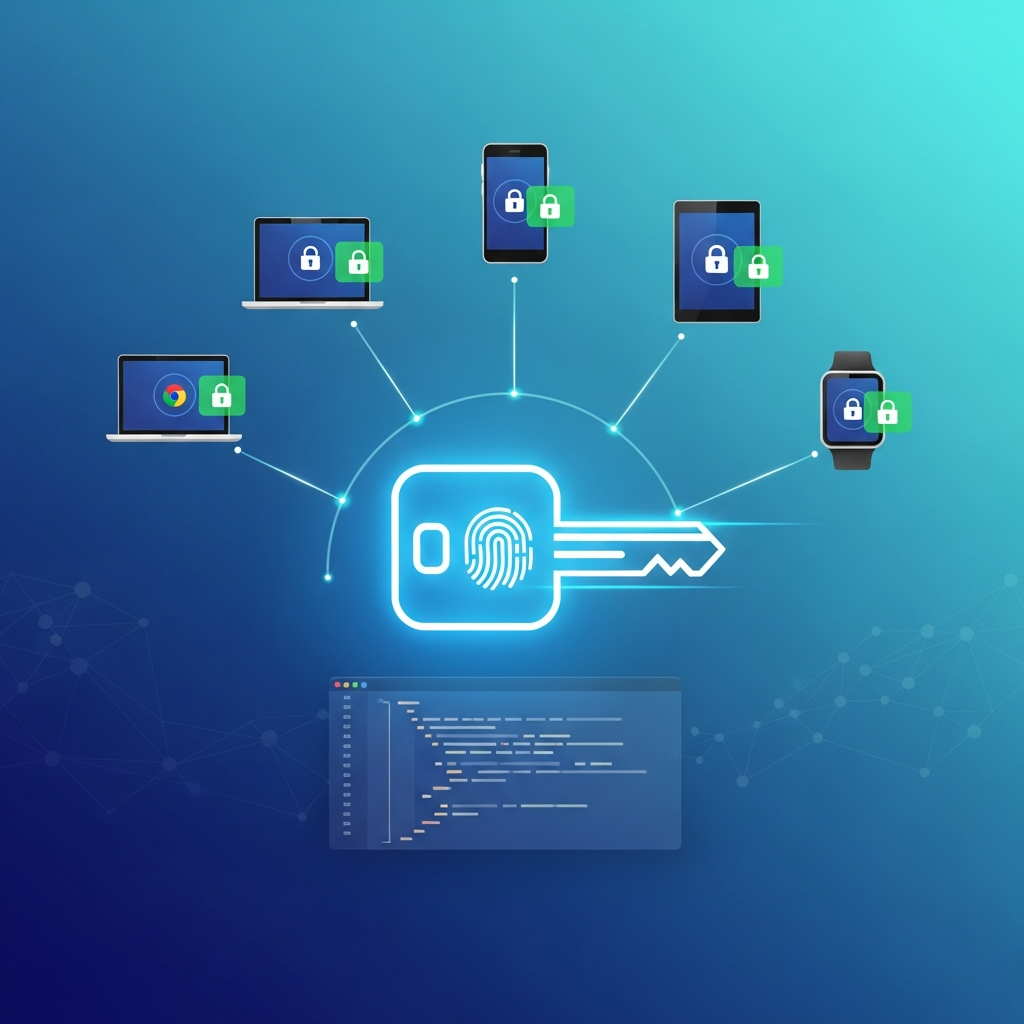
Enter Passkeys, the user-friendly term for credentials built on the WebAuthn (Web Authentication) API. Passkeys represent a paradigm shift, offering a phishing-resistant, cryptographically secure, and remarkably convenient way for users to log in. They leverage hardware-backed security, often tied to biometrics (fingerprint, face ID) or device PINs, eliminating the need for users to remember complex strings of characters.
This comprehensive guide will walk you through the process of implementing Passkeys in your modern web applications, covering the underlying WebAuthn standard, server-side and client-side code examples, best practices, and common pitfalls. By the end, you'll have a solid understanding of how to enhance your application's security and user experience dramatically.
Prerequisites
Before diving into the implementation, ensure you have:
- Basic Web Development Knowledge: Familiarity with HTML, CSS, JavaScript, and HTTP concepts.
- Node.js and npm/Yarn: For the server-side examples (we'll use Express.js).
- Modern Web Browser: Chrome, Firefox, Safari, Edge all support WebAuthn.
- FIDO2 Authenticator: A device capable of creating and using passkeys. This could be:
- A smartphone with biometric capabilities (Face ID, Touch ID, Android Biometrics).
- A hardware security key (e.g., YubiKey, SoloKey).
- Built-in biometric sensors on your computer.
- HTTPS Development Environment: WebAuthn requires a secure context (HTTPS) for security reasons. For local development, you can use
localhostwhich is treated as a secure context, or set up a self-signed certificate.
1. Understanding Passkeys and WebAuthn
At its core, WebAuthn is a W3C standard that allows web applications to integrate with strong authenticators (like biometric sensors or security keys) for user verification. Passkeys are the user-facing manifestation of discoverable WebAuthn credentials, designed for cross-device synchronization and ease of use.
Key Concepts:
- Relying Party (RP): Your web application (the server and client) that wants to authenticate users.
- Authenticator: The device or software that creates and stores the cryptographic keys (e.g., smartphone, security key).
- User Agent: The web browser that acts as the intermediary between the RP and the Authenticator.
- Credential: The public/private key pair generated by the authenticator. The public key is sent to the RP for storage, while the private key remains on the authenticator.
- Attestation: The process where the authenticator proves its legitimacy during credential registration. Often optional for passkeys.
- Assertion: The process where the authenticator proves ownership of a private key during authentication.
- Resident Key (Discoverable Credential): A credential stored directly on the authenticator, allowing users to log in without providing a username first. This is the foundation of a 'Passkey' experience.
How They Work (Simplified):
- Registration: When a user wants to create a passkey, your server generates a challenge. The browser then prompts the user to interact with their authenticator (e.g., touch a fingerprint sensor). The authenticator generates a public/private key pair, stores the private key, and sends the public key, credential ID, and other metadata back to the server via the browser. The server stores this public key.
- Authentication: When a user wants to log in, your server again generates a challenge. The browser prompts the user to interact with their authenticator. The authenticator uses its stored private key to cryptographically sign the challenge and sends the signed challenge (assertion) back to the server. The server uses the stored public key to verify the signature, proving the user's identity.
2. The Core WebAuthn Flow - Registration (Credential Creation)
Passkey registration is the process of generating a new cryptographic credential (public/private key pair) on the user's authenticator and registering its public key with your server.
Steps:
- Server initiates registration: Your server generates
PublicKeyCredentialCreationOptions(a complex JSON object) containing a unique challenge, Relying Party ID, user ID, user name, and authenticator selection criteria. - Server sends options to client: These options are sent to the client-side JavaScript.
- Client requests credential creation: The client calls
navigator.credentials.create()with these options. - User interacts with authenticator: The browser prompts the user to perform a gesture (e.g., fingerprint scan, facial recognition, PIN entry) on their authenticator.
- Authenticator generates keys: The authenticator generates a new public/private key pair, stores the private key, and returns the public key, credential ID, and attestation statement to the browser.
- Client sends result to server: The browser returns a
PublicKeyCredentialobject to the client-side JavaScript, which then sends it to your server. - Server verifies and stores: Your server verifies the received credential data, extracts the public key and credential ID, and securely stores them associated with the user.
3. The Core WebAuthn Flow - Authentication (Credential Assertion)
Passkey authentication is the process of proving ownership of a previously registered credential by signing a challenge.
Steps:
- Server initiates authentication: Your server generates
PublicKeyCredentialRequestOptionscontaining a new challenge, Relying Party ID, and optionally a list of allowed credential IDs (if the user has multiple or if not using discoverable credentials). - Server sends options to client: These options are sent to the client-side JavaScript.
- Client requests credential assertion: The client calls
navigator.credentials.get()with these options. - User interacts with authenticator: The browser prompts the user to perform a gesture on their authenticator.
- Authenticator signs challenge: The authenticator finds the appropriate private key (either by credential ID or by being a discoverable credential), uses it to sign the challenge, and returns the signed data (assertion) to the browser.
- Client sends result to server: The browser returns a
PublicKeyCredentialobject (assertion) to the client-side JavaScript, which then sends it to your server. - Server verifies assertion: Your server verifies the received assertion's signature using the stored public key, checks the challenge, origin, and other parameters to confirm authenticity.
4. Server-Side Implementation Setup (Node.js/Express)
For our server-side implementation, we'll use Node.js with Express.js and the simplewebauthn library, which greatly simplifies handling the complex WebAuthn data structures and cryptographic verifications.
First, set up a basic Express project and install necessary dependencies:
npm init -y
npm install express express-session @simplewebauthn/server dotenv
server.js (simplified):
// server.js
require('dotenv').config(); // For environment variables like RP_ID
const express = require('express');
const session = require('express-session');
const webauthn = require('@simplewebauthn/server');
const { isoUint8Array } = require('@simplewebauthn/server/helpers');

const app = express();
const PORT = process.env.PORT || 3000;

app.use(express.json());
app.use(express.static('public')); // Serve static frontend files

app.use(session({
    secret: process.env.SESSION_SECRET || 'your-secret-key-please-change',
    resave: false,
    saveUninitialized: true,
    cookie: { secure: process.env.NODE_ENV === 'production' }
}));

// --- Configuration for SimpleWebAuthn ---
const rpName = 'My Awesome App'; // Relying Party Name (your app's name)
const rpID = process.env.RP_ID || 'localhost'; // Relying Party ID (your domain, e.g., 'example.com')
const origin = process.env.ORIGIN || `http://${rpID}:${PORT}`; // Your app's origin

// In a real app, this would be a database.
// For simplicity, we'll use in-memory storage.
const users = {}; // userId -> { id, username, currentChallenge, passkeys: [] }

// --- Helper function to convert Buffer to base64url for client ---
function toBase64url(buffer) {
    return Buffer.from(buffer).toString('base64url');
}

// --- API Endpoints will go here ---

app.listen(PORT, () => {
    console.log(`Server listening on port ${PORT}`);
    console.log(`Relying Party ID: ${rpID}`);
    console.log(`Origin: ${origin}`);
});
Create a .env file:
SESSION_SECRET="a-very-long-random-string-for-session-secret"
RP_ID="localhost" # For production, this would be your domain, e.g., example.com
ORIGIN="http://localhost:3000" # For production, this would be your full origin, e.g., https://example.comImportant: rpID should be your domain name (e.g., example.com), and origin should be the full URL (e.g., https://example.com). For local development, localhost is treated as a secure context, so http://localhost:3000 for origin and localhost for rpID will work.
5. Front-End Implementation Setup (HTML/JavaScript)
We'll create a simple HTML page (public/index.html) and a client-side JavaScript file (public/app.js). We'll use @simplewebauthn/browser to interact with the WebAuthn API on the client.
npm install @simplewebauthn/browserSince we're serving static files, we'll need to bundle app.js or directly use the UMD build for @simplewebauthn/browser. For simplicity in this guide, we'll assume a basic setup where app.js can import modules (e.g., via a build step or by using a CDN for simplewebauthn/browser). Let's use a simple approach with direct script imports for clarity if not using a bundler.
public/index.html:
<!DOCTYPE html>
<html lang="en">
<head>
    <meta charset="UTF-8">
    <meta name="viewport" content="width=device-width, initial-scale=1.0">
    <title>Passkey Demo</title>
    <link rel="stylesheet" href="style.css">
</head>
<body>
    <div class="container">
        <h1>Passkey Authentication Demo</h1>

        <div id="registration-section">
            <h2>Register a Passkey</h2>
            <input type="text" id="reg-username" placeholder="Username" autocomplete="username">
            <button id="register-button">Register Passkey</button>
            <p id="reg-status"></p>
        </div>

        <div id="authentication-section">
            <h2>Login with Passkey</h2>
            <input type="text" id="auth-username" placeholder="Username (optional for passkey)" autocomplete="username">
            <button id="authenticate-button">Login with Passkey</button>
            <p id="auth-status"></p>
        </div>

        <div id="user-info" style="display: none;">
            <h2>Welcome, <span id="logged-in-username"></span>!</h2>
            <p>You are successfully logged in with a Passkey.</p>
            <button id="logout-button">Logout</button>
        </div>
    </div>

    <script type="module" src="app.js"></script>
</body>
</html>
public/app.js (initial setup):
// public/app.js
import { startRegistration, startAuthentication } from '@simplewebauthn/browser';

const regUsernameInput = document.getElementById('reg-username');
const registerButton = document.getElementById('register-button');
const regStatus = document.getElementById('reg-status');

const authUsernameInput = document.getElementById('auth-username');
const authenticateButton = document.getElementById('authenticate-button');
const authStatus = document.getElementById('auth-status');

const userInfoSection = document.getElementById('user-info');
const loggedInUsernameSpan = document.getElementById('logged-in-username');
const logoutButton = document.getElementById('logout-button');

// --- Helper function to convert base64url to ArrayBuffer ---
function fromBase64url(base64url) {
    return Uint8Array.from(atob(base64url.replace(/-/g, '+').replace(/_/g, '/')), c => c.charCodeAt(0));
}

// --- Event Listeners and Client-side Logic will go here ---

logoutButton.addEventListener('click', async () => {
    await fetch('/logout', { method: 'POST' });
    userInfoSection.style.display = 'none';
    document.getElementById('registration-section').style.display = 'block';
    document.getElementById('authentication-section').style.display = 'block';
    authStatus.textContent = '';
    regStatus.textContent = '';
    regUsernameInput.value = '';
    authUsernameInput.value = '';
});
6. Implementing Passkey Registration
Server-Side Registration Endpoints (server.js)
// ... inside server.js after 'users' declaration ...

app.post('/register/start', async (req, res) => {
    const { username } = req.body;

    if (!username) {
        return res.status(400).json({ error: 'Username is required' });
    }

    if (users[username]) {
        return res.status(409).json({ error: 'Username already exists' });
    }

    const userId = isoUint8Array.random(32).toString('base64url'); // Unique user ID
    users[username] = { id: userId, username, currentChallenge: null, passkeys: [] };

    const options = await webauthn.generateRegistrationOptions({
        rpName,
        rpID,
        userID: userId,
        userName: username,
        attestationType: 'none', // 'none' is suitable for passkeys
        authenticatorSelection: {
            residentKey: 'required', // This makes it a discoverable passkey
            userVerification: 'preferred', // Prefer biometric/PIN verification
            authenticatorAttachment: 'platform', // Prefer platform authenticators (built-in)
        },
        excludeCredentials: users[username].passkeys.map(pk => ({
            id: pk.credentialID,
            type: 'public-key',
        })),
        timeout: 60000, // 60 seconds
    });

    // Store the challenge for verification later
    users[username].currentChallenge = options.challenge;

    return res.json(options);
});

app.post('/register/finish', async (req, res) => {
    const { username, attestationResponse } = req.body;

    const user = users[username];
    if (!user || !user.currentChallenge) {
        return res.status(400).json({ error: 'Registration not initiated or challenge expired' });
    }

    let verification;
    try {
        verification = await webauthn.verifyRegistrationResponse({
            response: attestationResponse,
            challenge: user.currentChallenge,
            rpID,
            origin,
            requireUserVerification: true, // Enforce user verification for passkeys
        });
    } catch (error) {
        console.error('Registration verification failed:', error);
        return res.status(400).json({ error: error.message });
    }

    const { verified, registrationInfo } = verification;

    if (verified && registrationInfo) {
        const { credentialPublicKey, credentialID, counter } = registrationInfo;

        // Store the passkey information
        user.passkeys.push({
            credentialID: isoUint8Array.from(credentialID).toString('base64url'),
            credentialPublicKey: isoUint8Array.from(credentialPublicKey).toString('base64url'),
            counter,
            transports: attestationResponse.response.transports || [],
        });

        user.currentChallenge = null; // Clear challenge after use

        // In a real application, you would log the user in here
        req.session.userId = user.id;
        req.session.username = user.username;

        return res.json({ verified: true, message: 'Passkey registered successfully!' });
    } else {
        return res.status(500).json({ error: 'Registration verification failed' });
    }
});
Client-Side Registration Logic (public/app.js)
// ... inside public/app.js ...

registerButton.addEventListener('click', async () => {
    const username = regUsernameInput.value.trim();
    if (!username) {
        regStatus.textContent = 'Please enter a username.';
        regStatus.style.color = 'red';
        return;
    }

    regStatus.textContent = 'Starting registration...';
    regStatus.style.color = 'black';

    try {
        // 1. Get registration options from server
        const resp = await fetch('/register/start', {
            method: 'POST',
            headers: { 'Content-Type': 'application/json' },
            body: JSON.stringify({ username }),
        });

        if (!resp.ok) {
            const errorData = await resp.json();
            throw new Error(errorData.error || 'Failed to start registration');
        }

        const options = await resp.json();

        // 2. Convert base64url fields to ArrayBuffer for WebAuthn API
        options.userID = fromBase64url(options.userID);
        options.challenge = fromBase64url(options.challenge);
        if (options.excludeCredentials) {
            options.excludeCredentials.forEach(cred => {
                cred.id = fromBase64url(cred.id);
            });
        }

        // 3. Call WebAuthn API to create credential
        const attestationResponse = await startRegistration(options);

        // 4. Send credential to server for verification and storage
        const verificationResp = await fetch('/register/finish', {
            method: 'POST',
            headers: { 'Content-Type': 'application/json' },
            body: JSON.stringify({ username, attestationResponse }),
        });

        if (!verificationResp.ok) {
            const errorData = await verificationResp.json();
            throw new Error(errorData.error || 'Failed to verify registration');
        }

        const result = await verificationResp.json();
        regStatus.textContent = result.message;
        regStatus.style.color = 'green';
        loggedInUsernameSpan.textContent = username;
        userInfoSection.style.display = 'block';
        document.getElementById('registration-section').style.display = 'none';
        document.getElementById('authentication-section').style.display = 'none';

    } catch (error) {
        console.error('Registration failed:', error);
        regStatus.textContent = `Registration failed: ${error.message}`;
        regStatus.style.color = 'red';
    }
});
7. Implementing Passkey Authentication
Server-Side Authentication Endpoints (server.js)
// ... inside server.js after register endpoints ...

app.post('/authenticate/start', async (req, res) => {
    const { username } = req.body;

    let user;
    if (username) {
        user = users[username];
        if (!user) {
            return res.status(404).json({ error: 'User not found' });
        }
    }

    const options = await webauthn.generateAuthenticationOptions({
        rpID,
        allowCredentials: user ? user.passkeys.map(pk => ({ // If username provided, only allow their passkeys
            id: pk.credentialID,
            type: 'public-key',
            transports: pk.transports,
        })) : [], // Empty array means 'discoverable credentials' are preferred
        userVerification: 'preferred', // Prefer biometric/PIN verification
        timeout: 60000,
    });

    // Store the challenge for verification later. If no username, store globally or in session.
    // For simplicity, we'll store in session for now.
    req.session.currentChallenge = options.challenge;

    return res.json(options);
});

app.post('/authenticate/finish', async (req, res) => {
    const { assertionResponse } = req.body;

    const challenge = req.session.currentChallenge;
    if (!challenge) {
        return res.status(400).json({ error: 'Authentication not initiated or challenge expired' });
    }

    // Find the user whose passkey is being used
    const credentialID = isoUint8Array.from(assertionResponse.rawId).toString('base64url');
    let userFound = null;
    let userPasskey = null;

    // This loop is inefficient for a real app, use a proper database query
    for (const username in users) {
        const user = users[username];
        userPasskey = user.passkeys.find(pk => pk.credentialID === credentialID);
        if (userPasskey) {
            userFound = user;
            break;
        }
    }

    if (!userFound || !userPasskey) {
        return res.status(400).json({ error: 'Passkey not registered for any user' });
    }

    let verification;
    try {
        verification = await webauthn.verifyAuthenticationResponse({
            response: assertionResponse,
            challenge: challenge,
            rpID,
            origin,
            credentialPublicKey: isoUint8Array.from(userPasskey.credentialPublicKey, 'base64url'),
            expectedCredentialId: isoUint8Array.from(userPasskey.credentialID, 'base64url'),
            requireUserVerification: true,
            // Optionally, check aaguid if you want to restrict authenticators
        });
    } catch (error) {
        console.error('Authentication verification failed:', error);
        return res.status(400).json({ error: error.message });
    }

    const { verified, authenticationInfo } = verification;

    if (verified) {
        const { newCounter } = authenticationInfo;

        // Update the counter to prevent replay attacks
        userPasskey.counter = newCounter;

        req.session.currentChallenge = null; // Clear challenge
        req.session.userId = userFound.id;
        req.session.username = userFound.username;

        return res.json({ verified: true, message: 'Successfully logged in with Passkey!' });
    } else {
        return res.status(500).json({ error: 'Authentication verification failed' });
    }
});

app.post('/logout', (req, res) => {
    req.session.destroy(err => {
        if (err) {
            return res.status(500).json({ error: 'Failed to log out' });
        }
        res.json({ message: 'Logged out successfully' });
    });
});

app.get('/user', (req, res) => {
    if (req.session.userId) {
        return res.json({ username: req.session.username });
    }
    res.status(401).json({ error: 'Not logged in' });
});
Client-Side Authentication Logic (public/app.js)
// ... inside public/app.js ...

authenticateButton.addEventListener('click', async () => {
    const username = authUsernameInput.value.trim(); // Optional for discoverable passkeys

    authStatus.textContent = 'Starting authentication...';
    authStatus.style.color = 'black';

    try {
        // 1. Get authentication options from server
        const resp = await fetch('/authenticate/start', {
            method: 'POST',
            headers: { 'Content-Type': 'application/json' },
            body: JSON.stringify({ username }), // Send username if provided
        });

        if (!resp.ok) {
            const errorData = await resp.json();
            throw new Error(errorData.error || 'Failed to start authentication');
        }

        const options = await resp.json();

        // 2. Convert base64url fields to ArrayBuffer
        options.challenge = fromBase64url(options.challenge);
        if (options.allowCredentials) {
            options.allowCredentials.forEach(cred => {
                cred.id = fromBase64url(cred.id);
            });
        }

        // 3. Call WebAuthn API to get assertion
        const assertionResponse = await startAuthentication(options);

        // 4. Send assertion to server for verification
        const verificationResp = await fetch('/authenticate/finish', {
            method: 'POST',
            headers: { 'Content-Type': 'application/json' },
            body: JSON.stringify({ assertionResponse }),
        });

        if (!verificationResp.ok) {
            const errorData = await verificationResp.json();
            throw new Error(errorData.error || 'Failed to verify authentication');
        }

        const result = await verificationResp.json();
        authStatus.textContent = result.message;
        authStatus.style.color = 'green';

        // Fetch actual logged-in username (important if login was discoverable)
        const userResp = await fetch('/user');
        if (userResp.ok) {
            const userData = await userResp.json();
            loggedInUsernameSpan.textContent = userData.username;
            userInfoSection.style.display = 'block';
            document.getElementById('registration-section').style.display = 'none';
            document.getElementById('authentication-section').style.display = 'none';
        } else {
            console.error('Failed to fetch user info after login.');
            // Handle fallback or show generic success
        }

    } catch (error) {
        console.error('Authentication failed:', error);
        authStatus.textContent = `Authentication failed: ${error.message}`;
        authStatus.style.color = 'red';
    }
});

// --- Initial check for login status ---
window.addEventListener('load', async () => {
    const userResp = await fetch('/user');
    if (userResp.ok) {
        const userData = await userResp.json();
        loggedInUsernameSpan.textContent = userData.username;
        userInfoSection.style.display = 'block';
        document.getElementById('registration-section').style.display = 'none';
        document.getElementById('authentication-section').style.display = 'none';
    }
});
8. User Experience Considerations
Implementing Passkeys isn't just about code; it's about providing a seamless and secure experience.
- Clear UI Prompts: Guide users through the process. Instead of "Enter Password," consider "Sign in with a Passkey" or "Create a Passkey." Provide clear instructions for biometric prompts.
- Error Handling: WebAuthn API calls can throw
DOMExceptionerrors (e.g., user cancelled, security key not found). Catch these and provide user-friendly messages. Differentiate between user-cancellation and actual errors. - Fallback Mechanisms: Not all users will have a Passkey-compatible device immediately, or they might prefer traditional methods initially. Offer password-based login as a fallback, and guide users to create a Passkey after they've logged in.
- Managing Multiple Passkeys: Allow users to register multiple passkeys (e.g., one on their phone, one on their laptop, a hardware key). Provide a UI to view, name, and revoke registered passkeys.
- Cross-Device Sync: Emphasize that Passkeys can sync across devices (e.g., iCloud Keychain, Google Password Manager), making them incredibly convenient.
- Conditional UI: For authentication, you can use
navigator.credentials.conditionalMediationto offer passkey login directly in username fields, making it even smoother.
9. Advanced Topics and Best Practices
Attestation vs. None
- Attestation: Provides cryptographic proof that the authenticator is a genuine FIDO device. Useful for enterprise environments or high-security applications where you need to trust the hardware. However, it can reveal privacy-sensitive information about the device.
attestationType: 'none': This is generally preferred for consumer-facing Passkeys. It offers privacy by not revealing authenticator metadata and is sufficient for most use cases, focusing on the security of the public key signature.
User Verification (userVerification)
required: The authenticator must verify the user (e.g., via biometrics, PIN). This is highly recommended for Passkeys to ensure the user is present and consenting.preferred: The authenticator should verify the user but can fall back if not possible.discouraged: The authenticator should not verify the user. Use with caution, as it significantly lowers security.
Authenticator Selection (authenticatorSelection)
residentKey: 'required': This is crucial for discoverable credentials (Passkeys). It instructs the authenticator to store the private key on the device itself, allowing login without first entering a username.authenticatorAttachment: 'platform': Prefers authenticators built into the user's device (e.g., Touch ID on a MacBook, Face ID on an iPhone).authenticatorAttachment: 'cross-platform': Prefers external authenticators (e.g., USB security keys).
Credential Management
- Revocation: Provide a mechanism for users to revoke (delete) old or lost passkeys from their account. This involves removing the public key and credential ID from your server-side database.
- Account Recovery: Since Passkeys are tied to devices, implement robust account recovery procedures (e.g., email recovery, backup codes) in case a user loses all their devices with registered passkeys.
Security Considerations
- Store Public Keys Securely: Treat public keys like any other sensitive user data. Store them in your database, associated with the user, but never store private keys.
- Replay Attacks: The
signCount(counter) returned during authentication must be verified by the server. It should always be greater than the previously storedsignCountfor that credential. This prevents an attacker from replaying an old, valid assertion. - Origin and RP ID Verification: Always verify the
originandrpIDin both registration and authentication responses to prevent phishing and cross-site attacks. - Challenge Verification: Ensure the challenge received from the client during
finishsteps matches the one your server generated and sent duringstartsteps, and that it hasn't been used before or expired.
10. Common Pitfalls and Troubleshooting
DOMExceptionErrors: These are common on the client-side. Check the console for specific error messages. Common causes include:- User cancellation:
NotAllowedErrororAbortError. - No suitable authenticator:
NotSupportedError. - Security policy violation: Incorrect
rpIDororiginon the server not matching the browser's context. - Timeout: User took too long.
- User cancellation:
- Incorrect
rpIDororigin: This is a frequent issue.rpIDshould be your domain (e.g.,example.com), andoriginshould be the full scheme + host + port (e.g.,https://example.com:443). For local development,localhostworks for both, but ensure consistency. - HTTPS Requirement: WebAuthn only works over HTTPS (or
localhost). If you're developing on a custom domain locally, you'll need self-signed certificates. - Challenge Mismatch/Expiration: Ensure your server-side logic correctly generates, stores, and validates the challenge for each request. Clear challenges after successful use.
credentialIDConversion: ThecredentialID(and other binary fields) from the WebAuthn API areArrayBuffers. They need to be converted to a URL-safe base64 string (e.g., base64url) for storage and transmission, and then back toArrayBufferfor verification.simplewebauthnhandles much of this, but be mindful of custom implementations.allowCredentialsfor Authentication: If you're not using discoverable passkeys, you must provide theallowCredentialsarray (containing the credential IDs associated with the user) togenerateAuthenticationOptionson the server. If it's empty, the browser will look for discoverable credentials.
Conclusion
Passkeys, powered by the WebAuthn API, represent the future of web authentication. By moving beyond passwords, we can offer users an experience that is not only significantly more secure but also far more convenient. While the underlying cryptographic mechanisms are complex, libraries like simplewebauthn make implementation approachable for developers.
By following this guide, you've taken a significant step towards a passwordless future for your applications. Remember to prioritize user experience, provide clear guidance, and implement robust error handling and fallback mechanisms. The journey to a truly passwordless internet is ongoing, but Passkeys are a powerful and exciting leap forward. Start integrating them today and give your users the secure and seamless authentication experience they deserve.
Written by
CodewithYohaFull-Stack Software Engineer with 7+ years of experience in Java, Spring Boot, and cloud architecture across AWS, Azure, and GCP. Writing production-grade engineering patterns for developers who ship real software.