
Harnessing WebTransport for High-Performance, Low-Latency Web Communication

Introduction
The web has come a long way from static pages to interactive, real-time applications. However, the underlying communication protocols, primarily built on HTTP/1.1 and HTTP/2 (both over TCP), often struggle to meet the demands of truly low-latency, high-throughput use cases like online gaming, live streaming, or collaborative editing. While WebSockets offered a significant leap forward by providing full-duplex communication over a single TCP connection, they still inherit TCP's fundamental limitations, such as head-of-line blocking and connection setup overhead.
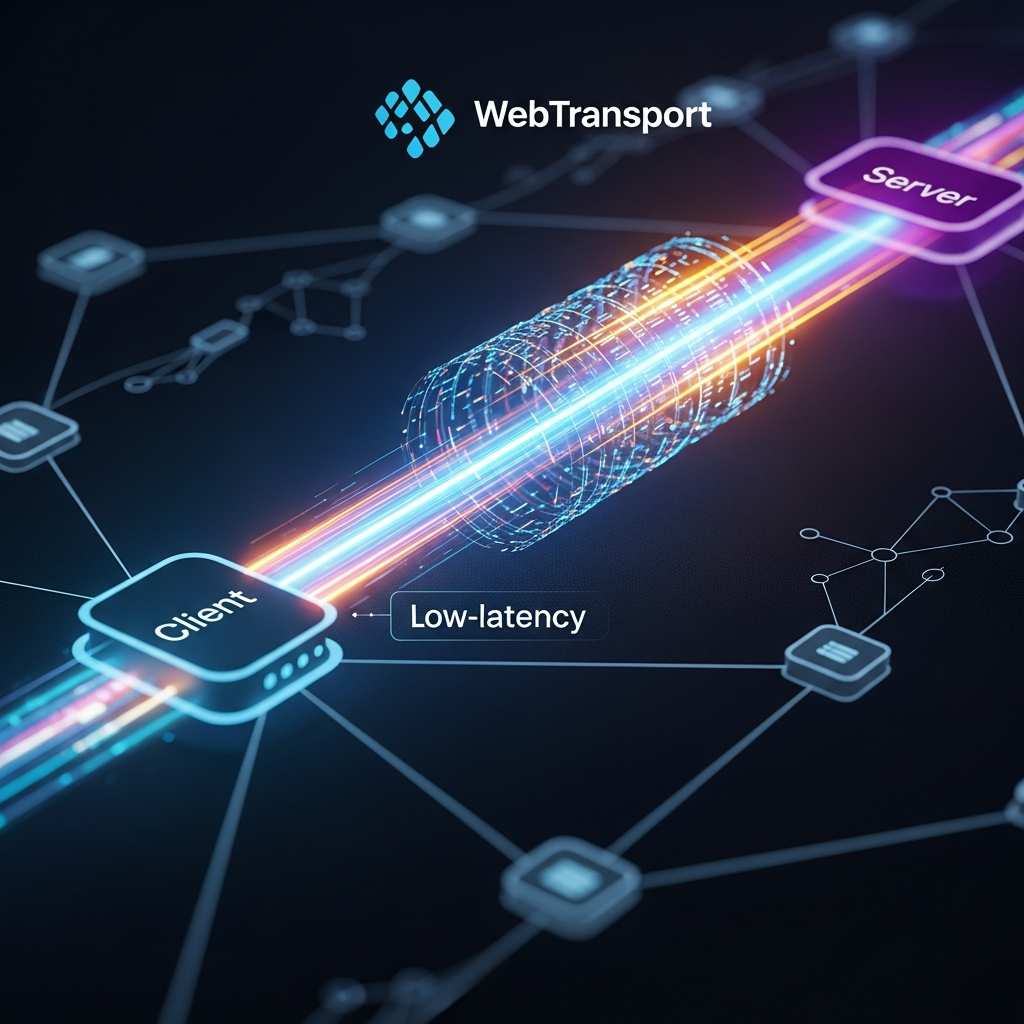
Enter WebTransport, a revolutionary API designed to unlock the full potential of modern web communication. Built on the powerful foundation of HTTP/3 and QUIC, WebTransport offers a flexible, multiplexed, and low-latency alternative, enabling developers to choose between reliable, ordered streams and unreliable, unordered datagrams. This guide will delve into the intricacies of WebTransport, demonstrating how it overcomes traditional bottlenecks and empowers developers to build next-generation web applications.
Prerequisites
To follow along with the concepts and code examples in this guide, a basic understanding of the following is recommended:
- JavaScript and Web APIs: Familiarity with asynchronous programming (Promises, async/await) and browser APIs.
- Networking Concepts: Basic knowledge of TCP, UDP, and HTTP protocols.
- Modern Browser: A recent version of Chrome (M97+) or Edge (M97+) is required, as WebTransport is still an emerging technology with varying support across browsers. Firefox and Safari are actively working on implementations.
- Server-Side Knowledge: While client-side examples will be the focus, understanding server-side implementation concepts for handling WebTransport connections is beneficial.
WebTransport: The Next Evolution in Web Networking
WebTransport is a client-server API that exposes the underlying capabilities of HTTP/3 (which itself uses QUIC) directly to web applications. Unlike WebSockets, which are built on TCP, WebTransport leverages QUIC, a multiplexed transport protocol over UDP. This fundamental shift provides several key advantages:
- UDP-based: QUIC operates over UDP, allowing for faster connection establishment (often 0-RTT for resumed connections) and avoiding TCP's inherent head-of-line blocking issues. If one stream experiences packet loss, it doesn't block other independent streams.
- Multiplexing: WebTransport natively supports multiple, independent streams over a single connection. This means you can send different types of data (e.g., game state, chat messages, voice audio) concurrently without them interfering with each other.
- Flexible Reliability: It offers both reliable, ordered streams (similar to TCP streams) and unreliable, unordered datagrams (similar to raw UDP packets). This allows developers to choose the appropriate level of reliability for different data types, optimizing for latency or data integrity as needed.
- Security: Like HTTP/3, WebTransport is always encrypted with TLS 1.3, ensuring secure communication by default.
This makes WebTransport ideal for scenarios where low latency, high throughput, and granular control over data delivery are paramount.
Understanding QUIC: The Foundation of WebTransport
To truly appreciate WebTransport, it's crucial to understand QUIC (Quick UDP Internet Connections), the transport layer protocol it's built upon. Developed by Google, QUIC aims to address many of the performance and security limitations of TCP+TLS+HTTP/2. Here's why QUIC is a game-changer:
- Stream Multiplexing without Head-of-Line Blocking: In TCP, if a packet for one stream is lost, all subsequent packets on all other streams must wait for retransmission. QUIC's streams are independent, so a lost packet on one stream doesn't affect others.
- Reduced Connection Setup Latency: QUIC can often establish a secure connection in 0-RTT (zero Round-Trip Time) if the client has previously connected to the server, greatly speeding up initial communication compared to TCP's 3-way handshake plus TLS handshake.
- Improved Congestion Control: QUIC's congestion control mechanisms are more advanced and adaptable, designed to perform better in challenging network conditions.
- Connection Migration: QUIC connections can seamlessly migrate across different IP addresses or network interfaces (e.g., switching from Wi-Fi to cellular) without interrupting active streams. This is a huge benefit for mobile users.
- Always Encrypted: QUIC integrates TLS 1.3 directly into its handshake, making encryption a mandatory and integral part of the protocol, enhancing security and privacy by default.
By building on QUIC, WebTransport inherits these powerful features, providing a robust and efficient foundation for modern web applications.
Core Concepts: Streams vs. Datagrams
WebTransport provides two primary modes of data transfer, catering to different application needs: streams and datagrams.
Streams
WebTransport streams are conceptually similar to TCP streams. They offer:
- Reliability: Data sent over a stream is guaranteed to arrive at the destination, even if packets are lost on the network. QUIC handles retransmissions automatically.
- Ordering: Data is delivered in the exact order it was sent, ensuring sequential integrity.
- Flow Control: Streams are flow-controlled, preventing a fast sender from overwhelming a slow receiver.
- Bidirectional and Unidirectional: Streams can be established as either
bidirectional(both client and server can send and receive) orunidirectional(data flows only in one direction).
Streams are ideal for data where integrity and order are crucial, such as chat messages, file transfers, or critical application state synchronization.
Datagrams
WebTransport datagrams, on the other hand, are analogous to UDP packets. They provide:
- Unreliability: Datagrams are not guaranteed to arrive. If a packet is lost, it's not automatically retransmitted.
- Unordered Delivery: Datagrams may arrive out of order.
- No Flow Control: Senders can transmit datagrams without explicit receiver acknowledgment, potentially leading to packet loss if the receiver or network is overwhelmed.
- Low Latency: The lack of reliability, ordering, and flow control overhead makes datagrams extremely fast and suitable for latency-sensitive applications.
Datagrams are perfect for situations where the freshest data is more important than absolute reliability, such as real-time game state updates, sensor readings, or live video frames where occasional loss is acceptable and retransmitting old data would be counterproductive.
Setting Up a WebTransport Connection (Client-Side)
Establishing a WebTransport connection from the client-side is straightforward using the WebTransport API. You'll need a server that supports WebTransport (HTTP/3 over QUIC) and a valid TLS certificate.
First, you instantiate a WebTransport object with the server URL. The URL must use https:// (or http:// for local testing with localhost and specific browser flags, but https is mandatory for production).
// Ensure your server is running on https://localhost:8080 or a public domain with a valid TLS certificate.
const url = 'https://localhost:8080/webtransport';

let wt;

async function connectWebTransport() {
  try {
    wt = new WebTransport(url);

    // Wait for the connection to be established
    await wt.ready;
    console.log('WebTransport connection established!');

    // Event listeners for connection state changes
    wt.closed.then(() => {
      console.log('WebTransport connection closed gracefully.');
    }).catch(error => {
      console.error('WebTransport connection closed with error:', error);
    });

    wt.draining.then(() => {
      console.log('WebTransport connection is draining (no new streams/datagrams allowed).');
    });

    // You can now start sending/receiving data
    // await setupStreamsAndDatagrams(wt);

  } catch (error) {
    console.error('Failed to connect WebTransport:', error);
  }
}

connectWebTransport();
The wt.ready promise resolves when the connection is successfully established, and wt.closed or wt.draining promises handle connection termination or shutdown states. It's crucial to implement robust error handling to manage connection failures or disconnections gracefully.
Sending and Receiving Data with Unidirectional Streams
Unidirectional streams are useful when data primarily flows in one direction, for example, a client sending logs to a server, or a server pushing updates to a client. The client can initiate sending or listen for incoming streams from the server.
Client Sending Unidirectional Stream
To send data, the client first creates an outgoing unidirectional stream using createUnidirectionalStream(). This returns a WritableStream.
async function sendUnidirectionalStream(webTransport) {
  try {
    const sendStream = await webTransport.createUnidirectionalStream();
    const writer = sendStream.getWriter();

    const encoder = new TextEncoder();

    await writer.write(encoder.encode('Hello from client (unidirectional)!'));
    console.log('Sent data on unidirectional stream.');

    // Close the stream when done sending
    await writer.close();
    console.log('Unidirectional stream closed.');

  } catch (error) {
    console.error('Error sending on unidirectional stream:', error);
  }
}

// Call after connection is ready
// wt.ready.then(() => sendUnidirectionalStream(wt));
Client Receiving Unidirectional Stream
To receive data from a server-initiated unidirectional stream, the client listens on webTransport.incomingUnidirectionalStreams. This is a ReadableStream of ReadableStreams.
async function receiveUnidirectionalStreams(webTransport) {
  try {
    const reader = webTransport.incomingUnidirectionalStreams.getReader();
    console.log('Listening for incoming unidirectional streams...');

    while (true) {
      const { value: receiveStream, done } = await reader.read();
      if (done) {
        console.log('No more incoming unidirectional streams.');
        break;
      }

      console.log('Received a new unidirectional stream from server.');
      const streamReader = receiveStream.getReader();
      const decoder = new TextDecoder();
      let receivedData = '';

      while (true) {
        const { value, done: streamDone } = await streamReader.read();
        if (streamDone) {
          console.log('Unidirectional stream finished.');
          break;
        }
        receivedData += decoder.decode(value, { stream: true });
      }
      console.log('Data received on unidirectional stream:', receivedData);
    }
  } catch (error) {
    console.error('Error receiving unidirectional streams:', error);
  }
}

// Call after connection is ready
// wt.ready.then(() => receiveUnidirectionalStreams(wt));
Sending and Receiving Data with Bidirectional Streams
Bidirectional streams are the workhorse for interactive, two-way communication, much like WebSockets. Both the client and server can send and receive data over the same stream.
Initiating and Interacting over a Bidirectional Stream (Client-Side)
async function createAndInteractBidirectionalStream(webTransport) {
  try {
    const bidiStream = await webTransport.createBidirectionalStream();
    console.log('Bidirectional stream created.');

    const encoder = new TextEncoder();
    const decoder = new TextDecoder();

    // Writer for sending data
    const writer = bidiStream.writable.getWriter();
    // Reader for receiving data
    const reader = bidiStream.readable.getReader();

    // Send a message
    await writer.write(encoder.encode('Hello from client (bidirectional)!'));
    console.log('Sent initial message on bidirectional stream.');

    // Read a response
    const { value, done } = await reader.read();
    if (!done) {
      const response = decoder.decode(value);
      console.log('Received response on bidirectional stream:', response);
    }

    // Send another message and close the writer
    await writer.write(encoder.encode('Client signing off.'));
    await writer.close();
    console.log('Client writer closed.');

    // Continue reading until the server closes its side or stream ends
    let finalResponse = '';
    while (true) {
      const { value: serverData, done: serverDone } = await reader.read();
      if (serverDone) {
        console.log('Server closed its side of bidirectional stream.');
        break;
      }
      finalResponse += decoder.decode(serverData, { stream: true });
    }
    if (finalResponse) {
      console.log('Final server message(s):', finalResponse);
    }

  } catch (error) {
    console.error('Error with bidirectional stream:', error);
  }
}

// Call after connection is ready
// wt.ready.then(() => createAndInteractBidirectionalStream(wt));
Listening for Server-Initiated Bidirectional Streams
Similar to unidirectional streams, clients can also listen for bidirectional streams initiated by the server using webTransport.incomingBidirectionalStreams.
async function handleIncomingBidirectionalStreams(webTransport) {
  try {
    const reader = webTransport.incomingBidirectionalStreams.getReader();
    console.log('Listening for incoming bidirectional streams...');

    while (true) {
      const { value: bidiStream, done } = await reader.read();
      if (done) {
        console.log('No more incoming bidirectional streams.');
        break;
      }

      console.log('Received a new bidirectional stream from server.');
      const streamReader = bidiStream.readable.getReader();
      const streamWriter = bidiStream.writable.getWriter();
      const decoder = new TextDecoder();
      const encoder = new TextEncoder();

      // Read data from the server
      const { value: serverMsg, done: readDone } = await streamReader.read();
      if (!readDone) {
        console.log('Server message on bidi stream:', decoder.decode(serverMsg));
        // Send a response back
        await streamWriter.write(encoder.encode('Client acknowledged: ' + decoder.decode(serverMsg)));
        await streamWriter.close(); // Close our side after responding
      }

      // Wait for the server to close its side
      while (true) {
        const { done: serverClosed } = await streamReader.read();
        if (serverClosed) break;
      }
      console.log('Server finished its side of the bidirectional stream.');
    }
  } catch (error) {
    console.error('Error handling incoming bidirectional streams:', error);
  }
}

// Call after connection is ready
// wt.ready.then(() => handleIncomingBidirectionalStreams(wt));
Leveraging Datagrams for Low-Latency Communication
Datagrams are your go-to for maximum speed and minimum overhead, perfect for data that can tolerate occasional loss and doesn't require ordering.
Sending Datagrams
WebTransport exposes datagrams.writable for sending and datagrams.readable for receiving. Both are ReadableStream and WritableStream instances.
async function sendDatagrams(webTransport) {
  try {
    const writer = webTransport.datagrams.writable.getWriter();
    const encoder = new TextEncoder();

    let counter = 0;
    const intervalId = setInterval(async () => {
      const message = `Datagram #${counter++}: ${Date.now()}`;
      await writer.write(encoder.encode(message));
      console.log('Sent datagram:', message);

      if (counter >= 10) {
        clearInterval(intervalId);
        console.log('Finished sending 10 datagrams.');
        // Note: You don't 'close' datagrams.writable in the same way as streams.
        // It's tied to the connection. The writer can be released.
        writer.releaseLock();
      }
    }, 100);

  } catch (error) {
    console.error('Error sending datagrams:', error);
  }
}

// Call after connection is ready
// wt.ready.then(() => sendDatagrams(wt));
Receiving Datagrams
async function receiveDatagrams(webTransport) {
  try {
    const reader = webTransport.datagrams.readable.getReader();
    const decoder = new TextDecoder();
    console.log('Listening for incoming datagrams...');

    while (true) {
      const { value, done } = await reader.read();
      if (done) {
        console.log('No more incoming datagrams.');
        break;
      }
      console.log('Received datagram:', decoder.decode(value));
    }
  } catch (error) {
    console.error('Error receiving datagrams:', error);
  }
}

// Call after connection is ready
// wt.ready.then(() => receiveDatagrams(wt));
Server-Side Implementation Considerations
While this guide focuses on the client-side WebTransport API, a functional WebTransport application requires a compatible server. Implementing a WebTransport server involves handling HTTP/3 connections and managing QUIC streams and datagrams. Key considerations include:
- HTTP/3 Support: The server must speak HTTP/3, which means it needs a QUIC implementation. Libraries like
quic-gofor Go,aioquicfor Python, ornode-webtransportfor Node.js provide this functionality. - TLS Certificates: WebTransport connections are always encrypted. Your server must be configured with valid TLS certificates (e.g., from Let's Encrypt for public domains, or self-signed for local development).
- UDP Port: HTTP/3 typically uses UDP port 443, so your server must listen on this port (or another configured port) for UDP traffic.
- Connection Management: The server needs to accept incoming WebTransport connections and handle their lifecycle (open, close, error).
- Stream/Datagram Handling: The server must be able to create, accept, read from, and write to unidirectional and bidirectional streams, as well as send and receive datagrams. The server-side logic will mirror the client-side stream and datagram operations.
Here's a conceptual (non-executable) example of how a Node.js server using node-webtransport might handle an incoming connection and a bidirectional stream:
// Conceptual Server-Side Logic (using node-webtransport)
const { WebTransportServer } = require('node-webtransport');
const fs = require('fs');

const server = new WebTransportServer({
  port: 8080,
  host: 'localhost',
  cert: fs.readFileSync('./cert.pem'), // Path to your TLS certificate
  privKey: fs.readFileSync('./key.pem') // Path to your private key
});

server.start();
console.log('WebTransport server listening on https://localhost:8080');

server.on('session', (session) => {
  console.log('New WebTransport session connected:', session.id);

  session.on('bidirectionalstream', async (stream) => {
    console.log('Server received new bidirectional stream.');
    const reader = stream.readable.getReader();
    const writer = stream.writable.getWriter();
    const decoder = new TextDecoder();
    const encoder = new TextEncoder();

    while (true) {
      const { value, done } = await reader.read();
      if (done) {
        console.log('Client closed bidirectional stream.');
        break;
      }
      const message = decoder.decode(value);
      console.log('Server received:', message);
      // Echo back a response
      await writer.write(encoder.encode(`Server echo: ${message}`));
    }
    await writer.close();
  });

  session.on('datagram', (datagram) => {
    console.log('Server received datagram:', decoder.decode(datagram));
    // Send a response datagram
    session.datagrams.send(encoder.encode('Server got your datagram!'));
  });

  session.on('close', () => {
    console.log('WebTransport session closed:', session.id);
  });
});

server.on('error', (error) => {
  console.error('WebTransport server error:', error);
});
Real-World Use Cases for WebTransport
WebTransport opens up a new realm of possibilities for web applications that demand high performance and low latency:
- Online Gaming: The most obvious use case. Datagrams can send rapid, unreliable game state updates (player positions, actions) for minimal latency, while reliable streams can handle critical data like chat messages, inventory updates, or game events.
- Live Streaming and Video Conferencing: Delivering real-time audio and video feeds with minimal buffering. Datagrams are excellent for video frames where a dropped frame is better than a delayed one, and streams can manage control signals or high-priority audio.
- Collaborative Editing: Synchronizing document changes across multiple users in real-time. Streams ensure that all edits are applied in the correct order and reliably, while potentially using datagrams for cursor position updates.
- IoT Device Communication: Web-based dashboards or control panels interacting with IoT devices that require low-latency command and control, or high-frequency sensor data updates.
- Augmented/Virtual Reality (AR/VR): Transmitting sensor data, pose information, and rendering instructions with the lowest possible latency to maintain immersion.
- WebRTC Data Channel Alternative: For specific scenarios, WebTransport can serve as a powerful alternative or complement to WebRTC's data channels, especially when direct peer-to-peer connectivity is not strictly required, or when leveraging existing HTTP/3 infrastructure is advantageous.
- Financial Trading Applications: Real-time market data feeds where every millisecond counts, using datagrams for price updates and streams for order placement and confirmations.
Best Practices for WebTransport Development
Developing with WebTransport requires careful consideration to maximize its benefits:
-
Choose Wisely: Streams vs. Datagrams: Understand the trade-offs. Use streams for critical, ordered data (e.g., chat, file transfers, command & control) and datagrams for time-sensitive, loss-tolerant data (e.g., game state, sensor readings, video frames). Don't use datagrams for data that must arrive.
-
Robust Error Handling: WebTransport connections can fail. Implement comprehensive
try...catchblocks and handlewt.closedpromise rejections. Be prepared for network changes and temporary disconnections. -
Connection Management: Keep connections alive for as long as needed to avoid the overhead of re-establishing them. However, also consider gracefully closing connections when not in use to free up resources.
-
Data Serialization: Efficiently serialize and deserialize your data.
TextEncoder/TextDecoderfor strings,JSON.stringify/JSON.parsefor objects, andArrayBufferorTypedArrayfor binary data are common choices. Consider more compact binary formats like Protocol Buffers or MessagePack for high-performance scenarios. -
Flow Control Awareness: While WebTransport streams have built-in flow control, datagrams do not. If sending high volumes of datagrams, monitor network conditions and potentially implement your own application-level rate limiting to avoid overwhelming the receiver or the network.
-
Security First: Always use HTTPS for WebTransport URLs in production. Ensure your server's TLS certificates are valid and up-to-date.
-
Feature Detection & Fallbacks: WebTransport is still relatively new. Always use feature detection (
'WebTransport' in window) and provide graceful fallbacks (e.g., WebSockets, Server-Sent Events) for browsers that don't support it yet.javascriptif ('WebTransport' in window) { // Use WebTransport console.log('WebTransport is supported!'); } else { // Fallback to WebSockets or other methods console.warn('WebTransport not supported, falling back to WebSockets.'); // Implement WebSocket logic here } -
Performance Monitoring: Monitor network latency, packet loss, and throughput to fine-tune your WebTransport usage and identify bottlenecks.
Common Pitfalls and How to Avoid Them
While powerful, WebTransport can present challenges for developers new to the protocol:
- Misunderstanding Reliability: A common mistake is using datagrams for data that absolutely must arrive. Remember, datagrams are unreliable and unordered. If you need guarantees, use streams.
- Server Setup Complexity: Setting up a WebTransport server (HTTP/3 + QUIC + TLS) can be more involved than a standard HTTP/1.1 or HTTP/2 server. Ensure your server environment is correctly configured with the necessary libraries and certificates.
- TLS Certificate Issues: WebTransport requires TLS. Self-signed certificates will cause browser security errors unless explicitly allowed (e.g., via browser flags for development). For production, use trusted certificates.
- Browser Compatibility: Early adoption means inconsistent browser support. Always test thoroughly across target browsers and implement fallbacks. Don't assume WebTransport will work everywhere yet.
- Head-of-Line Blocking Misconceptions: While QUIC mitigates HOL blocking between streams, a single stream can still experience HOL blocking if its packets are lost and need retransmission. This is inherent to reliable, ordered delivery.
- Over-optimizing with Datagrams: While datagrams offer low latency, sending too much data too quickly without any application-level flow control can saturate the network and lead to increased packet loss, negating the benefits.
- Ignoring Connection Migration: WebTransport's connection migration is a powerful feature, especially for mobile. Design your application to handle potential IP address changes gracefully, though the protocol handles much of this automatically.
Conclusion
WebTransport represents a significant leap forward in web communication, offering unparalleled flexibility, performance, and low-latency capabilities. By building on the robust foundation of HTTP/3 and QUIC, it empowers developers to create a new generation of real-time, highly interactive web applications that were previously challenging or impossible with older protocols.
From online gaming and live streaming to collaborative tools and IoT interfaces, WebTransport provides the granular control over reliability and ordering needed for diverse use cases. While it's still an evolving technology with varying browser support, its potential to revolutionize the web's real-time landscape is undeniable.
As WebTransport matures and gains broader adoption, mastering its concepts – particularly the distinction between reliable streams and unreliable datagrams – will be crucial for any developer looking to push the boundaries of web performance. Start experimenting with WebTransport today, explore its possibilities, and contribute to shaping the future of the real-time web.
Written by
CodewithYohaFull-Stack Software Engineer with 7+ years of experience in Java, Spring Boot, and cloud architecture across AWS, Azure, and GCP. Writing production-grade engineering patterns for developers who ship real software.