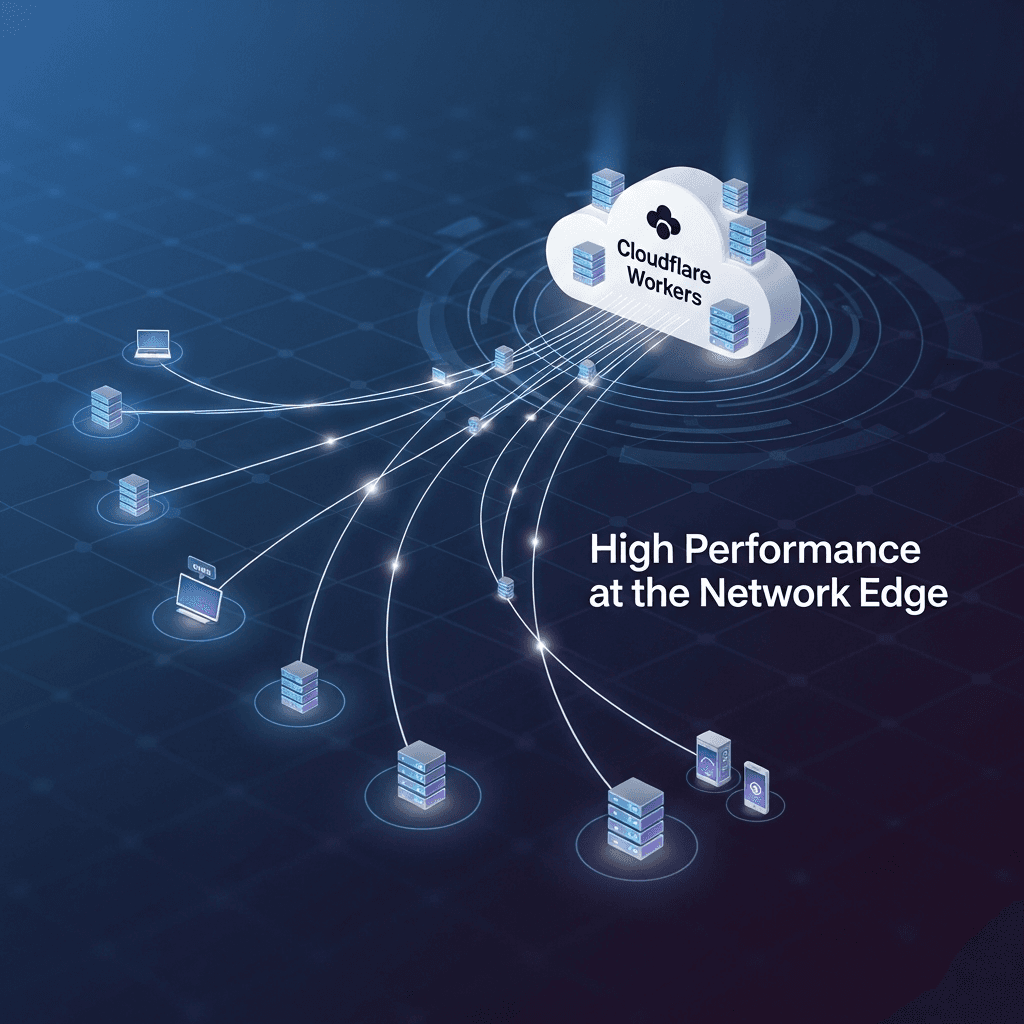
Edge Computing with Cloudflare Workers: High Performance at the Network Edge

Introduction
In today's hyper-connected digital landscape, user expectations for application performance are at an all-time high. Every millisecond of latency can impact user experience, conversion rates, and ultimately, business success. Traditional cloud architectures, while powerful, often suffer from the inherent latency of geographical distance between users and centralized data centers.
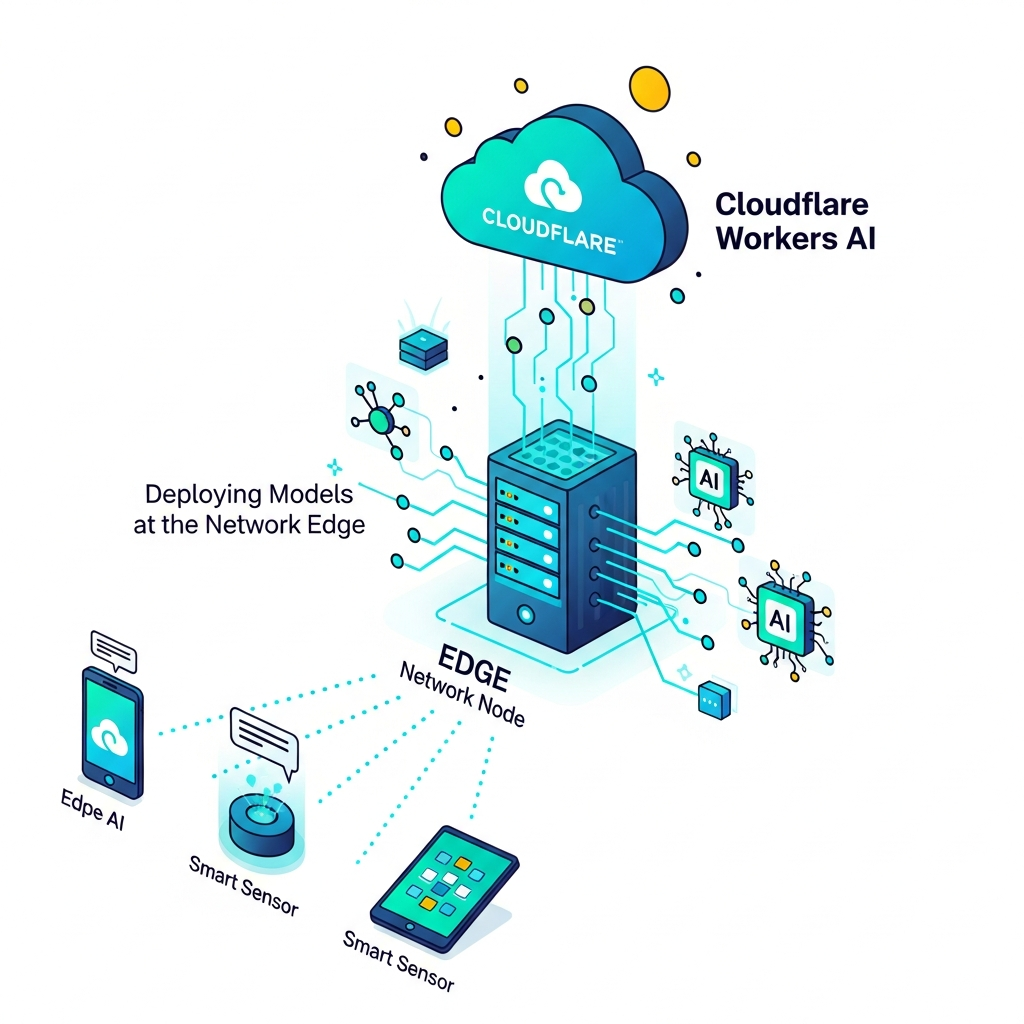
Enter Edge Computing, a paradigm shift that brings computation and data storage closer to the data sources and, crucially, closer to your users. Cloudflare Workers stand at the forefront of this revolution, offering a highly performant, globally distributed serverless platform that allows developers to execute code directly on Cloudflare's vast network edge.
This comprehensive guide will dive deep into Cloudflare Workers, exploring how they enable true edge computing, enhance application performance, and unlock new possibilities for developers. We'll cover everything from their underlying architecture to practical code examples, best practices, and real-world use cases.
Prerequisites
To get the most out of this guide, a basic understanding of the following is recommended:
- JavaScript or TypeScript: Cloudflare Workers are primarily written in these languages.
- Command-Line Interfaces (CLI): We'll be using Cloudflare's
wranglerCLI tool. - Web Fundamentals: Concepts like HTTP requests, responses, and URLs.
- A Cloudflare Account: A free account is sufficient to get started and deploy your first Workers.
What is Edge Computing?
Edge computing is a distributed computing paradigm that brings computation and data storage closer to the locations where data is generated or consumed. Instead of sending all data to a centralized cloud data center for processing, edge computing processes data at the "edge" of the network, often within physical proximity to the user or data source.
Why is Edge Computing Important?
- Reduced Latency: By minimizing the physical distance data needs to travel, edge computing significantly reduces network latency, leading to faster response times and improved user experiences.
- Bandwidth Optimization: Less data needs to be sent to and from central data centers, reducing bandwidth consumption and associated costs, especially for large datasets or high-frequency interactions.
- Enhanced Reliability: Distributing computation across many edge locations can improve fault tolerance. If one edge location experiences an issue, others can often pick up the slack.
- Improved Security & Privacy: Processing data locally at the edge can reduce the exposure of sensitive data by keeping it within a more controlled environment and minimizing transit across public networks.
- Offline Capabilities: Edge devices can continue to function and process data even if connectivity to the central cloud is temporarily lost.
Introducing Cloudflare Workers
Cloudflare Workers are serverless functions that run on Cloudflare's global network, executing code in over 300 cities worldwide, typically within milliseconds of your users. They are built on Google's V8 JavaScript engine (the same engine powering Chrome and Node.js), but instead of traditional containers or VMs, Workers leverage V8 isolates.
V8 Isolates vs. Containers
This distinction is crucial to understanding Worker's performance characteristics:
- V8 Isolates: Lightweight, secure sandboxes that share the same underlying operating system process. They have extremely fast cold start times (often under 5ms) and consume minimal memory, allowing thousands of isolates to run concurrently on a single machine.
- Containers (e.g., Docker): Heavier, more isolated environments that include their own operating system and dependencies. While offering strong isolation, they have longer cold start times and higher resource overhead.
Cloudflare Workers' isolate-based architecture means your code can spin up and execute almost instantaneously, making them ideal for latency-sensitive applications at the edge.
Key Features of Cloudflare Workers:
- Global Distribution: Deployed across Cloudflare's entire network, ensuring code runs close to every user.
- Event-Driven: Primarily triggered by incoming HTTP requests, allowing them to act as powerful intermediaries.
- JavaScript/TypeScript Support: Develop in familiar languages with modern tooling.
- Seamless Integration: Access to Cloudflare's suite of services like Workers KV (key-value store), Durable Objects (stateful serverless), R2 (object storage), D1 (serverless database), and more.
- HTTP-First: Designed to intercept, inspect, and modify HTTP requests and responses.
Why Cloudflare Workers for Edge Computing?
Cloudflare Workers are uniquely positioned to deliver the full promise of edge computing due to several compelling advantages:
- Ultra-Low Latency: With code executing in 300+ data centers globally, your logic runs milliseconds away from your users. This bypasses the typical latency associated with routing requests to a central cloud region, providing a truly responsive experience.
- Massive Global Scale & Reliability: Workers inherit the inherent scalability and reliability of Cloudflare's network. They automatically scale to handle any load, from a few requests to billions, without you needing to manage infrastructure.
- Cost-Effectiveness: Cloudflare Workers operate on a pay-per-request model with a very generous free tier (100,000 requests per day). There are no idle costs, making them incredibly efficient for variable workloads.
- Exceptional Developer Experience: Developers can use familiar languages (JavaScript, TypeScript) and leverage a powerful CLI tool (
wrangler) for local development, testing, and deployment. The platform offers rich APIs for interacting with HTTP requests/responses and other Cloudflare services. - Built-in Security & Performance: By running on Cloudflare's network, Workers automatically benefit from Cloudflare's industry-leading security features (DDoS protection, WAF, bot management) and performance optimizations (caching, intelligent routing).
- Extensibility: The ability to modify requests and responses mid-flight allows for powerful customizations without altering origin server code, enabling A/B testing, personalization, dynamic content, and more.
Getting Started with Cloudflare Workers
Let's walk through the basic steps to create and deploy your first Cloudflare Worker.
1. Install wrangler CLI
wrangler is the official CLI tool for developing and deploying Cloudflare Workers. Install it globally via npm:
npm install -g wrangler2. Authenticate with Cloudflare
Run the following command and follow the browser-based authentication flow:
wrangler login3. Create a New Worker Project
wrangler generate will scaffold a new Worker project. You can choose a template (e.g., hello-world, typescript):
wrangler generate my-first-worker hello-world
cd my-first-worker
This will create a directory my-first-worker with a basic index.js (or index.ts) file and a wrangler.toml configuration file.
4. Develop Your Worker
Open index.js (or src/index.ts if using TypeScript). A basic Worker looks like this:
// index.js

// The default export is your Worker's event handler.
// It receives a Request object and must return a Response object.
export default {
  async fetch(request, env, ctx) {
    // In this example, we simply return a static response.
    return new Response("Hello from Cloudflare Workers at the Edge!");
  },
};
5. Test Locally
wrangler dev allows you to test your Worker locally, simulating the Cloudflare environment:
wrangler devVisit http://localhost:8787 (or the port indicated) in your browser.
6. Deploy Your Worker
Once you're ready, deploy your Worker to Cloudflare's global network:
wrangler deploywrangler will prompt you for a subdomain if it's your first deployment. After deployment, it will provide the URL where your Worker is live (e.g., my-first-worker.your-username.workers.dev).
Advanced Worker Features and Use Cases
Cloudflare Workers go far beyond simple "Hello World" responses. Their ability to intercept and modify HTTP requests and responses at the edge opens up a vast array of powerful use cases.
1. Dynamic Content Modification & A/B Testing
Workers can inspect incoming requests (headers, cookies, IP address, etc.) and dynamically alter the content served to the user. This is perfect for A/B testing, personalization, or geo-targeting.
Code Example: Simple A/B Test
Let's say you want to test two versions of a landing page (variant A and variant B) by routing 50% of users to each.
// index.js (A/B Test Example)

export default {
  async fetch(request, env, ctx) {
    const url = new URL(request.url);

    // Use a simple, non-identifiable way to split traffic, e.g., based on a hash of the request ID
    // For real-world use, consider setting a cookie or using a more robust A/B testing service.
    const trafficSplitKey = request.headers.get("cf-ray"); // Cloudflare's unique request ID

    if (trafficSplitKey && parseInt(trafficSplitKey.slice(-1), 16) % 2 === 0) { // 50% chance
      // Route to variant A by rewriting the path
      url.pathname = "/variant-a" + url.pathname;
    } else {
      // Route to variant B
      url.pathname = "/variant-b" + url.pathname;
    }

    // Create a new request with the modified URL and fetch from the origin
    const newRequest = new Request(url.toString(), request);
    return fetch(newRequest);
  },
};
2. API Gateway & Request Routing
Workers can act as a powerful API gateway, routing requests to different backend services, enforcing authentication, rate limiting, or transforming requests/responses before they reach your origin.
Code Example: Routing based on Path
// index.js (API Gateway Example)

export default {
  async fetch(request, env, ctx) {
    const url = new URL(request.url);

    // Route requests to different microservices based on the path
    if (url.pathname.startsWith("/api/users")) {
      // This would typically be an internal service URL
      return fetch("https://users-service.internal.example.com" + url.pathname, request);
    } else if (url.pathname.startsWith("/api/products")) {
      return fetch("https://products-service.internal.example.com" + url.pathname, request);
    }

    // For all other paths, perhaps serve static assets or return a 404
    return new Response("Not Found", { status: 404 });
  },
};
3. Serverless Backends & Data Storage
Cloudflare Workers integrate seamlessly with several distributed data storage solutions, allowing you to build full-fledged serverless applications directly at the edge:
- Workers KV: A globally distributed key-value store for high-read, low-write data like configuration, feature flags, or static content.
- Durable Objects: Provide globally consistent, strongly consistent singletons for stateful applications (e.g., collaborative editing, real-time gaming, chat rooms).
- R2: S3-compatible object storage with zero egress fees, ideal for storing large assets like images, videos, or backups.
- D1: A serverless SQLite-compatible relational database, offering transactional consistency and low-latency access.
Code Example: Using Workers KV
First, bind a KV namespace in your wrangler.toml:
name = "my-kv-worker"
main = "src/index.ts"
compatibility_date = "2023-10-25"

[[kv_namespaces]]
binding = "MY_KV"
id = "YOUR_KV_NAMESPACE_ID" # Get this from the Cloudflare dashboard
Then, in your Worker:
// index.js (Workers KV Example)

export default {
  async fetch(request, env, ctx) {
    const url = new URL(request.url);

    if (url.pathname === "/set") {
      // Store a value in the KV namespace
      await env.MY_KV.put("greeting", "Hello from KV!");
      return new Response("Value set in KV.");
    } else if (url.pathname === "/get") {
      // Retrieve a value from the KV namespace
      const greeting = await env.MY_KV.get("greeting");
      return new Response(greeting || "Value not found in KV.");
    }
    return new Response("Invalid path. Try /set or /get.");
  },
};
4. Image Resizing & Optimization at the Edge
Serve images optimized for each user's device and network conditions. Cloudflare's Image Resizing (a paid service) can be controlled via Workers, or you can implement basic resizing/reformatting logic yourself for simpler cases.
5. Real-time Analytics & Logging
Process and forward logs, metrics, or analytics data to external services (e.g., Logflare, DataDog, custom endpoints) without adding latency to the user's primary request. Use ctx.waitUntil() to ensure these background tasks complete.
6. Security Enhancements
Implement custom authentication layers, enforce granular access controls, add rate limiting logic, or augment Cloudflare's Web Application Firewall (WAF) with custom rules directly in your Worker.
Best Practices for Cloudflare Workers
To maximize the performance and efficiency of your Workers, consider these best practices:
- Minimize CPU Time: Workers are billed by CPU time. Write efficient, non-blocking code. Avoid heavy computations that can be offloaded to an origin server or a specialized service.
- Leverage Caching: Utilize the Cache API (available within Workers) and Cloudflare's CDN for static assets and frequently accessed dynamic content. Cache aggressively where appropriate.
- Asynchronous Operations: Embrace
async/awaitfor all I/O operations (e.g.,fetch, KV lookups). This prevents blocking the V8 isolate and allows other requests to be processed concurrently. - Error Handling & Monitoring: Implement robust
try/catchblocks. Use Cloudflare's built-in analytics and integrate with external monitoring tools to track Worker performance and errors. - TypeScript for Type Safety: For larger or more complex projects, TypeScript significantly improves code quality, maintainability, and developer experience by catching errors at compile-time.
- Modularity with ES Modules: Organize your code into smaller, reusable ES modules. This improves readability and makes your Worker easier to manage.
- Utilize
ctx.waitUntil(): For background tasks (e.g., logging, analytics, sending notifications) that don't need to block the user's response, usectx.waitUntil(promise)to ensure they complete after the response has been sent.
Common Pitfalls to Avoid
Even with the power of Workers, certain patterns can lead to suboptimal performance or unexpected behavior:
- Long-Running Tasks: Workers have CPU time limits (e.g., 50ms on the free tier, up to 1000ms for certain operations with
ctx.waitUntilon paid plans). Avoid CPU-intensive operations that exceed these limits. Offload heavy processing to traditional backend services. - Blocking I/O Operations: Never use synchronous network requests or other blocking I/O within a Worker. Always use
awaitwith Promises for network operations. - Over-Reliance on External Dependencies: While
npmpackages can be used, large bundles can slightly increase cold start times and memory usage. Be mindful of your dependency footprint. - Ignoring
wrangler.tomlConfiguration: Incorrectly configuring environment variables, KV namespaces, routes, or other bindings inwrangler.tomlcan lead to runtime errors or unexpected behavior. - Lack of Testing: Deploying untested Workers can introduce bugs. Use
wrangler devfor local testing and consider unit/integration tests for critical logic. - Not Understanding Global Scope: Variables defined in the global scope persist across requests within the same isolate. While often beneficial for performance (e.g., caching a database client), it can lead to unexpected state issues if not managed carefully.
Real-World Scenarios
Cloudflare Workers are being adopted across various industries for diverse applications:
- E-commerce Personalization: Dynamically adjust product recommendations, pricing, or promotions based on user location, browsing history, or real-time inventory at the edge.
- Gaming Backend Logic: Handle low-latency game state synchronization, player authentication, leaderboards, or cheat detection directly at the edge for a smoother, more responsive gaming experience.
- IoT Device Data Processing: Ingest, filter, and preprocess data from millions of IoT devices at the network edge before sending aggregated or critical data to a central cloud, reducing bandwidth and improving real-time responsiveness.
- Localized Content Delivery: Serve language-specific, region-specific, or compliance-driven content variants from the closest data center, enhancing user experience and meeting regulatory requirements.
- Authentication & Authorization: Implement custom authentication flows, token validation, or integrate with identity providers at the edge to secure APIs and applications before requests reach origin servers.
- Static Site Generation (SSG) with Dynamic Data: Serve pre-built static sites rapidly, then use Workers to fetch and inject dynamic, personalized content (e.g., user profiles, shopping cart items) into the page client-side or server-side at the edge.
Conclusion
Cloudflare Workers represent a significant leap forward in edge computing, empowering developers to build high-performance, globally distributed applications with unprecedented ease and efficiency. By bringing computation closer to the user, Workers eliminate latency bottlenecks, reduce infrastructure costs, and enhance the overall developer and user experience.
From simple content modifications and A/B testing to complex API gateways and stateful serverless applications with Durable Objects, the capabilities of Cloudflare Workers are vast and continue to expand. As the demand for instant, seamless digital experiences grows, edge computing platforms like Cloudflare Workers will become increasingly indispensable.
If you're looking to push the boundaries of web performance and build truly global, responsive applications, Cloudflare Workers offer a compelling and powerful solution. Dive in, experiment, and start building at the network edge today!
Written by
CodewithYohaFull-Stack Software Engineer with 7+ years of experience in Java, Spring Boot, and cloud architecture across AWS, Azure, and GCP. Writing production-grade engineering patterns for developers who ship real software.