
Web Containers: Running Node.js & Python Directly in Your Browser

Introduction
The landscape of web development is in constant flux, pushing boundaries and redefining what's possible directly within the browser. For years, the browser has been primarily a client for displaying static content and running JavaScript. Backend logic, complex build processes, and non-JavaScript runtimes like Node.js and Python were strictly server-side domains. This clear separation, while functional, often introduced friction in development workflows, required complex local setups, and made interactive learning environments cumbersome.
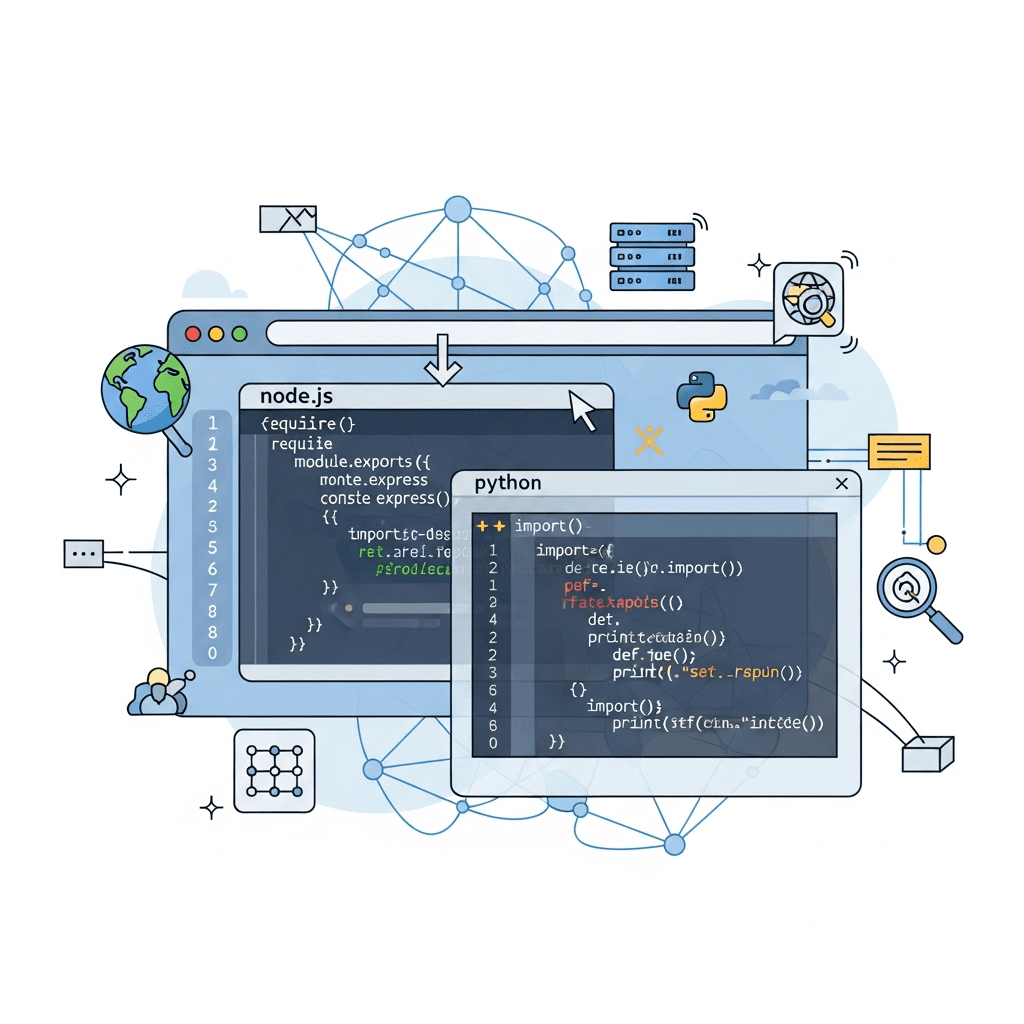
Enter Web Containers – a groundbreaking technology that shatters these traditional barriers. Imagine running full-fledged Node.js or Python applications, complete with their respective package managers and ecosystems, entirely within your web browser. This isn't just a fantasy; it's a rapidly evolving reality powered by WebAssembly (WASM) and the WebAssembly System Interface (WASI). Web Containers represent a paradigm shift, enabling instant, collaborative, and secure development environments, interactive documentation, and even client-side execution of traditionally server-bound languages. This article will deep dive into the magic of Web Containers, exploring their underlying technologies, practical applications, and the profound impact they are set to have on the future of web development.
Prerequisites
To understand Web Containers, a basic familiarity with the following concepts will be beneficial:
- Modern Web Browsers: Chrome, Firefox, Edge, Safari (latest versions).
- JavaScript: Fundamental understanding of client-side scripting.
- Node.js/Python: Basic knowledge of these runtimes and their ecosystems (e.g.,
npm,pip). - Containers: General concept of containerization (e.g., Docker) helps in understanding the isolation benefits, though Web Containers operate differently.
- WebAssembly (WASM): A high-level understanding of what it is and its purpose.
No specific installations are required, as the beauty of Web Containers is their browser-native execution.
What are Web Containers?
Web Containers are an innovative technology that allows you to run complete server-side runtimes like Node.js and Python directly within the security sandbox of a web browser. Unlike traditional containers (like Docker), which virtualize operating systems and processes at a much lower level, Web Containers leverage the browser's capabilities to create an isolated, highly performant execution environment for your code.
The core idea is to compile the entire runtime (e.g., Node.js, CPython) into WebAssembly. This WASM module then runs within a Web Worker, providing a sandboxed environment that cannot directly access the host browser's DOM. It emulates a Unix-like operating system environment, complete with a file system, process management, and network capabilities, all within the browser tab. This means you can install dependencies, run build commands, and execute server-side code without ever leaving your browser or needing a local setup.
Key characteristics of Web Containers:
- Browser-native: Runs entirely within the browser, leveraging its security model and APIs.
- Instant Start: No cold starts, no complex local installations.
- Isolated: Each container runs in its own Web Worker, isolated from the main browser thread and other containers.
- Persistent (Optional): State can be persisted across sessions using browser storage APIs.
- Secure: Adheres to the browser's security model, preventing direct access to the host machine.
The Magic Behind the Scenes: WebAssembly and WASI
The foundation of Web Containers lies in two pivotal technologies: WebAssembly (WASM) and the WebAssembly System Interface (WASI).
WebAssembly (WASM)
WebAssembly is a binary instruction format for a stack-based virtual machine. It's designed as a portable compilation target for high-level languages like C/C++, Rust, Go, and even JavaScript (via tools like Emscripten), enabling deployment on the web for client and server applications. WASM modules can be loaded and executed by the browser's JavaScript engine, offering near-native performance.
Key features of WASM:
- Performance: Executes at near-native speeds, often significantly faster than JavaScript for CPU-intensive tasks.
- Portability: Runs across different platforms and browsers.
- Safety: Executes in a memory-safe, sandboxed environment.
- Compact: Binary format is typically smaller than JavaScript source code.
For Web Containers, entire runtimes like Node.js or CPython are compiled down to WASM. This allows the browser to execute their core logic efficiently.
WebAssembly System Interface (WASI)
While WebAssembly provides the computational horsepower, it initially lacked the ability to interact with system resources like files, network sockets, or environment variables. This is where WASI comes in. WASI is a modular system interface for WebAssembly, designed to be operating system-agnostic and secure. It provides a standardized way for WASM modules to access host system capabilities, similar to how POSIX provides an interface for Unix-like operating systems.
In the context of Web Containers, WASI allows the WASM-compiled Node.js or Python runtime to:
- Access a virtual file system: Read, write, and manage files within the container's isolated environment.
- Perform network requests: Make HTTP calls or establish WebSocket connections (within browser security constraints).
- Manage processes: Start and stop child processes within the container.
- Access environment variables: Simulate environment variables for the running application.
Crucially, WASI ensures that these interactions are mediated by the browser, maintaining its security sandbox. The browser acts as the "host operating system" for the WASI-enabled WASM module, translating WASI calls into safe browser API calls.
Why Run Node.js/Python in the Browser? Use Cases
The ability to run server-side runtimes directly in the browser unlocks a plethora of exciting use cases, transforming various aspects of software development and education:
- Instant Development Environments: Platforms like StackBlitz leverage Web Containers to provide full-stack development environments that start in milliseconds. No
npm install, nopip install, no local server setup required. Just open a URL, and you're coding. - Interactive Tutorials and Documentation: Imagine documentation where you can not only read code but also modify and execute it directly on the page, seeing the results instantly. This dramatically improves learning and understanding.
- Client-Side Utility Scripts: Run complex data processing, code transformations, or build tools (e.g., a custom linter, a static site generator) directly in the browser, reducing server load and enabling offline capabilities.
- Serverless-like Functions in the Browser: Develop and test backend logic that can then be deployed to a serverless platform, all within your browser-based IDE. This blurs the lines between frontend and backend development environments.
- Educational Platforms: Provide sandboxed environments for students to learn Node.js, Python, or other languages without the hassle of local environment setup, reducing barriers to entry.
- Offline-First Applications: For scenarios requiring robust offline capabilities, Web Containers can enable parts of the application that traditionally required a server to run client-side when connectivity is lost.
- CI/CD in the Browser (for specific tasks): While not a full replacement, certain lightweight CI/CD tasks, like running unit tests or linting, could potentially execute within a browser-based environment, offering faster feedback loops.
- Code Playgrounds and Sandboxes: Similar to CodePen or JSFiddle, but for full-stack applications, allowing users to experiment with Node.js servers, Python scripts, and database interactions.
How Web Containers Work (A Simplified View)
Understanding the architecture helps in appreciating the innovation. Here's a simplified breakdown:
- The Browser as the Host: Your web browser (e.g., Chrome, Firefox) is the operating system for the Web Container.
- Web Worker Isolation: The entire Web Container environment runs within a JavaScript Web Worker. This ensures it's isolated from the main browser thread, preventing UI freezes and maintaining responsiveness.
- WASM Runtime: The Node.js or Python runtime (e.g., V8 for Node.js, CPython interpreter for Python) is compiled to WebAssembly. This WASM module is loaded and executed within the Web Worker.
- Emulated File System: Web Containers don't have direct access to your local hard drive. Instead, they emulate a Unix-like file system in memory (e.g., using IndexedDB for persistence or an in-memory file system). All file operations (read, write, delete) are intercepted and handled by this emulated layer.
- Network Emulation: Network requests made by the Node.js or Python process within the container are intercepted. Instead of directly hitting the network, these requests are typically proxied through the host browser's
fetchAPI or a WebSocket connection, adhering to the browser's security policies (e.g., CORS). - Process Management: The Web Container manages virtual processes. When you run
npm installorpython script.py, these are treated as processes within the container's isolated environment. - Communication Layer: To interact with the container (e.g., sending commands, receiving output, updating files), a communication layer (often using
postMessagebetween the main thread and the Web Worker) is established.
This setup provides a highly controlled and secure environment, giving the illusion of a full operating system within your browser tab.
Getting Started with Web Containers (Practical Examples)
While direct interaction with the underlying Web Container API can be complex, platforms like StackBlitz provide user-friendly interfaces. For illustrative purposes, let's consider a simplified API model similar to what you might encounter when using a library wrapping Web Containers.
Imagine a hypothetical WebContainer JavaScript API:
// main.js - Running in the browser's main thread

import { WebContainer } from '@webcontainer/api'; // Hypothetical API

async function initializeContainer() {
  console.log('Booting Web Container...');
  const webcontainer = await WebContainer.boot();
  console.log('Web Container booted!');

  // 1. Create a simple Node.js server file
  await webcontainer.mount({
    'index.js': {
      file: {
        contents: `
          import http from 'http';

          const server = http.createServer((req, res) => {
            res.writeHead(200, { 'Content-Type': 'text/plain' });
            res.end('Hello from Node.js in Web Container!\n');
          });

          server.listen(3000, () => {
            console.log('Node.js server running on port 3000');
          });
        `
      }
    },
    'package.json': {
      file: {
        contents: `
          {
            "name": "webcontainer-node-example",
            "version": "1.0.0",
            "description": "",
            "main": "index.js",
            "scripts": {
              "start": "node index.js"
            },
            "keywords": [],
            "author": "",
            "license": "ISC"
          }
        `
      }
    }
  });

  // 2. Install dependencies (if any, for this simple case it's not strictly needed but good practice)
  const installProcess = await webcontainer.spawn('npm', ['install']);
  installProcess.output.pipeTo(new WritableStream({
    write(chunk) {
      console.log('npm install:', chunk);
    }
  }));
  const installExitCode = await installProcess.exit;
  if (installExitCode !== 0) {
    console.error('npm install failed');
    return;
  }
  console.log('Dependencies installed.');

  // 3. Run the Node.js server
  const nodeProcess = await webcontainer.spawn('npm', ['start']);

  // Listen for output from the Node.js server
  nodeProcess.output.pipeTo(new WritableStream({
    write(chunk) {
      console.log('Node.js Output:', chunk);
    }
  }));

  // Get the port and expose it via an iframe
  webcontainer.on('server-ready', (port, url) => {
    console.log(`Server ready on port ${port}, URL: ${url}`);
    // You might typically embed this in an iframe:
    // document.querySelector('iframe').src = url;
  });

  console.log('Node.js server started in Web Container.');

  // Example: Run a Python script
  await webcontainer.mount({
    'hello.py': {
      file: {
        contents: `
          print("Hello from Python in Web Container!")
          name = input("What's your name? ")
          print(f"Nice to meet you, {name}!")
        `
      }
    }
  });

  const pythonProcess = await webcontainer.spawn('python3', ['hello.py']);
  pythonProcess.output.pipeTo(new WritableStream({
    write(chunk) {
      console.log('Python Output:', chunk);
    }
  }));

  // For input, you would typically write to pythonProcess.input
  // For example, after a delay:
  setTimeout(() => {
    pythonProcess.input.write('Alice\n'); // Provide input for the 'input()' call
  }, 1000);

  const pythonExitCode = await pythonProcess.exit;
  console.log(`Python script exited with code ${pythonExitCode}`);

}

initializeContainer().catch(console.error);
This example demonstrates:
- Booting the container: Initializing the Web Container environment.
- Mounting files: Creating
index.js,package.json, andhello.pywithin the container's virtual file system. - Spawning processes: Running
npm install,npm start(for Node.js), andpython3 hello.py. - Stream I/O: Capturing output from the processes and providing input.
- Network exposure: Handling the
server-readyevent to expose a Node.js server running inside.
Interacting with the Browser DOM and APIs
While Web Containers run in an isolated Web Worker, they are not entirely cut off from the host browser. Interaction is crucial for practical applications. This communication typically happens via message passing.
-
postMessageAPI: The primary mechanism for communication between the Web Worker (where the container runs) and the main browser thread. You can send structured data, including objects and arrays.- From Container to Main Thread: The Node.js/Python process might write to a special stdout/stderr stream that the Web Container intercepts and forwards via
postMessageto the main thread. - From Main Thread to Container: The main thread can send commands, file contents, or user input to the Web Container, which then translates them into actions within the isolated environment.
- From Container to Main Thread: The Node.js/Python process might write to a special stdout/stderr stream that the Web Container intercepts and forwards via
-
SharedArrayBuffer (SAB): For high-performance, real-time data exchange,
SharedArrayBuffercan be used. This allows multiple threads (main thread and Web Worker) to share the same memory block, enabling very fast data transfer without copying. This is particularly useful for scenarios requiring low-latency interaction, like a real-time terminal. -
Custom Bridge APIs: Libraries wrapping Web Containers often provide higher-level abstractions. For instance, a
fetchcall made by a Node.js process inside the container might be intercepted and then executed by the browser's nativefetchAPI, with results returned to the container.
Example of conceptual communication:
// In your Web Container's Node.js script (index.js)
process.stdout.write = (data) => {
  // In a real Web Container, this would be intercepted and piped out
  // For demonstration, imagine this sends to the main thread
  parentPort.postMessage({ type: 'stdout', data: data.toString() });
};

// In your main browser thread (main.js)
webcontainer.on('message', (message) => {
  if (message.type === 'stdout') {
    document.getElementById('output').innerText += message.data;
  }
});
This robust communication allows for a seamless user experience, where the backend logic runs invisibly within the browser, yet interacts with the visible frontend.
Performance and Limitations
Web Containers offer impressive performance, but it's essential to understand their characteristics and current limitations.
Performance
- Near-Native Execution: Thanks to WebAssembly, the core Node.js or Python runtime executes at speeds very close to native. CPU-bound tasks generally perform well.
- Instant Start-up: Unlike VM-based solutions, Web Containers boot in milliseconds, as they don't need to spin up a full operating system.
- I/O Overhead: File system and network I/O operations involve an additional layer of emulation and communication between the Web Worker and the main thread. While optimized, this can introduce some overhead compared to native disk or network access.
- Memory Footprint: Running an entire runtime in the browser naturally consumes more memory than a simple JavaScript page. This needs to be managed, especially on resource-constrained devices.
Limitations
- Full OS Access: Web Containers do not provide full, unrestricted access to the host operating system. They are constrained by the browser's security model. This means no direct access to arbitrary file paths on the user's disk, no raw socket access, and no low-level system calls.
- Specific Network Protocols: While HTTP/HTTPS and WebSockets are generally supported via browser APIs, certain specialized network protocols might not be directly available or require complex proxying.
- CPU-Intensive Tasks: While WASM is fast, extremely CPU-intensive tasks running for extended periods can still impact browser responsiveness or battery life, especially on mobile devices.
- Debugging Tools: Traditional Node.js or Python debugging tools (e.g., VS Code debugger attached to a process) don't work directly. Debugging often relies on browser developer tools and custom logging within the container.
- Large Dependencies: Initial load times can be affected by the size of the WASM runtime and any large npm/pip packages that need to be downloaded and mounted.
- Multithreading: While Web Workers provide parallelism, true shared-memory multithreading (like Node.js
worker_threadsor Pythonthreadingusing OS threads) within the WASM module is still evolving with WebAssembly Threads and SharedArrayBuffer capabilities.
Security Model of Web Containers
The security model of Web Containers is one of their most compelling features, largely inherited from the browser's robust sandbox environment.
- Same-Origin Policy: All network requests initiated from within the Web Container (via the browser's
fetchorXMLHttpRequestAPIs) are subject to the browser's Same-Origin Policy and Cross-Origin Resource Sharing (CORS) rules. This prevents malicious code from making unauthorized requests to other domains. - Isolated Execution: Each Web Container runs in its own Web Worker, completely isolated from the main browser thread and other browser tabs. This prevents code running inside the container from directly manipulating the browser's DOM or accessing sensitive user data outside its sandbox.
- No Direct OS Access: As mentioned, Web Containers cannot directly access the host file system, network interfaces, or other system resources. All interactions are mediated through the browser's APIs, which enforce strict permissions.
- Content Security Policy (CSP): The embedding website can enforce a Content Security Policy to further restrict what resources the container can load (e.g., scripts, styles, network requests), adding another layer of security.
- Transient Storage: By default, the virtual file system within a Web Container is often transient (in-memory). If persistence is needed, it's typically handled via browser storage APIs like IndexedDB, which are also sandboxed and permission-controlled.
This layered security model makes Web Containers an extremely safe environment for running untrusted code, making them ideal for educational platforms, code playgrounds, and collaborative development tools.
Best Practices for Developing with Web Containers
To maximize the benefits of Web Containers, consider these best practices:
- Optimize Bundle Size: Keep your application's dependencies and the overall size of your virtual file system as small as possible. This reduces initial download times and memory footprint.
- Leverage Browser APIs Effectively: When possible, use native browser APIs (e.g.,
fetchfor network,IndexedDBfor persistence) for tasks where the container might have overhead. The communication bridge is your friend. - Manage State Carefully: Decide what application state needs to persist across sessions and use browser storage (like
IndexedDBorlocalStorage) to save and restore it. The container's internal file system is often volatile. - Graceful Degradation: Design your application to provide a good experience even if some advanced container features aren't fully supported or if the user's browser is older. While Web Containers are cutting-edge, not all browsers might support every nuance immediately.
- Efficient I/O: Minimize file system writes and reads within the container where performance is critical, as these operations involve more overhead than native I/O.
- Clear Error Handling and Logging: Since debugging tools are limited, comprehensive logging within the container (piped to the main thread) and robust error handling are crucial for diagnosing issues.
- Consider Web Workers for Heavy Tasks: If your Node.js/Python code performs very CPU-intensive calculations, ensure it runs in a Web Worker to avoid blocking the main UI thread, which Web Containers inherently do.
- Security Mindset: Even though Web Containers are sandboxed, always be mindful of the code you're running, especially if it's user-generated. Sanitize inputs and validate outputs.
Common Pitfalls and How to Avoid Them
Developing with Web Containers is exciting, but it comes with its own set of challenges. Being aware of these common pitfalls can save you significant development time.
- Expecting Full OS Access: This is the most common misconception. You cannot interact with the user's actual file system (e.g.,
fs.readdir('/')won't show their C: drive), run arbitrary executables, or perform low-level network operations. Avoid by understanding the browser's sandbox limitations and using the emulated file system/network only. - Performance Bottlenecks with Large Dependencies: Running
npm installfor a large project or dealing with massive Python libraries can lead to long download times and high memory usage. Avoid by optimizing your dependencies, using dependency caching, or lazy-loading less critical parts. - Debugging Challenges: Traditional debugging tools for Node.js or Python don't directly attach to the WASM process in the browser. Avoid by relying heavily on
console.log(orprint), custom logging mechanisms that pipe output to the main thread, and leveraging browser developer tools for the JavaScript layer. - Network Limitations: Issues with CORS, specific proxy configurations, or protocols not supported by the browser's
fetchAPI can arise. Avoid by ensuring your backend services are configured for CORS, and by testing network interactions thoroughly within the Web Container environment. - State Management Complexity: If your container needs to maintain state across browser sessions or refreshes, you must explicitly implement persistence using browser APIs like IndexedDB. Avoid data loss by carefully planning your state management and persistence strategy.
- Blocking the Main Thread: While Web Containers run in Web Workers, if the communication back to the main thread is poorly managed or if very large data transfers occur synchronously, it can still impact UI responsiveness. Avoid by using asynchronous communication (
postMessage) and streaming data where possible. - Outdated Runtimes/Libraries: The WASM-compiled runtimes might not always be the absolute latest versions of Node.js or Python, or some native extensions might not be supported. Avoid by checking compatibility with your chosen Web Container provider and designing your application with some flexibility.
The Future of Web Containers
The journey of Web Containers is just beginning, and their future looks incredibly promising. Several key areas are poised for significant advancement:
- WASI Evolution: As WASI continues to mature, it will offer more standardized and robust interfaces for system-level interactions, potentially reducing the need for custom browser-side emulation and improving performance.
- Broader Language Support: While Node.js and Python are leading the charge, we can expect to see more languages and runtimes (e.g., Ruby, PHP, Java via GraalVM) being compiled to WASM and running effectively in Web Containers.
- Enhanced Browser APIs: Browsers themselves are evolving to better support WebAssembly and its capabilities, potentially offering more direct and performant access to underlying hardware and services.
- Integration with Cloud Development: The seamless, instant nature of Web Containers makes them a perfect fit for cloud-based IDEs, providing a consistent development experience regardless of the user's local machine.
- Edge Computing Synergy: Web Containers could play a role in edge computing, allowing certain logic to run client-side for ultra-low latency, then seamlessly offload to the nearest edge server when needed.
- Standardization: Greater standardization of Web Container APIs and implementations will foster a more vibrant ecosystem and interoperability.
This technology is not just a niche curiosity; it's a fundamental shift that empowers developers to build more accessible, collaborative, and performant web applications than ever before. It democratizes access to complex development environments, making coding more approachable for everyone.
Conclusion
Web Containers represent a significant leap forward in web development, fundamentally changing how we perceive the browser's capabilities. By harnessing the power of WebAssembly and WASI, they enable the execution of traditionally server-bound runtimes like Node.js and Python directly within the browser's secure sandbox. This innovation unlocks instant development environments, interactive learning experiences, and powerful client-side utility applications.
While challenges remain in areas like debugging and full OS access, the benefits of unparalleled accessibility, security, and instantaneity are undeniable. As the underlying technologies continue to evolve, Web Containers are set to become an indispensable tool in the developer's arsenal, blurring the lines between client and server and ushering in a new era of web-native development. Embrace this exciting future – the server is now in your browser.
Written by
CodewithYohaFull-Stack Software Engineer with 7+ years of experience in Java, Spring Boot, and cloud architecture across AWS, Azure, and GCP. Writing production-grade engineering patterns for developers who ship real software.