
Vector Databases Explained: Choosing the Right Store for AI Apps

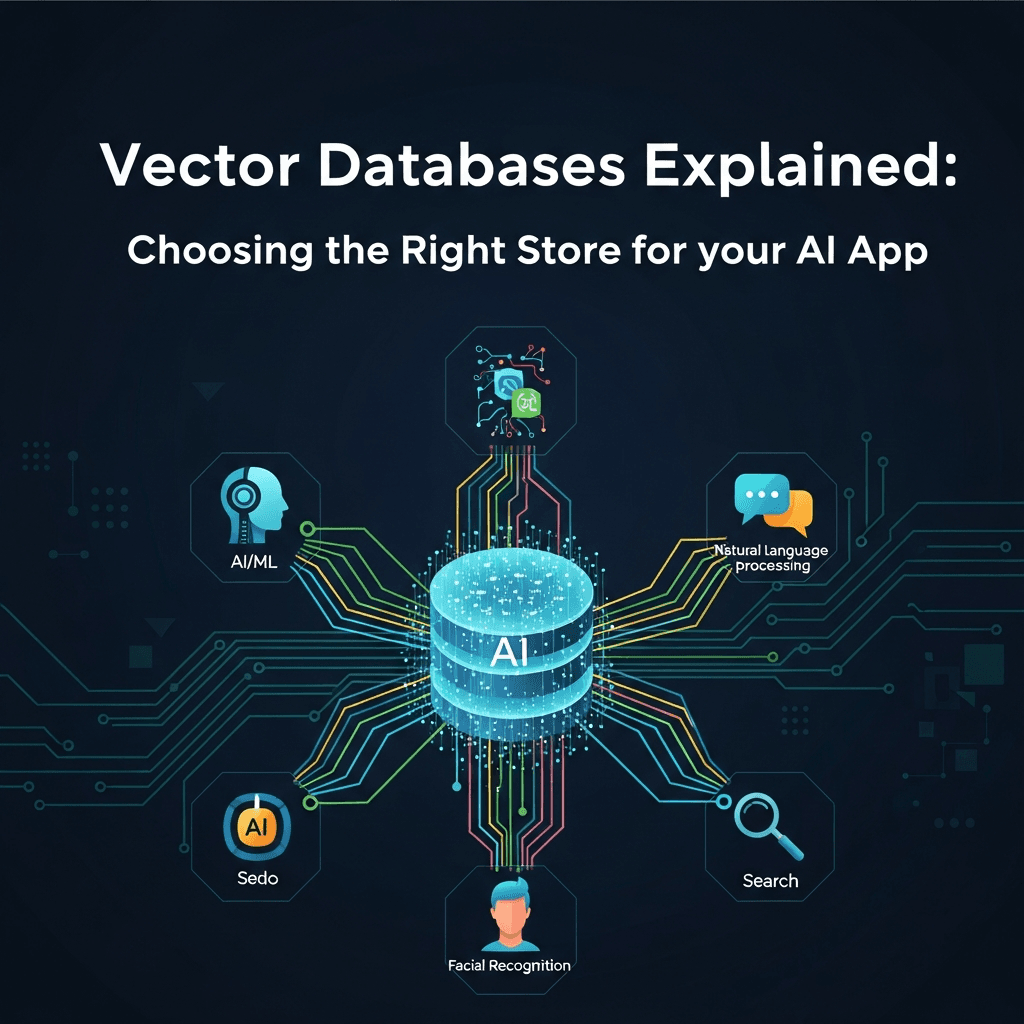
Introduction
The landscape of artificial intelligence is evolving at an unprecedented pace. From sophisticated large language models (LLMs) to advanced recommendation engines and intelligent search, AI applications are no longer niche but integral to modern software. A common thread weaving through many of these innovations is the need to understand and process unstructured data – text, images, audio, and video – not just by keywords, but by their semantic meaning.
Traditional databases, optimized for structured data and exact matches, fall short in this new paradigm. They struggle to handle the high-dimensional numerical representations of data, known as embeddings, that capture semantic relationships. This is where vector databases emerge as a critical infrastructure component. They are purpose-built to store, index, and query these embeddings efficiently, enabling powerful capabilities like semantic search, content recommendations, and the groundbreaking Retrieval-Augmented Generation (RAG) for LLMs.
Choosing the right vector database is a pivotal decision for any AI application developer. This comprehensive guide will demystify vector databases, explain their inner workings, explore their diverse applications, and provide a framework for selecting the optimal solution for your specific AI needs. By the end, you'll be equipped with the knowledge to integrate vector search effectively into your next generation of AI-powered applications.
Prerequisites
To fully grasp the concepts discussed in this article, a basic understanding of the following will be beneficial:
- Machine Learning (ML) Concepts: Familiarity with terms like embeddings, neural networks, and supervised/unsupervised learning.
- Data Storage Fundamentals: General knowledge of how databases store and retrieve information.
- Python Programming: Code examples will be provided in Python, so basic proficiency is helpful.
1. What Are Vector Databases? The Core Concept
At its heart, a vector database is a specialized database designed to store and manage vector embeddings. But what exactly are these embeddings?
Embeddings are numerical representations of data, typically high-dimensional vectors (arrays of floating-point numbers), generated by machine learning models. The magic of embeddings lies in their ability to capture the semantic meaning and context of the original data. For example, if you embed words like "king" and "queen," their respective vectors will be numerically close in the vector space, reflecting their semantic similarity. The same applies to sentences, paragraphs, images, or even entire documents.
Imagine a multi-dimensional space where each piece of data is a point. Data points that are semantically similar are positioned closer to each other in this space. A vector database's primary function is to efficiently find these "nearby" points (vectors) given a query vector. This process is called similarity search or nearest neighbor search.
Unlike traditional databases that rely on exact matches or structured queries (e.g., SELECT * FROM products WHERE category = 'electronics'), vector databases enable queries like "find all products that are semantically similar to this user's search query," even if the exact keywords don't match.
2. How Vector Databases Work: Under the Hood
The efficiency of vector databases stems from sophisticated indexing algorithms and distance metrics.
Indexing Algorithms (Approximate Nearest Neighbor - ANN)
Storing millions or billions of high-dimensional vectors and performing an exhaustive search (comparing a query vector to every single vector in the database) is computationally prohibitive. Vector databases overcome this by using Approximate Nearest Neighbor (ANN) algorithms. ANN algorithms sacrifice a tiny bit of accuracy for massive gains in speed, making similarity search feasible at scale.
Common ANN algorithms include:
- Hierarchical Navigable Small Worlds (HNSW): A graph-based algorithm that builds a multi-layer graph where each node represents a vector. It's highly performant and widely adopted.
- Inverted File Index (IVF_FLAT/IVF_PQ): Partitions the vector space into clusters. Search involves finding the nearest clusters first, then searching only within those clusters.
- Annoy (Approximate Nearest Neighbors Oh Yeah): Builds a forest of random projection trees. Each tree partitions the space, and the forest collectively helps find neighbors.
These algorithms pre-process the vectors, creating a searchable index that allows for rapid retrieval of approximate nearest neighbors.
Distance Metrics
To determine how "close" two vectors are, vector databases use various distance metrics:
- Cosine Similarity: Measures the cosine of the angle between two vectors. A value of 1 indicates identical direction (most similar), -1 indicates opposite direction (least similar), and 0 indicates orthogonality (no relation). Often preferred for text embeddings.
- Euclidean Distance (L2 Distance): The straight-line distance between two points in Euclidean space. Smaller values mean greater similarity. Useful when the magnitude of the vector is important.
- Dot Product: Measures the magnitude of one vector in the direction of another. Higher values indicate greater similarity. Closely related to cosine similarity, especially if vectors are normalized.
The choice of distance metric depends on how the embeddings were trained and what semantic relationship they are intended to capture.
3. Key Features and Capabilities
Beyond basic vector storage and search, modern vector databases offer a rich set of features:
- Vector Indexing and Search: The fundamental capability to efficiently store and query high-dimensional vectors for nearest neighbors.
- Metadata Filtering: The ability to combine vector similarity search with structured metadata filtering. For example, "find similar documents, but only those published after 2023 and tagged 'AI'." This is crucial for precise results.
- Hybrid Search: Combining vector (semantic) search with traditional keyword search (e.g., BM25). This offers the best of both worlds, capturing both exact matches and conceptual relevance.
- Scalability: Designed to handle millions to billions of vectors and high query throughput, often with distributed architectures.
- High Availability & Durability: Ensuring data is always accessible and protected against loss.
- Real-time Updates: Support for adding, deleting, and updating vectors with minimal latency, essential for dynamic datasets.
- Data Types: While primarily for vectors, many support storing associated scalar data (strings, numbers, booleans) as metadata.
4. Why You Need a Vector Database for Your AI App
Vector databases are not just a convenience; they are often a necessity for building powerful, intelligent AI applications:
- Semantic Search: Go beyond keyword matching. Users can search for concepts, and the system can return relevant results even if exact terms aren't used. This powers more intuitive and effective search experiences.
- Recommendation Systems: Identify items (products, movies, articles) similar to those a user has interacted with, leading to highly personalized recommendations.
- Generative AI (RAG): Enhance Large Language Models by providing them with external, up-to-date, or proprietary information. When an LLM receives a query, the vector database retrieves semantically relevant context, which is then fed to the LLM to generate more accurate and informed responses.
- Anomaly Detection: Identify data points that are significantly distant from the majority, useful in fraud detection, network intrusion detection, or identifying outliers in sensor data.
- Duplicate Detection: Find near-duplicate content (text, images) efficiently, useful in content moderation or data deduplication.
- Personalization: Tailor user experiences based on their past behavior and preferences by finding similar user profiles or content.
5. Common Use Cases and Real-World Applications
Let's explore some concrete examples where vector databases shine:
Retrieval-Augmented Generation (RAG) for LLMs
Perhaps the most impactful current use case. LLMs, while powerful, have limitations: they can hallucinate, their knowledge is fixed at their training cutoff, and they lack domain-specific expertise. RAG addresses these by allowing an LLM to "look up" relevant information from a knowledge base (stored as vectors in a vector database) before generating a response. This grounds the LLM in factual, up-to-date, and proprietary data.
Example Flow:
- User asks a question to an LLM about your company's internal documentation.
- The question is converted into a vector embedding.
- The vector database performs a similarity search against embeddings of your documentation chunks.
- The top-k most relevant documentation chunks are retrieved.
- These chunks are passed to the LLM along with the original question as context.
- The LLM generates an answer based on this provided context, significantly reducing hallucinations and improving accuracy.
Semantic Image and Video Search
Instead of tagging every image manually, you can embed images based on their visual content. Users can then search for images using natural language descriptions (e.g., "pictures of happy dogs playing in a park"), and the system retrieves visually similar images.
E-commerce Product Recommendations
When a user views a product, its embedding is used to find similar product embeddings in the database. This allows for recommendations based on visual similarity, descriptive similarity, or even user behavior similarity, leading to more relevant suggestions than simple category matching.
Fraud Detection
Transaction data, user behavior, or network logs can be embedded. Anomalous patterns (potential fraud) will appear as vectors that are significantly distant from the typical clusters of legitimate activity. Vector search can quickly flag such outliers.
Intelligent Customer Support Bots
When a customer asks a question, the bot embeds the query and searches a knowledge base of FAQs, troubleshooting guides, and past resolutions. The retrieved, semantically relevant information helps the bot provide accurate and context-aware answers, or route the query to the correct department.
6. Types of Vector Databases: A Landscape View
The ecosystem of vector databases is diverse and rapidly growing. They generally fall into a few categories:
Dedicated Vector Databases (Cloud-Native & Self-Hostable)
These are purpose-built from the ground up to excel at vector operations. They often offer advanced features, high scalability, and robust performance.
- Pinecone: A fully managed, cloud-native vector database known for its ease of use, scalability, and performance. Excellent for production-grade AI applications.
- Weaviate: Open-source, self-hostable, and cloud-native. It's a vector search engine that can also store your data objects, offering a GraphQL-like API for interaction and strong support for various data types.
- Milvus / Zilliz: Milvus is an open-source vector database, while Zilliz Cloud is its fully managed counterpart. Highly scalable, designed for massive datasets, and supports various indexing algorithms.
- Qdrant: Open-source vector similarity search engine, focusing on speed and advanced filtering capabilities with a strong Rust-based core.
- Vald: Open-source, highly scalable distributed vector search engine.
Vector Search Capabilities in Traditional Databases
Many established databases are extending their capabilities to include vector search, allowing users to leverage existing infrastructure.
- PostgreSQL with
pgvector: A popular extension that adds vector data type and nearest neighbor search capabilities to PostgreSQL. Great for smaller to medium-sized datasets or when you want to keep your vector data alongside your relational data. - Elasticsearch / OpenSearch: Can be used for vector search by storing embeddings in dense vector fields and using
k-NNqueries. Good if you already use it for full-text search and want to add semantic capabilities. - Redis (Redis Stack): With the Redis Search module, Redis can store vectors and perform similarity search, offering extremely low-latency operations, suitable for real-time applications.
- MongoDB: Offers vector search capabilities through its Atlas Vector Search, integrating with its document model.
Cloud-Managed AI Search Services
Cloud providers offer services that abstract away much of the infrastructure management.
- Azure AI Search (formerly Azure Cognitive Search): Provides vector search capabilities, integrating with other Azure AI services.
- AWS OpenSearch Service: Managed service for Elasticsearch/OpenSearch, including vector search features.
- Google Cloud Vertex AI Vector Search: A fully managed service for vector search, integrated into Google Cloud's AI platform.
7. Choosing the Right Vector Database: Key Considerations
Selecting the ideal vector database requires careful evaluation of several factors aligned with your application's requirements:
Scalability Requirements
- Number of Vectors: How many embeddings do you expect to store (millions, billions)? Some databases excel at massive scale (Milvus, Pinecone), while others are better for smaller datasets (
pgvector). - Query Throughput: How many similarity searches per second do you anticipate? High-throughput applications require robust, distributed systems.
- Data Growth Rate: How quickly will your vector collection expand? Choose a solution that can grow with your needs without significant re-architecture.
Performance Metrics
- Latency: How quickly do you need query results? Real-time applications demand low-latency responses (milliseconds).
- Recall vs. Speed: ANN algorithms involve a trade-off. Do you prioritize slightly higher accuracy (recall) or faster query times? Most databases allow tuning this.
Cost Considerations
- Managed vs. Self-Hosted: Managed services (Pinecone, Zilliz Cloud) simplify operations but come with ongoing subscription costs. Self-hosting (Milvus, Weaviate,
pgvector) offers more control but requires significant operational overhead. - Pricing Model: Understand how costs are calculated (vector count, dimensions, queries, storage, compute). Compare across providers.
Feature Set
- Metadata Filtering: Is combining vector search with structured filtering critical? Ensure the database supports this efficiently.
- Hybrid Search: Do you need to combine semantic search with traditional keyword search?
- Real-time Updates: How frequently do vectors need to be added, deleted, or updated? Look for databases optimized for dynamic data.
- Multi-tenancy: If you're building a SaaS platform, do you need to isolate data for different users or customers?
Ecosystem and Integrations
- LLM Frameworks: Does it integrate well with LangChain, LlamaIndex, or other AI frameworks you use?
- Data Pipelines: How easily can you ingest data from your existing ETL/ELT pipelines?
- Client SDKs: Are there robust and well-documented client libraries for your preferred programming languages (Python, JavaScript, Go, etc.)?
Deployment Options
- Cloud-Native: Fully managed services hosted by the vendor.
- Self-Managed on Cloud: Deploying open-source solutions on your own cloud infrastructure (AWS, GCP, Azure).
- On-Premise: For strict data residency or security requirements.
- Serverless: Some solutions offer serverless deployment models for cost efficiency at varying loads.
Developer Experience
- Ease of Use: How simple is it to get started, integrate, and manage?
- Documentation & Community: Good documentation, tutorials, and an active community are invaluable.
8. Practical Example: Building a Semantic Search with Pinecone
Let's walk through a simple example using Pinecone, a popular managed vector database, and sentence-transformers for creating embeddings. We'll index some text documents and then perform a semantic search.
Prerequisites for this example:
- A Pinecone API key and environment. You can sign up for a free tier at pinecone.io.
- Install necessary Python libraries:
pip install pinecone-client sentence-transformers
import os
from pinecone import Pinecone, Index, PodSpec
from sentence_transformers import SentenceTransformer

# --- 1. Initialize Pinecone and Embedding Model ---

# Replace with your Pinecone API key and environment
PINECONE_API_KEY = os.environ.get("PINECONE_API_KEY", "YOUR_API_KEY")
PINECONE_ENVIRONMENT = os.environ.get("PINECONE_ENVIRONMENT", "YOUR_ENVIRONMENT") # e.g., "us-west-2"

pinecone = Pinecone(api_key=PINECONE_API_KEY, environment=PINECONE_ENVIRONMENT)

# Load a pre-trained sentence transformer model for embeddings
# This model converts text into fixed-size numerical vectors.
embedding_model = SentenceTransformer('all-MiniLM-L6-v2')

def get_embedding(text):
    return embedding_model.encode(text).tolist()

# --- 2. Prepare Sample Data ---

documents = [
    {
        "id": "doc1",
        "text": "The quick brown fox jumps over the lazy dog.",
        "metadata": {"author": "Aesop", "year": 2020}
    },
    {
        "id": "doc2",
        "text": "Artificial intelligence is transforming industries globally.",
        "metadata": {"author": "TechWriter", "year": 2023}
    },
    {
        "id": "doc3",
        "text": "Machine learning is a subset of AI focused on algorithms.",
        "metadata": {"author": "DataScientist", "year": 2022}
    },
    {
        "id": "doc4",
        "text": "Dogs are loyal companions and make great pets.",
        "metadata": {"author": "PetLover", "year": 2021}
    },
    {
        "id": "doc5",
        "text": "The future of work will be heavily influenced by AI and automation.",
        "metadata": {"author": "Futurist", "year": 2023}
    }
]

# --- 3. Create or Connect to a Pinecone Index ---

index_name = "my-semantic-search-index"
vector_dimension = embedding_model.get_sentence_embedding_dimension() # Should be 384 for 'all-MiniLM-L6-v2'

if index_name not in pinecone.list_indexes():
    print(f"Creating new Pinecone index: {index_name}...")
    pinecone.create_index(
        name=index_name,
        dimension=vector_dimension,
        metric='cosine', # Use cosine similarity for text embeddings
        spec=PodSpec(environment=PINECONE_ENVIRONMENT) # Specify your environment
    )
    print("Index created.")
else:
    print(f"Connecting to existing Pinecone index: {index_name}")

index = pinecone.Index(index_name)

# --- 4. Generate Embeddings and Upsert to Pinecone ---

vectors_to_upsert = []
for doc in documents:
    embedding = get_embedding(doc["text"])
    vectors_to_upsert.append({
        "id": doc["id"],
        "values": embedding,
        "metadata": doc["metadata"]
    })

# Upsert vectors in batches for efficiency (if you had many)
# For this small example, we can do it all at once.
index.upsert(vectors=vectors_to_upsert)
print(f"Upserted {len(vectors_to_upsert)} vectors to Pinecone.")

# Wait for index to be ready (optional, good for new indexes)
import time
time.sleep(5) # Give Pinecone a moment to process

# --- 5. Perform a Semantic Search Query ---

query_text = "What's new in artificial intelligence?"
query_embedding = get_embedding(query_text)

print(f"\nSearching for: '{query_text}'")

search_results = index.query(
    vector=query_embedding,
    top_k=3, # Retrieve top 3 most similar results
    include_metadata=True # Include the original metadata with results
)

print("\nSearch Results:")
for i, match in enumerate(search_results['matches']):
    print(f"  {i+1}. ID: {match['id']}, Score: {match['score']:.4f}")
    print(f"     Text: {next(doc['text'] for doc in documents if doc['id'] == match['id'])[:100]}...")
    print(f"     Metadata: {match['metadata']}")

# --- 6. Perform a Semantic Search with Metadata Filtering ---

query_text_filtered = "Animals that are loyal"
query_embedding_filtered = get_embedding(query_text_filtered)

print(f"\nSearching for: '{query_text_filtered}' with metadata filter (year > 2020)")

search_results_filtered = index.query(
    vector=query_embedding_filtered,
    top_k=2,
    include_metadata=True,
    filter={
        "year": {"$gt": 2020} # Only documents published after 2020
    }
)

print("\nFiltered Search Results:")
for i, match in enumerate(search_results_filtered['matches']):
    print(f"  {i+1}. ID: {match['id']}, Score: {match['score']:.4f}")
    print(f"     Text: {next(doc['text'] for doc in documents if doc['id'] == match['id'])[:100]}...")
    print(f"     Metadata: {match['metadata']}")

# --- Cleanup (Optional) ---
# Uncomment the following lines to delete the index after running the example
# if index_name in pinecone.list_indexes():
#     pinecone.delete_index(index_name)
#     print(f"Index '{index_name}' deleted.")
Example with pgvector (PostgreSQL Extension)
For those preferring to keep vector data within their existing relational database, pgvector is an excellent choice. First, ensure you have PostgreSQL installed and the pgvector extension enabled. You'll need psycopg2-binary for Python interaction.
import psycopg2
import numpy as np
from pgvector.psycopg2 import register_vector
from sentence_transformers import SentenceTransformer

# --- 1. Database Configuration ---

DB_NAME = "vectordb_example"
DB_USER = "postgres"
DB_PASSWORD = "your_password"
DB_HOST = "localhost"
DB_PORT = "5432"

# --- 2. Initialize Embedding Model ---

embedding_model = SentenceTransformer('all-MiniLM-L6-v2')
def get_embedding(text):
    return embedding_model.encode(text).tolist()

vector_dimension = embedding_model.get_sentence_embedding_dimension()

# --- 3. Connect to PostgreSQL and Setup Table ---

try:
    # Connect to PostgreSQL
    conn = psycopg2.connect(
        dbname=DB_NAME,
        user=DB_USER,
        password=DB_PASSWORD,
        host=DB_HOST,
        port=DB_PORT
    )
    cur = conn.cursor()

    # Register pgvector extension
    register_vector(cur)

    # Create the extension if it doesn't exist (run once per database)
    cur.execute("CREATE EXTENSION IF NOT EXISTS vector;")
    conn.commit()

    # Create a table to store documents and their embeddings
    # The 'embedding' column uses the 'vector' type from pgvector
    cur.execute(f"""
        CREATE TABLE IF NOT EXISTS documents (
            id SERIAL PRIMARY KEY,
            content TEXT NOT NULL,
            embedding VECTOR({vector_dimension}),
            author TEXT,
            year INTEGER
        );
    """)
    conn.commit()
    print("Database and table initialized successfully.")

except Exception as e:
    print(f"Error connecting to or setting up database: {e}")
    print("Please ensure PostgreSQL is running, 'pgvector' is installed, and database credentials are correct.")
    exit()

# --- 4. Prepare Sample Data (same as before) ---

documents = [
    {
        "content": "The quick brown fox jumps over the lazy dog.",
        "author": "Aesop", "year": 2020
    },
    {
        "content": "Artificial intelligence is transforming industries globally.",
        "author": "TechWriter", "year": 2023
    },
    {
        "content": "Machine learning is a subset of AI focused on algorithms.",
        "author": "DataScientist", "year": 2022
    },
    {
        "content": "Dogs are loyal companions and make great pets.",
        "author": "PetLover", "year": 2021
    },
    {
        "content": "The future of work will be heavily influenced by AI and automation.",
        "author": "Futurist", "year": 2023
    }
]

# --- 5. Generate Embeddings and Insert into PostgreSQL ---

for doc in documents:
    embedding = get_embedding(doc["content"])
    cur.execute(
        "INSERT INTO documents (content, embedding, author, year) VALUES (%s, %s, %s, %s)",
        (doc["content"], embedding, doc["author"], doc["year"])
    )
conn.commit()
print(f"Inserted {len(documents)} documents into PostgreSQL.")

# --- 6. Perform a Semantic Search Query ---

query_text = "What's new in artificial intelligence?"
query_embedding = get_embedding(query_text)

print(f"\nSearching for: '{query_text}'")

# Use '<=>' operator for cosine distance (1 - cosine similarity)
# Order by distance to get most similar first
cur.execute(
    f"SELECT id, content, author, year, embedding <=> %s AS distance FROM documents ORDER BY distance LIMIT 3",
    (query_embedding,)
)

search_results = cur.fetchall()

print("\nSearch Results:")
for row in search_results:
    doc_id, content, author, year, distance = row
    # Convert distance to similarity for easier interpretation (1 - distance)
    similarity = 1 - distance
    print(f"  ID: {doc_id}, Similarity: {similarity:.4f}")
    print(f"     Content: {content[:100]}...")
    print(f"     Metadata: {{'author': '{author}', 'year': {year}}}")

# --- 7. Perform a Semantic Search with Metadata Filtering ---

query_text_filtered = "Animals that are loyal"
query_embedding_filtered = get_embedding(query_text_filtered)

print(f"\nSearching for: '{query_text_filtered}' with metadata filter (year > 2020)")

cur.execute(
    f"SELECT id, content, author, year, embedding <=> %s AS distance FROM documents WHERE year > 2020 ORDER BY distance LIMIT 2",
    (query_embedding_filtered,)
)

search_results_filtered = cur.fetchall()

print("\nFiltered Search Results:")
for row in search_results_filtered:
    doc_id, content, author, year, distance = row
    similarity = 1 - distance
    print(f"  ID: {doc_id}, Similarity: {similarity:.4f}")
    print(f"     Content: {content[:100]}...")
    print(f"     Metadata: {{'author': '{author}', 'year': {year}}}")

# --- Cleanup ---
cur.close()
conn.close()
print("\nDatabase connection closed.")

# Optional: To drop the table for a clean slate next run
# conn = psycopg2.connect(dbname=DB_NAME, user=DB_USER, password=DB_PASSWORD, host=DB_HOST, port=DB_PORT)
# cur = conn.cursor()
# cur.execute("DROP TABLE IF EXISTS documents;")
# conn.commit()
# cur.close()
# conn.close()
# print("Table 'documents' dropped.")
9. Integrating Vector Databases into Your AI Architecture
Integrating a vector database effectively requires careful consideration of your overall AI application architecture:
Data Ingestion Pipelines
- ETL/ELT: Design robust pipelines to extract raw data, transform it into suitable chunks (e.g., splitting long documents), generate embeddings using ML models, and load these vectors into the database.
- Real-time vs. Batch: Determine if data needs to be updated in real-time (e.g., user activity) or if batch updates are sufficient (e.g., daily news articles).
- Monitoring: Implement monitoring for your ingestion pipeline to catch embedding generation failures or data quality issues.
Connecting with LLM Frameworks
Frameworks like LangChain and LlamaIndex provide abstractions to easily connect your LLMs with various vector databases. They handle the embedding generation, vector storage, and retrieval logic, streamlining RAG implementations.
Security and Access Control
- API Keys/Authentication: Securely manage API keys or credentials for accessing your vector database.
- Network Security: Restrict access to your vector database instances using firewalls, VPCs, and private endpoints.
- Data Encryption: Ensure data is encrypted at rest and in transit.
- Role-Based Access Control (RBAC): Implement fine-grained permissions if multiple services or users interact with the database.
10. Best Practices for Vector Database Management
To get the most out of your vector database, follow these best practices:
- Optimize Embedding Quality: The performance of your vector search is directly tied to the quality of your embeddings. Experiment with different embedding models, fine-tune them if necessary, and ensure consistency in how you generate them.
- Choose Appropriate Indexing Algorithms: Understand the trade-offs between speed, accuracy (recall), and memory usage for different ANN algorithms. Tune parameters like
MandefConstructionfor HNSW orn_treesfor Annoy. - Tune Query Parameters: Adjust
top_k(number of results),efSearch(for HNSW), orn_probes(for IVF) to balance latency and recall for your specific use case. - Monitor Performance: Keep an eye on metrics like query latency, throughput, index size, and recall. Use these to identify bottlenecks and optimize your system.
- Data Lifecycle Management: Implement strategies for updating, deleting, and archiving vectors. Stale or irrelevant data can degrade search quality and increase costs.
- Schema Design for Metadata: Carefully design your metadata schema. Use appropriate data types and index frequently used filter fields to speed up hybrid queries.
- Batch Operations: When upserting or deleting many vectors, use batch operations provided by the database client libraries for efficiency.
11. Common Pitfalls and How to Avoid Them
Even with the right tools, missteps can impact your AI application. Be aware of these common pitfalls:
- Poor Embedding Quality: Using a generic or untuned embedding model for domain-specific data can lead to irrelevant search results. Avoid: Not validating embedding quality; Solution: Test different models, fine-tune if needed, and ensure your model is appropriate for your data type and task.
- Ignoring Metadata Filtering: Relying solely on vector similarity without structured filtering can lead to noisy results. Avoid: Treating the vector database as a pure vector store; Solution: Leverage metadata to narrow down the search space and improve relevance.
- Choosing the Wrong Distance Metric: Using Euclidean distance when cosine similarity is more appropriate (or vice-versa) can distort semantic relationships. Avoid: Blindly picking a default; Solution: Understand how your embedding model was trained and which metric best aligns with its output.
- Underestimating Scalability Needs: Starting with a simple solution (like
pgvectoron a small instance) and failing to plan for growth can lead to performance bottlenecks. Avoid: Not projecting future data volume and query load; Solution: Choose a database that scales with your anticipated needs or has a clear upgrade path. - Lack of Monitoring and Alerting: Without proper monitoring, performance degradation or errors can go unnoticed. Avoid: Set-it-and-forget-it; Solution: Implement comprehensive monitoring for database health, query performance, and ingestion pipelines.
- Security Oversights: Exposing your vector database to public networks or using weak authentication can lead to data breaches. Avoid: Neglecting security best practices; Solution: Use strong authentication, network isolation, and encryption.
- High-Dimensionality Curse: While vectors are high-dimensional, extremely high dimensions can sometimes make distance metrics less meaningful and increase computational cost. Avoid: Using unnecessarily large embedding dimensions; Solution: Choose models with appropriate dimensions for your task.
Conclusion
Vector databases are no longer a niche technology; they are a fundamental building block for modern AI applications. They unlock powerful capabilities like semantic search, intelligent recommendations, and robust Retrieval-Augmented Generation (RAG) for LLMs, enabling applications to understand and interact with data in a profoundly more intelligent way.
By understanding the core concepts of embeddings and ANN algorithms, evaluating the diverse landscape of dedicated and integrated solutions, and carefully considering your application's specific requirements for scalability, performance, and features, you can make an informed decision about the right vector database for your needs. Adopting best practices and avoiding common pitfalls will ensure your AI-powered applications are not only innovative but also robust, scalable, and secure.
The journey into AI is continuously evolving, and vector databases will remain at the forefront, empowering developers to build smarter, more intuitive, and more powerful applications that truly understand the world's data.
Written by
CodewithYohaFull-Stack Software Engineer with 7+ years of experience in Java, Spring Boot, and cloud architecture across AWS, Azure, and GCP. Writing production-grade engineering patterns for developers who ship real software.