
Unlocking Browser Security: Implementing End-to-End Encryption with Web Cryptography API

Introduction
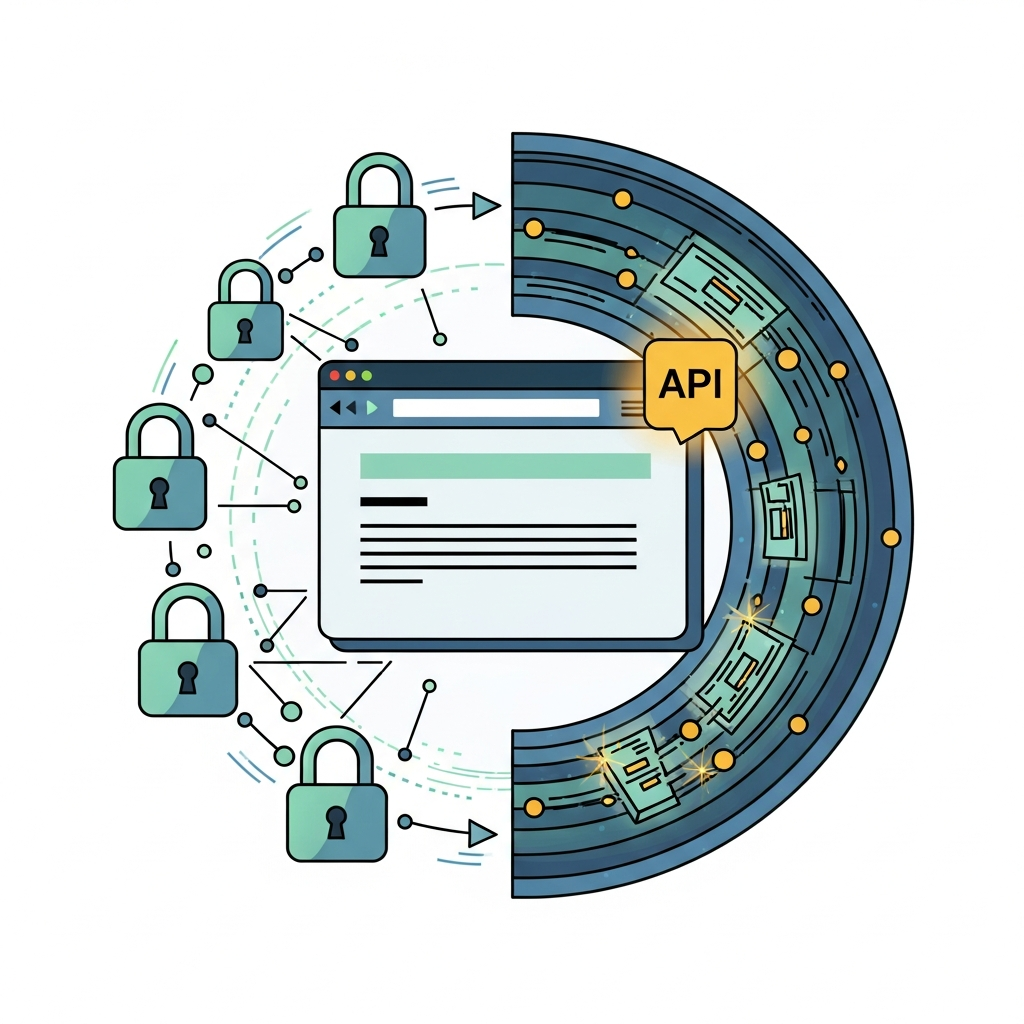
In an era dominated by digital communication and data exchange, the importance of privacy and security cannot be overstated. While Transport Layer Security (TLS) — the padlock icon in your browser — effectively secures data in transit between your browser and a server, it doesn't offer protection once the data reaches its destination or before it leaves your device. This is where End-to-End Encryption (E2EE) steps in, providing a robust layer of security by ensuring that only the sender and intended recipient can read the messages.
Traditionally, implementing E2EE in web applications was a complex endeavor, often relying on third-party JavaScript libraries that carried their own set of performance and security considerations. However, the modern web has introduced a powerful, native solution: the Web Cryptography API. This API provides a set of low-level cryptographic primitives directly within the browser, enabling developers to perform secure operations like key generation, encryption, decryption, signing, and hashing with confidence and efficiency.
This comprehensive guide will walk you through the intricacies of the Web Cryptography API, demonstrating how to leverage its capabilities to build true end-to-end encryption directly within your web applications. We'll cover fundamental cryptographic concepts, practical code examples for various operations, real-world use cases, essential best practices, and common pitfalls to avoid. By the end of this article, you'll have a solid understanding of how to empower your users with unparalleled data privacy in the browser.
Prerequisites
To get the most out of this guide, you should have:
- A basic understanding of HTML and JavaScript.
- Familiarity with asynchronous programming concepts (Promises,
async/await). - A conceptual grasp of fundamental cryptographic terms such as symmetric encryption, asymmetric encryption, public/private key pairs, and hashing.
- A modern web browser (Chrome, Firefox, Edge, Safari) that supports the Web Cryptography API.
1. What is the Web Cryptography API?
The Web Cryptography API, accessed primarily through window.crypto.subtle, is a standardized JavaScript interface that exposes cryptographic functionality to web applications. It allows developers to perform cryptographic operations in a secure and efficient manner, leveraging the browser's native cryptographic modules, which are often highly optimized and can even utilize hardware acceleration.
Key characteristics and benefits:
- Native Performance: Operations are executed directly by the browser's underlying cryptographic engine, often C++ based, leading to significantly better performance than pure JavaScript implementations.
- Security: By relying on the browser's trusted cryptographic stack, the risk of vulnerabilities introduced by custom or less-vetted JavaScript crypto libraries is reduced.
- Standardization: It provides a consistent API across different browsers, promoting interoperability.
- Secure Contexts Only: The API is only available in secure contexts (HTTPS), preventing Man-in-the-Middle (MITM) attacks from tampering with cryptographic operations or extracting sensitive keys.
- Supported Algorithms: It supports a range of widely accepted and robust cryptographic algorithms, including AES (for symmetric encryption), RSA and ECDSA (for asymmetric encryption and digital signatures), and SHA (for hashing).
The subtle interface (hence window.crypto.subtle) signifies that these operations are "subtle" and require careful handling to avoid common cryptographic mistakes.
2. Core Concepts of Cryptography for E2EE
Before diving into code, let's briefly review the cryptographic concepts essential for understanding E2EE:
- Symmetric Encryption: Uses a single, shared secret key for both encryption and decryption. It's very fast and efficient for encrypting large amounts of data. AES-GCM is a modern, authenticated symmetric encryption algorithm commonly used.
- Asymmetric Encryption (Public-Key Cryptography): Uses a pair of mathematically linked keys: a public key and a private key. Data encrypted with the public key can only be decrypted with the corresponding private key, and vice versa. This is crucial for securely exchanging symmetric keys and for digital signatures. RSA-OAEP and ECDH are common algorithms.
- Key Pairs: Consist of a public key (which can be freely shared) and a private key (which must be kept secret). If Alice encrypts data with Bob's public key, only Bob can decrypt it with his private key.
- Digital Signatures: Uses a private key to create a unique "signature" of a message, which can then be verified using the corresponding public key. This proves the message's origin (non-repudiation) and integrity (it hasn't been tampered with). RSASSA-PSS and ECDSA are widely used algorithms.
- Key Derivation Functions (KDFs): Algorithms that derive one or more secret keys from a master secret, password, or passphrase. This makes it possible to create strong cryptographic keys from user-friendly inputs. PBKDF2 and HKDF are common KDFs.
- Cryptographically Secure Pseudo-Random Number Generators (CSPRNGs): Essential for generating secure keys, Initialization Vectors (IVs), and nonces. The Web Cryptography API uses
window.crypto.getRandomValues()for this purpose, which taps into the browser's secure random number generator.
E2EE typically employs a hybrid approach: asymmetric encryption is used to securely exchange a symmetric key, which is then used for the bulk encryption of messages due to its superior speed.
3. Setting Up Your Environment (Basic HTML/JS)
To experiment with the Web Cryptography API, you'll need a simple HTML file and a JavaScript file, served over HTTPS. For local development, you can use a simple local server or a tool like live-server from npm. Ensure your index.html looks something like this:
<!DOCTYPE html>
<html lang="en">
<head>
    <meta charset="UTF-8">
    <meta name="viewport" content="width=device-width, initial-scale=1.0">
    <title>Web Crypto E2EE Demo</title>
</head>
<body>
    <h1>Web Crypto API: End-to-End Encryption Demo</h1>
    <p>Check the browser console for cryptographic operation outputs.</p>
    <script src="app.js"></script>
</body>
</html>
And your app.js will contain our cryptographic logic. Remember, all crypto.subtle methods return Promises, so we'll use async/await for cleaner code.
4. Generating Symmetric Keys (AES-GCM)
Symmetric keys are used for encrypting and decrypting the actual data (messages, files). AES-GCM (Advanced Encryption Standard - Galois/Counter Mode) is the recommended algorithm due to its speed and authenticated encryption properties, meaning it protects against both confidentiality and integrity attacks.
To generate an AES-GCM key, we use crypto.subtle.generateKey():
// app.js

const generateSymmetricKey = async () => {
    try {
        const key = await window.crypto.subtle.generateKey(
            {
                name: "AES-GCM",
                length: 256, // 128, 192, or 256 bits
            },
            true, // extractable: Can we export the key later?
            ["encrypt", "decrypt"] // keyUsages: What can this key be used for?
        );
        console.log("AES-GCM Key generated:", key);
        return key;
    } catch (error) {
        console.error("Error generating symmetric key:", error);
    }
};

// To see it in action:
// generateSymmetricKey();
Explanation:
name: "AES-GCM": Specifies the algorithm.length: 256: Sets the key size. 256 bits is generally recommended for strong security.extractable: true: This is important if you intend to export this key (e.g., to wrap it with an asymmetric key for transport). If the key should never leave the browser's crypto store, set this tofalse.keyUsages: ["encrypt", "decrypt"]: Defines what cryptographic operations the key is authorized for. This is a security measure to prevent a key intended for encryption from being used for signing, for example.
5. Encrypting and Decrypting Data with AES-GCM
Once you have a symmetric key, you can use it to encrypt and decrypt data. AES-GCM requires an Initialization Vector (IV), which must be unique for each encryption operation performed with the same key. The IV doesn't need to be secret but must be unpredictable and never reused.
const encryptData = async (key, data) => {
    const encoded = new TextEncoder().encode(data);
    const iv = window.crypto.getRandomValues(new Uint8Array(16)); // 16 bytes for AES-GCM

    try {
        const ciphertext = await window.crypto.subtle.encrypt(
            {
                name: "AES-GCM",
                iv: iv,
                // additionalData: new TextEncoder().encode("some unencrypted but authenticated data")
            },
            key,
            encoded
        );
        console.log("Encrypted data:", ciphertext);
        return { ciphertext, iv };
    } catch (error) {
        console.error("Error encrypting data:", error);
    }
};

const decryptData = async (key, ciphertext, iv) => {
    try {
        const decrypted = await window.crypto.subtle.decrypt(
            {
                name: "AES-GCM",
                iv: iv,
            },
            key,
            ciphertext
        );
        const decoded = new TextDecoder().decode(decrypted);
        console.log("Decrypted data:", decoded);
        return decoded;
    } catch (error) {
        console.error("Error decrypting data:", error);
    }
};

// Example usage:
(async () => {
    const symmetricKey = await generateSymmetricKey();
    const message = "Hello, Web Crypto API E2EE!";

    if (symmetricKey) {
        const { ciphertext, iv } = await encryptData(symmetricKey, message);
        if (ciphertext && iv) {
            await decryptData(symmetricKey, ciphertext, iv);
        }
    }
})();
Explanation:
TextEncoderandTextDecoder: Web Crypto API operates onArrayBufferorTypedArrayobjects, so we need to convert strings toUint8Arrayand back.iv: Generated usingwindow.crypto.getRandomValues(), ensuring cryptographic strength. It's crucial to send this IV along with theciphertextto the recipient.additionalData: An optional parameter for Associated Data (AAD). This data is authenticated but not encrypted. It's useful for binding the ciphertext to specific context information (e.g., message ID, sender ID) without encrypting that context.
6. Generating Asymmetric Key Pairs (RSA-OAEP)
Asymmetric key pairs are fundamental for E2EE's key exchange mechanism. RSA-OAEP (Optimal Asymmetric Encryption Padding) is a secure algorithm for public-key encryption. It's slower than symmetric encryption but allows for secure key exchange without a pre-shared secret.
const generateAsymmetricKeyPair = async () => {
    try {
        const keyPair = await window.crypto.subtle.generateKey(
            {
                name: "RSA-OAEP",
                modulusLength: 2048, // 2048 bits recommended, 4096 for higher security
                publicExponent: new Uint8Array([0x01, 0x00, 0x01]), // 65537
                hash: "SHA-256", // Hash algorithm for padding
            },
            true, // extractable: We need to export public key, and maybe private for backup
            ["encrypt", "decrypt", "wrapKey", "unwrapKey"] // keyUsages
        );
        console.log("RSA-OAEP Key Pair generated:", keyPair);
        return keyPair;
    } catch (error) {
        console.error("Error generating asymmetric key pair:", error);
    }
};

// Example usage:
// generateAsymmetricKeyPair();
Explanation:
name: "RSA-OAEP": Specifies the algorithm.modulusLength: 2048: Recommended key size for RSA. Larger sizes like 4096 offer more security but are slower.publicExponent: A fixed value (65537) commonly used for RSA.hash: "SHA-256": Used for the OAEP padding scheme, contributing to the security of the encryption.extractable: true: Essential as you'll need to export the public key to share it, and potentially the private key for backup or secure storage.keyUsages: ["encrypt", "decrypt", "wrapKey", "unwrapKey"]: For RSA-OAEP, these usages are appropriate.wrapKeyandunwrapKeyare particularly relevant for E2EE key exchange.
7. Key Wrapping/Unwrapping with RSA-OAEP (The E2EE Core)
This is the heart of the hybrid E2EE model. Instead of directly encrypting data with slow RSA, we use RSA to encrypt (wrap) a much faster symmetric key (AES-GCM). The wrapped symmetric key can then be safely transmitted to the recipient, who uses their private RSA key to decrypt (unwrap) it.
Scenario: Alice wants to send an E2EE message to Bob.
- Alice generates an AES-GCM key (
aliceAesKey) and uses it to encrypt her message. - Alice obtains Bob's public RSA key (
bobPublicKey). - Alice
wrapKeysaliceAesKeyusingbobPublicKey. - Alice sends the wrapped AES key (and the encrypted message) to Bob.
- Bob receives the wrapped key and encrypted message.
- Bob uses his private RSA key (
bobPrivateKey) tounwrapKeythealiceAesKey. - Bob uses the now unwrapped
aliceAesKeyto decrypt the message.
const wrapAndUnwrapKey = async () => {
    // 1. Generate Alice's AES key for data encryption
    const aliceAesKey = await generateSymmetricKey();

    // 2. Generate Bob's RSA key pair
    const bobKeyPair = await generateAsymmetricKeyPair();

    if (!aliceAesKey || !bobKeyPair) return;

    // 3. Alice exports her AES key (raw format or JWK)
    // We'll use JWK for easier transfer and re-import
    const exportedAliceAesKey = await window.crypto.subtle.exportKey(
        "jwk", // JSON Web Key format
        aliceAesKey
    );
    console.log("Alice's AES key (JWK) for wrapping:", exportedAliceAesKey);

    // 4. Alice wraps her AES key using Bob's public RSA key
    // The 'format' here is the format of the key being wrapped (exportedAliceAesKey)
    const wrappedKey = await window.crypto.subtle.wrapKey(
        "jwk", // Format of the key to be wrapped
        aliceAesKey, // The key to wrap
        bobKeyPair.publicKey, // The public key to wrap with
        {
            name: "RSA-OAEP",
            hash: "SHA-256",
        } // Algorithm for wrapping
    );
    console.log("Wrapped AES key (ArrayBuffer):
", wrappedKey);

    // --- Transmission (wrappedKey is sent from Alice to Bob) ---

    // 5. Bob unwraps the key using his private RSA key
    // The 'unwrappedKeyAlgorithm' must match the original key's algorithm
    const unwrappedAesKey = await window.crypto.subtle.unwrapKey(
        "jwk", // Format of the wrapped key (how it was exported)
        wrappedKey, // The wrapped key data
        bobKeyPair.privateKey, // Bob's private key for unwrapping
        {
            name: "RSA-OAEP",
            hash: "SHA-256",
        }, // Algorithm for unwrapping
        {
            name: "AES-GCM",
            length: 256,
        }, // Algorithm of the key that was wrapped
        true, // extractable: Can the unwrapped key be exported?
        ["encrypt", "decrypt"] // keyUsages for the unwrapped key
    );
    console.log("Bob's unwrapped AES key:", unwrappedAesKey);

    // Bob can now use unwrappedAesKey to decrypt Alice's message
    const message = "This is a secret message from Alice!";
    const { ciphertext, iv } = await encryptData(aliceAesKey, message);
    if (ciphertext && iv) {
        await decryptData(unwrappedAesKey, ciphertext, iv);
    }
};

// Execute the full E2EE flow
wrapAndUnwrapKey();
Explanation:
exportKey("jwk", key): Converts theCryptoKeyobject into a JSON Web Key (JWK) format, which is a standardized, portable representation of a cryptographic key. This is crucial for sending keys over the network.wrapKey(): Takes the key to be wrapped, the wrapping key (Bob's public key), and the wrapping algorithm. It returns anArrayBuffercontaining the encrypted key material.unwrapKey(): Takes the wrapped key data, the unwrapping key (Bob's private key), the unwrapping algorithm, and crucially, the algorithm and usages of the original key that was wrapped. This allows the browser to reconstruct theCryptoKeyobject.
This sequence demonstrates how a symmetric key, used for efficient data encryption, can be securely transmitted using asymmetric cryptography, forming the backbone of E2EE.
8. Hashing and Digital Signatures (Authenticity and Integrity)
Beyond confidentiality (encryption), E2EE often requires authenticity and integrity. Hashing provides integrity (detecting tampering), and digital signatures provide both integrity and authenticity (proving the sender's identity and non-repudiation).
Hashing (digest)
Hashing takes an input (message, file) and produces a fixed-size string of bytes (a hash or digest). Any tiny change to the input will result in a completely different hash. SHA-256 and SHA-512 are commonly used secure hash algorithms.
const hashMessage = async (message) => {
    const encoded = new TextEncoder().encode(message);
    try {
        const hashBuffer = await window.crypto.subtle.digest('SHA-256', encoded);
        const hashArray = Array.from(new Uint8Array(hashBuffer));
        const hashHex = hashArray.map(b => b.toString(16).padStart(2, '0')).join('');
        console.log("Message hash (SHA-256):
", hashHex);
        return hashHex;
    } catch (error) {
        console.error("Error hashing message:", error);
    }
};

// hashMessage("My secret document.");
Digital Signatures (sign and verify)
Digital signatures use asymmetric key pairs. The sender signs a message (or its hash) with their private key. The recipient then uses the sender's public key to verify the signature. If verification succeeds, it confirms the sender's identity and that the message hasn't been altered.
RSA-PSS (Probabilistic Signature Scheme) and ECDSA (Elliptic Curve Digital Signature Algorithm) are robust choices for digital signatures.
const generateSigningKeyPair = async () => {
    try {
        const keyPair = await window.crypto.subtle.generateKey(
            {
                name: "RSASSA-PSS",
                modulusLength: 2048,
                publicExponent: new Uint8Array([0x01, 0x00, 0x01]),
                hash: "SHA-256",
            },
            true, // extractable
            ["sign", "verify"]
        );
        console.log("Signing Key Pair generated:", keyPair);
        return keyPair;
    } catch (error) {
        console.error("Error generating signing key pair:", error);
    }
};

const signMessage = async (privateKey, message) => {
    const encoded = new TextEncoder().encode(message);
    try {
        const signature = await window.crypto.subtle.sign(
            {
                name: "RSASSA-PSS",
                saltLength: 32, // Recommended salt length
            },
            privateKey,
            encoded
        );
        console.log("Message signature:", signature);
        return signature;
    } catch (error) {
        console.error("Error signing message:", error);
    }
};

const verifySignature = async (publicKey, signature, message) => {
    const encoded = new TextEncoder().encode(message);
    try {
        const isValid = await window.crypto.subtle.verify(
            {
                name: "RSASSA-PSS",
                saltLength: 32,
            },
            publicKey,
            signature,
            encoded
        );
        console.log("Signature valid:", isValid);
        return isValid;
    } catch (error) {
        console.error("Error verifying signature:", error);
    }
};

// Example usage:
(async () => {
    const signingKeyPair = await generateSigningKeyPair();
    const messageToSign = "This message must not be tampered with.";

    if (signingKeyPair) {
        const signature = await signMessage(signingKeyPair.privateKey, messageToSign);
        if (signature) {
            // Simulate tampering:
            const tamperedMessage = "This message has been tampered with.";
            console.log("\n--- Verifying original message ---");
            await verifySignature(signingKeyPair.publicKey, signature, messageToSign);
            console.log("\n--- Verifying tampered message ---");
            await verifySignature(signingKeyPair.publicKey, signature, tamperedMessage);
        }
    }
})();
Explanation:
generateKeyforRSASSA-PSS: Similar to RSA-OAEP, but with key usages["sign", "verify"].sign(): Takes the private key, the signing algorithm (includingsaltLengthfor PSS), and the data to be signed. Returns anArrayBuffercontaining the signature.verify(): Takes the public key, the signing algorithm, the received signature, and the original data. Returnstrueif the signature is valid for the data and public key,falseotherwise.
9. Real-World E2EE Use Cases in the Browser
The Web Cryptography API opens up numerous possibilities for enhancing security in web applications:
- Secure Messaging Applications: The most prominent use case. Users generate their own asymmetric key pairs. Public keys are exchanged (via a trusted server or direct peer-to-peer). Symmetric keys are generated per conversation or message, wrapped with the recipient's public key, and sent along with the symmetrically encrypted message.
- Client-Side Data Storage Encryption: Encrypt sensitive user data (e.g., notes, health records) before storing it in
IndexedDBorlocalStorage. A key derived from a user's password (using PBKDF2) can encrypt a master symmetric key, which then encrypts the actual data. This ensures data is encrypted at rest even if the server or database is compromised. - Secure File Uploads: Users can encrypt files directly in their browser before uploading them to a cloud storage service. The encryption key can then be managed separately, ensuring that only the user (or authorized parties with the key) can access the file content, even if the cloud provider's servers are breached.
- Password Managers: A client-side password manager can use a master password (derived into a strong key) to encrypt the entire vault of credentials before storing it locally or syncing it to a cloud service. This ensures that the vault remains secure even if the storage location is compromised.
- Secure Multi-Party Computation (MPC) / Zero-Knowledge Proofs (ZKP) (Advanced): While the Web Crypto API provides primitives, it can serve as a foundation for more advanced privacy-preserving technologies by handling the underlying cryptographic operations.
10. Best Practices for Web Cryptography API
Implementing cryptography requires meticulous attention to detail. Follow these best practices to ensure your E2EE implementation is robust:
- Always Use HTTPS: This is non-negotiable. Without HTTPS, an attacker can intercept and modify your JavaScript, effectively bypassing all client-side encryption. The Web Cryptography API itself is only available in secure contexts.
- Generate Fresh IVs/Nonces for Each Encryption: For AES-GCM, reusing an IV with the same key is a critical security vulnerability. Always use
window.crypto.getRandomValues()to generate a new, random IV for every encryption operation. - Secure Key Management:
- Private Key Protection: Never expose private keys. If a private key needs to be stored persistently, encrypt it with a strong password-derived key (e.g., using PBKDF2) and store it in
IndexedDB. - Ephemeral Keys: For session-based encryption, keys can be stored in
sessionStorageor simply kept in memory, ensuring they are destroyed when the session ends. extractable: false: For keys that should never leave the browser's crypto store (e.g., a master key that encrypts other keys), setextractabletofalseduring generation. This makes it impossible to export the raw key material.
- Private Key Protection: Never expose private keys. If a private key needs to be stored persistently, encrypt it with a strong password-derived key (e.g., using PBKDF2) and store it in
- Key Derivation from Passwords: If deriving keys from user passwords, always use a strong Key Derivation Function (KDF) like PBKDF2 with a high iteration count and a unique salt for each user. This makes brute-forcing passwords significantly harder.
- Algorithm Choice: Stick to widely accepted and recommended algorithms (AES-GCM, RSA-OAEP/PSS, ECDSA, SHA-256/512). Avoid deprecated or custom algorithms.
- Error Handling: Cryptographic operations are asynchronous and can fail. Always wrap
crypto.subtlecalls intry...catchblocks and handle Promise rejections gracefully. - User Experience for Key Backup/Recovery: E2EE shifts responsibility to the user. Design clear mechanisms for key backup (e.g., exporting encrypted keys, recovery phrases) and recovery, as loss of a private key means permanent loss of access to encrypted data.
- Audit and Review: If possible, have your cryptographic implementation reviewed by security experts.
11. Common Pitfalls and Security Considerations
While powerful, the Web Cryptography API is a tool, and improper use can lead to vulnerabilities. Be aware of these common pitfalls:
- Cross-Site Scripting (XSS) Vulnerabilities: E2EE does not protect against XSS. If an attacker can inject malicious script into your page, they can steal keys from memory, intercept data before encryption, or manipulate the cryptographic operations themselves. Robust input sanitization and Content Security Policies (CSPs) are crucial.
- Improper IV/Nonce Management: As mentioned, reusing an IV with the same AES-GCM key is catastrophic. Always generate a fresh, cryptographically random IV for each encryption and transmit it alongside the ciphertext (it doesn't need to be secret).
- Weak Key Derivation: Using weak passwords or insufficient KDF parameters (e.g., low iteration count for PBKDF2) can make derived keys susceptible to brute-force attacks.
- Key Loss Without Recovery: If a user loses their private key or master password and there's no recovery mechanism, their encrypted data is permanently inaccessible. This is a significant UX challenge that needs careful design.
- "Rolling Your Own Crypto": While the Web Cryptography API provides primitives, attempting to implement higher-level cryptographic protocols (like a full E2EE messaging protocol) from scratch is extremely difficult and error-prone. It's often better to use well-vetted libraries built on top of Web Crypto (if available and trusted) for complex protocols, or carefully follow established standards.
- Reliance on Client-Side Code for All Security: E2EE enhances client-side privacy, but server-side security remains vital. The server still delivers the application code, manages user accounts, and handles public key distribution. A compromised server distributing malicious JavaScript can undermine client-side E2EE.
- Timing Attacks: While less common directly with Web Crypto API calls due to native implementation, be mindful of any custom logic that might reveal information through timing differences.
Conclusion
The Web Cryptography API is a game-changer for web application security, empowering developers to implement robust end-to-end encryption directly within the browser. By leveraging its native, performant, and secure cryptographic primitives, you can build applications that offer unparalleled data privacy and integrity to your users.
We've covered the essentials: generating symmetric and asymmetric keys, encrypting and decrypting data with AES-GCM, securely exchanging keys with RSA-OAEP, and ensuring authenticity with digital signatures. We also explored practical use cases and, critically, highlighted the best practices and common pitfalls to navigate this complex domain.
Implementing E2EE is a significant responsibility, requiring a deep understanding of cryptographic principles and careful attention to detail. While the Web Cryptography API simplifies many aspects, the overall security of your application still depends on your adherence to best practices, robust key management, and protection against other vulnerabilities like XSS.
By embracing the Web Cryptography API, you're not just adding a feature; you're building a foundation of trust and privacy that will define the next generation of secure web applications. Start experimenting, learn continuously, and contribute to a more secure web.
Written by
CodewithYohaFull-Stack Software Engineer with 7+ years of experience in Java, Spring Boot, and cloud architecture across AWS, Azure, and GCP. Writing production-grade engineering patterns for developers who ship real software.