
Introduction
In the fast-paced world of software development, Continuous Integration and Continuous Delivery (CI/CD) pipelines are the lifeblood of efficient, high-quality releases. However, managing these pipelines often becomes a complex endeavor, plagued by inconsistencies, manual errors, and a lack of scalability. Traditional CI/CD configurations, often expressed in sprawling YAML files or proprietary DSLs, frequently suffer from a lack of type safety, poor reusability, and challenging debugging.
Enter the paradigm of Configuration as Code (CaC), a powerful approach that treats infrastructure and application configurations like code, bringing version control, auditability, and automation to the forefront. Yet, even within CaC, challenges persist, particularly when dealing with the validation and generation of complex configurations.
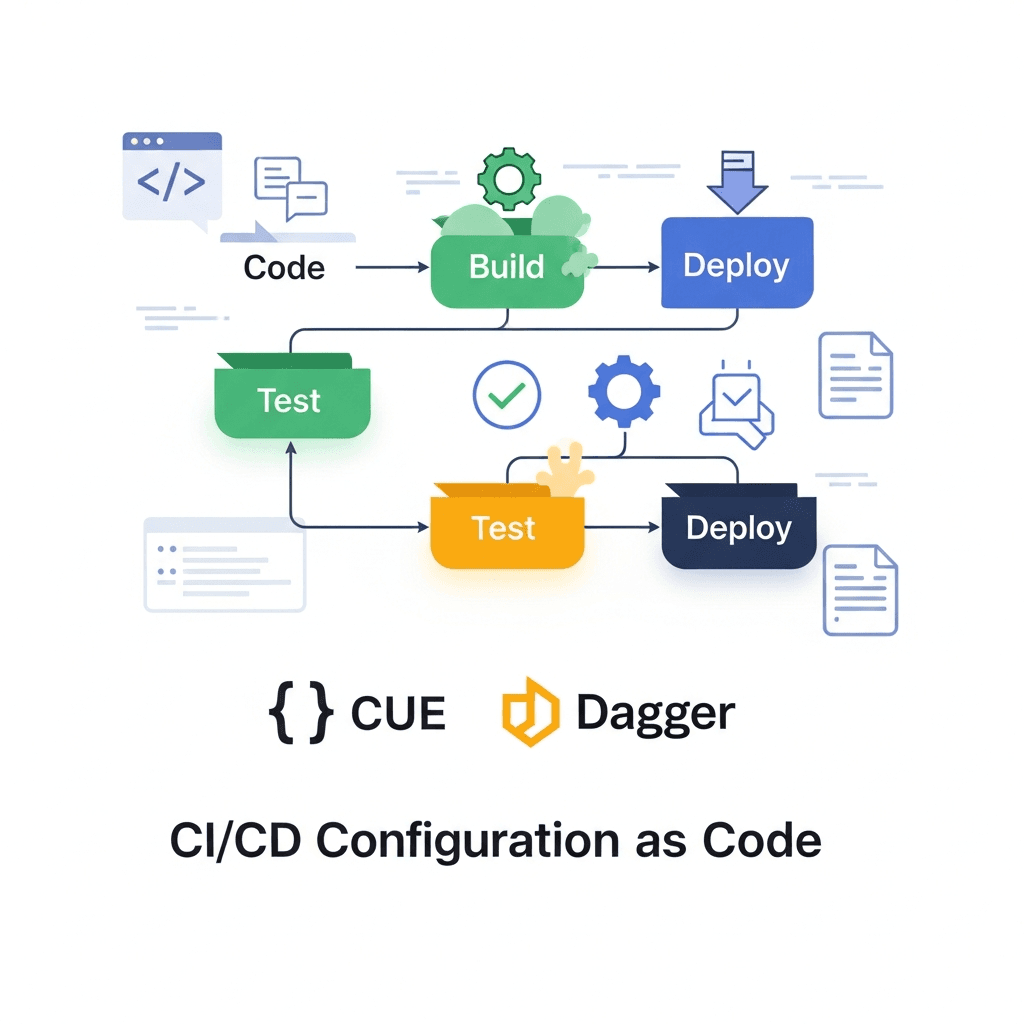
This is where CUE and Dagger emerge as a game-changing combination. CUE, a powerful language for defining, generating, and validating configurations, brings type safety and declarative power to your pipeline definitions. Dagger, an open-source engine for running CI/CD pipelines as code, offers unparalleled portability, local development parity, and the ability to define pipelines in familiar programming languages like Go. Together, they form a robust solution for building CI/CD pipelines that are not only automated but also consistent, verifiable, and easy to maintain.
This comprehensive guide will walk you through the journey of integrating CUE and Dagger, demonstrating how to define your CI/CD configuration with CUE's declarative power and execute it reliably with Dagger's container-native engine. You'll learn the 'how' and 'why' behind this synergy, explore practical examples, and discover best practices for building modern, resilient CI/CD systems.
Prerequisites
To follow along with the examples in this guide, you'll need a basic understanding of CI/CD concepts and the following tools installed on your system:
- Go (1.18+): Dagger's SDK is Go-based.
- CUE CLI: The
cuecommand-line tool. - Dagger CLI: The
daggercommand-line tool. - Docker: Dagger leverages Docker (or any OCI-compatible runtime) to execute pipelines in isolated containers.
The Problem with Traditional CI/CD Configuration
Before diving into the solution, it's crucial to understand the limitations of conventional CI/CD configuration approaches:
- YAML Hell: While YAML is widely adopted for its human-readability, it lacks inherent type safety. A missing indent, a misspelled key, or an incorrect value type can lead to cryptic errors or silently failing pipelines, often discovered only at runtime. Refactoring complex YAML structures is error-prone and time-consuming.
- DSL Fragmentation: Every CI/CD platform (Jenkins, GitLab CI, GitHub Actions, CircleCI, etc.) comes with its own Domain-Specific Language (DSL). This leads to vendor lock-in, makes migration difficult, and forces developers to learn multiple syntaxes, increasing cognitive load.
- Repetition and Inconsistency: Without strong abstraction mechanisms, common pipeline steps or configurations are often copied and pasted across projects, leading to duplication. This makes global changes tedious and fosters inconsistencies across different pipelines.
- Limited Extensibility and Reusability: Extending proprietary DSLs often requires custom plugins or complex scripting, which can be hard to maintain and share. Reusing components across different CI platforms is virtually impossible.
- Debugging Challenges: Debugging pipeline failures, especially those stemming from configuration errors, can be a frustrating experience due to opaque error messages and the inability to run parts of the pipeline locally with the same environment.
- Security Concerns: Dynamic scripting within CI configurations can introduce security vulnerabilities if not carefully controlled, especially when dealing with environment variables or external inputs.
These challenges highlight the need for a more robust, programmatic, and universally applicable approach to CI/CD configuration.
Configuration as Code (CaC) Revisited
Configuration as Code (CaC) is the practice of managing system configurations using code that is stored in a version control system. This brings numerous benefits:
- Version Control: All configuration changes are tracked, auditable, and revertible, just like application code.
- Consistency: Standardized configurations ensure all environments or projects adhere to defined policies.
- Automation: Eliminates manual configuration, reducing human error and speeding up deployments.
- Collaboration: Teams can collaborate on configurations using standard code review workflows.
- Testability: Configurations can be tested and validated before deployment.
While CaC is a significant improvement, many existing tools still rely on YAML or custom DSLs, inheriting some of the problems discussed earlier. The next evolution of CaC requires a system that provides strong typing, powerful validation, and language-native execution capabilities. This is precisely where CUE and Dagger shine.
Introduction to CUE: The Language for Defining, Generating, and Validating
CUE (Configuration, Unification, and Execution) is an open-source language designed for defining, generating, and validating configurations. It's a superset of JSON, meaning any valid JSON is also valid CUE, but CUE adds powerful features that elevate configuration management beyond simple key-value pairs.
Key Features of CUE:
- Type Safety: CUE allows you to define strict schemas for your configurations. Any configuration that doesn't conform to the schema is a validation error, caught before runtime.
- Unification: CUE's core concept is unification, a powerful mechanism for merging and validating data. It allows you to combine multiple configurations, automatically resolving conflicts and enforcing constraints.
- Constraints and Validation: You can define intricate rules and constraints (e.g., minimum/maximum values, regular expressions, required fields) that your configurations must adhere to.
- Code Generation: CUE can generate code (e.g., Go structs, JSON schemas) from your CUE definitions, bridging the gap between configuration and application logic.
- Declarative Power: CUE focuses on what a configuration should be, not how to achieve it.
Why CUE for CI/CD Configuration?
CUE's capabilities are perfectly suited for CI/CD:
- Enforce Structure: Define a canonical schema for pipeline steps, environments, and deployments.
- Reduce Errors: Catch configuration mistakes early in the development cycle.
- Share Definitions: Create reusable CUE modules for common CI/CD patterns across projects.
- Templating: Generate consistent configurations for various environments or services.
Let's look at a simple CUE schema for a generic build step:
// build_schema.cue
package build

#BuildStep: {
    name: string
    image: string
    commands: [...string]
    output_dir?: string // Optional field
    env?: [string]: string // Optional map of environment variables
    cache_paths?: [...string] // Optional paths to cache
}

// A definition for a full pipeline
#Pipeline: {
    name: string
    steps: [...#BuildStep]
    description?: string
}
This CUE defines a #BuildStep and #Pipeline schema. If you try to create a configuration that doesn't match this, CUE will flag an error. This is the foundation of type-safe CI/CD configuration.
Introduction to Dagger: Portable CI/CD Pipelines as Code
Dagger is an open-source engine that allows you to define and run CI/CD pipelines as code, using familiar programming languages. It abstracts away the complexities of container orchestration, providing a consistent execution environment for your pipelines, whether running locally, in a CI system, or on a developer's machine.
Key Features of Dagger:
- Language-Native SDKs: Define pipelines using Go, Python, Node.js, or other SDKs, leveraging your existing programming skills and tools.
- Container-Native Execution: Dagger runs every pipeline step as a containerized operation, ensuring isolation, reproducibility, and portability.
- Local Development Parity: Run your CI pipeline locally exactly as it would run in production, eliminating "works on my machine" issues.
- Caching and Optimization: Dagger automatically caches build layers and results, speeding up subsequent runs.
- Graph-Based Execution: Dagger builds a Directed Acyclic Graph (DAG) of your pipeline, enabling efficient parallel execution and dependency management.
- Composability: Pipelines are modular and can be easily composed and reused.
Why Dagger for CI/CD?
- Portability: Your Dagger pipeline runs anywhere Docker runs, decoupling your CI from specific vendor platforms.
- Developer Experience: Use your IDE, debugger, and testing tools to develop and debug pipelines.
- Reusability: Package common pipeline logic into reusable Dagger modules.
- Consistency: The same pipeline definition runs consistently across all environments.
Here's a simple "hello world" Dagger pipeline written in Go:
// main.go
package main

import (
	"context"
	"fmt"

	"dagger.io/dagger"
)

func main() {
	ctx := context.Background()

	// Initialize Dagger client
	client, err := dagger.Connect(ctx, dagger.WithLogOutput(os.Stderr))
	if err != nil {
		panic(err)
	}
	defer client.Close()

	// Define a container to run a command
	out, err := client.Container().From("alpine:latest").
		WithExec([]string{"echo", "Hello from Dagger!"}).
		Stdout(ctx)
	if err != nil {
		panic(err)
	}

	fmt.Println(out)
}
To run this, you'd save it as main.go, then execute go run main.go or dagger call --src . if it's part of a Dagger module.
Integrating CUE and Dagger: A Powerful Synergy
The real power emerges when CUE and Dagger are combined. CUE becomes the language for defining the what – the declarative configuration of your CI/CD pipeline. Dagger, with its Go SDK, defines the how – the imperative logic for executing those CUE-defined steps.
The Workflow:
- Define Configuration in CUE: Create CUE files that describe your pipeline steps, environments, and other parameters, leveraging CUE's schema validation, default values, and unification capabilities.
- Validate CUE Configuration: Use
cue vetto ensure your configuration adheres to your defined schemas before any execution attempt. - Read CUE Configuration in Dagger: Your Dagger Go module reads the validated CUE configuration.
- Execute with Dagger: The Dagger module iterates through the CUE-defined steps, translating them into Dagger's container operations and executing the pipeline.
This synergy brings several advantages:
- Guaranteed Structure: CUE ensures all pipeline configurations are well-formed and consistent.
- Separation of Concerns: CUE handles the declarative data, Dagger handles the imperative execution logic.
- Dynamic Pipelines: Dagger can adapt its execution based on the validated CUE input.
- Reduced Boilerplate: CUE can generate configurations, reducing manual effort.
Practical Example: Defining a Build Pipeline with CUE
Let's expand on our CUE schema and define a concrete pipeline configuration.
First, ensure you have the build_schema.cue from earlier:
// cue.mod/pkg/build_schema.cue
package build

#BuildStep: {
    name: string
    image: string
    commands: [...string]
    output_dir?: string
    env?: [string]: string
    cache_paths?: [...string]
}

#Pipeline: {
    name: string
    steps: [...#BuildStep]
    description?: string
}
Now, let's define a specific pipeline configuration in a separate CUE file, referencing our schema:
// my_app_pipeline.cue
package myapp

import "cue.mod/pkg/build_schema"

myPipeline: build_schema.#Pipeline & {
    name: "MyWebAppBuild"
    description: "Build and test pipeline for MyWebApp"
    steps: [
        {
            name: "install-deps"
            image: "node:18-alpine"
            commands: [
                "npm install"
            ]
            cache_paths: ["/app/node_modules"]
        },
        {
            name: "run-tests"
            image: "node:18-alpine"
            commands: [
                "npm test"
            ]
            env: {
                NODE_ENV: "test"
            }
            cache_paths: ["/app/node_modules"]
        },
        {
            name: "build-app"
            image: "node:18-alpine"
            commands: [
                "npm run build"
            ]
            output_dir: "dist"
            cache_paths: ["/app/node_modules"]
        }
    ]
}
Notice how myPipeline unifies with build_schema.#Pipeline, ensuring it conforms to the defined structure. If you omit a required field like name or provide an incorrect type, CUE will flag it.
To validate this configuration, run:
cue vet my_app_pipeline.cueIf there are no errors, CUE will exit silently, indicating a valid configuration. If there are errors, CUE will provide detailed feedback on what went wrong.
You can also export this CUE to JSON for inspection:
cue export my_app_pipeline.cue -e myPipelineThis will output the myPipeline definition as a JSON object, ready to be consumed by other tools or, in our case, Dagger.
Orchestrating with Dagger: Executing CUE-Defined Steps
Now, let's create a Dagger Go module that reads our CUE configuration and executes the pipeline steps. We'll define a Dagger function that takes the CUE configuration as input.
First, create a main.go file for your Dagger module:
// main.go
package main

import (
	"context"
	"encoding/json"
	"fmt"
	"os"

	"dagger.io/dagger"
)

// Pipeline represents the structure defined in our CUE schema
type Pipeline struct {
	Name        string     `json:"name"`
	Description string     `json:"description,omitempty"`
	Steps       []BuildStep `json:"steps"`
}

// BuildStep represents a single build step
type BuildStep struct {
	Name       string            `json:"name"`
	Image      string            `json:"image"`
	Commands   []string          `json:"commands"`
	OutputDir  string            `json:"output_dir,omitempty"`
	Env        map[string]string `json:"env,omitempty"`
	CachePaths []string          `json:"cache_paths,omitempty"`
}

// DaggerModule is the main entrypoint for our Dagger pipeline
type DaggerModule struct {}

// Build executes a CI/CD pipeline defined by a CUE configuration file.
// It expects the CUE file to define a 'myPipeline' field conforming to the Pipeline schema.
func (m *DaggerModule) Build(ctx context.Context, configFilePath *dagger.File) (string, error) {
	client, err := dagger.Connect(ctx, dagger.WithLogOutput(os.Stderr))
	if err != nil {
		return "", fmt.Errorf("failed to connect to Dagger engine: %w", err)
	}
	defer client.Close()

	// Read the CUE configuration file content
	configContent, err := configFilePath.Contents(ctx)
	if err != nil {
		return "", fmt.Errorf("failed to read CUE config file: %w", err)
	}

	// Use CUE CLI to export the 'myPipeline' definition as JSON
	// We run cue inside a Dagger container to ensure it's available
	cueContainer := client.Container().From("cuelang/cue:latest").
		WithMountedFile("/config.cue", configFilePath).
		WithWorkdir("/")

	jsonConfig, err := cueContainer.WithExec([]string{
		"cue", "export", "/config.cue", "-e", "myPipeline", "--out", "json"
	}).Stdout(ctx)
	if err != nil {
		return "", fmt.Errorf("failed to export CUE config to JSON: %w", err)
	}

	// Unmarshal the JSON into our Go struct
	var pipeline Pipeline
	if err := json.Unmarshal([]byte(jsonConfig), &pipeline); err != nil {
		return "", fmt.Errorf("failed to unmarshal CUE JSON into Go struct: %w", err)
	}

	fmt.Printf("Executing pipeline: %s (Description: %s)\n", pipeline.Name, pipeline.Description)

	// Get the current directory as a Dagger directory to mount into containers
	projectDir := client.Host().Directory(".", dagger.HostDirectoryOpts{
		Exclude: []string{".git", "cue.mod", "dagger.json", "main.go"},
	})

	// Iterate through each step and execute it with Dagger
	output := ""
	for _, step := range pipeline.Steps {
		fmt.Printf("\n--- Executing step: %s ---\n", step.Name)

		container := client.Container().From(step.Image).
			WithMountedDirectory("/app", projectDir).
			WithWorkdir("/app")

		// Apply environment variables
		for k, v := range step.Env {
			container = container.WithEnvVariable(k, v)
		}

		// Apply cache volumes
		for _, cachePath := range step.CachePaths {
			cacheVolume := client.CacheVolume(fmt.Sprintf("app-%s-%s", pipeline.Name, step.Name))
			container = container.WithMountedCache(cachePath, cacheVolume)
		}

		// Execute commands
		for _, cmd := range step.Commands {
			fmt.Printf("Running command: %s\n", cmd)
			// Split command string into parts for WithExec
			// A more robust solution might parse shell commands properly
			cmdParts := []string{"sh", "-c", cmd}
			out, err := container.WithExec(cmdParts).Stdout(ctx)
			if err != nil {
				return "", fmt.Errorf("step '%s' failed: %w", step.Name, err)
			}
			fmt.Println(out)
		}

		// Handle output directory if specified
		if step.OutputDir != "" {
			fmt.Printf("Saving output from %s to host...\n", step.OutputDir)
			_, err := container.Directory(step.OutputDir).Export(ctx, "./" + step.OutputDir)
			if err != nil {
				return "", fmt.Errorf("failed to export output directory for step '%s': %w", step.Name, err)
			}
			fmt.Printf("Output for step '%s' saved to ./%s\n", step.Name, step.OutputDir)
		}

		output += fmt.Sprintf("Step '%s' completed successfully.\n", step.Name)
	}

	return output + "\nPipeline completed successfully!\n", nil
}
To make this a Dagger module, initialize it:
mkdir -p cue.mod/pkg
mv build_schema.cue cue.mod/pkg/

go mod init my-dagger-module
go get dagger.io/dagger@latest
dagger mod init --sdk go
Now, you can run the pipeline with:
dagger call build --config-file-path ./my_app_pipeline.cueThis command will:
- Start the Dagger engine.
- Pass
my_app_pipeline.cueto our DaggerBuildfunction. - The Dagger module will use a CUE container to export
myPipelinefrom the CUE file as JSON. - It will then unmarshal the JSON into Go structs.
- Finally, it will iterate through the
stepsand execute each one using Dagger containers, mounting the current project directory and handling caches and environment variables as defined in CUE.
Advanced CUE Features for CI/CD
CUE offers powerful features that can greatly enhance your CI/CD configuration management:
Unification for Overrides and Defaults
CUE's unification allows you to define base configurations and then override or extend them. This is incredibly useful for environment-specific configurations.
// base_config.cue
package config

#BasePipeline: {
    env: "development"
    timeout: "5m"
    // ... other base settings
}

// production_config.cue
package config

import "./base_config"

productionPipeline: base_config.#BasePipeline & {
    env: "production"
    timeout: "15m"
    // ... production-specific overrides
}
Here, productionPipeline inherits all fields from #BasePipeline and then explicitly overrides env and timeout. If productionPipeline tried to set env: 123 (an integer), CUE would throw a type error.
Definitions and Constraints
CUE allows you to define constraints beyond basic types, ensuring data integrity:
// constraints.cue
package ci

#GitRef: string & =~"^(refs/(heads|tags)/)?([a-zA-Z0-9_.-]+/?)*[a-zA-Z0-9_.-]$"

#Environment: "dev" | "staging" | "prod"

#DeploymentTarget: {
    environment: #Environment
    region: string & #Region
}

#Region: "us-east-1" | "eu-west-1" // Example regions

// A pipeline step might use these definitions
#DeployStep: {
    name: "deploy"
    target: #DeploymentTarget
    git_ref: #GitRef
}

// Example valid configuration
myDeploy: #DeployStep & {
    name: "deploy-to-prod"
    target: {
        environment: "prod"
        region: "us-east-1"
    }
    git_ref: "refs/heads/main"
}

// Example invalid configuration (will fail CUE vet)
// invalidDeploy: #DeployStep & {
//     name: "deploy-to-invalid"
//     target: {
//         environment: "test" // Not allowed by #Environment
//         region: "us-east-2" // Not allowed by #Region
//     }
//     git_ref: "invalid-ref!"
// }
These constraints ensure that your CI/CD configurations are always valid according to your business rules, preventing common deployment mistakes.
Templates/Generators
CUE can act as a powerful templating engine. You can define generic CUE modules that generate concrete configurations based on inputs.
For instance, a module that generates a standard set of build steps for a microservice, taking the service name and language as parameters. This promotes extreme reusability and consistency across many services.
// service_template.cue
package services

#ServicePipeline: {
    name: string
    language: "go" | "node" | "python"

    // Generate steps based on language
    steps: (
        if language == "go" {
            [
                {
                    name: "go-mod-download"
                    image: "golang:1.19-alpine"
                    commands: ["go mod download"]
                    cache_paths: ["/go/pkg/mod"]
                },
                {
                    name: "go-test"
                    image: "golang:1.19-alpine"
                    commands: ["go test ./..."]
                },
                {
                    name: "go-build"
                    image: "golang:1.19-alpine"
                    commands: ["go build -o bin/{{name}} ./cmd/{{name}}"]
                    output_dir: "bin"
                },
            ]
        } else if language == "node" {
            [
                {
                    name: "npm-install"
                    image: "node:18-alpine"
                    commands: ["npm install"]
                    cache_paths: ["/app/node_modules"]
                },
                {
                    name: "npm-test"
                    image: "node:18-alpine"
                    commands: ["npm test"]
                },
                {
                    name: "npm-build"
                    image: "node:18-alpine"
                    commands: ["npm run build"]
                    output_dir: "dist"
                },
            ]
        }
    )
}

// my_go_service.cue
package mygoapp

import "./service_template"

goService: service_template.#ServicePipeline & {
    name: "auth-service"
    language: "go"
}

// my_node_service.cue
package mynodeapp

import "./service_template"

nodeService: service_template.#ServicePipeline & {
    name: "frontend-service"
    language: "node"
}
This allows you to define standard pipelines once and apply them across many services with minimal configuration.
Real-World Use Cases and Best Practices
Multi-Environment Deployments
Use CUE to define environment-specific configurations (e.g., different Kubernetes clusters, cloud regions, or API endpoints). Dagger can then read the CUE for the target environment and orchestrate the deployment using appropriate tools (kubectl, Terraform, etc.).
Best Practice: Create a CUE module for environment definitions and unify it with your base pipeline configuration. Use cue export -e <environment_config> to select the desired configuration for Dagger.
Monorepo CI
In a monorepo, you often want to run CI pipelines only for affected services. CUE can define which services exist and their dependencies, while Dagger can use this information (and git diff) to build and test only relevant parts of the monorepo.
Best Practice: Define a CUE schema for services, including their paths and dependencies. Your Dagger module can then read this CUE to dynamically determine which pipelines to trigger based on code changes.
Security and Compliance
CUE's strong validation capabilities can enforce security policies directly in your configuration. For instance, ensuring all container images come from an approved registry, or that specific environment variables are always present (or absent).
Best Practice: Define CUE constraints for sensitive parameters, image registries, resource limits, and other security-critical aspects. This shifts security validation left, catching issues before deployment.
Testing Dagger Modules
Since Dagger pipelines are Go code, you can write standard Go unit and integration tests for your Dagger modules. This significantly improves the reliability and maintainability of your CI/CD system.
Best Practice: Use Go's testing package to test your Dagger functions. Mock external dependencies where necessary, and use Dagger's local execution capabilities to run integration tests against real containers.
Separation of Concerns
Maintain a clear separation: CUE for declarative configuration (what needs to be done, what parameters are involved) and Dagger for imperative orchestration (how to execute those steps using containers and tools).
Best Practice: Avoid embedding complex logic directly in CUE. CUE should define data and constraints. Dagger should contain the Go code that interprets and acts upon that data.
Common Pitfalls and How to Avoid Them
Over-engineering CUE Schemas
While CUE is powerful, don't try to model every single detail of your pipeline in CUE from day one. Start with a basic schema for your most common pipeline steps and iterate.
Tip: Begin with required fields and basic types. Add more complex constraints and optional fields as your understanding and needs evolve.
CUE Learning Curve
CUE's unification model is unique and can take some time to grasp, especially if you're used to traditional programming languages or JSON Schema. Don't get discouraged.
Tip: Start with simple examples, read the official CUE documentation, and practice with cue vet and cue export to understand how unification works.
Dagger Execution Environment
Dagger relies on an OCI-compatible runtime (like Docker). Issues with Docker daemon, permissions, or resource limits can cause Dagger pipelines to fail.
Tip: Ensure Docker is running and your user has the necessary permissions. Check Docker logs for container-related issues. For resource-intensive tasks, allocate sufficient memory and CPU to your Docker daemon.
Debugging Dagger Pipelines
Debugging a failing Dagger pipeline can sometimes be tricky as operations run inside containers. Logs are crucial.
Tip: Use dagger.WithLogOutput(os.Stderr) when connecting to the Dagger client to see detailed Dagger engine logs. For failing WithExec commands, capture Stdout and Stderr and print them to diagnose issues within the container.
Managing CUE and Dagger Versions
Keeping CUE modules and Dagger SDK versions consistent is important, especially in team environments.
Tip: Use go mod for Dagger SDK dependencies. For CUE modules, use cue mod init and cue get to manage dependencies. Pin specific versions to ensure reproducibility.
Conclusion
The combination of CUE and Dagger offers a transformative approach to CI/CD Configuration as Code. CUE provides the robust, type-safe, and declarative foundation for defining your pipeline configurations, ensuring consistency and catching errors early. Dagger, with its language-native SDKs and container-native execution, provides the portable, testable, and efficient engine to bring those configurations to life.
By embracing this synergy, you can overcome the limitations of traditional CI/CD setups, building pipelines that are:
- Reliable: Thanks to CUE's strict validation.
- Portable: Running consistently anywhere Dagger can operate.
- Reusable: Through CUE modules and Dagger functions.
- Maintainable: Defined in code with strong types and version control.
- Developer-friendly: Leveraging familiar programming languages and local debugging capabilities.
This guide has provided you with a foundational understanding and practical examples to get started. The journey towards fully automated, type-safe CI/CD is continuous, but with CUE and Dagger, you now have a powerful toolkit to build the next generation of robust and efficient delivery pipelines. Start experimenting with CUE and Dagger today, and experience the future of CI/CD.

Written by
CodewithYohaFull-Stack Software Engineer with 7+ years of experience in Java, Spring Boot, and cloud architecture across AWS, Azure, and GCP. Writing production-grade engineering patterns for developers who ship real software.