
Server-Driven UI: Building Dynamic Native and Web Apps at Scale

Introduction
In today's fast-paced digital landscape, the ability to rapidly iterate, experiment, and deploy new features is paramount for businesses to stay competitive. However, traditional client-driven UI development, especially for native mobile applications, often faces significant hurdles: lengthy app store review processes, platform-specific development cycles, and the inherent challenge of maintaining consistency across multiple platforms (iOS, Android, Web). These factors can slow down innovation, increase development costs, and create fragmented user experiences.
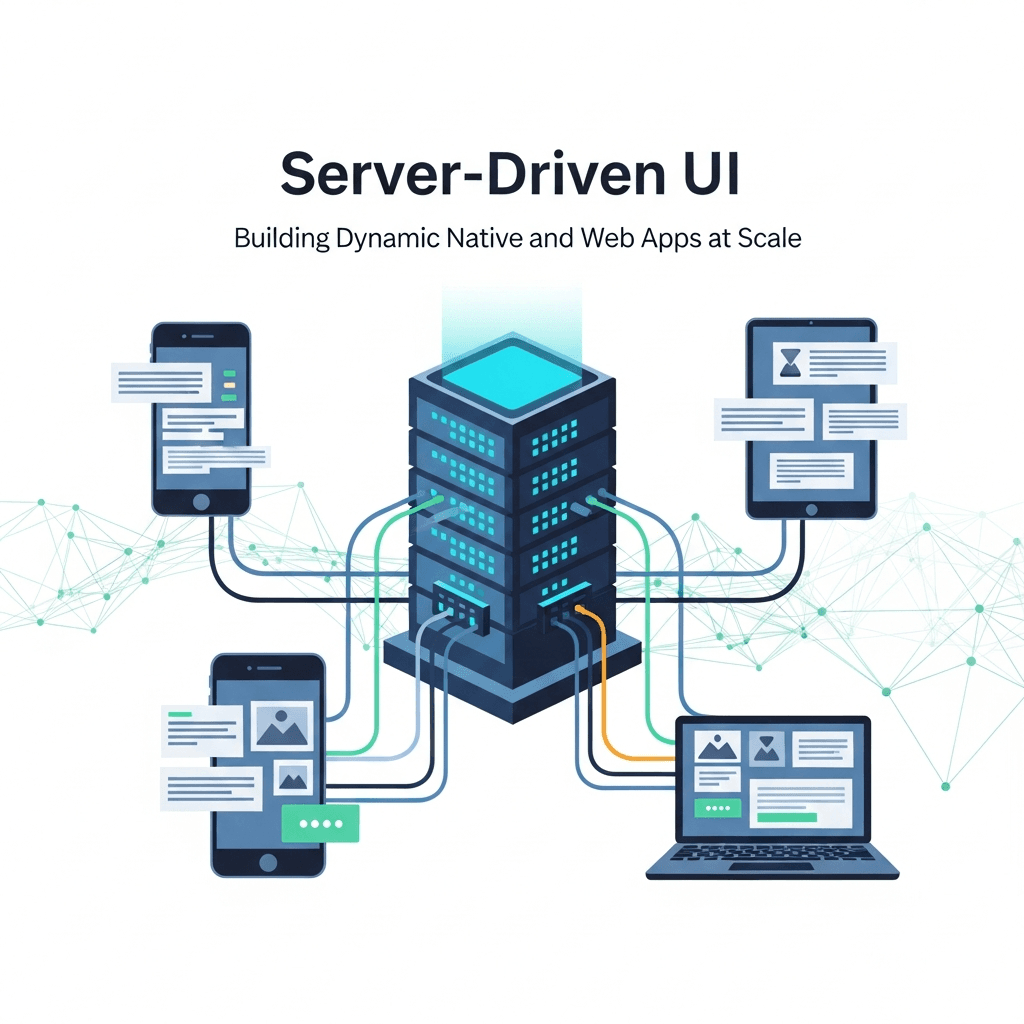
Enter Server-Driven UI (SDUI). Server-Driven UI is an architectural paradigm where the server dictates the structure, layout, and sometimes even the behavior of the user interface, rather than just providing raw data. The client application acts as a generic renderer, interpreting a UI description (often a JSON payload) sent by the server and rendering the corresponding native or web components. This approach empowers product teams to make UI changes, conduct A/B tests, and roll out new features instantly, without requiring client-side code updates or app store submissions. It's a powerful shift that can dramatically accelerate development cycles, enhance cross-platform consistency, and provide unprecedented flexibility in managing your application's user experience at scale.
Prerequisites
To get the most out of this guide, a basic understanding of the following concepts will be beneficial:
- Client-Server Architecture: How clients (web browsers, mobile apps) communicate with servers.
- JSON: JavaScript Object Notation, a common data interchange format.
- Frontend Development: Familiarity with UI component models, whether in React, React Native, SwiftUI, or Jetpack Compose.
- API Design: Principles of RESTful or GraphQL API design.
1. What is Server-Driven UI?
At its core, Server-Driven UI flips the traditional client-server relationship for UI. Instead of the client knowing exactly what components to render and merely fetching data to populate them, the server sends a complete blueprint of the UI itself. This blueprint is typically a structured data format like JSON, describing the types of components, their properties (text, color, image URLs), their arrangement, and even associated actions (e.g., what API to call when a button is pressed).
The client, often referred to as a "renderer" or "interpreter," contains a library of pre-built UI components (e.g., Text, Button, Image, List, Card). When it receives the server's UI description, it iterates through the JSON, identifies the specified components, maps them to its local implementations, and renders them dynamically. This separation of UI logic (on the server) from UI rendering (on the client) is the fundamental principle of SDUI, enabling a highly flexible and adaptable frontend ecosystem.
2. Why Server-Driven UI? The Core Problems It Solves
SDUI isn't just a fancy architectural pattern; it addresses several critical challenges faced by modern application development:
Faster Iteration and Deployment
Perhaps the most compelling advantage is the ability to deploy UI changes instantly. For native mobile apps, this means bypassing lengthy app store review processes. A simple text change, a new button, or even a complete redesign of a screen can be pushed live from the server without requiring users to update their app. This dramatically reduces time-to-market for new features and bug fixes related to the UI.
Cross-Platform Consistency
Achieving pixel-perfect consistency across iOS, Android, and Web platforms is notoriously difficult. SDUI centralizes UI logic on the server. By sending the same UI description to all clients, you can ensure a consistent look and feel, and consistent behavior, with less effort. Any UI update automatically propagates to all platforms simultaneously, reducing fragmentation and development overhead.
A/B Testing and Personalization
SDUI makes A/B testing trivial. The server can decide which UI variant to send to a particular user based on experiment groups, user segments, or dynamic rules. This allows product teams to test hypotheses, optimize user flows, and personalize experiences in real-time without deploying new client versions for each test variant.
Reduced Client-Side Complexity
While the client needs to be robust enough to render various component types, the responsibility for UI logic, layout decisions, and feature orchestration shifts to the server. This can simplify client-side codebases, making them leaner and easier to maintain, as they primarily focus on rendering and event dispatching rather than complex UI state management and business logic.
Dynamic Content and Feature Flags
SDUI naturally supports dynamic content and robust feature flagging. You can enable or disable features, change their appearance, or completely rearrange screens based on user roles, geographical location, time of day, or any other server-side condition, all without client-side updates.
3. How SDUI Works: The Architectural Principles
The SDUI architecture typically involves two main parts:
-
The Server-Side UI Engine: This component is responsible for constructing the UI description. It takes business logic, user data, feature flags, and potentially A/B test configurations, and translates them into a structured representation of the UI. This engine might use templates, a domain-specific language (DSL), or direct code generation to produce the UI payload.
-
The Client-Side Renderer/Interpreter: This is the application running on the user's device (iOS, Android, Web). It fetches the UI description from the server, parses it, and dynamically renders the corresponding native or web components. It also handles user interactions, translating them into events that can be sent back to the server.
The communication flow is generally as follows:
- Client Request: The client requests a specific screen or UI section from the server (e.g.,
/api/screens/home). - Server Response: The server processes the request, determines the appropriate UI based on various factors, and sends back a JSON payload describing the UI.
- Client Rendering: The client parses the JSON, maps the described components to its local UI components, and renders them.
- User Interaction: When a user interacts with a rendered component (e.g., taps a button), the client captures the event and sends it back to the server (e.g.,
/api/actions/addToCart). - Server Action & Optional UI Update: The server processes the action, performs necessary business logic, and may respond with an updated UI description or just a success message.
4. Designing the Server-Side Schema (JSON Contract)
The JSON schema is the heart of SDUI. It's the contract between the server and all clients, defining what UI elements can exist and how they are configured. A well-designed, versioned schema is crucial for maintainability and extensibility. A common approach is to define a set of generic UI components and their properties.
Here's an example of a simple JSON schema for a screen:
{
  "schemaVersion": "1.0",
  "screenTitle": "Product Details",
  "components": [
    {
      "type": "Header",
      "props": {
        "title": "Awesome Gadget",
        "subtitle": "Latest Model"
      }
    },
    {
      "type": "Image",
      "props": {
        "url": "https://example.com/gadget.jpg",
        "aspectRatio": 1.5,
        "accessibilityLabel": "Image of an awesome gadget"
      }
    },
    {
      "type": "Text",
      "props": {
        "text": "This is an amazing gadget that will change your life!",
        "fontSize": 16,
        "textColor": "#333333"
      }
    },
    {
      "type": "Button",
      "props": {
        "text": "Add to Cart",
        "style": "primary",
        "action": {
          "type": "API_CALL",
          "endpoint": "/api/cart/add",
          "method": "POST",
          "payload": {
            "productId": "GADGET123"
          },
          "onSuccess": {
            "type": "NAVIGATE",
            "screen": "cart"
          }
        }
      }
    },
    {
      "type": "List",
      "props": {
        "items": [
          {
            "type": "ListItem",
            "props": {
              "title": "Feature A",
              "description": "Benefit of Feature A"
            }
          },
          {
            "type": "ListItem",
            "props": {
              "title": "Feature B",
              "description": "Benefit of Feature B"
            }
          }
        ]
      }
    }
  ]
}
Key elements in the schema:
schemaVersion: Important for backward compatibility and client upgrades.screenTitle: Metadata for the client (e.g., for navigation bar).components: An array of UI elements to be rendered.type: Identifies the component (e.g.,Header,Image,Text,Button,List).props: A dictionary of properties specific to that component type (e.g.,text,url,style,action).children(not shown above, but common): For container components, to embed other components.action: Describes what should happen when a component is interacted with (e.g.,API_CALL,NAVIGATE,OPEN_URL).
5. Building the Client-Side Renderer
The client's role is to parse the incoming JSON and translate it into actual UI elements. This typically involves a ComponentRegistry and a recursive rendering function.
Let's consider a simplified React/React Native example:
// client-side/components/ComponentRegistry.js
import React from 'react';
import { Text, Image, Button, View, ScrollView } from 'react-native';

// Assuming Header and ListItem are custom components defined locally
import Header from './Header';
import ListItem from './ListItem';

const componentMap = {
  Text: (props) => <Text style={{ fontSize: props.fontSize, color: props.textColor }}>{props.text}</Text>,
  Image: (props) => <Image source={{ uri: props.url }} style={{ aspectRatio: props.aspectRatio, width: '100%' }} accessibilityLabel={props.accessibilityLabel} />,
  Button: (props, handleAction) => (
    <Button
      title={props.text}
      color={props.style === 'primary' ? 'blue' : 'gray'}
      onPress={() => handleAction(props.action)}
    />
  ),
  Header: (props) => <Header title={props.title} subtitle={props.subtitle} />,
  List: (props, handleAction) => (
    <ScrollView>
      {props.items.map((item, index) => renderComponent(item, handleAction, `list-item-${index}`))}
    </ScrollView>
  ),
  ListItem: (props) => <ListItem title={props.title} description={props.description} />,
  // Add more components as needed
};

export function getComponent(type) {
  return componentMap[type];
}

// client-side/screens/DynamicScreen.js
import React, { useState, useEffect } from 'react';
import { View, ActivityIndicator, Alert } from 'react-native';
import { getComponent } from '../components/ComponentRegistry';

// Recursive rendering function
const renderComponent = (componentData, handleAction, keyPrefix = '') => {
  if (!componentData || !componentData.type) return null;

  const Component = getComponent(componentData.type);
  if (!Component) {
    console.warn(`Unknown component type: ${componentData.type}`);
    return <Text key={`${keyPrefix}-${componentData.type}-unknown`} style={{ color: 'red' }}>[Unknown Component: {componentData.type}]</Text>;
  }

  // Handle children if the component supports it (e.g., a 'Container' component)
  const children = componentData.props && componentData.props.children
    ? componentData.props.children.map((child, index) =>
        renderComponent(child, handleAction, `${keyPrefix}-${componentData.type}-child-${index}`)
      )
    : null;

  return (
    <View key={`${keyPrefix}-${componentData.type}`}>
      <Component {...componentData.props} handleAction={handleAction}>
        {children}
      </Component>
    </View>
  );
};

const DynamicScreen = ({ screenId }) => {
  const [screenData, setScreenData] = useState(null);
  const [loading, setLoading] = useState(true);
  const [error, setError] = useState(null);

  useEffect(() => {
    const fetchScreenData = async () => {
      try {
        setLoading(true);
        const response = await fetch(`https://your-sdui-api.com/screens/${screenId}`);
        if (!response.ok) {
          throw new Error(`HTTP error! status: ${response.status}`);
        }
        const data = await response.json();
        setScreenData(data);
      } catch (e) {
        setError(e.message);
        Alert.alert('Error', `Failed to load screen: ${e.message}`);
      } finally {
        setLoading(false);
      }
    };
    fetchScreenData();
  }, [screenId]);

  const handleAction = async (action) => {
    if (!action) return;

    switch (action.type) {
      case 'API_CALL':
        try {
          const response = await fetch(action.endpoint, {
            method: action.method || 'GET',
            headers: { 'Content-Type': 'application/json' },
            body: action.payload ? JSON.stringify(action.payload) : undefined,
          });
          if (!response.ok) throw new Error(`API call failed: ${response.status}`);
          const result = await response.json();
          if (action.onSuccess) {
            handleAction(action.onSuccess); // Chained action
          }
          // Potentially update local state based on API response or re-fetch screen data
        } catch (e) {
          Alert.alert('Action Error', `Failed to perform action: ${e.message}`);
        }
        break;
      case 'NAVIGATE':
        // Implement navigation logic, e.g., using React Navigation
        console.log(`Navigating to: ${action.screen}`);
        break;
      case 'OPEN_URL':
        // Implement opening external URL
        console.log(`Opening URL: ${action.url}`);
        break;
      default:
        console.warn(`Unknown action type: ${action.type}`);
    }
  };

  if (loading) {
    return <View style={{ flex: 1, justifyContent: 'center', alignItems: 'center' }}><ActivityIndicator size="large" /></View>;
  }

  if (error) {
    return <View style={{ flex: 1, justifyContent: 'center', alignItems: 'center' }}><Text>Error: {error}</Text></View>;
  }

  if (!screenData || !screenData.components) {
    return <View style={{ flex: 1, justifyContent: 'center', alignItems: 'center' }}><Text>No screen data available.</Text></View>;
  }

  return (
    <View style={{ flex: 1, padding: 16 }}>
      {screenData.components.map((component, index) =>
        renderComponent(component, handleAction, `root-component-${index}`)
      )}
    </View>
  );
};

export default DynamicScreen;
This client-side code demonstrates:
componentMap: A registry that maps server-defined componenttypestrings to actual React Native components.renderComponent: A recursive function that takes a component's JSON description and renders it, handling nested components (like aListwithListItems).handleAction: A function that interprets server-defined actions (e.g.,API_CALL,NAVIGATE) and executes the corresponding client-side logic.DynamicScreen: A wrapper component that fetches the UI data, manages loading/error states, and orchestrates the rendering.
6. Handling User Interactions and State
In SDUI, user interactions are typically handled by the client capturing the event and dispatching an action. This action, as described in the JSON schema's action property, can be a simple client-side navigation or a more complex server-side API call.
When an action triggers an API_CALL, the client sends a request to the server. The server processes this request, updates its internal state (e.g., adds an item to a cart), and then has a few options:
- Respond with success/failure: The client handles the response and potentially updates its local UI (e.g., showing a toast message).
- Respond with updated screen data: If the action significantly changes the UI (e.g., adding an item reveals a new cart summary), the server can send back a new UI description for the current screen, which the client then re-renders.
- Respond with a navigation action: The server might instruct the client to navigate to a different screen (e.g., after successful checkout, navigate to an order confirmation screen).
This interaction model ensures that the source of truth for UI state and business logic remains primarily on the server, simplifying client-side state management for complex flows.
7. Advanced SDUI Concepts
Dynamic Forms
Building dynamic forms is a prime use case for SDUI. The server can send a form definition specifying input types (text, number, date), validation rules, default values, and submission actions. The client renders these inputs and handles local validation before sending the complete form data to the server.
{
  "type": "Form",
  "props": {
    "formId": "contactUs",
    "fields": [
      {
        "type": "TextInput",
        "props": {
          "name": "fullName",
          "label": "Full Name",
          "placeholder": "John Doe",
          "required": true,
          "validationRegex": "^[A-Za-z\\s]+$"
        }
      },
      {
        "type": "EmailInput",
        "props": {
          "name": "email",
          "label": "Email",
          "required": true
        }
      },
      {
        "type": "TextArea",
        "props": {
          "name": "message",
          "label": "Your Message",
          "multiline": true,
          "rows": 5
        }
      }
    ],
    "submitAction": {
      "type": "API_CALL",
      "endpoint": "/api/contact",
      "method": "POST",
      "onSuccess": {
        "type": "SHOW_ALERT",
        "title": "Success",
        "message": "Your message has been sent!"
      }
    }
  }
}
Conditional Rendering
The server can include conditions in the UI description to control component visibility or render different components based on context.
{
  "type": "ConditionalContainer",
  "props": {
    "condition": "user.isPremium",
    "trueComponent": {
      "type": "Text",
      "props": { "text": "Welcome, Premium Member!" }
    },
    "falseComponent": {
      "type": "Button",
      "props": { "text": "Upgrade to Premium" }
    }
  }
}
The client would need to evaluate user.isPremium based on locally available user data or a context provided by the server.
Custom Components/Plugins
Not all UI elements can be generic. For highly specific or platform-dependent features (e.g., a custom camera widget, a complex interactive chart), you can define "plugin" components. The server refers to these by a unique type, and the client knows to instantiate its specialized local implementation. This allows for a hybrid approach, combining server-driven flexibility with client-native power where needed.
Theming and Styling
While SDUI can dictate basic styles (e.g., textColor, fontSize), complex theming is typically handled client-side. The server might send a themeId or styleVariant in the props, and the client applies its pre-defined styles based on that identifier. This maintains brand consistency while allowing the server to influence the aesthetic dynamically.
8. Real-World Use Cases and Examples
SDUI shines in scenarios requiring high agility and consistency across platforms:
- E-commerce Product Listings and Details: Displaying product cards, filters, sorting options, and product detail pages dynamically. New product attributes or promotional banners can be rolled out instantly.
- Dynamic Dashboards: Business intelligence or user dashboards where widgets, charts, and data visualizations need to be configured and updated frequently based on user roles or data availability.
- Onboarding Flows: Crafting personalized onboarding experiences. Different user segments can receive different welcome screens, tutorial steps, or feature introductions without client updates.
- News Feeds and Content Layouts: Applications like news readers or social media feeds where the layout of articles, ads, and interactive elements changes frequently.
- Feature Flagging and Experimentation: Launching features to a subset of users, A/B testing different UI treatments, or enabling/disabling features based on server-side logic.
- Admin Panels and Configuration Screens: Internal tools where the UI for managing settings, users, or data needs to be highly configurable by non-developers.
Companies like Airbnb, Stripe, and Lyft have publicly shared their experiences with SDUI (or similar approaches like meta-driven UI), highlighting its benefits for scaling their development efforts and maintaining consistency across diverse platforms.
9. Best Practices for Implementing SDUI
Implementing SDUI effectively requires careful planning and adherence to best practices:
- Start Small and Iterate: Don't try to make your entire app server-driven from day one. Start with a single, less critical screen or a specific dynamic component (e.g., a promotional banner) to gain experience.
- Versioning Your Schema: Crucial for backward compatibility. Clients might be running older versions. The server must be able to send UI descriptions compatible with different client
schemaVersions, or clients must gracefully handle unknown components or properties. - Graceful Degradation: Clients should have fallback mechanisms for unknown component types or missing properties. Instead of crashing, they should render a placeholder or log a warning.
- Performance Considerations: JSON payload size can impact network latency and parsing time. Optimize the schema, use compression (Gzip), and implement client-side caching strategies.
- Security: Ensure your API endpoints are secure. The UI description itself should not contain sensitive user data that isn't intended for the client. Validate all input from the client (especially actions).
- Observability: Implement robust logging, monitoring, and analytics on both client and server to track UI rendering, user interactions, and error rates. This is vital for debugging and understanding user behavior.
- Clear Component Contracts: Define clear responsibilities and expected
propsfor each component type in your schema. Document these thoroughly for both server and client developers. - Hybrid Approach: Not everything needs to be server-driven. Use native UI for highly interactive, performance-critical, or platform-specific components, and SDUI for everything else.
10. Common Pitfalls and Challenges
While powerful, SDUI comes with its own set of challenges:
- Over-engineering the Schema: Creating an overly complex or too granular schema can lead to rigidity and make server-side UI generation difficult. Find the right balance between flexibility and simplicity.
- Performance Bottlenecks: Large JSON payloads, frequent UI updates, or inefficient client-side rendering can lead to a sluggish user experience. Optimize network calls, use diffing algorithms for partial updates, and ensure efficient component rendering.
- Debugging Complexity: Debugging issues that span both server-generated UI and client rendering can be more challenging than traditional client-side debugging. Good logging, request tracing, and tools to visualize the server's UI payload are essential.
- Maintaining Client-Server Parity: Ensuring that all client platforms (iOS, Android, Web) have up-to-date renderers for all server-defined components is an ongoing effort. Mismatches can lead to broken UIs.
- Developer Experience: Server-side developers might find it unusual to think about UI in terms of JSON rather than visual components. Client developers need to adapt to building generic renderers rather than specific screens. Investing in tooling (e.g., visual editors for server-side UI, schema validation tools) is important.
- Offline Support: Handling offline scenarios can be more complex. Clients need to cache UI definitions and potentially have fallback UIs when the server is unreachable.
- Theming and Customization: While basic styling can be server-driven, deeply custom themes or highly unique platform-specific UI elements might require more client-side logic or a hybrid approach.
11. SDUI Frameworks and Libraries
While many companies build custom SDUI solutions tailored to their needs, several open-source projects and concepts have emerged:
- Airbnb's Lona: Though no longer actively maintained, Lona was an influential project that aimed to define UI as data and compile it to various platforms. It demonstrated the power of a declarative, data-driven UI approach.
- Stripe's experience: Stripe has extensively documented their journey and architecture for building server-driven payment flows, showcasing how they manage complex, dynamic forms across platforms.
- Plaid Link: Plaid's SDK for connecting bank accounts is a classic example of a server-driven flow, where the server dictates the steps and UI elements presented to the user.
- Custom Solutions: The majority of large-scale SDUI implementations are custom-built, leveraging existing frontend frameworks (React, Vue, Swift UI, Jetpack Compose) as the rendering layer and building a custom JSON schema and server-side engine.
Conclusion
Server-Driven UI represents a powerful paradigm shift in how we build and deploy applications, particularly at scale. By centralizing UI logic on the server and enabling clients to act as dynamic renderers, organizations can achieve unprecedented agility, rapidly iterate on features, conduct real-time A/B tests, and maintain a consistent user experience across diverse platforms. While it introduces new architectural complexities and requires careful schema design and client implementation, the long-term benefits in terms of development speed, reduced time-to-market, and enhanced flexibility often outweigh these challenges.
Embracing SDUI is not about replacing client-side development but rather augmenting it, allowing teams to focus client efforts on building robust, performant rendering engines and complex native components, while empowering product and server teams to dynamically control the application's user journey. As the demand for dynamic and adaptable user experiences continues to grow, Server-Driven UI will undoubtedly play an even more critical role in shaping the future of application development.
Written by
CodewithYohaFull-Stack Software Engineer with 7+ years of experience in Java, Spring Boot, and cloud architecture across AWS, Azure, and GCP. Writing production-grade engineering patterns for developers who ship real software.