
Introduction
The demand for immersive, real-time multiplayer experiences has never been higher. From collaborative document editing to competitive online games, users expect instantaneous updates and seamless interaction, regardless of their geographical location or network conditions. However, building such systems presents significant challenges: managing latency, ensuring data consistency across multiple clients, and handling network partitions are complex problems in distributed systems.
Traditionally, many multiplayer applications rely on a centralized server architecture. While robust, this approach can introduce latency due to round trips to the server and create a single point of failure or bottleneck. For truly low-latency, resilient, and potentially decentralized experiences, a different paradigm is often needed.
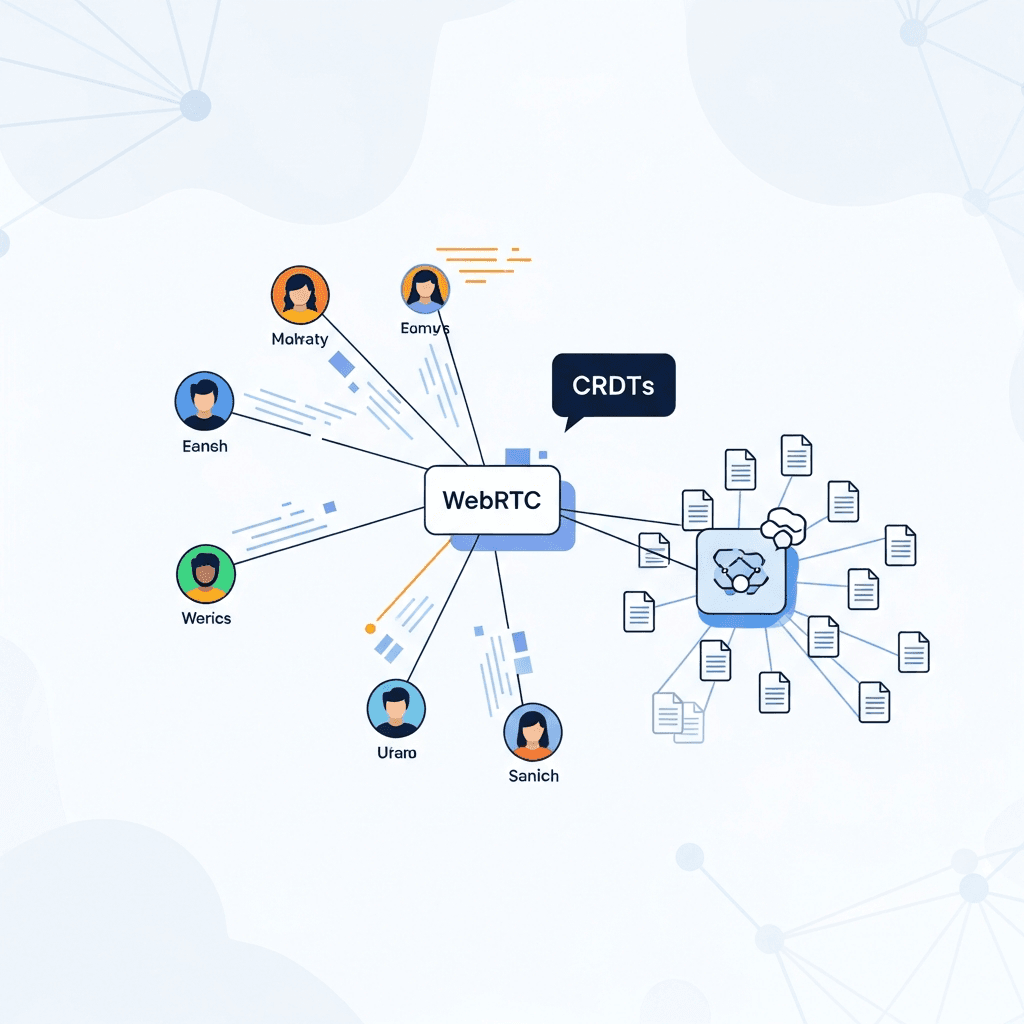
This guide explores a powerful combination: WebRTC for establishing direct, peer-to-peer (P2P) connections, and CRDTs (Conflict-free Replicated Data Types) for achieving robust, eventual consistency across all connected clients without relying on a central authority for conflict resolution. Together, they form a potent toolkit for developing highly responsive and resilient real-time multiplayer applications.
We will delve into the core concepts of WebRTC Data Channels, understand the necessity and elegance of CRDTs, and walk through practical examples of how to integrate them to build compelling real-time experiences.
Prerequisites
To get the most out of this guide, you should have:
- Basic to Intermediate JavaScript/TypeScript knowledge: All code examples will be in JavaScript.
- Familiarity with Node.js: For setting up a simple signaling server.
- Understanding of fundamental networking concepts: Such as IP addresses, ports, and client-server communication.
- A modern web browser: Supporting WebRTC (Chrome, Firefox, Edge, Safari).
The Challenge of Real-Time Multiplayer
Building real-time multiplayer applications is inherently complex due to several factors:
- Latency: The time it takes for data to travel between clients and/or servers. High latency leads to a sluggish, unresponsive user experience, often referred to as "lag."
- Consistency: Ensuring that all participants see the same state of the application at any given moment, or at least eventually converge to the same state. Without proper consistency mechanisms, clients can diverge, leading to a broken experience.
- Scalability: The ability of the system to handle an increasing number of concurrent users without performance degradation. Centralized servers can become bottlenecks.
- Network Reliability: Networks are inherently unreliable. Packets can be lost, duplicated, or arrive out of order. Clients can disconnect and reconnect.
Traditional client-server models, where clients send updates to a server and the server broadcasts them, are well-understood. However, for applications demanding extremely low latency (e.g., competitive games, live drawing), the round-trip time to a central server can be prohibitive. This is where peer-to-peer communication shines, allowing direct data exchange between participants, minimizing latency.
WebRTC: Peer-to-Peer Powerhouse
WebRTC (Web Real-Time Communication) is an open-source project that enables web browsers and mobile applications to communicate directly in real-time via simple APIs. While often associated with video and audio streaming, WebRTC also provides the RTCDataChannel API, which allows for robust, low-latency, and high-throughput peer-to-peer data exchange.
Key components of WebRTC for data communication include:
RTCPeerConnection: The core component that manages the connection between two peers, handles NAT traversal, and establishes the direct link.RTCIceCandidate: Represents different ways a peer can be reached on the network (IP addresses, ports). Peers exchange these candidates to find the best path.RTCSessionDescription: Contains information about the media (or data) capabilities of a peer, including cryptographic keys and codecs. Peers exchange these descriptions (an "offer" and an "answer") to agree on a connection setup.- Signaling Server: Crucially, WebRTC itself does not provide a signaling mechanism. A signaling server (typically a WebSocket server) is needed to facilitate the initial exchange of
RTCSessionDescription(offers/answers) andRTCIceCandidatemessages between peers. Once the direct P2P connection is established, the signaling server is no longer involved in the data flow.
The RTCDataChannel allows you to send arbitrary data, offering configurable reliability (ordered/unordered, reliable/unreliable) to suit different application needs. For instance, game state updates might prefer reliable and ordered delivery, while ephemeral chat messages might be fine with unreliable and unordered delivery for minimal latency.
Setting Up a Basic WebRTC Connection
Let's outline the steps and provide code snippets for establishing a basic WebRTC data channel connection between two peers using a simple WebSocket signaling server.
1. Signaling Server (Node.js with ws)
This server will relay messages between clients to help them establish their RTCPeerConnection.
// server.js
const WebSocket = require('ws');

const wss = new WebSocket.Server({ port: 8080 });

wss.on('connection', ws => {
    console.log('Client connected');

    ws.on('message', message => {
        // Broadcast message to all other connected clients
        wss.clients.forEach(client => {
            if (client !== ws && client.readyState === WebSocket.OPEN) {
                client.send(message.toString());
            }
        });
    });

    ws.on('close', () => {
        console.log('Client disconnected');
    });

    ws.on('error', error => {
        console.error('WebSocket error:', error);
    });
});

console.log('Signaling server started on ws://localhost:8080');
2. Client-Side (Browser JavaScript)
Each client will connect to the signaling server, create an RTCPeerConnection, and exchange offer/answer/ICE candidates.
// client.js (run in two separate browser tabs)

const signalingServerUrl = 'ws://localhost:8080';
const ws = new WebSocket(signalingServerUrl);

let peerConnection;
let dataChannel;

const configuration = {
    iceServers: [
        { urls: 'stun:stun.l.google.com:19302' },
        { urls: 'stun:stun1.l.google.com:19302' }
    ] // STUN servers help with NAT traversal
};

ws.onopen = () => {
    console.log('Connected to signaling server');
    createPeerConnection();
};

ws.onmessage = async event => {
    const message = JSON.parse(event.data);

    if (message.type === 'offer') {
        console.log('Received offer');
        await peerConnection.setRemoteDescription(new RTCSessionDescription(message));
        const answer = await peerConnection.createAnswer();
        await peerConnection.setLocalDescription(answer);
        ws.send(JSON.stringify(answer));
    } else if (message.type === 'answer') {
        console.log('Received answer');
        await peerConnection.setRemoteDescription(new RTCSessionDescription(message));
    } else if (message.type === 'candidate') {
        console.log('Received ICE candidate');
        try {
            await peerConnection.addIceCandidate(new RTCIceCandidate(message));
        } catch (e) {
            console.error('Error adding received ICE candidate:', e);
        }
    }
};

function createPeerConnection() {
    peerConnection = new RTCPeerConnection(configuration);

    // Handle ICE candidates
    peerConnection.onicecandidate = event => {
        if (event.candidate) {
            console.log('Sending ICE candidate');
            ws.send(JSON.stringify(event.candidate));
        }
    };

    // Handle data channel creation (for the offering peer)
    dataChannel = peerConnection.createDataChannel('chat');
    setupDataChannel(dataChannel);

    // Handle data channel reception (for the answering peer)
    peerConnection.ondatachannel = event => {
        console.log('Data channel received:', event.channel.label);
        dataChannel = event.channel;
        setupDataChannel(dataChannel);
    };

    // Connection state changes
    peerConnection.onconnectionstatechange = () => {
        console.log('Peer connection state:', peerConnection.connectionState);
    };

    // Create offer if this is the initiating peer (e.g., first client to connect)
    // In a real app, you'd have a button or logic to initiate this.
    // For this example, let's assume the first client creates an offer.
    // In a two-client setup, one will be the offerer, one the answerer.
    // A more robust signaling would handle this.
    // For simplicity, let's manually trigger offer creation for one peer.
    // You can paste this into the console of one client after it connects.
    // setTimeout(createOffer, 2000); // Or call manually
}

async function createOffer() {
    const offer = await peerConnection.createOffer();
    await peerConnection.setLocalDescription(offer);
    ws.send(JSON.stringify(offer));
    console.log('Sent offer');
}

function setupDataChannel(channel) {
    channel.onopen = () => {
        console.log('Data channel is open!');
        // You can now send messages
        channel.send('Hello from ' + Math.random().toFixed(2));
    };
    channel.onmessage = event => {
        console.log('Received message:', event.data);
    };
    channel.onclose = () => {
        console.log('Data channel closed');
    };
    channel.onerror = error => {
        console.error('Data channel error:', error);
    };
}

// Expose createOffer for manual trigger in console
window.createOffer = createOffer;

// Example: Send a message via data channel
function sendMessage(message) {
    if (dataChannel && dataChannel.readyState === 'open') {
        dataChannel.send(message);
        console.log('Sent:', message);
    } else {
        console.warn('Data channel not open yet.');
    }
}
window.sendMessage = sendMessage;
To test this: run node server.js, then open client.html (containing the client-side JS) in two browser tabs. In one tab's console, call createOffer(). You should see the offer/answer/candidate exchange and eventually "Data channel is open!" in both consoles, followed by "Received message:..." from the other peer. You can then use sendMessage('Your message') in either console.
Introducing CRDTs (Conflict-free Replicated Data Types)
Even with WebRTC providing direct P2P communication, a fundamental problem remains: how do multiple peers independently modify shared data and ensure that everyone eventually converges to the same, correct state, especially when messages can be delivered out of order or when peers temporarily disconnect? This is the domain of CRDTs.
CRDTs are data structures that can be replicated across multiple computers, allowing each replica to be updated independently and concurrently. When these updates are merged, the CRDT guarantees that all replicas will eventually converge to the same state, without requiring complex conflict resolution logic or a centralized arbiter.
This is a stark contrast to Operational Transformation (OT), used in systems like Google Docs, which requires a central server to transform operations to maintain consistency. OT is complex to implement correctly in a decentralized setting because it relies on a strict ordering of operations.
CRDTs achieve their magic through mathematical properties:
- Commutativity: The order in which operations are applied doesn't change the final state (
a + b = b + a). - Associativity: Grouping of operations doesn't change the final state (
(a + b) + c = a + (b + c)). - Idempotence: Applying an operation multiple times has the same effect as applying it once (
a + a = a).
These properties ensure that even if messages are duplicated or arrive out of order, the state will eventually converge. There are two main families of CRDTs:
- State-based CRDTs (CvRDTs): Replicas exchange their full state, and a merge function combines them. The merge function must be commutative, associative, and idempotent.
- Operation-based CRDTs (CmRDTs): Replicas send individual operations (e.g., "increment X by 1"). These operations must be delivered exactly once and in causal order, which often requires a reliable, ordered messaging layer (like
RTCDataChannel's default reliable mode).
For WebRTC's RTCDataChannel, which can provide reliable, ordered delivery, both are viable, but state-based CRDTs are generally more robust to network partitions and simpler to reason about in truly decentralized environments, as they don't depend on perfect message delivery order.
Common CRDT types include:
- Counters:
G-Counter(Grow-only),PN-Counter(Positive-Negative). - Sets:
G-Set(Grow-only),OR-Set(Observed-Remove). - Registers:
LWW-Register(Last-Write-Wins). - Lists/Text:
RGA(Replicated Growable Array).
Why CRDTs are Perfect for P2P WebRTC
The synergy between WebRTC and CRDTs is profound for several reasons:
- Decentralization: WebRTC enables direct P2P connections, eliminating the need for a central server for data flow. CRDTs eliminate the need for a central server for conflict resolution, enabling truly decentralized state management.
- Offline-First Capabilities: If a peer temporarily disconnects, it can continue to make local updates. Upon reconnection, its state can be seamlessly merged with others using CRDTs.
- Resilience to Network Issues: CRDTs are inherently designed to handle message reordering, duplication, and eventual delivery. This aligns perfectly with the unpredictable nature of P2P networks.
- Simpler Development: While CRDTs might seem complex initially, they simplify application logic by abstracting away the intricacies of conflict resolution. Developers can focus on application features rather than distributed system consistency protocols.
- Low Latency: With P2P connections, updates are sent directly between peers. CRDTs ensure these updates can be applied locally immediately (optimistic updates) and then merged with remote changes without causing divergence, providing an extremely responsive user experience.
This combination is ideal for collaborative whiteboards, shared code editors, multiplayer casual games, and even decentralized social applications where a central server might be undesirable or impractical.
Implementing a Simple CRDT (G-Counter Example with WebRTC)
Let's implement a G-Counter (Grow-only Counter) and integrate it with our WebRTC setup. A G-Counter only allows increments and can be merged by taking the maximum value for each peer's contribution.
Each peer maintains an array of counts, where each index corresponds to a specific peer's contribution. When a peer increments its local counter, it updates its own entry in this array. When merging with another peer's counter, it takes the maximum value for each entry.
// GCounter.js

class GCounter {
    constructor(peerId, initialValue = 0) {
        this.peerId = peerId;
        // counters map: peerId -> count
        this.counts = { [peerId]: initialValue };
    }

    // Increment the counter for this peer
    increment(amount = 1) {
        this.counts[this.peerId] = (this.counts[this.peerId] || 0) + amount;
    }

    // Get the total value of the counter
    value() {
        return Object.values(this.counts).reduce((sum, count) => sum + count, 0);
    }

    // Merge with another GCounter's state
    merge(otherGCounterState) {
        const newCounts = { ...this.counts };
        for (const peerId in otherGCounterState) {
            newCounts[peerId] = Math.max(newCounts[peerId] || 0, otherGCounterState[peerId]);
        }
        this.counts = newCounts;
    }

    // Export state for replication
    getState() {
        return { ...this.counts };
    }

    // Load state (useful for initialization or full sync)
    loadState(state) {
        this.counts = { ...state };
    }
}

// --- Integration with WebRTC (in client.js) ---
// Add this to your existing client.js or a separate module

// Assume 'peerId' is unique for each client, e.g., generated UUID or from signaling server
const localPeerId = 'peer-' + Math.random().toFixed(4).substring(2);
let myGCounter = new GCounter(localPeerId);

console.log(`My Peer ID: ${localPeerId}`);

// Modify setupDataChannel to handle GCounter messages
function setupDataChannel(channel) {
    channel.onopen = () => {
        console.log('Data channel is open!');
        // Periodically send our counter state
        setInterval(() => {
            const update = {
                type: 'gcounter_update',
                senderId: localPeerId,
                state: myGCounter.getState()
            };
            channel.send(JSON.stringify(update));
        }, 1000);

        // Initial increment
        myGCounter.increment(5);
        document.getElementById('counter-display').innerText = `Counter: ${myGCounter.value()}`;
    };

    channel.onmessage = event => {
        const message = JSON.parse(event.data);
        if (message.type === 'gcounter_update' && message.senderId !== localPeerId) {
            console.log(`Received GCounter update from ${message.senderId}:`, message.state);
            myGCounter.merge(message.state);
            document.getElementById('counter-display').innerText = `Counter: ${myGCounter.value()}`;
            console.log('My current GCounter value:', myGCounter.value());
        } else if (message.type === 'chat_message') {
            console.log('Chat message:', message.content);
        }
    };

    channel.onclose = () => {
        console.log('Data channel closed');
    };
    channel.onerror = error => {
        console.error('Data channel error:', error);
    };
}

// Add HTML for display and button
// <div id="counter-display">Counter: 0</div>
// <button onclick="myGCounter.increment(); document.getElementById('counter-display').innerText = `Counter: ${myGCounter.value()}`;">Increment Local</button>
With this setup, each peer maintains its own GCounter. When increment() is called, only the local counter is updated. Periodically, the full state of myGCounter is broadcast over the RTCDataChannel. When a peer receives an update from another peer, it calls merge(), which intelligently combines the states, guaranteeing that both peers will eventually show the same total count, even if updates are missed or out of order.
Advanced CRDTs for Complex Game States
While G-Counter is a great starting point, most real-time multiplayer applications require more complex data types. For instance, collaborative text editing needs a CRDT for sequences (like RGA - Replicated Growable Array or LSEQ), and a game might need CRDTs for player positions, inventories, or game board states.
Implementing complex CRDTs from scratch can be challenging. Fortunately, robust libraries exist:
- Yjs: A high-performance CRDT framework for building collaborative applications. It supports shared text, arrays, maps, and XML structures. Yjs is highly optimized and offers bindings for various frontend frameworks.
- Automerge: Another powerful library for building collaborative applications, providing a CRDT-backed data structure that feels like a plain JavaScript object. It focuses on easy integration and robust conflict resolution for complex data.
These libraries abstract away the intricate logic of CRDTs, allowing you to work with familiar data structures (e.g., Y.Doc in Yjs, or Automerge.init() objects) and then simply serialize their changes or full state to be sent over RTCDataChannel. They handle the merging and convergence automatically.
For example, using Yjs with WebRTC involves creating a Y.Doc, making changes, and then using a Y.WebsocketsProvider or similar custom provider to send the Y.Doc's update messages over your RTCDataChannel.
// Example using Yjs (conceptual, requires Yjs setup)
// npm install yjs webrtc-awareness y-webrtc

import * as Y from 'yjs';
import { WebrtcProvider } from 'y-webrtc';

// Create a Y document
const ydoc = new Y.Doc();

// Connect to a WebRTC signaling server (using y-webrtc's built-in provider)
// 'my-room' is the room name, ydoc is the document, webrtcConfig is for STUN/TURN
const webrtcProvider = new WebrtcProvider('my-room', ydoc, {
    // Signaling server is automatically handled by y-webrtc's default implementation
    // but you can provide a list of signaling servers if needed
    // signaling: ['ws://localhost:8080']
    // Also configure ICE servers if needed
    iceServers: [
        { urls: 'stun:stun.l.google.com:19302' }
    ]
});

// Get a shared text type
const ytext = ydoc.getText('codemirror');

// Listen for changes
ytext.observe(event => {
    console.log('Text changed:', ytext.toString());
    // Update your UI here
});

// Make changes (these are automatically propagated)
ydoc.transact(() => {
    ytext.insert(0, 'Hello, ');
    ytext.insert(7, 'World!');
});

// You can also get awareness information (who is online, their cursor position, etc.)
webrtcProvider.awareness.on('change', changes => {
    const states = Array.from(webrtcProvider.awareness.getStates().values());
    console.log('Awareness states:', states);
});
Architecting a Multiplayer Game Loop with WebRTC & CRDTs
For games, integrating WebRTC and CRDTs requires careful thought about the game loop and state management.
-
Define Game State as CRDTs: Identify which parts of your game state need to be consistently replicated (e.g., player positions, scores, inventory, game board). Model these using appropriate CRDTs (or a library like Yjs/Automerge).
-
Event-Driven Updates: Instead of sending full game state every frame, send small, incremental CRDT operations or state patches. For example, if a player moves, send a
player_move_opthat updates aLWW-Registerfor their position. -
Local Application and Optimistic UI: When a player makes an action (e.g., moves their character), apply that change immediately to their local game state. This provides instant feedback (optimistic update). Then, broadcast the CRDT operation/state patch to other peers.
-
Receive and Merge: When a peer receives a CRDT update from another peer, apply the
merge()function (or use the library's merge mechanism) to its local CRDT state. The CRDT guarantees convergence. -
Render Loop: The game's render loop continuously draws the current local state, which is constantly being updated by local actions and merged remote CRDTs.
-
Non-CRDT Data: Not all data needs to be a CRDT. Ephemeral events (e.g., a projectile firing, a temporary visual effect) or unreliable, high-frequency data (e.g., raw joystick input) might be better sent via unreliable
RTCDataChannelmessages without CRDT logic, as long as eventual consistency isn't critical for them. -
"Host" or "Leader" (Optional): For some games, a designated "host" or "leader" peer might still be beneficial for certain tasks, like starting a round, managing non-CRDT game logic, or mitigating desyncs if the CRDT approach is too complex for specific mechanics. However, the goal with CRDTs is to minimize or eliminate this role.
// Conceptual Game Loop Integration

// Assuming a CRDT-backed game state object, e.g., using Automerge
let doc = Automerge.init();

// Example: Player positions in an Automerge document
doc = Automerge.change(doc, 'initialize players', d => {
    d.players = {};
});

function updatePlayerPosition(playerId, x, y) {
    const oldDoc = doc;
    doc = Automerge.change(doc, `player ${playerId} moved`, d => {
        if (!d.players[playerId]) {
            d.players[playerId] = { x: 0, y: 0 };
        }
        d.players[playerId].x = x;
        d.players[playerId].y = y;
    });
    // Send the Automerge change (diff) to other peers via dataChannel
    const changes = Automerge.getChanges(oldDoc, doc);
    if (changes.length > 0) {
        dataChannel.send(JSON.stringify({ type: 'automerge_changes', changes }));
    }
}

// In your dataChannel.onmessage handler:
// if (message.type === 'automerge_changes') {
//     doc = Automerge.applyChanges(doc, message.changes);
//     // Render updated game state
//     renderGame(doc.players);
// }

// Game loop
function gameLoop() {
    // 1. Process local input
    // if (key_w_pressed) updatePlayerPosition(localPeerId, doc.players[localPeerId].x, doc.players[localPeerId].y + 1);

    // 2. Render current state based on 'doc'
    renderGame(doc.players);

    requestAnimationFrame(gameLoop);
}

gameLoop();
Best Practices for Robust Real-Time Experiences
-
Network Reliability &
RTCDataChannelModes: Choose the rightRTCDataChannelsettings:- Reliable & Ordered (default): For critical game state, CRDT updates, chat messages. Guarantees delivery and order.
- Unreliable & Unordered: For high-frequency, non-critical data like ephemeral visual effects, raw input, or voice/video metadata that can tolerate loss and reordering. Prioritizes speed over guarantees.
-
Granularity of CRDT Updates: Don't send entire large CRDT states too frequently. Instead, send smaller, incremental updates or "patches" (as Automerge does). Batch multiple small changes into one message if possible to reduce overhead.
-
Signaling Server Security: While the signaling server doesn't handle real-time game data, it's crucial for connection setup. Secure it with HTTPS/WSS, authenticate users, and prevent unauthorized access or message injection.
-
STUN/TURN Servers: WebRTC relies heavily on STUN (Session Traversal Utilities for NAT) and TURN (Traversal Using Relays around NAT) servers for NAT traversal. Always include multiple STUN servers (like Google's public ones) in your
RTCPeerConnectionconfiguration. For more complex network topologies (e.g., symmetric NATs), a TURN server is essential, though it incurs server costs as it relays all traffic. -
Error Handling and Reconnection Logic: Implement robust error handling for
RTCPeerConnectionstate changes,RTCDataChannelclosures, and signaling server disconnections. Design your CRDTs to handle temporary peer disconnections gracefully, allowing them to merge upon reconnection. -
User Experience (Optimistic Updates & Latency Compensation): Apply local player actions immediately to the UI (optimistic updates) to make the experience feel instantaneous. For remote players, use interpolation or extrapolation techniques to smooth out their movement, compensating for network latency.
-
Scalability Considerations: For a small number of players (e.g., 2-8), a full P2P mesh (each client connects to every other client) with WebRTC Data Channels and CRDTs works well. For larger groups, a hybrid approach might be necessary: P2P for data, but a Selective Forwarding Unit (SFU) or Multipoint Control Unit (MCU) for media (video/audio) to reduce each client's upload bandwidth requirements.
Common Pitfalls and How to Avoid Them
-
Over-reliance on Signaling Server: Remember, the signaling server is only for initial setup. If your game data is still flowing through it, you're missing the point of WebRTC P2P.
-
Ignoring NAT Traversal: Many P2P connections will fail without STUN/TURN. Don't skip these. While STUN is often free (public servers), TURN requires a server and bandwidth, so plan for it.
-
Choosing the Wrong CRDT: Not all CRDTs are suitable for all data types. A simple
G-Counterwon't work for deleting items from a list. Understand the properties of different CRDTs before implementing them or selecting a library. -
Excessive Data Channel Traffic: Sending large, frequent updates over
RTCDataChannelcan saturate bandwidth, especially in a mesh network where each peer sends to N-1 others. Profile your network usage. Use efficient serialization (e.g., MessagePack instead of JSON for binary data), batch updates, and only send what's necessary. -
Debugging P2P Connections: Debugging WebRTC can be tricky. Browser developer tools offer some insights into
RTCPeerConnectionstates and data channel messages. For more advanced debugging, usechrome://webrtc-internals(Chrome) orabout:webrtc(Firefox). -
Managing Peer IDs: Ensure each peer has a unique, stable ID. This is crucial for CRDTs to attribute changes correctly and for the signaling server to identify clients. UUIDs are a good choice.
-
Security of Data Channels: While
RTCDataChannelmessages are encrypted by default (DTLS), ensure your application-level data does not inadvertently leak sensitive information, especially if the data is stored persistently across peers.
Conclusion
Building real-time multiplayer experiences with WebRTC and CRDTs offers a powerful and elegant solution to the challenges of latency, consistency, and decentralization. WebRTC provides the robust, direct peer-to-peer communication layer, while CRDTs offer a mathematical guarantee of eventual consistency, freeing developers from complex server-side conflict resolution logic.
This combination empowers the creation of highly responsive, resilient, and scalable applications, from collaborative tools to engaging multiplayer games, that can even function robustly in offline or partially connected environments. By understanding the core principles, leveraging existing libraries, and following best practices, you can unlock the full potential of decentralized real-time web applications.
The future of the web is increasingly real-time and distributed. Embracing technologies like WebRTC and CRDTs positions developers to build the next generation of interactive online experiences, pushing the boundaries of what's possible directly within the browser.

Written by
CodewithYohaFull-Stack Software Engineer with 7+ years of experience in Java, Spring Boot, and cloud architecture across AWS, Azure, and GCP. Writing production-grade engineering patterns for developers who ship real software.