
Mastering the Model Context Protocol (MCP): Interoperable AI for Developers

Introduction
The landscape of Artificial Intelligence is evolving at an unprecedented pace, with Large Language Models (LLMs) and specialized AI tools becoming integral to countless applications. However, this rapid innovation has also introduced a significant challenge: fragmentation. Different AI models, tools, and platforms often operate in silos, speaking incompatible "languages" and struggling to share crucial contextual information. This lack of interoperability hinders the creation of sophisticated, multi-functional AI systems and agentic architectures.
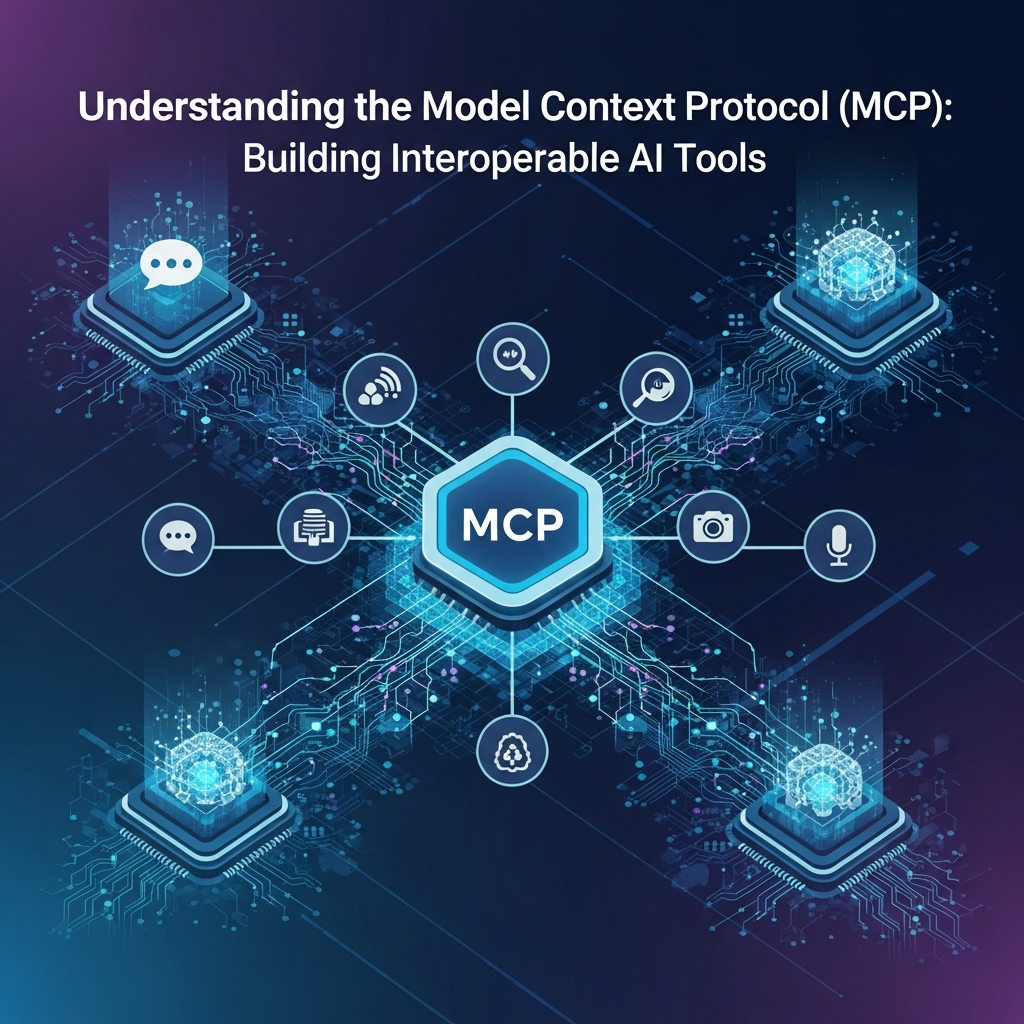
Enter the Model Context Protocol (MCP). MCP is a proposed standard designed to bridge these communication gaps, providing a unified framework for AI models and tools to exchange structured context, execute actions, and maintain state across diverse environments. By standardizing how AI components communicate, MCP promises to unlock a new era of truly interoperable AI, where tools can be easily discovered, invoked, and integrated by any compliant AI agent or model.
This comprehensive guide will delve into the intricacies of MCP, exploring its core concepts, practical implementation, real-world use cases, and best practices. Whether you're an AI developer, a system architect, or simply curious about the future of AI integration, understanding MCP is crucial for building the next generation of intelligent systems.
Prerequisites
To get the most out of this guide, a basic understanding of the following concepts will be beneficial:
- JSON and Data Schemas: Familiarity with JSON for data representation and schema definitions (e.g., JSON Schema).
- API Design Principles: Knowledge of RESTful APIs, request/response patterns.
- Large Language Models (LLMs): How LLMs process information and their role in agentic systems.
- Python Programming: Code examples will be provided in Python.
The Core Problem: AI Tool Fragmentation
Before diving into MCP, let's fully appreciate the problem it aims to solve. Imagine building an AI assistant that needs to perform a variety of tasks: booking flights, managing calendars, retrieving real-time data, and generating reports. Each of these tasks might require interacting with a different specialized AI tool or external API.
Without a common protocol, developers face several hurdles:
- Incompatible APIs: Each tool might have its own unique API structure, authentication mechanism, and data formats. This necessitates writing custom integration code for every single tool.
- Context Loss: When an AI model invokes a tool, the contextual information (e.g., user's intent, previous conversation turns, session-specific data) often needs to be explicitly passed. Managing this context consistently across multiple tools becomes complex and error-prone.
- Tool Discovery and Description: How does an AI agent "know" what tools are available, what they do, and how to use them? Without a standard way to describe tool capabilities, this often relies on hardcoding or brittle, proprietary manifests.
- State Management: Tools often need to maintain state across multiple interactions. Propagating this state back and forth between the AI orchestrator and the tools without a standard mechanism leads to boilerplate and potential inconsistencies.
- Scalability and Maintainability: As the number of integrated tools grows, the complexity explodes, making systems difficult to scale, debug, and maintain.
This fragmentation significantly slows down AI development, limits the capabilities of AI agents, and creates a barrier to innovation. MCP seeks to address these issues head-on.
What is the Model Context Protocol (MCP)?
The Model Context Protocol (MCP) is a specification for standardizing the communication between AI models (often orchestrating agents) and external AI-powered or traditional tools. Its primary goal is to enable seamless interoperability, making tools plug-and-play components within complex AI systems.
At its heart, MCP defines:
- Standardized Data Formats: Prescribed JSON schemas for exchanging requests, responses, and contextual information.
- Tool Manifests: A universal way for tools to describe their capabilities, expected inputs, and guaranteed outputs.
- Context Propagation Mechanisms: Clear guidelines for how contextual data (e.g., user ID, session ID, conversation history) is passed and updated across tool invocations.
- Error Handling: A consistent approach to reporting and interpreting errors from tools.
- Versioning: A strategy for managing changes to tool APIs and the protocol itself.
By establishing these conventions, MCP allows AI agents to dynamically discover tools, understand their functionality, invoke them with appropriate context, and interpret their results, all without needing prior, bespoke integration logic for each tool.
Key Concepts and Components of MCP
To understand MCP fully, let's break down its fundamental building blocks:
1. Tool Manifests (Tool Descriptors)
Every MCP-compliant tool must provide a Tool Manifest. This is a JSON document that acts as a self-description, detailing the tool's identity, purpose, and the specific actions (functions) it can perform. It typically includes:
tool_id: A unique identifier for the tool.name: A human-readable name.description: A natural language description of what the tool does.version: Semantic versioning for the tool's API.actions: An array of objects, each describing a specific function.action_id: Unique ID for the action.description: What the action does.input_schema: A JSON Schema defining the expected input parameters.output_schema: A JSON Schema defining the expected output structure.
This manifest allows an AI agent to understand a tool's capabilities without needing to hardcode its interface.
2. Context Objects
Context is paramount in AI interactions. An MCP Context Object is a standardized JSON structure that encapsulates all relevant state and information for a given interaction or session. It's passed with every tool request and can be updated by tool responses. Key elements might include:
context_id: A unique identifier for the current session or interaction.timestamp: When the context was last updated.data: A flexible dictionary containing domain-specific information (e.g.,user_id,conversation_history,preferences,current_location).
3. Tool Requests
When an AI model decides to use a tool, it sends a Tool Request. This JSON object specifies which tool and action to invoke, along with the necessary input arguments and the current context.
request_id: Unique ID for this specific request.tool_id: Identifier of the target tool.action_id: Identifier of the action to perform.input_args: A JSON object matching theinput_schemaof the requested action.context: The current Context Object.
4. Tool Responses
After a tool processes a request, it returns a Tool Response. This JSON object contains the outcome of the action, any generated output, and potentially an updated context.
response_id: Unique ID for this response, linking back to therequest_id.request_id: The ID of the request this response is for.tool_id,action_id: Identifiers of the tool and action.status:"success","failure","pending", etc.output_data: A JSON object matching theoutput_schemaifstatusis"success".error: An object containingcodeandmessageifstatusis"failure".context_update: An optional partial Context Object to update the main context.
5. Session Management
MCP implicitly supports session management through the context_id within the Context Object. An AI orchestrator is responsible for initiating sessions, managing their lifecycle, and persisting context as needed. Tools, when invoked, receive the current session's context and can return updates.
6. Error Handling
MCP mandates a structured approach to error reporting within ToolResponse objects. This allows AI agents to programmatically understand and react to failures, rather than parsing arbitrary error messages.
7. Versioning
Both the MCP specification itself and individual MCP-compliant tools must adhere to versioning standards (e.g., Semantic Versioning). This ensures backward compatibility and allows for graceful evolution of tools and the protocol.
How MCP Enables Interoperability
MCP achieves interoperability by creating a shared contract between AI components. Here's how:
- Standardized Communication: All communication (requests, responses, context) adheres to predefined JSON schemas. This eliminates the need for custom parsing and serialization logic for each tool.
- Self-Describing Tools: Tool Manifests allow AI agents to dynamically query and understand a tool's capabilities. An agent can read a manifest, learn what actions are available, and how to call them, without any prior knowledge.
- Consistent Context Flow: The Context Object ensures that crucial state and conversational history are consistently propagated. An agent doesn't need to manually bundle and unbundle context for each tool invocation; it's part of the standard protocol.
- Decoupling: Tools become independent, reusable services. An AI orchestrator can swap out one calculator tool for another, as long as both adhere to MCP and offer compatible actions, without requiring code changes in the orchestrator.
- Reduced Development Overhead: Developers can focus on building tool logic rather than integration boilerplate. AI platform providers can offer generic MCP connectors.
Designing Tools for MCP Compliance
Making a tool MCP-compliant involves more than just wrapping its functions in JSON. It requires careful design considerations:
- Define Clear Actions: Break down your tool's functionality into discrete, well-defined actions. Each action should ideally perform one logical task.
- Precise Input/Output Schemas: Use JSON Schema to rigorously define the
input_schemaandoutput_schemafor each action. Be explicit about data types, required fields, and constraints. This is critical for automated validation and agent understanding. - Stateless Tool Logic (or Managed State): Ideally, tool actions should be stateless, with all necessary information provided in the
input_argsandcontext. If state is absolutely necessary within the tool, consider how it will be reflected incontext_updateor managed externally. - Robust Error Handling: Implement specific error codes and clear messages for common failure scenarios (e.g.,
INVALID_INPUT,UNAUTHORIZED,SERVICE_UNAVAILABLE). - Context Utilization: Design your tool to intelligently use the provided
contextobject. For example, a calendar tool might usecontext.data.user_idto fetch the correct user's calendar. - Context Updates: If your tool modifies the global state relevant to the session (e.g., "user just booked a flight"), return these changes in the
context_updatefield of theToolResponse.
Implementing MCP in Practice (Code Examples)
Let's illustrate MCP with a simple Python example. We'll define a basic "Calculator" tool and show how an agent might interact with it.
Example 1: An MCP-Compliant Calculator Tool
First, the Tool Manifest for our calculator:
{
  "tool_id": "simple-calculator-v1",
  "name": "Simple Calculator",
  "description": "Performs basic arithmetic operations like addition and subtraction.",
  "version": "1.0.0",
  "actions": [
    {
      "action_id": "add",
      "description": "Adds two numbers.",
      "input_schema": {
        "type": "object",
        "properties": {
          "a": {"type": "number", "description": "The first number."},
          "b": {"type": "number", "description": "The second number."}
        },
        "required": ["a", "b"]
      },
      "output_schema": {
        "type": "object",
        "properties": {
          "result": {"type": "number", "description": "The sum of a and b."}
        },
        "required": ["result"]
      }
    },
    {
      "action_id": "subtract",
      "description": "Subtracts the second number from the first.",
      "input_schema": {
        "type": "object",
        "properties": {
          "a": {"type": "number", "description": "The number to subtract from."},
          "b": {"type": "number", "description": "The number to subtract."}
        },
        "required": ["a", "b"]
      },
      "output_schema": {
        "type": "object",
        "properties": {
          "result": {"type": "number", "description": "The difference."}
        },
        "required": ["result"]
      }
    }
  ]
}
Now, a Python implementation of the calculator tool's logic and its MCP interface:
import json
import uuid
from datetime import datetime

# Simulate our tool's manifest
CALCULATOR_MANIFEST = {
    "tool_id": "simple-calculator-v1",
    "name": "Simple Calculator",
    "description": "Performs basic arithmetic operations like addition and subtraction.",
    "version": "1.0.0",
    "actions": [
        {
            "action_id": "add",
            "description": "Adds two numbers.",
            "input_schema": {
                "type": "object",
                "properties": {
                    "a": {"type": "number", "description": "The first number."},
                    "b": {"type": "number", "description": "The second number."}
                },
                "required": ["a", "b"]
            },
            "output_schema": {
                "type": "object",
                "properties": {
                    "result": {"type": "number", "description": "The sum of a and b."}
                },
                "required": ["result"]
            }
        },
        {
            "action_id": "subtract",
            "description": "Subtracts the second number from the first.",
            "input_schema": {
                "type": "object",
                "properties": {
                    "a": {"type": "number", "description": "The number to subtract from."},
                    "b": {"type": "number", "description": "The number to subtract."}
                },
                "required": ["a", "b"]
            },
            "output_schema": {
                "type": "object",
                "properties": {
                    "result": {"type": "number", "description": "The difference."}
                },
                "required": ["result"]
            }
        }
    ]
}

class CalculatorTool:
    def __init__(self):
        self.manifest = CALCULATOR_MANIFEST

    def get_manifest(self):
        return self.manifest

    def process_request(self, tool_request: dict) -> dict:
        request_id = tool_request.get("request_id")
        tool_id = tool_request.get("tool_id")
        action_id = tool_request.get("action_id")
        input_args = tool_request.get("input_args", {})
        context = tool_request.get("context", {})

        response = {
            "response_id": str(uuid.uuid4()),
            "request_id": request_id,
            "tool_id": tool_id,
            "action_id": action_id,
            "status": "failure",
            "output_data": None,
            "error": None,
            "context_update": None
        }

        try:
            a = input_args.get("a")
            b = input_args.get("b")

            if not isinstance(a, (int, float)) or not isinstance(b, (int, float)):
                raise ValueError("Inputs 'a' and 'b' must be numbers.")

            result = None
            if action_id == "add":
                result = a + b
            elif action_id == "subtract":
                result = a - b
            else:
                raise ValueError(f"Unknown action: {action_id}")

            response["status"] = "success"
            response["output_data"] = {"result": result}
            # Tools can also update context, e.g., if a calculation history was maintained
            # response["context_update"] = {"data": {"last_calculation": result}}

        except ValueError as e:
            response["error"] = {"code": "INVALID_INPUT", "message": str(e)}
        except Exception as e:
            response["error"] = {"code": "TOOL_ERROR", "message": str(e)}

        return response

# Example of creating and getting manifest
# calculator = CalculatorTool()
# print(json.dumps(calculator.get_manifest(), indent=2))
Example 2: An AI Agent Consuming an MCP-Compliant Tool
Now, let's simulate an AI agent that knows how to generate MCP ToolRequest objects and process ToolResponse objects. This agent might use an LLM for reasoning, but the interaction with the tool is standardized by MCP.
import json
import uuid
from datetime import datetime

# Assume CalculatorTool is defined as above
# from .calculator_tool import CalculatorTool # In a real scenario

class AIAgent:
    def __init__(self):
        self.tools = {}
        self.session_context = {
            "context_id": str(uuid.uuid4()),
            "timestamp": datetime.utcnow().isoformat() + "Z",
            "data": {
                "user_id": "user-123",
                "conversation_history": []
            }
        }

    def register_tool(self, tool_instance):
        manifest = tool_instance.get_manifest()
        self.tools[manifest["tool_id"]] = {
            "instance": tool_instance,
            "manifest": manifest
        }
        print(f"Registered tool: {manifest['name']} ({manifest['tool_id']})")

    def _generate_tool_request(self, tool_id: str, action_id: str, input_args: dict) -> dict:
        if tool_id not in self.tools:
            raise ValueError(f"Tool '{tool_id}' not registered.")

        # In a real agent, an LLM would generate tool_id, action_id, and input_args
        # based on user query and available tool manifests.

        return {
            "request_id": str(uuid.uuid4()),
            "tool_id": tool_id,
            "action_id": action_id,
            "input_args": input_args,
            "context": self.session_context # Pass the current session context
        }

    def _process_tool_response(self, tool_response: dict):
        if tool_response["status"] == "success":
            print(f"Tool '{tool_response['tool_id']}' action '{tool_response['action_id']}' succeeded.")
            print(f"Output: {tool_response['output_data']}")
            if tool_response.get("context_update"):
                # Merge context updates from the tool
                self.session_context["data"].update(tool_response["context_update"].get("data", {}))
                self.session_context["timestamp"] = datetime.utcnow().isoformat() + "Z"
                print("Context updated by tool.")
        else:
            error = tool_response.get("error", {"code": "UNKNOWN", "message": "No error details."})
            print(f"Tool '{tool_response['tool_id']}' action '{tool_response['action_id']}' failed.")
            print(f"Error: [{error['code']}] {error['message']}")

    def handle_user_query(self, query: str):
        print(f"\nAgent processing query: '{query}'")
        self.session_context["data"]["conversation_history"].append({"role": "user", "content": query})

        # --- Simulate LLM reasoning and tool selection ---
        # In a real scenario, an LLM would parse 'query', consult tool manifests,
        # and decide which tool/action to call with what arguments.
        tool_to_call = None
        action_to_call = None
        args_to_pass = {}

        if "add" in query.lower() or "sum" in query.lower():
            tool_to_call = "simple-calculator-v1"
            action_to_call = "add"
            # Regex or LLM to extract numbers
            args_to_pass = {"a": 10, "b": 5}
        elif "subtract" in query.lower() or "minus" in query.lower():
            tool_to_call = "simple-calculator-v1"
            action_to_call = "subtract"
            args_to_pass = {"a": 20, "b": 7}
        else:
            print("Agent: I don't have a tool for that yet.")
            return
        # --- End LLM simulation ---

        if tool_to_call and action_to_call:
            print(f"Agent: Decided to use tool '{tool_to_call}' for action '{action_to_call}'.")
            tool_request = self._generate_tool_request(tool_to_call, action_to_call, args_to_pass)
            print("Generated Tool Request:")
            print(json.dumps(tool_request, indent=2))

            # Simulate sending request to the tool and getting response
            tool_instance = self.tools[tool_to_call]["instance"]
            tool_response = tool_instance.process_request(tool_request)

            print("Received Tool Response:")
            print(json.dumps(tool_response, indent=2))

            self._process_tool_response(tool_response)

# --- Main execution ---
# calculator_tool = CalculatorTool()
# agent = AIAgent()
# agent.register_tool(calculator_tool)
#
# agent.handle_user_query("What is the sum of 10 and 5?")
# print("\nCurrent Session Context after first query:")
# print(json.dumps(agent.session_context, indent=2))
#
# agent.handle_user_query("Can you subtract 7 from 20?")
# print("\nCurrent Session Context after second query:")
# print(json.dumps(agent.session_context, indent=2))
Example 3: Handling Complex Context Objects
Imagine a TravelAgent tool that needs to remember user preferences across multiple interactions. The context_update mechanism is key here.
import json
import uuid
from datetime import datetime

class TravelAgentTool:
    def __init__(self):
        self.manifest = {
            "tool_id": "travel-agent-v1",
            "name": "Travel Agent",
            "description": "Assists with flight searches and bookings, remembers user preferences.",
            "version": "1.0.0",
            "actions": [
                {
                    "action_id": "set_preference",
                    "description": "Sets a user's travel preference (e.g., preferred airline, seat type).",
                    "input_schema": {
                        "type": "object",
                        "properties": {
                            "preference_key": {"type": "string"},
                            "preference_value": {"type": "string"}
                        },
                        "required": ["preference_key", "preference_value"]
                    },
                    "output_schema": {"type": "object", "properties": {"status": {"type": "string"}}}
                },
                {
                    "action_id": "find_flights",
                    "description": "Finds flights based on origin, destination, and dates, using user preferences.",
                    "input_schema": {
                        "type": "object",
                        "properties": {
                            "origin": {"type": "string"},
                            "destination": {"type": "string"},
                            "departure_date": {"type": "string", "format": "date"}
                        },
                        "required": ["origin", "destination", "departure_date"]
                    },
                    "output_schema": {
                        "type": "object",
                        "properties": {
                            "flights": {
                                "type": "array",
                                "items": {
                                    "type": "object",
                                    "properties": {
                                        "flight_number": {"type": "string"},
                                        "airline": {"type": "string"},
                                        "price": {"type": "number"}
                                    }
                                }
                            }
                        }
                    }
                }
            ]
        }

    def get_manifest(self):
        return self.manifest

    def process_request(self, tool_request: dict) -> dict:
        request_id = tool_request.get("request_id")
        tool_id = tool_request.get("tool_id")
        action_id = tool_request.get("action_id")
        input_args = tool_request.get("input_args", {})
        context = tool_request.get("context", {})

        response = {
            "response_id": str(uuid.uuid4()),
            "request_id": request_id,
            "tool_id": tool_id,
            "action_id": action_id,
            "status": "failure",
            "output_data": None,
            "error": None,
            "context_update": None
        }

        user_preferences = context.get("data", {}).get("travel_preferences", {})

        try:
            if action_id == "set_preference":
                key = input_args["preference_key"]
                value = input_args["preference_value"]
                user_preferences[key] = value
                response["status"] = "success"
                response["output_data"] = {"status": f"Preference '{key}' set to '{value}'."}
                # IMPORTANT: Update context to reflect the new preference
                response["context_update"] = {"data": {"travel_preferences": user_preferences}}

            elif action_id == "find_flights":
                origin = input_args["origin"]
                destination = input_args["destination"]
                departure_date = input_args["departure_date"]

                print(f"Finding flights for {origin} to {destination} on {departure_date}
                      with preferences: {user_preferences}")
                # Simulate flight search logic using preferences
                preferred_airline = user_preferences.get("airline", "Any")
                flights = [
                    {"flight_number": "AA101", "airline": preferred_airline, "price": 350},
                    {"flight_number": "DL202", "airline": "Delta", "price": 400}
                ]
                response["status"] = "success"
                response["output_data"] = {"flights": flights}

            else:
                raise ValueError(f"Unknown action: {action_id}")

        except KeyError as e:
            response["error"] = {"code": "MISSING_ARG", "message": f"Missing required argument: {e}"}
        except Exception as e:
            response["error"] = {"code": "TOOL_ERROR", "message": str(e)}

        return response

# --- Agent interaction with TravelAgentTool ---
# travel_tool = TravelAgentTool()
# agent_with_travel = AIAgent()
# agent_with_travel.register_tool(travel_tool)
#
# # User sets a preference
# set_pref_request = agent_with_travel._generate_tool_request(
#     "travel-agent-v1", "set_preference", {"preference_key": "airline", "preference_value": "United"}
# )
# set_pref_response = travel_tool.process_request(set_pref_request)
# agent_with_travel._process_tool_response(set_pref_response)
# print("\nContext after setting preference:")
# print(json.dumps(agent_with_travel.session_context, indent=2))
#
# # User searches for flights, preference should be in context
# find_flights_request = agent_with_travel._generate_tool_request(
#     "travel-agent-v1", "find_flights",
#     {"origin": "NYC", "destination": "LAX", "departure_date": "2024-12-25"}
# )
# find_flights_response = travel_tool.process_request(find_flights_request)
# agent_with_travel._process_tool_response(find_flights_response)
# print("\nContext after finding flights (should still contain preference):")
# print(json.dumps(agent_with_travel.session_context, indent=2))
Real-World Use Cases for MCP
MCP's power lies in its ability to standardize interactions across diverse AI components. Here are some compelling real-world use cases:
- Multi-Agent Systems: Complex AI systems often involve multiple specialized agents (e.g., a planning agent, an execution agent, a user interaction agent). MCP provides the common language for these agents to coordinate and delegate tasks to each other or to external tools.
- Integrated AI Development Environments (IDEs): Imagine an IDE where an AI assistant can dynamically invoke code analysis tools, debugging utilities, or even deployment scripts, all described and accessed via MCP. This creates a unified and intelligent developer workflow.
- Cross-Platform AI Assistants: An AI assistant running on a smart speaker might need to access a different set of tools than one running on a mobile app, yet the core AI logic remains the same. MCP allows the assistant to dynamically discover and utilize locally available or cloud-based tools.
- Dynamic Tool Orchestration: Instead of hardcoding tool chains, an LLM-powered orchestrator can dynamically select and sequence tools based on user intent and available context, leading to more flexible and robust AI applications.
- Enterprise AI Integration: Large organizations often have a myriad of legacy systems and specialized services. MCP can act as an abstraction layer, allowing internal AI models to interact with these systems through MCP-compliant wrappers, simplifying integration and modernization efforts.
- AI Marketplaces: MCP could enable marketplaces where developers publish AI tools with their manifests, allowing other AI developers to easily discover, evaluate, and integrate them into their agents.
Best Practices for MCP Adoption
To maximize the benefits of MCP, consider these best practices:
- Clear and Concise Tool Documentation: While manifests are machine-readable, human-readable documentation is still vital. Clearly explain the tool's purpose, actions, and any nuances.
- Strict Schema Validation: Implement robust validation of
input_argsagainst theinput_schemawithin your tool. This prevents malformed requests and improves reliability. - Modular Tool Design: Design tools to be single-purpose and modular. Avoid monolithic tools that try to do too much; instead, break functionality into smaller, specialized MCP-compliant tools.
- Idempotent Actions (where possible): Design actions to be idempotent where it makes sense. This means performing the action multiple times has the same effect as performing it once, which simplifies error recovery and retries.
- Semantic Versioning: Apply semantic versioning to your tool manifests and APIs. Clearly communicate breaking changes and maintain backward compatibility when possible.
- Granular Context Updates: When a tool returns a
context_update, ensure it's granular. Only include the specific parts of the context that have changed, rather than sending the entire context back. - Security Considerations: Implement appropriate authentication and authorization for your tools. Ensure that sensitive context data is handled securely and not exposed unnecessarily.
- Observability: Implement logging and monitoring for tool invocations and responses. This is crucial for debugging and understanding how your AI system is using its tools.
Common Pitfalls and How to Avoid Them
Even with a clear protocol, pitfalls can arise. Be aware of these common issues:
- Over-Complex Context Objects: Stuffing too much irrelevant data into the context object can lead to bloat, performance issues, and difficulty in understanding the true state. Keep context focused and relevant to the session.
- Lack of Schema Enforcement: Failing to rigorously validate inputs and outputs against the defined JSON schemas can lead to unexpected errors and brittle integrations. Always validate!
- Ignoring Versioning: Neglecting to version your tool manifests and APIs can lead to breaking changes for consuming AI agents, causing instability and integration headaches.
- Ambiguous Action Descriptions: Vague
descriptionfields in the manifest can confuse AI agents or LLMs trying to decide which tool/action to use. Be precise and clear about what each action accomplishes. - Inadequate Error Reporting: Generic error messages like "An error occurred" are unhelpful. Provide specific error codes and descriptive messages that allow the AI agent (or a human debugger) to understand and potentially recover from the failure.
- State Management Outside Context: If a tool maintains significant internal state that isn't reflected in the
context_update, the AI orchestrator will have an incomplete view of the system's state, leading to inconsistencies. - Performance Overheads: Excessive data transfer in context objects or frequent, chatty tool invocations can introduce performance bottlenecks. Optimize data transfer and design actions for efficiency.
The Future of AI Interoperability with MCP
The Model Context Protocol represents a crucial step towards a more open, integrated, and powerful AI ecosystem. By establishing a common language for AI components, MCP paves the way for:
- Dynamic AI Agents: Agents that can adapt to new tools and environments on the fly.
- Richer AI Experiences: AI systems that can seamlessly combine the strengths of multiple specialized models and tools.
- Accelerated Innovation: Developers can focus on building novel AI capabilities rather than integration challenges.
- Standardized AI Marketplaces: A vibrant ecosystem where AI tools can be easily shared, discovered, and utilized.
As AI continues to proliferate, the need for such standardization will only grow. MCP, or protocols like it, will be instrumental in shaping how we build and deploy the intelligent systems of tomorrow.
Conclusion
The Model Context Protocol (MCP) is a powerful concept for overcoming the fragmentation that plagues modern AI development. By standardizing tool manifests, context objects, and communication patterns, MCP empowers developers to build truly interoperable AI tools and sophisticated multi-agent systems. We've explored its core components, walked through practical implementation examples, discussed real-world applications, and outlined essential best practices and common pitfalls.
Embracing MCP means moving towards an AI landscape where tools are plug-and-play, context flows seamlessly, and innovation is unburdened by integration complexities. Start experimenting with these principles in your AI projects today, and contribute to a future where AI components work together in harmony.
Written by
CodewithYohaFull-Stack Software Engineer with 7+ years of experience in Java, Spring Boot, and cloud architecture across AWS, Azure, and GCP. Writing production-grade engineering patterns for developers who ship real software.