
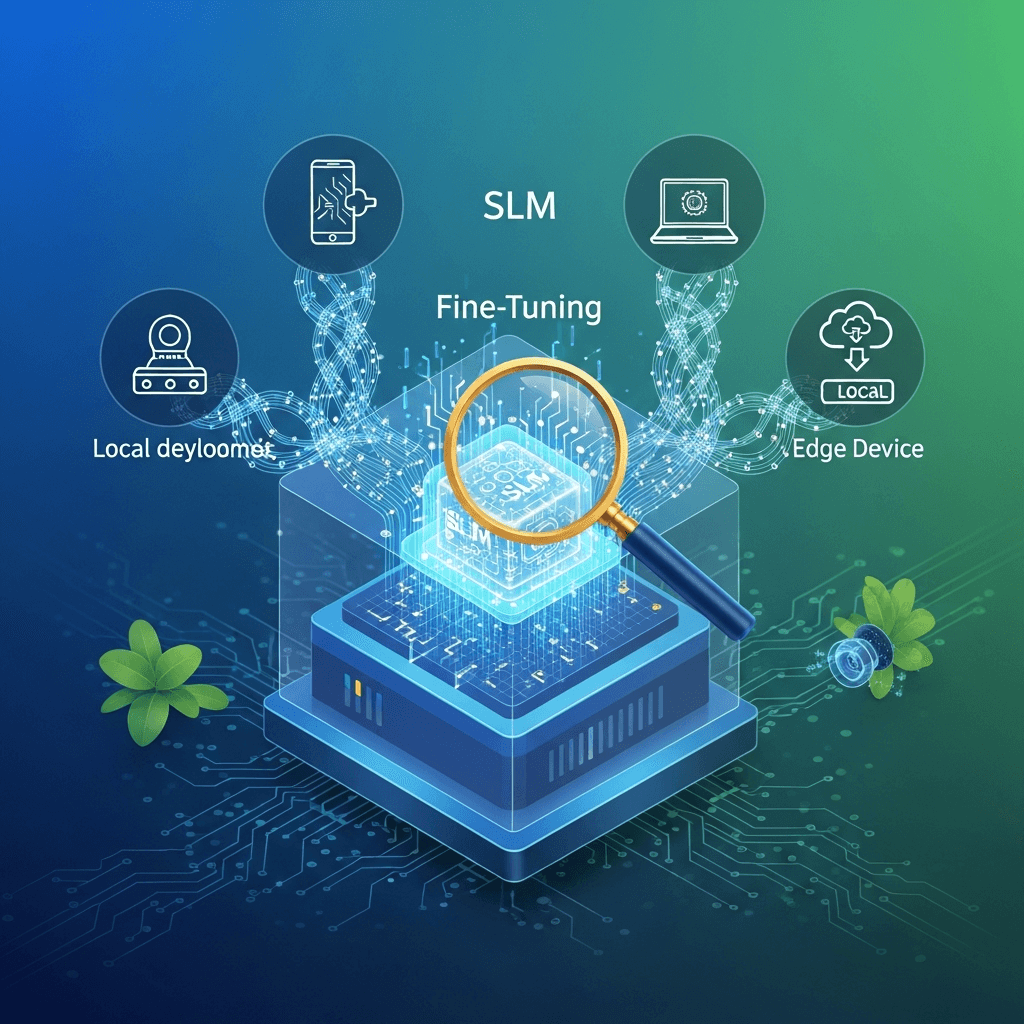
Introduction
The landscape of Artificial Intelligence has been dramatically reshaped by the advent of Large Language Models (LLMs). These powerful models, with billions of parameters, have showcased incredible capabilities in understanding and generating human-like text. However, their sheer size often necessitates significant computational resources, typically residing in cloud environments. This leads to challenges concerning cost, data privacy, latency, and the need for constant internet connectivity.
Enter Small Language Models (SLMs) – a class of models with fewer parameters (typically ranging from a few hundred million to tens of billions) designed to be more efficient. While not matching the raw power of their larger counterparts, SLMs, when properly fine-tuned, can achieve remarkable performance on specific tasks and domains. Critically, their smaller footprint makes them ideal candidates for local deployment, running directly on consumer-grade hardware, edge devices, or even smartphones.
This comprehensive guide will walk you through the process of fine-tuning SLMs for local deployment. We'll delve into the "why" and "how," covering data preparation, Parameter-Efficient Fine-Tuning (PEFT) techniques like LoRA, quantization strategies, and practical implementation using popular libraries like Hugging Face Transformers. By the end, you'll have a solid understanding of how to tailor SLMs to your specific needs, bringing the power of AI directly to your local environment.
Prerequisites
Before diving into the technical details, ensure you have the following setup:
- Python: Version 3.8 or higher.
- PyTorch: A recent version, ideally with CUDA support for GPU acceleration.
- GPU: An NVIDIA GPU with sufficient VRAM (at least 8GB, 12GB+ recommended for 7B models). CUDA toolkit installed and configured.
- Basic Understanding: Familiarity with Python programming, neural networks, and the general concepts of language models.
- Hugging Face Account (Optional but Recommended): For easy access to models and datasets.
Key Python libraries to install:
pip install torch transformers peft accelerate bitsandbytes datasets trl sentencepiece1. Why Fine-Tune SLMs for Local Deployment?
The decision to fine-tune and deploy SLMs locally is driven by several compelling advantages:
Privacy and Security
When data, especially sensitive or proprietary information, is processed locally, it never leaves your device or controlled environment. This is crucial for applications in healthcare, finance, legal, or any domain with strict data governance requirements. It eliminates the risks associated with transmitting data to third-party cloud services.
Cost-Effectiveness
Cloud-based LLM APIs often come with usage-based fees that can quickly escalate. Running SLMs locally, after initial hardware investment, incurs minimal ongoing operational costs. This makes AI more accessible and sustainable for long-term projects or personal use.
Low Latency
Network roundtrips to cloud servers introduce noticeable delays. For real-time applications like interactive chatbots, voice assistants, or predictive text, every millisecond counts. Local deployment eliminates network latency, providing instantaneous responses and a smoother user experience.
Customization and Specialization
General-purpose LLMs might struggle with highly specialized jargon, domain-specific tasks, or unique stylistic requirements. Fine-tuning allows you to adapt an SLM's knowledge and behavior to a very specific niche, making it much more effective and accurate for your particular use case than a generic model.
Offline Capability
Local models can operate entirely without an internet connection, making them ideal for remote locations, field operations, or applications where connectivity is unreliable or unavailable.
Resource Constraints
SLMs are inherently designed to be more resource-efficient than their larger counterparts. Fine-tuning them further optimizes their performance-to-resource ratio, making them viable on hardware that wouldn't stand a chance with a full-sized LLM.
2. Understanding Small Language Models (SLMs)
SLMs are, as the name suggests, language models with a relatively small number of parameters compared to state-of-the-art LLMs like GPT-4 or Claude. While the definition of "small" is fluid, it generally refers to models in the range of a few hundred million to around 10-20 billion parameters. Some popular examples include:
- Llama 2 7B: A highly capable open-source model from Meta.
- Mistral 7B: Known for its strong performance and efficient architecture.
- Phi-2 (2.7B): Microsoft's compact yet powerful model, often trained on synthetic data.
- Gemma (2B, 7B): Google's open-source family of lightweight models.
The key trade-off with SLMs is their size-to-performance ratio. While they might not exhibit the same emergent capabilities or breadth of knowledge as their larger siblings, they can be incredibly potent when specialized through fine-tuning. Their smaller size also makes techniques like quantization (reducing the precision of model weights) much more effective, further shrinking their memory footprint and speeding up inference, which is critical for local deployment.
3. The Fine-Tuning Paradigm: Adapting Pre-trained Models
Fine-tuning is a form of transfer learning. Instead of training a model from scratch (which is prohibitively expensive and data-intensive for large models), we take a pre-trained model that has learned general language patterns from vast amounts of text and further train it on a smaller, task-specific dataset. This allows the model to adapt its existing knowledge to new domains or tasks while retaining its foundational language understanding.
There are two primary approaches to fine-tuning:
Full Fine-Tuning
In full fine-tuning, all parameters of the pre-trained model are updated during training. While this can yield the highest performance, it is extremely resource-intensive, requiring significant GPU VRAM and computational power. For SLMs, especially those intended for local deployment, full fine-tuning can still be challenging due to hardware constraints and the risk of "catastrophic forgetting" (where the model forgets its general knowledge in favor of the new task).
Parameter-Efficient Fine-Tuning (PEFT)
PEFT methods aim to mitigate the resource demands of full fine-tuning by only updating a small subset of the model's parameters, or by introducing a few new trainable parameters while keeping the original model weights frozen. This approach drastically reduces memory usage and computational cost, making it ideal for fine-tuning SLMs, especially on consumer-grade GPUs. PEFT also helps in mitigating catastrophic forgetting as the bulk of the pre-trained knowledge remains intact.
4. Data Preparation for Fine-Tuning
The quality and format of your fine-tuning data are paramount. "Garbage in, garbage out" applies perhaps even more strongly to fine-tuning than to initial model training.
Quality over Quantity
For fine-tuning, a smaller, highly curated, and domain-specific dataset often outperforms a larger, noisy, or irrelevant one. Focus on data cleanliness, consistency, and relevance to your target task.
Instruction Tuning Format
Many modern SLMs (and LLMs) are instruction-tuned, meaning they were trained to follow instructions. Your fine-tuning data should ideally mimic this format. A common structure is a dictionary or JSON object containing an instruction, an optional input, and an output.
For example:
{
  "instruction": "Extract the key entities (person, organization, location) from the following text.",
  "input": "The meeting between Dr. Emily Carter and representatives from Acme Corp. took place in London yesterday.",
  "output": "{"persons": ["Dr. Emily Carter"], "organizations": ["Acme Corp."], "locations": ["London"]}"
}
For conversational agents, you might use a list of turns:
{
  "messages": [
    {"role": "user", "content": "What is the capital of France?"},
    {"role": "assistant", "content": "The capital of France is Paris."}
  ]
}
It's often beneficial to format your data into a single string that the model can process, using special tokens to delineate roles or turns, like the chatml format used by Mistral:
<s>[INST] What is the capital of France? [/INST] Paris</s>Tokenization
Always use the exact tokenizer that corresponds to your chosen pre-trained SLM. Different models have different vocabularies and tokenization rules. Mismatched tokenizers can lead to nonsensical outputs.
Dataset Libraries
Hugging Face datasets library is the de-facto standard for managing datasets for LLMs. It provides efficient ways to load, process, and store data.
Here's a code example for preparing a simple instruction-following dataset:
from datasets import Dataset
from transformers import AutoTokenizer
import pandas as pd

# 1. Example raw data (e.g., from a CSV or JSON file)
raw_data = [
    {
        "instruction": "Summarize the following product review.",
        "input": "This laptop is amazing! Fast, lightweight, and the battery lasts forever. Highly recommend.",
        "output": "User highly recommends the laptop, praising its speed, low weight, and long battery life."
    },
    {
        "instruction": "Translate the following English sentence to French.",
        "input": "Hello, how are you?",
        "output": "Bonjour, comment allez-vous?"
    }
]

# Convert to pandas DataFrame and then to Hugging Face Dataset
df = pd.DataFrame(raw_data)
dataset = Dataset.from_pandas(df)

# 2. Load the tokenizer for your chosen SLM (e.g., Mistral-7B-v0.1)
model_id = "mistralai/Mistral-7B-v0.1"
tokenizer = AutoTokenizer.from_pretrained(model_id)
tokenizer.pad_token = tokenizer.eos_token # Or a specific pad_token_id if defined

# 3. Define a formatting function (e.g., for instruction tuning)
def format_instruction_data(sample):
    # This format is common for instruction-tuned models
    prompt = f"### Instruction:\n{sample['instruction']}\n\n### Input:\n{sample['input']}\n\n### Output:\n{sample['output']}"
    return {"text": prompt}

# 4. Apply formatting and tokenize
def tokenize_function(samples):
    # Apply the formatting function first
    formatted_texts = [format_instruction_data(sample)['text'] for sample in samples]
    # Tokenize the formatted texts
    return tokenizer(formatted_texts, truncation=True, max_length=512)

# Apply the formatting function to create the 'text' column
dataset = dataset.map(format_instruction_data, remove_columns=dataset.column_names)

# Now, tokenize the dataset. Use batched=True for efficiency
tokenized_dataset = dataset.map(tokenize_function, batched=True, remove_columns=["text"])

print(tokenized_dataset[0])
5. Parameter-Efficient Fine-Tuning (PEFT) Techniques
As discussed, PEFT is crucial for fine-tuning SLMs locally. The most popular and effective PEFT method currently is LoRA.
LoRA (Low-Rank Adaptation)
LoRA works by injecting small, trainable rank-decomposition matrices into existing layers of the pre-trained model, typically in the attention mechanism's query and value projection matrices. Instead of fine-tuning the original large weight matrices (W), LoRA freezes W and trains much smaller matrices A and B, such that W is updated by W + BA. The rank r of these matrices (e.g., r=8, r=16, r=32) determines the number of trainable parameters.
Benefits of LoRA:
- Reduced Trainable Parameters: Only a tiny fraction (e.g., 0.01% to 1%) of the original model's parameters are trained.
- Lower Memory Footprint: Significantly less GPU VRAM is required during training.
- Faster Training: Fewer parameters mean faster gradient computations.
- Modular Adapters: LoRA adapters are small and can be easily swapped or combined, allowing for multiple fine-tuned versions of a single base model without storing multiple full models.
QLoRA (Quantized LoRA)
QLoRA takes LoRA a step further by combining it with quantization. The base pre-trained model weights are loaded in a quantized (e.g., 4-bit) format, significantly reducing their memory footprint. LoRA adapters are then trained on top of this quantized base model. During the forward and backward passes, the 4-bit weights are de-quantized to a higher precision (e.g., 16-bit brain-float) just for the necessary computations, then re-quantized. This allows for training very large models (or even SLMs on limited VRAM) without requiring full 16-bit or 32-bit precision for the base weights.
QLoRA is often the go-to choice for fine-tuning SLMs on consumer GPUs due to its exceptional memory efficiency.
6. Quantization Strategies for Local Deployment
Quantization is the process of reducing the numerical precision of a model's weights and activations, typically from 32-bit floating point (FP32) to lower precisions like 16-bit (FP16/BF16), 8-bit (INT8), or even 4-bit (INT4). This has several profound benefits for local deployment:
- Smaller Model Size: A 4-bit quantized model is 8x smaller than its FP32 counterpart.
- Faster Inference: Operations on lower-precision integers are generally faster and consume less power.
- Lower Memory Footprint: Crucial for devices with limited RAM or VRAM.
Types of Quantization
- Post-Training Quantization (PTQ): Applied after the model is fully trained. It's simpler but can sometimes lead to a slight drop in accuracy.
- Quantization-Aware Training (QAT): The model is trained with simulated quantization effects, leading to better accuracy but requiring more complex training.
For local deployment of fine-tuned SLMs, PTQ is often sufficient and easier to implement. Libraries like Hugging Face bitsandbytes provide seamless integration for loading models in 4-bit or 8-bit, and tools like llama.cpp excel at converting models to highly optimized GGUF (GPT-Generated Unified Format) for CPU or GPU inference.
Here's how you might load a model in 4-bit using bitsandbytes:
from transformers import AutoModelForCausalLM, AutoTokenizer, BitsAndBytesConfig
import torch

model_id = "mistralai/Mistral-7B-v0.1"

# Configure 4-bit quantization
bnb_config = BitsAndBytesConfig(
    load_in_4bit=True,
    bnb_4bit_quant_type="nf4", # "nf4" or "fp4"
    bnb_4bit_compute_dtype=torch.bfloat16, # Use bfloat16 for computation
    bnb_4bit_use_double_quant=True, # Double quantization can save more memory
)

# Load the model with quantization
model = AutoModelForCausalLM.from_pretrained(
    model_id,
    quantization_config=bnb_config,
    device_map="auto" # Automatically map layers to available devices
)

tokenizer = AutoTokenizer.from_pretrained(model_id)
tokenizer.pad_token = tokenizer.eos_token

print(model.config)
print(f"Model loaded in {model.dtype} with {model.num_parameters()} parameters.")
# Note: model.dtype might still show torch.float16/bfloat16 due to compute_dtype,
# but weights are stored in 4-bit.
7. Setting Up the Fine-Tuning Environment
Proper environment setup is key to a smooth fine-tuning process.
Hardware Considerations
- GPU VRAM: This is your primary constraint. For a 7B parameter model using QLoRA, you'll typically need at least 12GB of VRAM. Larger models or full fine-tuning will require more. Monitor VRAM usage with
nvidia-smi. - CPU RAM: While not as critical as VRAM, having ample system RAM (32GB+) helps, especially when loading large datasets.
- Storage: Models and datasets can be large. Ensure you have sufficient disk space.
Software Stack
Ensure all necessary libraries are installed and compatible. It's often recommended to use a virtual environment (venv or conda) to manage dependencies.
# Create a virtual environment
python -m venv slm_finetune_env
source slm_finetune_env/bin/activate # On Windows, use `slm_finetune_env\Scripts\activate`

# Install core libraries
pip install torch transformers peft accelerate bitsandbytes datasets trl sentencepiece
pip install flash_attn # (Optional) For faster attention, if your GPU supports it
Always check the version compatibility of torch, transformers, peft, and accelerate as they are frequently updated and breaking changes can occur.
8. Implementing Fine-Tuning with Hugging Face Transformers & PEFT
The Hugging Face transformers library, combined with peft and trl (Transformer Reinforcement Learning, which includes SFTTrainer for supervised fine-tuning), provides a powerful and convenient framework for fine-tuning.
Here's a simplified example of a QLoRA fine-tuning script. This will use the SFTTrainer from trl which simplifies the training loop for instruction tuning.
import torch
from transformers import AutoModelForCausalLM, AutoTokenizer, BitsAndBytesConfig, TrainingArguments
from peft import LoraConfig, get_peft_model, prepare_model_for_kbit_training
from trl import SFTTrainer
from datasets import Dataset
import pandas as pd

# 1. Model and Tokenizer Setup
model_id = "mistralai/Mistral-7B-v0.1" # Choose your SLM

bnb_config = BitsAndBytesConfig(
    load_in_4bit=True,
    bnb_4bit_quant_type="nf4",
    bnb_4bit_compute_dtype=torch.bfloat16,
    bnb_4bit_use_double_quant=True,
)

model = AutoModelForCausalLM.from_pretrained(
    model_id,
    quantization_config=bnb_config,
    device_map="auto",
)
model.config.use_cache = False # Recommended for training
model.config.pretraining_tp = 1 # Recommended for Llama-based models

# Prepare model for k-bit training (e.g., enables gradient checkpointing)
model = prepare_model_for_kbit_training(model)

tokenizer = AutoTokenizer.from_pretrained(model_id, trust_remote_code=True)
tokenizer.pad_token = tokenizer.eos_token
tokenizer.padding_side = "right" # Crucial for generation consistency

# 2. LoRA Configuration
lora_config = LoraConfig(
    r=8, # LoRA attention dimension
    lora_alpha=16, # Alpha parameter for LoRA scaling
    target_modules=["q_proj", "k_proj", "v_proj", "o_proj", "gate_proj", "up_proj", "down_proj"], # Modules to apply LoRA to
    lora_dropout=0.05, # Dropout probability for LoRA layers
    bias="none", # Only add bias to the LoRA layers
    task_type="CAUSAL_LM", # Causal Language Modeling
)

# Get PEFT model
model = get_peft_model(model, lora_config)
print(model.print_trainable_parameters())

# 3. Data Preparation (using the example from Section 4)
raw_data = [
    {
        "instruction": "Identify the main sentiment of the review.",
        "input": "The service was slow and the food was cold. Very disappointed.",
        "output": "Negative"
    },
    {
        "instruction": "Identify the main sentiment of the review.",
        "input": "Absolutely loved the ambiance and the friendly staff!",
        "output": "Positive"
    },
    {
        "instruction": "Identify the main sentiment of the review.",
        "input": "It was okay, nothing special.",
        "output": "Neutral"
    },
    {
        "instruction": "Generate a short, creative story about a robot exploring an alien planet.",
        "input": "",
        "output": "Unit 7, designation 'Explorer', trundled across the crimson dunes of Xylos. Its optical sensors registered strange, crystalline flora pulsating with faint bioluminescence. A sudden tremor shook the ground, and Explorer braced itself, anticipating the unknown."
    },
    {
        "instruction": "Explain the concept of quantum entanglement in simple terms.",
        "input": "",
        "output": "Quantum entanglement is when two particles become linked in such a way that they share the same fate, no matter how far apart they are. If you measure a property of one, you instantly know the same property of the other, as if they're communicating faster than light. Einstein called it 'spooky action at a distance'."
    }
]

df = pd.DataFrame(raw_data)
dataset = Dataset.from_pandas(df)

def formatting_prompts_func(examples):
    output_texts = []
    for i in range(len(examples['instruction'])):
        instruction = examples['instruction'][i]
        input_text = examples['input'][i]
        output_text = examples['output'][i]
        # Use a consistent format for instruction tuning
        if input_text:
            text = f"### Instruction:\n{instruction}\n\n### Input:\n{input_text}\n\n### Output:\n{output_text}"
        else:
            text = f"### Instruction:\n{instruction}\n\n### Output:\n{output_text}"
        output_texts.append(text)
    return output_texts

# 4. Training Arguments
training_arguments = TrainingArguments(
    output_dir="./results",
    num_train_epochs=3, # Number of epochs
    per_device_train_batch_size=2, # Adjust based on VRAM
    gradient_accumulation_steps=4, # Accumulate gradients to simulate larger batch size
    optim="paged_adamw_8bit", # Optimized AdamW for 8-bit
    learning_rate=2e-4, # Optimal learning rate for QLoRA
    weight_decay=0.001,
    fp16=False, # Set to True if using NVIDIA GPUs with BF16/FP16 support, but bnb_4bit_compute_dtype usually handles this
    bf16=True, # Use bfloat16 for mixed precision
    max_grad_norm=0.3, # Max gradient norm
    max_steps=-1, # Set to -1 to run for num_train_epochs
    warmup_ratio=0.03, # Warmup steps for learning rate scheduler
    group_by_length=True, # Group samples by length for efficiency
    lr_scheduler_type="constant", # Or "cosine", "linear"
    logging_steps=10, # Log every N steps
    save_steps=25, # Save checkpoint every N steps
    save_total_limit=2, # Only keep 2 most recent checkpoints
    report_to="none", # Or "wandb", "tensorboard"
)

# 5. SFTTrainer
trainer = SFTTrainer(
    model=model,
    train_dataset=dataset,
    peft_config=lora_config,
    formatting_func=formatting_prompts_func, # Use the custom formatting function
    max_seq_length=512, # Max input length for the model
    tokenizer=tokenizer,
    args=training_arguments,
)

# 6. Train the model
trainer.train()

# 7. Save the fine-tuned adapter weights
trainer.save_model("./fine_tuned_slm_adapter")
9. Post-Training Optimization and Export for Local Inference
After fine-tuning, your model consists of the original (quantized) base SLM and the newly trained LoRA adapter weights. For local deployment, it's often best to merge these adapters back into the base model and then convert the merged model into an optimized format.
Merging LoRA Adapters
The peft library allows you to merge the trained LoRA weights with the base model weights. This creates a single, larger model that can be loaded and used like a regular pre-trained model, but with your fine-tuned capabilities. It's important to save this merged model in full precision (e.g., FP16 or BF16) before further quantization for inference.
import torch
from transformers import AutoModelForCausalLM, AutoTokenizer
from peft import PeftModel

# Load the base model (in full precision for merging)
base_model_id = "mistralai/Mistral-7B-v0.1"
base_model = AutoModelForCausalLM.from_pretrained(
    base_model_id,
    return_dict=True,
    torch_dtype=torch.bfloat16, # Or torch.float16
    device_map="auto",
)

tokenizer = AutoTokenizer.from_pretrained(base_model_id)

# Load the fine-tuned adapter
peft_model_id = "./fine_tuned_slm_adapter"
model = PeftModel.from_pretrained(base_model, peft_model_id)

# Merge LoRA adapters into the base model
merged_model = model.merge_and_unload()

# Save the merged model and tokenizer
output_dir = "./merged_fine_tuned_slm"
merged_model.save_pretrained(output_dir, safe_serialization=True)
tokenizer.save_pretrained(output_dir)

print(f"Merged model saved to {output_dir}")
Quantizing for Local Inference (GGUF via llama.cpp)
For ultimate local deployment efficiency, especially on CPUs or with unified memory architectures, converting your merged model to the GGUF format (used by llama.cpp) is highly recommended. GGUF models are heavily quantized (e.g., Q4_K_M, Q5_K_M) and optimized for fast inference on various hardware.
Steps:
- Install
llama.cpp: Follow instructions on thellama.cppGitHub page to build it, including its Python bindings. - Convert to Hugging Face
llama.cppformat: Use theconvert.pyscript fromllama.cppto convert yoursafetensorsmodel to an intermediate.binformat. - Quantize to GGUF: Use the
quantizetool fromllama.cppto convert the.binmodel to a GGUF file with your desired quantization level.
Example shell commands (after cd llama.cpp):
# Assuming your merged model is in ./merged_fine_tuned_slm
# 1. Convert to .gguf (intermediate step, typically FP16 or BF16)
python convert.py ../merged_fine_tuned_slm --outfile ../merged_fine_tuned_slm/merged_model.gguf

# 2. Quantize the .gguf model to a lower precision (e.g., Q4_K_M)
./quantize ../merged_fine_tuned_slm/merged_model.gguf ../merged_fine_tuned_slm/merged_model_q4_k_m.gguf Q4_K_M

echo "Fine-tuned SLM converted to GGUF and quantized!"
10. Local Inference with the Fine-Tuned SLM
Once you have your fine-tuned and quantized model (e.g., in GGUF format), you can load it for local inference. The llama-cpp-python library provides Python bindings for llama.cpp, making this straightforward.
from llama_cpp import Llama
import os

# Path to your quantized GGUF model
model_path = "./merged_fine_tuned_slm/merged_model_q4_k_m.gguf"

# Check if the model exists
if not os.path.exists(model_path):
    raise FileNotFoundError(f"GGUF model not found at {model_path}. Please ensure you've merged and quantized it.")

# Initialize the Llama model
# n_ctx: context window size (max tokens for input + output)
# n_gpu_layers: number of layers to offload to GPU (-1 for all layers)
llm = Llama(model_path=model_path, n_ctx=2048, n_gpu_layers=-1, verbose=False)

# Example prompt based on your fine-tuning format
instruction = "Identify the main sentiment of the review."
input_text = "This product completely failed after a week, very disappointed."
prompt = f"### Instruction:\n{instruction}\n\n### Input:\n{input_text}\n\n### Output:\n"

# Generate a response
print("Generating response...")
output = llm(prompt,
             max_tokens=50, # Max tokens to generate
             stop=["###"], # Stop generation at the next instruction/output block
             echo=False, # Don't echo the prompt in the output
             temperature=0.7, # Creativity control
             top_p=0.9 # Nucleus sampling
            )

# Extract the generated text
generated_text = output["choices"][0]["text"].strip()

print("--- Prompt ---")
print(prompt)
print("--- Generated Output ---")
print(generated_text)

# Another example
instruction_2 = "Explain the concept of neural networks in simple terms."
input_text_2 = ""
prompt_2 = f"### Instruction:\n{instruction_2}\n\n### Output:\n"

output_2 = llm(prompt_2,
             max_tokens=100,
             stop=["###"],
             echo=False,
             temperature=0.7,
             top_p=0.9
            )

generated_text_2 = output_2["choices"][0]["text"].strip()

print("\n--- Prompt 2 ---")
print(prompt_2)
print("--- Generated Output 2 ---")
print(generated_text_2)
11. Best Practices for SLM Fine-Tuning
To maximize the effectiveness of your fine-tuning efforts, consider these best practices:
- Data Quality is Paramount: Clean, diverse, and correctly formatted data is the single most important factor. Invest time in data curation and labeling. Augment your dataset if it's small.
- Hyperparameter Tuning: Don't stick to defaults. Experiment with
learning_rate(often lower for fine-tuning, e.g.,1e-5to5e-4),batch_size,gradient_accumulation_steps, andnum_train_epochs. Use a learning rate scheduler (e.g., cosine or linear with warmup). - Monitor Training: Use tools like Weights & Biases (
wandb) or TensorBoard to track loss, learning rate, and evaluation metrics. Look for signs of overfitting (train loss decreasing, validation loss increasing). - Gradient Accumulation: If your GPU VRAM is limited, use
gradient_accumulation_stepsto simulate larger batch sizes without increasing memory usage per step. - Mixed Precision Training: Leverage
bf16=Trueorfp16=True(if supported by your GPU) inTrainingArgumentsto speed up training and reduce memory, especially withbitsandbytes4-bit loading. - Choose the Right Base SLM: Research and select an SLM that is already strong in a related domain or known for its general capabilities (e.g., Mistral, Llama 2, Gemma). A better base model leads to better fine-tuning results.
- Tokenizer Consistency: Always use the tokenizer specifically trained for your chosen base SLM. Ensure
pad_tokenandpadding_sideare correctly configured. - Regularization: While less common in PEFT, consider
lora_dropoutinLoraConfigto prevent overfitting, especially with small datasets. - Early Stopping: Implement early stopping based on a validation metric to prevent overfitting and save computational resources.
- Evaluation Metrics: Define clear, task-specific evaluation metrics beyond just perplexity or loss. For classification, use F1-score, precision, recall. For generation, consider ROUGE, BLEU, or human evaluation.
12. Common Pitfalls and Troubleshooting
Fine-tuning can be tricky. Here are common issues and how to address them:
- Out-of-Memory (OOM) Errors: The most frequent problem. Solutions:
- Reduce
per_device_train_batch_size. - Increase
gradient_accumulation_steps. - Ensure
load_in_4bit=True(QLoRA) is active. - Try
bnb_4bit_use_double_quant=True. - Reduce
max_seq_length. - Disable
use_cacheduring training (model.config.use_cache = False). - If using full fine-tuning, switch to PEFT (LoRA/QLoRA).
- Reduce
- Catastrophic Forgetting: Model performs well on the fine-tuning task but loses its general knowledge. Solutions:
- Use PEFT (LoRA) instead of full fine-tuning.
- Use a smaller
learning_rate. - Potentially mix your fine-tuning data with a small amount of general data (though this can increase data complexity).
- Poor Performance / Model Not Learning:
- Bad Data: Check data quality, formatting, and relevance. Is there enough data? Is it diverse?
- Incorrect Hyperparameters: Learning rate too high (model diverges) or too low (model learns slowly). Batch size too small.
- Tokenizer Mismatch: Ensure the tokenizer matches the model and processes text correctly.
- Insufficient Training: Not enough epochs or steps.
- Model Capacity: Is the chosen SLM capable of the task, even with fine-tuning?
transformers/peft/accelerateVersion Conflicts: These libraries evolve rapidly. If you encounter strange errors, check for version compatibility or try installing specific versions known to work together.- GPU Driver Issues: Ensure your NVIDIA drivers and CUDA toolkit are up-to-date and compatible with your PyTorch installation.
- Slow Training:
- Ensure
bf16=True(orfp16=True) is enabled. - Consider
flash_attnif your GPU supports it. - Optimize data loading (e.g., using
num_workersinDataLoaderif CPU is bottlenecking).
- Ensure
Conclusion
Fine-tuning Small Language Models for local deployment represents a significant step towards democratizing AI. By leveraging techniques like Parameter-Efficient Fine-Tuning (PEFT) and strategic quantization, developers and organizations can unlock powerful, specialized AI capabilities without the typical costs, privacy concerns, or latency associated with large cloud-based models.
This guide has equipped you with the knowledge and practical steps to embark on your own SLM fine-tuning journey. From meticulous data preparation and environment setup to implementing QLoRA and optimizing for local inference with GGUF, you now have a comprehensive roadmap.
The future of AI is not solely in colossal models but also in intelligent, efficient, and locally deployable agents tailored for specific needs. Embrace the power of local AI, experiment with different SLMs and datasets, and continue to push the boundaries of what's possible on your own hardware. The ability to customize and control your AI models locally opens up a world of innovation, from hyper-personalized assistants to secure, on-device data processing.

Written by
CodewithYohaFull-Stack Software Engineer with 7+ years of experience in Java, Spring Boot, and cloud architecture across AWS, Azure, and GCP. Writing production-grade engineering patterns for developers who ship real software.