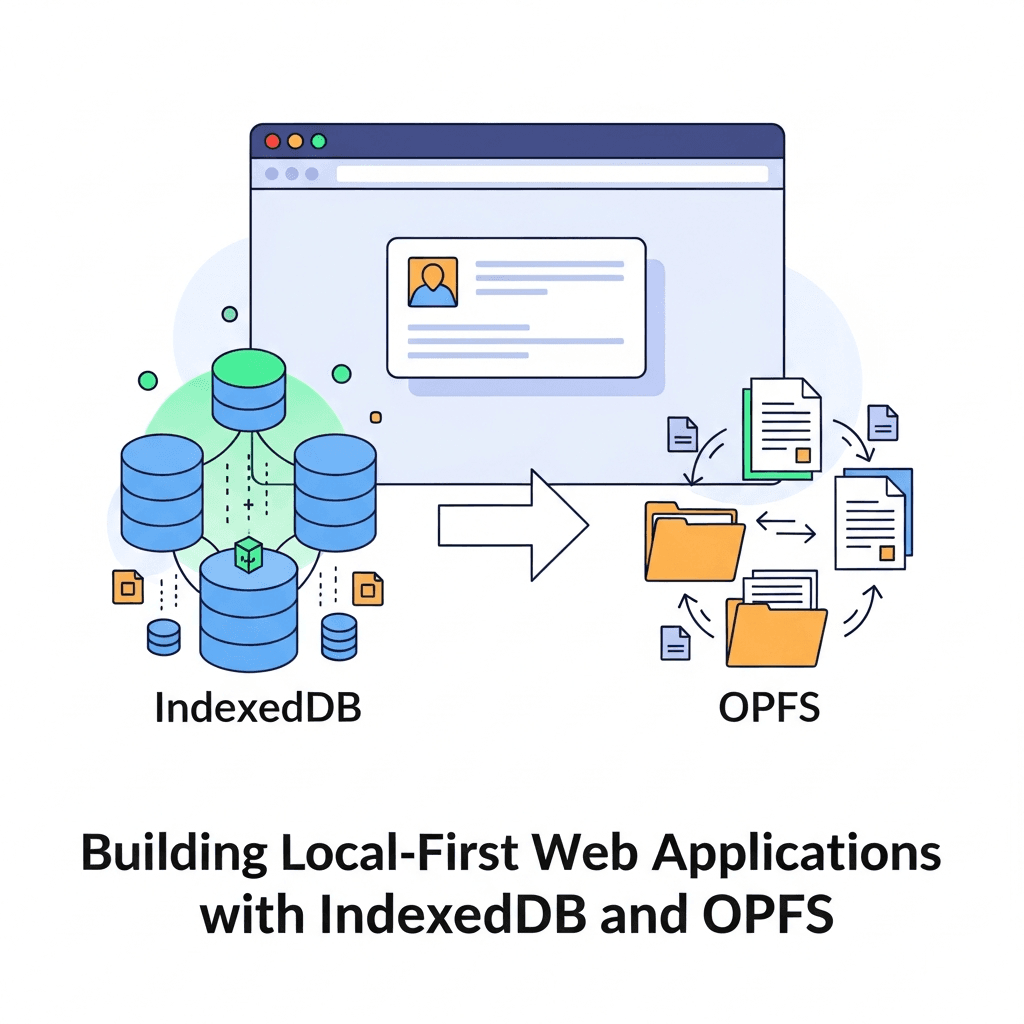
Introduction: The Rise of Local-First Web Applications
In an increasingly connected world, the ability for applications to function flawlessly offline, offer lightning-fast performance, and respect user privacy has become paramount. This paradigm shift has given rise to "local-first" applications – web apps designed to prioritize client-side data storage and processing, ensuring core functionality remains available even without an internet connection. This approach enhances user experience, reduces reliance on network latency, and opens new possibilities for data ownership and collaboration.
Building truly robust local-first web applications requires powerful client-side storage mechanisms. Historically, developers relied on localStorage or sessionStorage for small key-value pairs, or the now-deprecated Web SQL Database. Today, two modern browser APIs stand out as the pillars for comprehensive local-first development: IndexedDB for structured, transactional data storage, and the Origin Private File System (OPFS) for efficient, file-system-like access to binary data.
This comprehensive guide will take you on a deep dive into IndexedDB and OPFS, demonstrating how to leverage them together to build high-performance, resilient local-first web applications. We'll explore their core concepts, practical implementations, best practices, and common pitfalls, equipping you with the knowledge to craft truly offline-capable experiences.
Prerequisites
To get the most out of this guide, you should have:
- A solid understanding of HTML, CSS, and modern JavaScript (ES6+).
- Familiarity with asynchronous programming concepts, especially
Promisesandasync/await. - Basic knowledge of browser developer tools.
1. What is a Local-First Application?
A local-first application is an architectural pattern where the primary copy of application data resides on the user's device. Instead of constantly fetching data from a remote server, the application operates directly on the local data store. Synchronization with a remote server, if needed, happens in the background and is typically designed to handle conflicts gracefully.
Key Benefits of Local-First:
- Offline Capability: Core features work without an internet connection.
- Performance: Data access is local, eliminating network latency and improving responsiveness.
- Privacy: User data remains on their device by default, offering greater control.
- Resilience: Less susceptible to server outages or network issues.
- Scalability: Offloads read operations from the server to the client.
This approach contrasts with traditional web applications that are "server-first," where the server is the single source of truth and the client primarily acts as a display layer.
2. Why IndexedDB for Local-First?
IndexedDB is a low-level, transactional NoSQL database built into web browsers. It's designed for storing substantial amounts of structured data on the client side. Unlike localStorage, which is synchronous and limited to strings, IndexedDB is asynchronous, supports arbitrary JavaScript objects, and offers much larger storage quotas.
Core Features of IndexedDB:
- Asynchronous: Operations don't block the main thread, ensuring a smooth user experience.
- Transactional: Guarantees data integrity and consistency for multiple operations.
- Object-Oriented: Stores JavaScript objects directly, not just strings.
- Key-Value Store: Data is stored in "object stores" with unique keys.
- Indexes: Allows for efficient querying of data based on specific properties.
- Large Storage: Typically offers gigabytes of storage, depending on browser and device.
Basic IndexedDB Setup: Opening a Database
Before you can store data, you need to open (or create) an IndexedDB database. This is an asynchronous operation that returns a Promise.
// In a real application, consider using a library like 'idb' for simpler syntax.
// For educational purposes, we'll use the native API here.

const DB_NAME = 'LocalFirstAppDB';
const DB_VERSION = 1;

async function openDatabase() {
  return new Promise((resolve, reject) => {
    const request = indexedDB.open(DB_NAME, DB_VERSION);

    request.onerror = (event) => {
      console.error('Error opening database:', event.target.error);
      reject(event.target.error);
    };

    request.onsuccess = (event) => {
      const db = event.target.result;
      console.log('Database opened successfully');
      resolve(db);
    };

    request.onupgradeneeded = (event) => {
      const db = event.target.result;
      console.log('Database upgrade needed/created');

      // Create object stores here
      if (!db.objectStoreNames.contains('documents')) {
        db.createObjectStore('documents', { keyPath: 'id', autoIncrement: true });
        console.log('Object store "documents" created');
      }
      if (!db.objectStoreNames.contains('settings')) {
        db.createObjectStore('settings', { keyPath: 'key' });
        console.log('Object store "settings" created');
      }
    };
  });
}

// Example usage:
(async () => {
  try {
    const db = await openDatabase();
    // Now you can start interacting with the database
    db.close(); // Close when done if not keeping it open globally
  } catch (error) {
    console.error('Failed to initialize database:', error);
  }
})();
3. IndexedDB Fundamentals: Object Stores, Keys, and Transactions
IndexedDB organizes data into object stores, which are analogous to tables in a relational database. Each object store holds records, and each record has a key that uniquely identifies it. Keys can be generated automatically (autoIncrement) or defined by a property of the object (keyPath).
Transactions are crucial for data integrity. All read and write operations must occur within a transaction. Transactions ensure that either all operations within them succeed, or none do (atomicity).
Performing CRUD Operations
async function addDocument(document) {
  const db = await openDatabase();
  const transaction = db.transaction(['documents'], 'readwrite');
  const store = transaction.objectStore('documents');

  return new Promise((resolve, reject) => {
    const request = store.add(document);

    request.onsuccess = (event) => {
      console.log('Document added with ID:', event.target.result);
      resolve(event.target.result);
    };

    request.onerror = (event) => {
      console.error('Error adding document:', event.target.error);
      reject(event.target.error);
    };

    transaction.oncomplete = () => db.close();
    transaction.onerror = (event) => {
      console.error('Transaction failed:', event.target.error);
      reject(event.target.error);
    };
  });
}

async function getDocument(id) {
  const db = await openDatabase();
  const transaction = db.transaction(['documents'], 'readonly');
  const store = transaction.objectStore('documents');

  return new Promise((resolve, reject) => {
    const request = store.get(id);

    request.onsuccess = (event) => {
      console.log('Document retrieved:', event.target.result);
      resolve(event.target.result);
    };

    request.onerror = (event) => {
      console.error('Error getting document:', event.target.error);
      reject(event.target.error);
    };

    transaction.oncomplete = () => db.close();
    transaction.onerror = (event) => {
      console.error('Transaction failed:', event.target.error);
      reject(event.target.error);
    };
  });
}

async function updateDocument(document) {
  const db = await openDatabase();
  const transaction = db.transaction(['documents'], 'readwrite');
  const store = transaction.objectStore('documents');

  return new Promise((resolve, reject) => {
    const request = store.put(document);

    request.onsuccess = (event) => {
      console.log('Document updated:', event.target.result);
      resolve(event.target.result);
    };

    request.onerror = (event) => {
      console.error('Error updating document:', event.target.error);
      reject(event.target.error);
    };

    transaction.oncomplete = () => db.close();
    transaction.onerror = (event) => {
      console.error('Transaction failed:', event.target.error);
      reject(event.target.error);
    };
  });
}

async function deleteDocument(id) {
  const db = await openDatabase();
  const transaction = db.transaction(['documents'], 'readwrite');
  const store = transaction.objectStore('documents');

  return new Promise((resolve, reject) => {
    const request = store.delete(id);

    request.onsuccess = () => {
      console.log('Document deleted with ID:', id);
      resolve(true);
    };

    request.onerror = (event) => {
      console.error('Error deleting document:', event.target.error);
      reject(event.target.error);
    };

    transaction.oncomplete = () => db.close();
    transaction.onerror = (event) => {
      console.error('Transaction failed:', event.target.error);
      reject(event.target.error);
    };
  });
}

// Example Usage:
(async () => {
  try {
    const newDocId = await addDocument({ title: 'My First Note', content: 'Hello, IndexedDB!' });
    const doc = await getDocument(newDocId);
    console.log('Retrieved:', doc);

    doc.content = 'Updated content for my note.';
    await updateDocument(doc);
    const updatedDoc = await getDocument(newDocId);
    console.log('Updated:', updatedDoc);

    await deleteDocument(newDocId);
    const deletedDoc = await getDocument(newDocId);
    console.log('After deletion:', deletedDoc); // Should be undefined
  } catch (error) {
    console.error('Operation failed:', error);
  }
})();
4. Advanced IndexedDB: Cursors and Indexes
For retrieving multiple records or querying based on non-key properties, IndexedDB provides indexes and cursors.
Indexes are secondary keys that allow you to efficiently look up records by properties other than their primary key. They are defined when the database is created or upgraded.
Cursors allow you to iterate through records in an object store or an index. They are particularly useful for processing large datasets without loading everything into memory at once.
Creating and Using Indexes with Cursors
First, modify onupgradeneeded to create an index:
// Inside request.onupgradeneeded in openDatabase function:
request.onupgradeneeded = (event) => {
  const db = event.target.result;
  console.log('Database upgrade needed/created');

  if (!db.objectStoreNames.contains('documents')) {
    const documentStore = db.createObjectStore('documents', { keyPath: 'id', autoIncrement: true });
    documentStore.createIndex('titleIndex', 'title', { unique: false }); // Create an index on 'title'
    documentStore.createIndex('lastModifiedIndex', 'lastModified', { unique: false }); // Index for sorting
    console.log('Object store "documents" and indexes created');
  }
  if (!db.objectStoreNames.contains('settings')) {
    db.createObjectStore('settings', { keyPath: 'key' });
    console.log('Object store "settings" created');
  }
};
Now, let's use a cursor to iterate through documents, possibly ordered by an index:
async function getAllDocumentsByTitle() {
  const db = await openDatabase();
  const transaction = db.transaction(['documents'], 'readonly');
  const store = transaction.objectStore('documents');
  const index = store.index('titleIndex'); // Get the index

  const documents = [];

  return new Promise((resolve, reject) => {
    const request = index.openCursor(); // Open cursor on the index

    request.onsuccess = (event) => {
      const cursor = event.target.result;
      if (cursor) {
        documents.push(cursor.value);
        cursor.continue(); // Move to the next record
      } else {
        console.log('All documents retrieved by title:', documents);
        resolve(documents);
      }
    };

    request.onerror = (event) => {
      console.error('Error opening cursor:', event.target.error);
      reject(event.target.error);
    };

    transaction.oncomplete = () => db.close();
    transaction.onerror = (event) => {
      console.error('Transaction failed:', event.target.error);
      reject(event.target.error);
    };
  });
}

// Example usage:
(async () => {
  try {
    await addDocument({ title: 'Zebra Fact Sheet', content: 'Zebras are striped horses.', lastModified: Date.now() - 10000 });
    await addDocument({ title: 'Apple Pie Recipe', content: 'Apples, sugar, crust.', lastModified: Date.now() - 5000 });
    await addDocument({ title: 'Banana Smoothie', content: 'Bananas, milk, ice.', lastModified: Date.now() });

    const allDocs = await getAllDocumentsByTitle();
    console.log('Documents sorted by title (via index):', allDocs);
    // Expected order: Apple Pie, Banana Smoothie, Zebra Fact Sheet
  } catch (error) {
    console.error('Cursor operation failed:', error);
  }
})();
5. Introducing the Origin Private File System (OPFS)
While IndexedDB excels at structured data, it's not ideal for large binary files like images, videos, or complex document formats. This is where the Origin Private File System (OPFS) comes in. OPFS provides web applications with access to a special, private file system that's optimized for performance and allows for direct file manipulations, including synchronous access within Web Workers.
OPFS is part of the File System Access API, but unlike the user-facing parts of that API (which require user permission for each file), OPFS is "origin private." This means the files are stored in a sandboxed environment specific to your web application's origin, without requiring explicit user prompts for file access.
Key Features of OPFS:
- High Performance: Optimized for fast read/write operations.
- Synchronous Access (Workers):
FileSystemSyncAccessHandleenables synchronous file operations in dedicated Web Workers, preventing main thread blocking. - File System APIs: Provides familiar
FileandDirectoryhandle interfaces. - Binary Data Storage: Ideal for large binary blobs, media files, and application-specific data files.
- Persistent: Data stored in OPFS persists across browser sessions.
Basic OPFS Setup: Getting the Root Directory
Access to OPFS begins by requesting the root directory handle:
async function getOPFSRoot() {
  try {
    const root = await navigator.storage.getDirectory();
    console.log('OPFS root directory obtained:', root);
    return root;
  } catch (error) {
    console.error('Error getting OPFS root directory:', error);
    throw error;
  }
}

// Example usage:
(async () => {
  try {
    const root = await getOPFSRoot();
    // You now have the root handle to start creating/accessing files/directories
  } catch (error) {
    console.error('Failed to get OPFS root:', error);
  }
})();
6. Working with Files in OPFS
Once you have the root directory handle, you can create, read, write, and delete files and subdirectories. For optimal performance with large files, especially for writes, it's recommended to use a FileSystemSyncAccessHandle within a Web Worker.
Writing and Reading Files Asynchronously (Main Thread)
async function writeFile(directoryHandle, fileName, content) {
  try {
    const fileHandle = await directoryHandle.getFileHandle(fileName, { create: true });
    const writable = await fileHandle.createWritable();
    await writable.write(content);
    await writable.close();
    console.log(`File '${fileName}' written successfully.`);
  } catch (error) {
    console.error(`Error writing file '${fileName}':`, error);
    throw error;
  }
}

async function readFile(directoryHandle, fileName) {
  try {
    const fileHandle = await directoryHandle.getFileHandle(fileName);
    const file = await fileHandle.getFile();
    const content = await file.text(); // Or file.arrayBuffer() for binary
    console.log(`Content of '${fileName}':`, content);
    return content;
  } catch (error) {
    console.error(`Error reading file '${fileName}':`, error);
    throw error;
  }
}

async function deleteFile(directoryHandle, fileName) {
  try {
    await directoryHandle.removeEntry(fileName);
    console.log(`File '${fileName}' deleted successfully.`);
  } catch (error) {
    console.error(`Error deleting file '${fileName}':`, error);
    throw error;
  }
}

// Example Usage:
(async () => {
  try {
    const root = await getOPFSRoot();
    const subDirHandle = await root.getDirectoryHandle('documents', { create: true });

    await writeFile(subDirHandle, 'myDocument.txt', 'This is some text content for my document.');
    const content = await readFile(subDirHandle, 'myDocument.txt');
    console.log('Retrieved file content:', content);

    await deleteFile(subDirHandle, 'myDocument.txt');
  } catch (error) {
    console.error('OPFS operations failed:', error);
  }
})();
Using FileSystemSyncAccessHandle in a Web Worker (for performance)
For large file operations, synchronous access in a Worker is preferred. This allows the main thread to remain responsive.
worker.js:
// worker.js
self.onmessage = async (e) => {
  const { type, fileHandle, content } = e.data;

  if (type === 'write') {
    const accessHandle = await fileHandle.createSyncAccessHandle();
    const encoder = new TextEncoder();
    const encodedContent = encoder.encode(content);
    accessHandle.truncate(encodedContent.byteLength);
    accessHandle.write(encodedContent, { at: 0 });
    accessHandle.flush(); // Ensure data is written to disk
    accessHandle.close();
    self.postMessage({ type: 'writeComplete', success: true });
  } else if (type === 'read') {
    const accessHandle = await fileHandle.createSyncAccessHandle();
    const fileSize = accessHandle.getSize();
    const buffer = new Uint8Array(fileSize);
    accessHandle.read(buffer, { at: 0 });
    accessHandle.close();
    const decoder = new TextDecoder();
    const textContent = decoder.decode(buffer);
    self.postMessage({ type: 'readComplete', content: textContent });
  }
};
main.js (or inline script):
// main.js
const worker = new Worker('worker.js');

async function writeFileSync(directoryHandle, fileName, content) {
  const fileHandle = await directoryHandle.getFileHandle(fileName, { create: true });
  return new Promise((resolve, reject) => {
    worker.onmessage = (e) => {
      if (e.data.type === 'writeComplete') {
        resolve(e.data.success);
      }
    };
    worker.onerror = reject;
    worker.postMessage({ type: 'write', fileHandle, content });
  });
}

async function readFileSync(directoryHandle, fileName) {
  const fileHandle = await directoryHandle.getFileHandle(fileName);
  return new Promise((resolve, reject) => {
    worker.onmessage = (e) => {
      if (e.data.type === 'readComplete') {
        resolve(e.data.content);
      }
    };
    worker.onerror = reject;
    worker.postMessage({ type: 'read', fileHandle });
  });
}

// Example Usage:
(async () => {
  try {
    const root = await getOPFSRoot();
    const subDirHandle = await root.getDirectoryHandle('large_files', { create: true });

    await writeFileSync(subDirHandle, 'largeDoc.txt', 'This is a very large document content that needs efficient writing.');
    const content = await readFileSync(subDirHandle, 'largeDoc.txt');
    console.log('Synchronously read content:', content);

    await deleteFile(subDirHandle, 'largeDoc.txt'); // Use the async delete from before
  } catch (error) {
    console.error('Worker OPFS operations failed:', error);
  }
})();
7. Combining IndexedDB and OPFS for Richer Data
The true power of local-first applications emerges when you combine IndexedDB for structured metadata with OPFS for raw file content. This pattern allows you to leverage the strengths of both APIs:
- IndexedDB: Stores file metadata (name, type, size, last modified date, a reference/path to the OPFS file, user-defined tags, etc.) for quick querying and search.
- OPFS: Stores the actual binary content of the files, allowing efficient access.
Example: An Offline Image Gallery
Let's imagine an image gallery where IndexedDB stores image titles, descriptions, and a reference to the image file in OPFS.
// Extend openDatabase to include 'images' object store
// In request.onupgradeneeded:
// ...
if (!db.objectStoreNames.contains('images')) {
  const imageStore = db.createObjectStore('images', { keyPath: 'id', autoIncrement: true });
  imageStore.createIndex('nameIndex', 'name', { unique: false });
  imageStore.createIndex('dateAddedIndex', 'dateAdded', { unique: false });
  console.log('Object store "images" created');
}
// ...

async function addImage(file) {
  const db = await openDatabase();
  const root = await getOPFSRoot();
  const imagesDir = await root.getDirectoryHandle('images', { create: true });

  const transaction = db.transaction(['images'], 'readwrite');
  const store = transaction.objectStore('images');

  return new Promise(async (resolve, reject) => {
    try {
      const fileId = crypto.randomUUID(); // Unique ID for the file
      const opfsFileName = `${fileId}-${file.name}`;

      // 1. Write file to OPFS
      const fileHandle = await imagesDir.getFileHandle(opfsFileName, { create: true });
      const writable = await fileHandle.createWritable();
      await writable.write(file);
      await writable.close();
      console.log(`Image file '${opfsFileName}' written to OPFS.`);

      // 2. Store metadata in IndexedDB
      const imageData = {
        id: fileId,
        name: file.name,
        type: file.type,
        size: file.size,
        dateAdded: Date.now(),
        opfsPath: `images/${opfsFileName}` // Store a reference to the OPFS file
      };
      const request = store.add(imageData);

      request.onsuccess = (event) => {
        console.log('Image metadata added to IndexedDB with ID:', event.target.result);
        resolve(event.target.result);
      };

      request.onerror = (event) => {
        console.error('Error adding image metadata:', event.target.error);
        reject(event.target.error);
      };

      transaction.oncomplete = () => db.close();
      transaction.onerror = (event) => {
        console.error('Transaction failed:', event.target.error);
        reject(event.target.error);
      };

    } catch (error) {
      console.error('Error in addImage function:', error);
      reject(error);
      transaction.abort(); // Abort the IDB transaction if OPFS fails
    }
  });
}

async function getImageDataAndFile(imageId) {
  const db = await openDatabase();
  const root = await getOPFSRoot();
  const transaction = db.transaction(['images'], 'readonly');
  const store = transaction.objectStore('images');

  return new Promise(async (resolve, reject) => {
    try {
      const request = store.get(imageId);
      request.onsuccess = async (event) => {
        const imageData = event.target.result;
        if (imageData) {
          const pathParts = imageData.opfsPath.split('/');
          const dirName = pathParts[0];
          const fileName = pathParts[1];

          const imagesDir = await root.getDirectoryHandle(dirName);
          const fileHandle = await imagesDir.getFileHandle(fileName);
          const file = await fileHandle.getFile();
          resolve({ metadata: imageData, file: file });
        } else {
          resolve(null);
        }
      };
      request.onerror = (event) => reject(event.target.error);

      transaction.oncomplete = () => db.close();
      transaction.onerror = (event) => reject(event.target.error);

    } catch (error) {
      console.error('Error in getImageDataAndFile:', error);
      reject(error);
    }
  });
}

// Example Usage (requires a File object, e.g., from an <input type="file">)
// const fileInput = document.getElementById('imageUpload');
// fileInput.addEventListener('change', async (e) => {
//   const file = e.target.files[0];
//   if (file) {
//     try {
//       const newImageId = await addImage(file);
//       console.log('Image added with ID:', newImageId);
//       const { metadata, file: retrievedFile } = await getImageDataAndFile(newImageId);
//       console.log('Retrieved metadata:', metadata);
//       console.log('Retrieved file:', retrievedFile);
//       // You can now create an object URL for 'retrievedFile' and display it
//       // const imageUrl = URL.createObjectURL(retrievedFile);
//       // document.getElementById('imageDisplay').src = imageUrl;
//     } catch (error) {
//       console.error('Image handling failed:', error);
//     }
//   }
// });
8. Real-World Use Cases
Combining IndexedDB and OPFS unlocks powerful local-first capabilities for various application types:
- Offline Document Editors: Store document content (text, rich media) in OPFS and metadata (title, author, last modified, tags) in IndexedDB. This allows users to work on documents without an internet connection, with changes syncing to a cloud service when online.
- Image/Video Galleries: Store high-resolution media files in OPFS, while IndexedDB manages thumbnails, descriptions, EXIF data, and user-defined albums. This ensures fast browsing and access to media even offline.
- Data Synchronization Clients: Applications that need to sync large datasets with a backend. IndexedDB can store the primary data, while OPFS can handle associated binary assets. Conflict resolution logic can be implemented using versioning or CRDTs.
- Educational Apps: Store course materials, interactive exercises, and user progress. Large media files (videos, audio) go into OPFS, while structured progress data and quizzes reside in IndexedDB.
- Code Editors/IDEs: Store project files, configurations, and user settings locally. OPFS for source code files, IndexedDB for project metadata and editor preferences.
9. Best Practices for Local-First Development
- Graceful Degradation: Design your application to provide a core experience offline and enhance it when online. Clearly communicate network status to the user.
- Error Handling: Robustly handle errors from both IndexedDB and OPFS, as storage operations can fail due to quotas, permissions, or system issues.
- Data Synchronization Strategy: If your app needs to sync with a backend, choose an appropriate strategy (e.g., last-write-wins, operational transformations, CRDTs). Implement background sync using Service Workers for seamless updates.
- Schema Migrations: Plan for database schema changes. IndexedDB's
onupgradeneededis the place to handle these, ensuring existing user data isn't lost. - Chunking Large Files: For extremely large files, consider chunking them into smaller pieces before storing them in OPFS. This can improve resilience and allow for partial downloads/uploads.
- Use Libraries for IndexedDB: While the native API is powerful, libraries like
idb(from Jake Archibald) orDexie.jscan significantly simplify IndexedDB interactions, providing a more promise-based and developer-friendly API. - User Feedback: Provide clear visual feedback during long-running storage operations (e.g., saving a large file, syncing data).
- Storage Quota Management: Monitor
navigator.storage.estimate()to understand available storage and inform users if they are running low. Implement strategies to clear old or less important data.
10. Common Pitfalls and How to Avoid Them
- Blocking the Main Thread (IndexedDB): IndexedDB is asynchronous by design. Avoid synchronous operations or excessive computation in
onsuccesshandlers that could block the UI. Use Web Workers for heavy data processing. - Incorrect Transaction Management: Failing to open a transaction, using the wrong mode (
readonlyvs.readwrite), or forgetting to close the database can lead to errors or resource leaks. Always defineoncompleteandonerrorfor transactions. - Forgetting
db.close(): While browsers often manage connections, explicitly closing the database after a series of operations (especially if not keeping a global reference) is good practice to free up resources. - Ignoring
onupgradeneeded: This is the only place to create or modify object stores and indexes. Attempting to do so outside this event listener will result in an error. - Race Conditions with OPFS Handles: Ensure that file handles are properly managed, especially when multiple parts of your application or workers might try to access the same file simultaneously. Synchronous access in Workers helps mitigate this for single-file operations.
- Storage Quota Exceeded: Browsers impose storage limits. If your application attempts to write beyond this, operations will fail. Implement checks and user-facing messages.
- Data Corruption (Rare): While browsers are robust, unexpected shutdowns or bugs could theoretically corrupt local data. Regular backups (to cloud) or robust synchronization logic are crucial for critical data.
- Inconsistent Data (IndexedDB + OPFS): When storing related data in both IndexedDB (metadata) and OPFS (file content), ensure atomicity. If writing to OPFS fails, the IndexedDB transaction should be aborted, and vice-versa, to prevent orphaned metadata or files. Use
Promise.alland careful error handling.
11. Security and Privacy Considerations
While local-first enhances privacy by keeping data on the user's device, it doesn't eliminate security concerns entirely:
- Data at Rest: Data in IndexedDB and OPFS is generally not encrypted by the browser at the application level. If your application handles highly sensitive data, consider encrypting it before storing it, using Web Crypto API. This adds complexity but provides an extra layer of security against physical device compromise.
- Origin Isolation: Both IndexedDB and OPFS are strictly origin-isolated. Data stored by
https://example.comcannot be accessed byhttps://anothersite.com. This is a fundamental security feature of the web platform. - XSS Vulnerabilities: Cross-Site Scripting (XSS) attacks can still compromise local data if an attacker injects malicious scripts into your application. These scripts could read or modify data in IndexedDB/OPFS. Implement strong Content Security Policies (CSPs) and sanitize all user-generated content.
- User Consent: For large storage requests or if storing sensitive information, inform users about the data being stored locally and why it's necessary. Provide options for data export or deletion.
- Data Deletion: Ensure that when a user requests data deletion, it is thoroughly removed from both IndexedDB and OPFS. This is crucial for privacy compliance (e.g., GDPR).
Conclusion: The Future is Local-First
Building local-first web applications is no longer an exotic niche; it's becoming a standard for delivering high-quality, resilient, and user-centric experiences. By mastering IndexedDB for structured data and the Origin Private File System (OPFS) for efficient file storage, developers can create powerful web applications that truly work for the user, regardless of network connectivity.
These APIs, especially when combined with Service Workers for caching and background sync, form the bedrock of modern Progressive Web Apps (PWAs). As the web platform continues to evolve, expect even more sophisticated tools for client-side data management and synchronization, further empowering developers to build ambitious local-first solutions.
Start experimenting with IndexedDB and OPFS today. Embrace the local-first philosophy, and unlock a new dimension of performance, reliability, and user satisfaction in your web applications.

Written by
CodewithYohaFull-Stack Software Engineer with 7+ years of experience in Java, Spring Boot, and cloud architecture across AWS, Azure, and GCP. Writing production-grade engineering patterns for developers who ship real software.