
Introduction
The landscape of Artificial Intelligence has been dramatically reshaped by Large Language Models (LLMs). From generating creative content to assisting with complex problem-solving, LLMs have showcased remarkable capabilities. However, even the most powerful LLMs possess inherent limitations: they lack up-to-date external knowledge, cannot perform specific actions in the real world, and can sometimes "hallucinate" facts not present in their training data.
Enter the era of LLM Agents. These agents empower LLMs to go beyond mere text generation by enabling them to interact with their environment, utilize external tools, and retrieve specific information. This paradigm shift transforms LLMs from passive predictors into active problem-solvers.
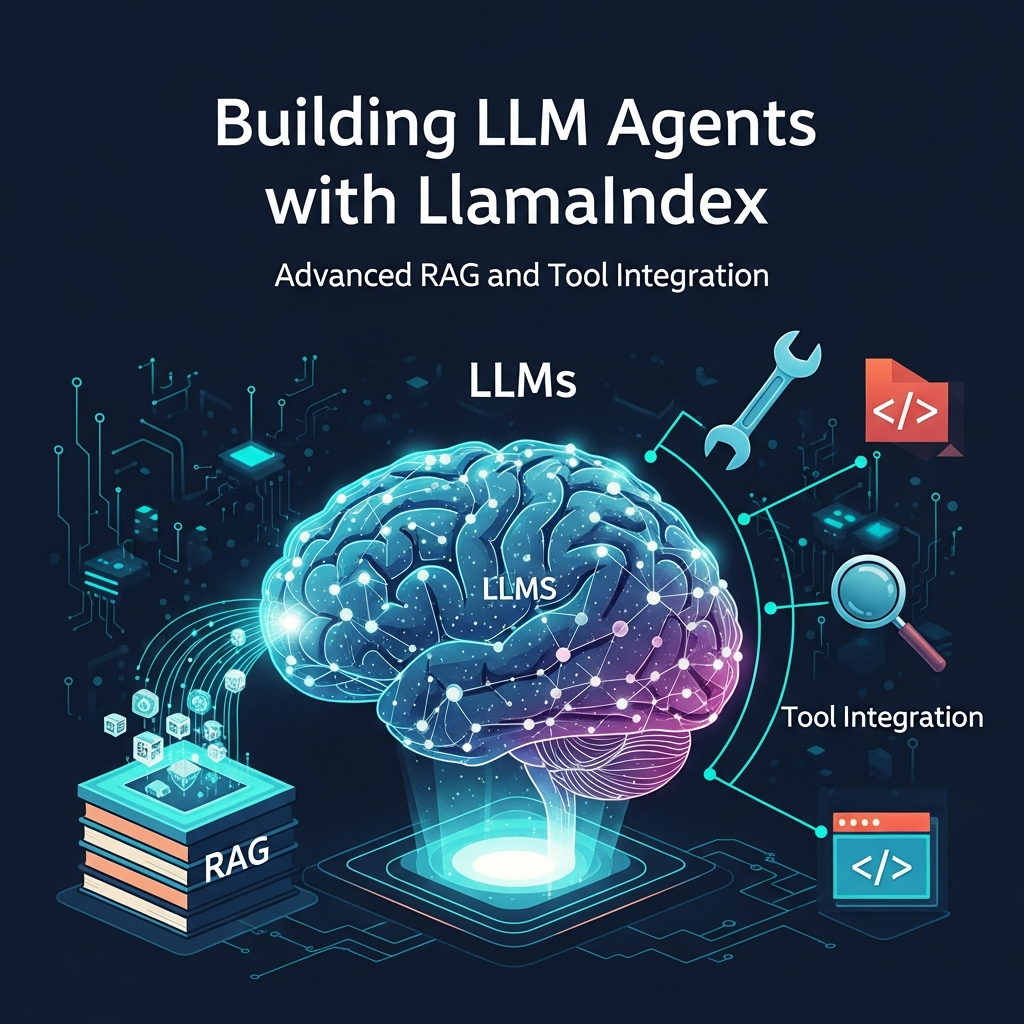
LlamaIndex stands at the forefront of this evolution, providing a robust framework for building sophisticated LLM applications. It excels at connecting LLMs with external data sources (Retrieval Augmented Generation, RAG) and orchestrating tool use. This article will guide you through building advanced LLM agents with LlamaIndex, focusing on cutting-edge RAG techniques and seamless tool integration to create truly intelligent and capable systems.
Prerequisites
To follow along with the code examples and concepts in this guide, you'll need:
- Python 3.8+: Ensure you have a recent version of Python installed.
- Basic understanding of LLMs: Familiarity with how LLMs work at a high level.
- Conceptual grasp of RAG: Knowledge of what RAG is and why it's used.
- OpenAI API Key (or equivalent): Most examples will use OpenAI models, so an API key is recommended. Set it as an environment variable
OPENAI_API_KEY.
The Evolution of LLM Agents and LlamaIndex's Role
Initially, LLM interactions were largely confined to single-turn prompts. Users would ask a question, and the LLM would provide an answer. While powerful, this lacked the ability to perform multi-step reasoning, access dynamic information, or take actions.
The concept of an "LLM Agent" emerged to address these limitations. An agent typically involves an LLM acting as a reasoning engine, an observation mechanism (to perceive results of actions), and an action space (a set of tools it can use). This allows for iterative problem-solving, where the LLM plans, executes, observes, and refines its approach.
LlamaIndex plays a pivotal role in this evolution by providing a comprehensive framework that simplifies the complexity of agent construction. Its core strengths include:
- Data Ingestion and Indexing: Effortlessly connect LLMs to various data sources (documents, databases, APIs) and build optimized indexes for retrieval.
- Advanced RAG Capabilities: Beyond simple keyword search, LlamaIndex offers sophisticated retrieval strategies for more nuanced and accurate context provision.
- Agent Orchestration: A flexible agent framework that allows LLMs to select and execute tools, manage conversational state, and perform multi-step reasoning.
By abstracting away much of the underlying complexity, LlamaIndex empowers developers to focus on the agent's logic and capabilities, rather than the plumbing.
Understanding RAG for Agents: Beyond Simple Retrieval
Retrieval Augmented Generation (RAG) is a technique that enhances LLM output by retrieving relevant information from an external knowledge base and feeding it to the LLM as context. This helps reduce hallucinations and provides up-to-date, domain-specific information.
For LLM agents, RAG is even more critical. It's not just about answering a direct query; it's about providing the agent with the necessary information to reason and act. Advanced RAG for agents involves:
- Dynamic Context Provision: The agent might need different pieces of information at different stages of its thought process.
- Multi-step Retrieval: A complex query might require multiple retrieval steps, where the results of one retrieval inform the next.
- Query Rewriting: The agent can reformulate its own query to the RAG system based on its internal state or previous observations.
- Hybrid Search: Combining semantic (vector) search with keyword search for robust retrieval against diverse content.
- Context Enrichment: Retrieving not just the directly relevant chunk, but also surrounding context for better understanding.
LlamaIndex facilitates these advanced RAG patterns, enabling agents to intelligently access and synthesize information from their knowledge bases.
Core Components of a LlamaIndex Agent
Every LlamaIndex agent, regardless of its complexity, is built upon a few fundamental components:
- The LLM (Large Language Model): This is the brain of the agent, responsible for reasoning, planning, and generating responses. LlamaIndex supports various LLMs, including OpenAI's GPT models, Anthropic's Claude, and open-source models.
- Knowledge Base (Vector Store Index): This is where the agent stores and retrieves external information. LlamaIndex uses
VectorStoreIndexobjects, which are built upon vector databases (e.g., Chroma, Milvus, Pinecone) to store embedded document chunks. - Tools: These are functions or APIs that the agent can call to perform specific actions or access external systems. Tools can range from simple calculators to complex database query engines or web search APIs.
- Agent Orchestrator: This component manages the agent's decision-making loop. It takes the user's query, decides which tool (or RAG retrieval) to use, executes it, observes the result, and then decides on the next step until the task is complete. LlamaIndex provides frameworks like
OpenAIAgentorAgentRunnerfor this.
Understanding these building blocks is crucial for designing effective and robust agents.
Building a Basic LlamaIndex Agent (Code Example 1)
Let's start by creating a simple agent that can answer questions based on a local document. This will demonstrate the basic RAG capabilities.
First, ensure you have LlamaIndex installed and your OpenAI API key set:
pip install llama-index openai
export OPENAI_API_KEY="YOUR_OPENAI_API_KEY"
Now, let's create a simple document and build an agent around it.
import os
from llama_index.core import VectorStoreIndex, SimpleDirectoryReader
from llama_index.llms.openai import OpenAI
from llama_index.core.agent import ReActAgent
from llama_index.core.tools import QueryEngineTool, ToolMetadata

# 1. Create a dummy document
data_dir = "./data"
os.makedirs(data_dir, exist_ok=True)
with open(os.path.join(data_dir, "company_info.txt"), "w") as f:
    f.write("Our company, Quantum Innovations, was founded in 2020. "
            "We specialize in AI-driven solutions and quantum computing research. "
            "Our headquarters are located in San Francisco, California. "
            "Dr. Elena Petrova is our CEO.")

# 2. Load documents and create an index
print("Loading documents and creating index...")
documents = SimpleDirectoryReader(data_dir).load_data()
index = VectorStoreIndex.from_documents(documents)

# 3. Create a query engine from the index
query_engine = index.as_query_engine()

# 4. Define a tool for the agent to use
# This tool allows the agent to query our company info knowledge base
company_info_tool = QueryEngineTool(
    query_engine=query_engine,
    metadata=ToolMetadata(
        name="company_info_retriever",
        description=(
            "Provides information about Quantum Innovations, "
            "including founding year, specializations, headquarters, and key personnel."
        ),
    ),
)

# 5. Initialize the LLM
llm = OpenAI(model="gpt-4o") # Using gpt-4o for better agentic capabilities

# 6. Initialize the ReAct Agent with the tool
print("Initializing ReAct Agent...")
agent = ReActAgent(llm=llm, tools=[company_info_tool], verbose=True)

# 7. Interact with the agent
print("\n--- Agent Interaction ---")
response = agent.chat("Who is the CEO of Quantum Innovations and where are they located?")
print(f"Agent Response: {response}")

response = agent.chat("When was the company founded?")
print(f"Agent Response: {response}")

response = agent.chat("What is their main area of expertise?")
print(f"Agent Response: {response}")

# Clean up the dummy file
os.remove(os.path.join(data_dir, "company_info.txt"))
os.rmdir(data_dir)
In this example, the ReActAgent uses the company_info_retriever tool, which is backed by our VectorStoreIndex, to answer questions. The verbose=True flag shows the agent's thought process, including its decision to use the tool and the observed output.
Integrating Tools: Enabling Action and External Interaction
While RAG allows agents to know things, tools allow them to do things. Tools are the agent's interface to the external world, enabling them to execute functions, call APIs, interact with databases, or even browse the web. This is where LLM agents truly become powerful.
LlamaIndex provides several types of tools:
QueryEngineTool: As seen above, this wraps aQueryEngine(e.g., from an index) allowing the agent to query specific knowledge bases.FunctionTool: This is a versatile tool that wraps any Python function. It's ideal for integrating custom logic, calculations, or calls to external APIs.ToolMetadata: Essential for providing a clearnameanddescriptionfor each tool. The LLM uses these descriptions to understand when and how to use a particular tool.
The agent's LLM is responsible for selecting the appropriate tool based on the user's query and the tool descriptions, generating the correct arguments for the tool, and then processing the tool's output.
Practical Tool Integration (Code Example 2)
Let's extend our agent to include a FunctionTool for performing calculations. This demonstrates how an agent can combine RAG with active computation.
import os
from llama_index.core import VectorStoreIndex, SimpleDirectoryReader
from llama_index.llms.openai import OpenAI
from llama_index.core.agent import ReActAgent
from llama_index.core.tools import QueryEngineTool, FunctionTool, ToolMetadata

# 1. Create a dummy document (same as before)
data_dir = "./data"
os.makedirs(data_dir, exist_ok=True)
with open(os.path.join(data_dir, "company_info.txt"), "w") as f:
    f.write("Our company, Quantum Innovations, was founded in 2020. "
            "We specialize in AI-driven solutions and quantum computing research. "
            "Our headquarters are located in San Francisco, California. "
            "Dr. Elena Petrova is our CEO. "
            "Our annual revenue in 2023 was $150 million. "
            "We have 500 employees.")

# 2. Load documents and create an index
print("Loading documents and creating index...")
documents = SimpleDirectoryReader(data_dir).load_data()
index = VectorStoreIndex.from_documents(documents)
query_engine = index.as_query_engine()

# 3. Define the company info tool
company_info_tool = QueryEngineTool(
    query_engine=query_engine,
    metadata=ToolMetadata(
        name="company_info_retriever",
        description=(
            "Provides information about Quantum Innovations, "
            "including founding year, specializations, headquarters, key personnel, "
            "annual revenue, and number of employees."
        ),
    ),
)

# 4. Define a custom Python function for calculations
def multiply(a: float, b: float) -> float:
    """Multiplies two numbers (a and b) and returns the product."""
    return a * b

def add(a: float, b: float) -> float:
    """Adds two numbers (a and b) and returns the sum."""
    return a + b

# 5. Create FunctionTools from the Python functions
multiply_tool = FunctionTool.from_defaults(fn=multiply)
add_tool = FunctionTool.from_defaults(fn=add)

# 6. Initialize the LLM
llm = OpenAI(model="gpt-4o")

# 7. Initialize the ReAct Agent with both tools
print("Initializing ReAct Agent with multiple tools...")
agent = ReActAgent(llm=llm, tools=[company_info_tool, multiply_tool, add_tool], verbose=True)

# 8. Interact with the agent
print("\n--- Agent Interaction with Multiple Tools ---")

response = agent.chat("What is the CEO's name and what is 123 multiplied by 456?")
print(f"Agent Response: {response}")

response = agent.chat("If Quantum Innovations made $150 million in 2023 and they have 500 employees, what was the average revenue per employee?")
print(f"Agent Response: {response}")

# Clean up the dummy file
os.remove(os.path.join(data_dir, "company_info.txt"))
os.rmdir(data_dir)
Observe how the agent now seamlessly switches between retrieving information from the company_info_retriever and performing calculations using the multiply or add tools. The verbose=True output clearly shows the agent's thought process, including which tool it selects and the arguments it passes.
Advanced RAG Techniques for Agent Sophistication
For agents to be truly intelligent, their RAG capabilities must go beyond basic retrieval. LlamaIndex offers several advanced techniques:
1. Query Rewriting/Transformation
Sometimes, a user's natural language query isn't optimal for direct retrieval from a vector store. The agent can use the LLM to rewrite or transform the query into a more effective search query.
from llama_index.core.indices.postprocessor import MetadataReplacementPostProcessor
from llama_index.core.query_engine import TransformQueryEngine
from llama_index.core.question_gen.llm_generations import LLMQuestionGenerator

# Example of a query transformer (conceptual)
# In practice, this would be part of a larger query engine setup
def rewrite_query(original_query: str) -> str:
    # This function would use an LLM to rephrase the query
    # For demonstration, let's just make a simple change
    if "headquarters" in original_query:
        return original_query.replace("headquarters", "main office location")
    return original_query

# A TransformQueryEngine can incorporate such rewriting
# query_engine = TransformQueryEngine(query_engine=index.as_query_engine(),
#                                     query_transformer=rewrite_query)
# agent = ReActAgent(llm=llm, tools=[QueryEngineTool(query_engine=query_engine, ...)], verbose=True)
2. Sub-question Query Engine
For complex questions that require multiple pieces of information, an agent can break down the original query into smaller, more manageable sub-questions. Each sub-question can then be answered by a separate RAG call or tool use, and the results are synthesized.
# This is a conceptual representation. LlamaIndex provides specific modules.
# from llama_index.core.query_engine import SubQuestionQueryEngine
# from llama_index.core.tools import QueryEngineTool

# # Define multiple query engines for different document sets or tools
# query_engine_1 = index_for_finance.as_query_engine()
# query_engine_2 = index_for_hr.as_query_engine()

# query_engine_tools = [
#     QueryEngineTool(query_engine=query_engine_1, metadata=ToolMetadata(name="finance_data", description="...")),
#     QueryEngineTool(query_engine=query_engine_2, metadata=ToolMetadata(name="hr_data", description="...")),
# ]

# # The SubQuestionQueryEngine uses an LLM to generate sub-questions and route them
# sub_question_engine = SubQuestionQueryEngine.from_defaults(
#     query_engine_tools=query_engine_tools,
#     llm=llm,
#     question_gen=LLMQuestionGenerator(),
# )

# agent = ReActAgent(llm=llm, tools=[QueryEngineTool(query_engine=sub_question_engine, ...)], verbose=True)
3. Hybrid Search
Combining keyword-based search (like BM25) with semantic (vector) search often yields superior retrieval results, especially when dealing with documents that have both precise keywords and conceptual meaning. LlamaIndex supports this by allowing you to integrate different retrievers.
# from llama_index.core.retrievers import BM25Retriever, VectorIndexRetriever
# from llama_index.core.query_engine import RetrieverQueryEngine
# from llama_index.core.indices.postprocessor import SimilarityPostprocessor

# # Assuming 'index' is already created
# vector_retriever = index.as_retriever(similarity_top_k=2)
# bm25_retriever = BM25Retriever.from_documents(documents, similarity_top_k=2)

# # Combine retrievers (e.g., using a Reciprocal Rank Fusion re-ranker, or simply parallel)
# # For a simple example, let's just show the concept:
# # Combined logic would involve querying both and merging results

# # A more advanced setup might involve a RerankPostprocessor after retrieval
# # query_engine = RetrieverQueryEngine(
# #     retriever=hybrid_retriever, # A custom retriever combining vector and BM25
# #     node_postprocessors=[SimilarityPostprocessor(similarity_cutoff=0.7)],
# # )
These advanced techniques allow agents to retrieve more precise, relevant, and comprehensive information, leading to better reasoning and more accurate outputs.
Agentic Workflows: Planning and Execution
The true power of LLM agents lies in their ability to orchestrate complex workflows. This typically involves a continuous loop of:
- Observation: The agent receives a user query or the output from a previous action/tool call.
- Thought/Planning: The LLM analyzes the observation, considers its goal, and decides on the next logical step. This might involve breaking down the problem, identifying necessary information, or selecting a tool.
- Action: The agent executes the chosen action (e.g., calls a tool, performs a RAG query, generates a direct response).
LlamaIndex's ReActAgent (and OpenAIAgent which leverages OpenAI's function calling API) inherently follows this Thought-Action-Observation loop. The verbose=True flag in our examples illustrates this internal monologue, showing how the LLM reasons about the task at hand.
Agent Memory and Statefulness: For multi-turn conversations or long-running tasks, agents need memory. LlamaIndex agents can maintain conversational history, allowing them to recall previous interactions and build upon past contexts. This is crucial for coherent and context-aware interactions.
# Agent memory is handled by the chat history in ReActAgent
# agent.chat("first question")
# agent.chat("second question, referring to first") # Agent remembers context
Real-world Use Cases for LlamaIndex Agents
LlamaIndex agents with advanced RAG and tool integration unlock a wide array of real-world applications:
- Intelligent Customer Support Chatbots: Combine a knowledge base (FAQs, product manuals) with tools to check order status, update account information (via CRM API), or escalate to human agents. This provides comprehensive, actionable support.
- Data Analysis Assistants: Agents can query databases (SQL tools), perform calculations (Python
FunctionTool), generate visualizations (MatplotlibFunctionTool), and summarize findings from internal data sources (RAG). Imagine an agent that can answer "What was our sales growth last quarter for product X in region Y?" by querying a database and performing calculations. - Personal Productivity Tools: An agent could manage your calendar (Google Calendar API tool), summarize emails (RAG on inbox content), draft responses, and retrieve specific documents from your cloud storage.
- Research and Knowledge Management: Agents can browse the web (web scraping tool), summarize scientific papers (RAG on document repository), extract key figures, and cross-reference information from multiple sources to provide consolidated reports.
- Software Development Assistants: Help developers by looking up API documentation (RAG), generating code snippets (LLM), running tests (system command tool), and debugging by querying logs.
These examples highlight how agents can bridge the gap between static knowledge and dynamic action, creating truly intelligent systems.
Best Practices for Building Robust LLM Agents
Building effective agents requires thoughtful design and implementation. Here are some best practices:
-
Tool Design:
- Granularity: Tools should be granular enough to perform a single, well-defined action. Avoid overly complex tools.
- Clear Descriptions: Provide concise, accurate, and descriptive
ToolMetadata(name and description). The LLM relies heavily on these to decide when to use a tool. - Robust Error Handling: Tools should gracefully handle errors and return informative messages, allowing the agent to potentially recover or inform the user.
- Parameter Schema: Clearly define input parameters for
FunctionTools using type hints and docstrings. LlamaIndex uses this to generate the tool's schema for the LLM.
-
RAG Optimization:
- Chunking Strategies: Experiment with different document chunk sizes and overlaps. Contextual chunking methods (e.g., semantic chunking) can improve relevance.
- Embedding Models: Choose an embedding model that aligns with your domain and data. Stronger embedding models lead to better retrieval.
- Vector Store Selection: Select a vector database (e.g., Chroma, Qdrant, Pinecone) that meets your scalability, performance, and cost requirements.
- Re-ranking: Implement re-ranking (e.g., using a cross-encoder model) after initial retrieval to improve the order of retrieved chunks.
-
Prompt Engineering for Agents:
- System Prompts: Craft clear system prompts that define the agent's persona, goals, and constraints. This guides the LLM's behavior.
- Few-shot Examples: For complex tool use or reasoning patterns, provide a few-shot examples within the prompt to demonstrate desired behavior.
- Instruction Tuning: Explicitly instruct the agent on when to use tools, when to answer directly, and how to handle ambiguous situations.
-
Observability & Debugging:
- Logging: Enable verbose logging (
verbose=True) to observe the agent's thought process, tool calls, and outputs. This is invaluable for debugging. - Tracing: Integrate with tracing tools (e.g., Langfuse, Phoenix) to visualize the agent's execution flow, including LLM calls, RAG retrievals, and tool invocations.
- Logging: Enable verbose logging (
-
Security & Safety:
- Input Validation: Sanitize user inputs, especially before passing them to tools that interact with external systems.
- API Key Management: Securely store and manage API keys (e.g., environment variables, secrets management services).
- Guardrails: Implement guardrails to prevent agents from performing harmful actions or accessing unauthorized information.
Common Pitfalls and How to Avoid Them
Developing LLM agents can be challenging. Here are some common pitfalls and strategies to mitigate them:
-
Tool Hallucinations: The agent might invent non-existent tools or call existing tools with incorrect arguments, leading to errors.
- Avoidance: Ensure tool descriptions are exceptionally clear and concise. Use strong, capable LLMs (like GPT-4o). Provide explicit negative examples in prompts if necessary.
-
Context Window Limitations: Overloading the LLM's context window with too much retrieved information or conversational history can lead to truncated responses or poor reasoning.
- Avoidance: Implement context compression, summarization techniques, or dynamic context window management. Optimize chunking and retrieval to only fetch the most relevant information.
-
Performance Issues: Slow response times due to multiple LLM calls, slow RAG retrieval, or inefficient tool execution.
- Avoidance: Optimize RAG (faster vector stores, efficient embedding models). Cache frequent RAG queries. Optimize tool execution (e.g., asynchronous API calls). Consider local LLMs for less critical steps.
-
Lack of Robustness: The agent fails to recover from unexpected tool errors, API timeouts, or ambiguous user queries.
- Avoidance: Implement comprehensive error handling within tools. Design agents to re-plan or ask clarifying questions upon failure. Use retry mechanisms for API calls.
-
Poor Tool Selection: The agent consistently chooses the wrong tool or fails to use a relevant tool.
- Avoidance: Refine tool descriptions. Ensure the LLM used for the agent is highly capable of function calling/tool use. Provide few-shot examples for complex tool routing scenarios.
Conclusion
LLM agents represent a significant leap forward in artificial intelligence, transforming static language models into dynamic, actionable entities. LlamaIndex provides an exceptional framework for building these agents, seamlessly integrating advanced Retrieval Augmented Generation (RAG) with powerful tool-use capabilities.
By mastering advanced RAG techniques like query rewriting and hybrid search, and by thoughtfully designing and integrating tools, developers can create sophisticated agents that can reason, access up-to-date information, and interact with the external world. From enhancing customer support to automating complex data analysis, the applications are vast and transformative.
The journey into agentic AI is just beginning. As LLMs continue to evolve and frameworks like LlamaIndex become even more powerful, the potential for intelligent, autonomous systems will only grow. We encourage you to experiment with LlamaIndex, build your own agents, and explore the exciting possibilities of this new frontier in AI development.

Written by
CodewithYohaFull-Stack Software Engineer with 7+ years of experience in Java, Spring Boot, and cloud architecture across AWS, Azure, and GCP. Writing production-grade engineering patterns for developers who ship real software.