Mastering CSS Subgrid: Advanced Layouts Explained with Practical Examples

Introduction
CSS Grid has revolutionized how we approach complex web layouts, offering powerful tools for two-dimensional positioning. However, even with its immense capabilities, developers often encountered a specific challenge when dealing with nested grids: maintaining perfect alignment between items within a child grid and the tracks of its parent grid.
Imagine a scenario where you have a main grid layout, and inside one of its cells, you want to place a set of cards. Each card needs its own internal grid for its title, image, description, and action buttons. The problem arises when you want the internal elements of these cards (e.g., all card titles, or all card buttons) to align perfectly with the parent grid's columns or rows, even if the cards themselves span multiple parent tracks. Traditionally, this required complex calculations, minmax functions, or even resorting to absolute positioning – all fragile and difficult to maintain.
This is precisely the problem that CSS Subgrid was designed to solve. Introduced in CSS Grid Level 2, Subgrid allows a grid item to adopt the track sizing of its parent grid, enabling truly nested, perfectly aligned layouts without redundant definitions or hacky workarounds. It's a game-changer for building robust, responsive, and maintainable interfaces.
In this comprehensive guide, we'll dive deep into CSS Subgrid, exploring its syntax, practical applications, and best practices. By the end, you'll be equipped to leverage this powerful feature to create advanced, pixel-perfect layouts with ease.
Prerequisites
To get the most out of this guide, a basic understanding of CSS Grid Layout is essential. Familiarity with concepts like display: grid, grid-template-columns, grid-template-rows, grid-gap, grid-area, and placing grid items will be beneficial. If you're new to CSS Grid, consider reviewing its fundamentals before diving into Subgrid.
The Problem Subgrid Solves: Aligning Nested Grids
Let's illustrate the core problem Subgrid addresses. Consider a layout where you have a main grid with three columns. Inside the middle column, you want to place a series of content cards. Each card needs to display a title, an image, and a description. You want the titles of all cards to align vertically, and similarly for the descriptions, even though the cards themselves might have different heights or content.
Without Subgrid, if you make each card a display: grid container, its internal grid tracks are entirely independent of the parent grid. This means if you define grid-template-columns: 1fr 2fr inside the card, those 1fr and 2fr units are relative only to the card's width, not the parent grid's tracks. Achieving alignment across multiple cards within the parent grid becomes incredibly challenging, often requiring manual adjustments or complex JavaScript.
<div class="parent-grid">
  <div class="sidebar">Sidebar</div>
  <div class="content-area">
    <div class="card">
      <h3 class="card-title">Card 1 Title</h3>
      <img src="..." alt="Card 1 Image" class="card-image">
      <p class="card-description">Short description for card 1.</p>
    </div>
    <div class="card">
      <h3 class="card-title">A Longer Card 2 Title</h3>
      <img src="..." alt="Card 2 Image" class="card-image">
      <p class="card-description">This is a slightly longer description for card 2, demonstrating how content length can affect layout.</p>
    </div>
    <!-- More cards -->
  </div>
  <div class="ads">Ads</div>
</div>.parent-grid {
display: grid;
grid-template-columns: 1fr 3fr 1fr; /* Main layout columns */
gap: 20px;
}
.content-area {
display: grid;
grid-template-columns: repeat(auto-fit, minmax(250px, 1fr));
gap: 20px;
}
.card {
display: grid;
grid-template-columns: 1fr 2fr; /* Independent grid inside card */
gap: 10px;
border: 1px solid #ccc;
padding: 15px;
}
/* Problem: .card-title and .card-description will align within *each card*,
but not necessarily across *all cards* relative to the parent grid's implicit tracks. */
.card-title { grid-column: 1 / span 2; }
.card-image { grid-column: 1; grid-row: 2; }
.card-description { grid-column: 2; grid-row: 2; }In the example above, the .card's internal grid (1fr 2fr) has no knowledge of the .content-area's grid. If we wanted the image column across all cards to be a specific width derived from the parent, or for all descriptions to start at the same horizontal position relative to the overall layout, it would be impossible with standard nested grids.
Introducing CSS Subgrid
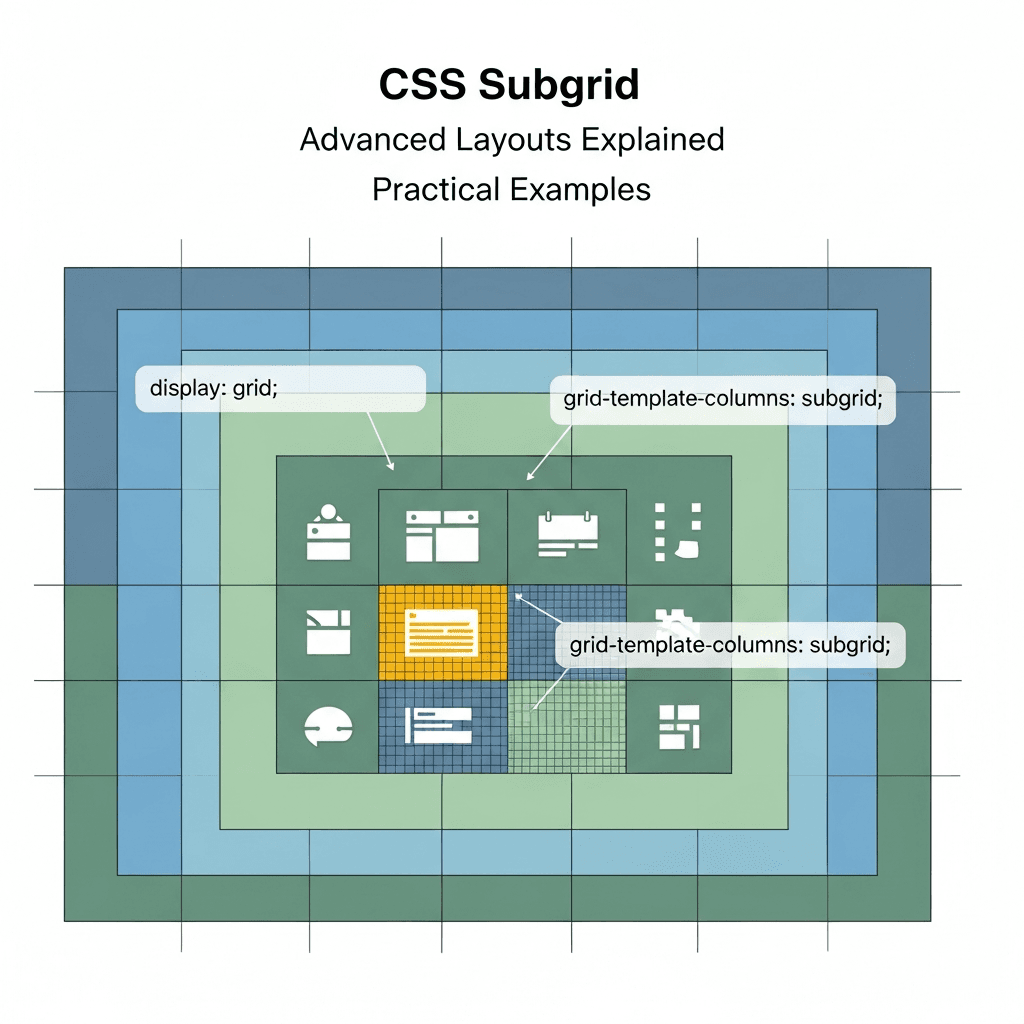
Subgrid allows a grid item to participate in the track sizing of its parent grid. Instead of defining its own explicit grid-template-columns or grid-template-rows, a subgrid item inherits the definitions (or a portion of them) from its parent. This means that the tracks of the subgrid are directly mapped to the corresponding tracks of the parent grid.
To enable subgrid, you declare display: grid on the parent grid item, and then use the subgrid keyword for either grid-template-columns or grid-template-rows (or both) within that item's CSS.
.parent-grid-item {
  display: grid; /* This item is a grid container */
  grid-template-columns: subgrid; /* This item's columns will be inherited from its parent */
  grid-template-rows: subgrid;   /* This item's rows will be inherited from its parent */
}
Crucially, for a grid item to become a subgrid, it must first be a grid item within a parent grid. This means it must be a direct child of an element with display: grid (or display: inline-grid). The subgrid property then tells this grid item to use the parent's tracks, rather than creating its own.
Basic Syntax and Usage
Let's revisit our card example and apply Subgrid to solve the alignment issue.
Consider a parent grid that defines three columns. We want a child item to span all three columns and then, within that child item, define its own layout that aligns perfectly with the parent's three columns.
<div class="parent-container">
  <div class="header">Header (Spans 3 columns)</div>
  <div class="main-content">
    <div class="card">
      <h3 class="card-title">Card Title 1</h3>
      <p class="card-description">Description for card 1.</p>
    </div>
    <div class="card">
      <h3 class="card-title">Card Title 2 (Longer)</h3>
      <p class="card-description">A more detailed description for card 2, showing varying content.</p>
    </div>
    <div class="card">
      <h3 class="card-title">Card Title 3</h3>
      <p class="card-description">Short description.</p>
    </div>
  </div>
  <div class="footer">Footer (Spans 3 columns)</div>
</div>
Now, let's apply the CSS:
.parent-container {
  display: grid;
  grid-template-columns: 1fr 2fr 1fr; /* Defines 3 columns for the entire layout */
  gap: 20px;
  width: 90%;
  margin: 0 auto;
  border: 2px solid blue;
  padding: 10px;
}

.header, .footer {
  grid-column: 1 / -1; /* Span all parent columns */
  background-color: #e0f7fa;
  padding: 10px;
  text-align: center;
}

.main-content {
  grid-column: 1 / -1; /* This item spans all parent columns */
  display: grid; /* Make it a grid container */
  grid-template-columns: subgrid; /* It will use the parent's columns */
  gap: 15px;
  background-color: #f1f8e9;
  padding: 10px;
  border: 1px dashed green;
}

.card {
  /* Each card is now placed directly within the .main-content's subgrid. */
  /* It can span one or more of the inherited columns. */
  background-color: #fff;
  border: 1px solid #ddd;
  padding: 15px;
  box-shadow: 0 2px 5px rgba(0,0,0,0.1);
}

.card:nth-child(1) { grid-column: 1; }
.card:nth-child(2) { grid-column: 2; }
.card:nth-child(3) { grid-column: 3; }

.card-title {
  font-size: 1.2em;
  margin-top: 0;
  color: #333;
}

.card-description {
  color: #555;
}
In this example, .main-content is a grid item of .parent-container. By setting grid-template-columns: subgrid; on .main-content, its direct children (.card elements) can now be placed directly into the column tracks defined by .parent-container. This ensures that the .card elements align perfectly with the overall 1fr 2fr 1fr structure of the main layout, even though they are nested.
Column Subgrid in Action: Consistent Card Layouts
One of the most common and powerful use cases for Subgrid is creating consistent card layouts where internal elements align across multiple cards. Let's refine our card example to showcase this.
Imagine a section of product cards. Each card needs an image, title, price, and a call-to-action button. We want all images to align, all titles to align, all prices to align, and all buttons to align, regardless of the text length in other parts of the card.
<div class="product-grid">
  <div class="product-card">
    <img src="https://via.placeholder.com/100x80/FF0000/FFFFFF?text=Product+A" alt="Product A" class="product-image">
    <h3 class="product-title">Premium Widget Pro</h3>
    <p class="product-price">$29.99</p>
    <button class="product-cta">Buy Now</button>
  </div>
  <div class="product-card">
    <img src="https://via.placeholder.com/100x80/00FF00/000000?text=Product+B" alt="Product B" class="product-image">
    <h3 class="product-title">Standard Widget</h3>
    <p class="product-price">$9.99</p>
    <button class="product-cta">Add to Cart</button>
  </div>
  <div class="product-card">
    <img src="https://via.placeholder.com/100x80/0000FF/FFFFFF?text=Product+C" alt="Product C" class="product-image">
    <h3 class="product-title">Ultra Widget X (Limited Edition)</h3>
    <p class="product-price">$49.99</p>
    <button class="product-cta">Details</button>
  </div>
</div>.product-grid {
display: grid;
grid-template-columns: repeat(3, 1fr); /* Defines 3 columns for the overall product grid */
gap: 30px;
width: 90%;
margin: 40px auto;
border: 2px solid purple;
padding: 20px;
}
.product-card {
display: grid;
/* The magic happens here: the card's internal grid uses the parent's columns */
grid-template-columns: subgrid;
grid-column: span 1; /* Each card spans 1 column of the parent grid */
/* Define rows for the card's internal elements */
grid-template-rows: auto 1fr auto auto;
border: 1px solid #e0e0e0;
border-radius: 8px;
box-shadow: 0 4px 10px rgba(0,0,0,0.05);
padding: 15px;
background-color: #fff;
text-align: center;
}
.product-image {
grid-column: 1 / -1; /* Image spans the full width of the subgrid (which is one parent column) */
grid-row: 1;
max-width: 100%;
height: auto;
margin-bottom: 10px;
}
.product-title {
grid-column: 1 / -1;
grid-row: 2;
font-size: 1.3em;
margin-bottom: 5px;
color: #333;
}
.product-price {
grid-column: 1 / -1;
grid-row: 3;
font-size: 1.1em;
font-weight: bold;
color: #007bff;
margin-bottom: 15px;
}
.product-cta {
grid-column: 1 / -1;
grid-row: 4;
background-color: #28a745;
color: white;
border: none;
padding: 10px 20px;
border-radius: 5px;
cursor: pointer;
font-size: 1em;
transition: background-color 0.3s ease;
}
.product-cta:hover {
background-color: #218838;
}Here, each .product-card is a grid item that spans one column of the .product-grid. By setting grid-template-columns: subgrid; on .product-card, its children (.product-image, .product-title, etc.) now align their start and end lines with the parent's column lines. Even though we only have one column for each card in this example, the principle holds: if the parent grid had more complex column definitions, the subgrid would inherit them. The grid-template-rows on the card itself still defines its internal vertical layout.
This example demonstrates how Subgrid makes it trivial to ensure all product titles, prices, and buttons are perfectly aligned vertically relative to each other across all cards, without complex hacks.
Row Subgrid for Consistent Baselines
While column subgrid is often highlighted, row subgrid is equally powerful, especially for vertical alignment of content that might have varying heights. This is invaluable for form layouts, comparison tables, or any component where consistent vertical baselines are critical.
Consider a series of feature blocks, each with an icon, a title, and a multi-line description. We want the titles to align horizontally, and the descriptions to start at a consistent vertical position, even if the titles above them are different heights.
<div class="feature-section">
  <div class="feature-item">
    <div class="feature-icon">💡</div>
    <h3 class="feature-title">Innovative Solutions</h3>
    <p class="feature-description">We provide cutting-edge solutions tailored to your unique business needs, leveraging the latest technologies and methodologies.</p>
  </div>
  <div class="feature-item">
    <div class="feature-icon">🚀</div>
    <h3 class="feature-title">Rapid Deployment</h3>
    <p class="feature-description">Our agile approach ensures quick and efficient deployment of your projects, minimizing downtime and maximizing productivity.</p>
  </div>
  <div class="feature-item">
    <div class="feature-icon">🔒</div>
    <h3 class="feature-title">Secure & Reliable</h3>
    <p class="feature-description">Security is our top priority. Our robust systems are built to be reliable, ensuring your data is always safe and accessible.</p>
  </div>
</div>.feature-section {
display: grid;
grid-template-columns: repeat(3, 1fr);
gap: 20px;
width: 90%;
margin: 40px auto;
border: 2px solid teal;
padding: 20px;
}
.feature-item {
display: grid;
/* The magic for vertical alignment: row subgrid */
grid-template-rows: subgrid;
grid-row: span 1; /* Each item spans 1 row of the parent grid (implicitly) */
grid-column: span 1;
/* Define columns for the card's internal elements */
grid-template-columns: auto 1fr; /* Icon on left, text on right */
border: 1px solid #b2dfdb;
border-radius: 8px;
padding: 15px;
background-color: #e0f2f7;
}
.feature-icon {
grid-column: 1;
grid-row: 1 / span 2; /* Icon spans title and description rows */
font-size: 2.5em;
padding-right: 10px;
align-self: center; /* Vertically center icon */
}
.feature-title {
grid-column: 2;
grid-row: 1;
font-size: 1.3em;
margin-top: 0;
margin-bottom: 5px;
color: #263238;
align-self: end; /* Align title to bottom of its row */
}
.feature-description {
grid-column: 2;
grid-row: 2;
font-size: 0.95em;
line-height: 1.5;
color: #455a64;
}In this example, .feature-item uses grid-template-rows: subgrid;. This means its internal row tracks are derived from the parent's row tracks. While the parent .feature-section doesn't explicitly define rows (it lets them be auto), the subgrid still allows the content within each .feature-item to align consistently. If the parent did have explicit row definitions, the subgrid would adopt those. Here, the power comes from the internal grid of .feature-item which defines grid-template-columns: auto 1fr; to separate the icon from the text, and then uses grid-row: 1 for the title and grid-row: 2 for the description. Because grid-template-rows: subgrid is active, if the parent had defined multiple rows, the subgrid items would position themselves within those parent rows.
This specific example might be better served by a combination of column and row subgrid if the parent had explicit row definitions that needed to be respected. However, it demonstrates the concept of a child grid item inheriting row tracks. The key takeaway is that grid-template-rows: subgrid allows vertical alignment of nested content to be dictated by the parent's vertical track definitions.
Combining Column and Row Subgrid
The true power of Subgrid emerges when you combine both grid-template-columns: subgrid and grid-template-rows: subgrid. This allows a nested grid to perfectly align its internal elements with both the horizontal and vertical tracks of its parent grid.
Consider a complex dashboard component, perhaps a status panel, where each panel needs to display multiple pieces of information (icon, label, value, status indicator). We want these panels to be arranged in a grid, and within each panel, we want the labels to align across all panels, and the values to align across all panels, both horizontally and vertically.
<div class="dashboard-layout">
  <div class="dashboard-panel">
    <span class="panel-icon">📈</span>
    <span class="panel-label">Sales Revenue:</span>
    <span class="panel-value">$1,234,567</span>
    <span class="panel-status success">▲ +5%</span>
  </div>
  <div class="dashboard-panel">
    <span class="panel-icon">👥</span>
    <span class="panel-label">New Users:</span>
    <span class="panel-value">8,765</span>
    <span class="panel-status warning">▼ -2%</span>
  </div>
  <div class="dashboard-panel">
    <span class="panel-icon">📦</span>
    <span class="panel-label">Orders Processed:</span>
    <span class="panel-value">12,345</span>
    <span class="panel-status info">◎ Stable</span>
  </div>
  <div class="dashboard-panel">
    <span class="panel-icon">✉️</span>
    <span class="panel-label">Support Tickets:</span>
    <span class="panel-value">123</span>
    <span class="panel-status danger">▲ +15%</span>
  </div>
</div>.dashboard-layout {
display: grid;
grid-template-columns: repeat(2, 1fr); /* 2 columns for the main dashboard */
grid-template-rows: repeat(2, 1fr); /* 2 rows for the main dashboard */
gap: 20px;
width: 90%;
max-width: 1200px;
margin: 40px auto;
padding: 20px;
border: 2px solid darkblue;
}
.dashboard-panel {
display: grid;
/* THE CORE SUBGRID USAGE */
grid-template-columns: subgrid; /* Inherit parent's columns */
grid-template-rows: subgrid; /* Inherit parent's rows */
grid-column: span 1; /* Each panel occupies one parent grid cell */
grid-row: span 1;
border: 1px solid #b3e0ff;
border-radius: 8px;
background-color: #e6f7ff;
box-shadow: 0 2px 8px rgba(0,0,0,0.08);
padding: 15px;
text-align: left;
/* Define internal grid for elements within the panel, aligning to parent's tracks */
/* We are effectively using the parent's grid lines for our children */
/* For this example, let's assume the parent's cells are implicitly 2x2 for internal panel content */
/* This is a conceptual mapping. In practice, the subgrid would inherit actual lines. */
/* For simplicity, we'll map the panel's content to the parent's actual lines */
}
/* The children of .dashboard-panel are placed directly onto the parent's grid lines */
/* This assumes the parent grid has implicit internal lines or explicitly defined ones */
/* For a single cell subgrid, this is how you'd map content */
.panel-icon {
grid-column: 1; /* If parent had complex columns, this would be parent's line 1 */
grid-row: 1; /* If parent had complex rows, this would be parent's line 1 */
font-size: 2em;
align-self: center;
justify-self: center;
}
.panel-label {
grid-column: 2; /* Aligns with parent's line 2 */
grid-row: 1;
font-weight: bold;
color: #333;
align-self: center;
}
.panel-value {
grid-column: 2; /* Aligns with parent's line 2 */
grid-row: 2;
font-size: 1.5em;
font-weight: bold;
color: #0056b3;
}
.panel-status {
grid-column: 1; /* Aligns with parent's line 1 */
grid-row: 2;
font-size: 0.9em;
align-self: end;
justify-self: center;
}
.panel-status.success { color: #28a745; }
.panel-status.warning { color: #ffc107; }
.panel-status.danger { color: #dc3545; }
.panel-status.info { color: #17a2b8; }In this setup, each .dashboard-panel is a grid item within .dashboard-layout. By applying grid-template-columns: subgrid; and grid-template-rows: subgrid;, the children of .dashboard-panel (icon, label, value, status) are effectively placed directly onto the track lines of the parent .dashboard-layout. This ensures that all labels, values, etc., across all dashboard panels align perfectly with each other, creating a highly organized and consistent look.
Note: For this example to work as intended, the parent's grid lines must be meaningful for the subgrid's children. If a subgrid spans a single parent grid cell, its subgrid definition essentially makes its children appear as if they are direct children of the grandparent grid, but scoped to the subgrid's area. This allows very precise alignment.
Subgrid and Grid Areas
Subgrid works seamlessly with named grid areas. If a parent grid defines grid-template-areas, a subgrid item can still span those areas, and then its internal elements can refer to the parent's grid lines within that area.
When a subgrid item uses subgrid, it doesn't define its own grid areas. Instead, its children are placed directly onto the lines inherited from the parent. If the parent grid used named areas, the subgrid effectively "sees" those named lines. However, you cannot define new named areas within a subgrid using grid-template-areas because the subgrid isn't defining new tracks; it's using existing ones. You would refer to the parent's line numbers or implicitly generated lines.
Example: If a parent grid has grid-template-columns: [col1-start] 1fr [col2-start] 1fr [col3-start] 1fr [col3-end];, a subgrid item spanning col1-start / col3-end would then expose col1-start, col2-start, col3-start, and col3-end to its children for placement.
.parent-with-areas {
  display: grid;
  grid-template-columns: [main-start] 1fr [center-start] 2fr [center-end] 1fr [main-end];
  grid-template-rows: auto 1fr auto;
  grid-template-areas:
    "header header header"
    "left   content right"
    "footer footer footer";
}

.content-subgrid {
  grid-area: content; /* This item spans the 'content' area of the parent */
  display: grid;
  grid-template-columns: subgrid; /* Inherit parent's columns within 'content' area */

  /* Now, children of .content-subgrid can use the parent's line names */
  /* or implicit lines within the 'content' area. */
}

.content-subgrid > .child-item-1 {
  grid-column: center-start; /* Aligns with the start of the parent's 'center' column */
}

.content-subgrid > .child-item-2 {
  grid-column: center-start / center-end; /* Spans the parent's 'center' column */
}
This shows how a subgrid can leverage named lines from its grandparent, even if it doesn't define its own named areas.
Nesting Subgrids (Deep Subgrids)
Can a subgrid itself become a parent for another subgrid? Yes! A subgrid is still a grid container, which means its direct children can be grid items. If one of those grid items is also a grid container, it can, in turn, become a subgrid of its parent (which is the first subgrid).
This allows for deeply nested, yet perfectly aligned, grid structures. The key is that each level of subgrid inherits from its immediate parent grid, not directly from the grandparent.
<div class="grandparent-grid">
  <div class="parent-subgrid">
    <div class="child-subgrid">
      <div class="grandchild-item">Aligned!</div>
    </div>
  </div>
</div>.grandparent-grid {
display: grid;
grid-template-columns: repeat(4, 1fr);
grid-template-rows: repeat(4, 1fr);
gap: 10px;
border: 2px solid hotpink;
padding: 10px;
}
.parent-subgrid {
grid-column: 2 / span 2; /* Parent subgrid spans columns 2 and 3 of grandparent */
grid-row: 2 / span 2; /* Parent subgrid spans rows 2 and 3 of grandparent */
display: grid;
grid-template-columns: subgrid; /* Inherits columns from grandparent */
grid-template-rows: subgrid; /* Inherits rows from grandparent */
border: 2px dashed orange;
padding: 5px;
}
.child-subgrid {
/* This item is a child of .parent-subgrid */
/* It will align its content with the lines inherited by .parent-subgrid from .grandparent-grid */
grid-column: 2; /* Refers to the 2nd line *within* the .parent-subgrid's span */
grid-row: 2; /* Refers to the 2nd line *within* the .parent-subgrid's span */
display: grid;
grid-template-columns: subgrid; /* Inherits columns from .parent-subgrid */
grid-template-rows: subgrid; /* Inherits rows from .parent-subgrid */
border: 2px dotted green;
padding: 2px;
}
.grandchild-item {
/* This item is a child of .child-subgrid */
/* It will align its content with the lines inherited by .child-subgrid from .parent-subgrid */
grid-column: 2; /* Refers to the 2nd line *within* the .child-subgrid's span */
grid-row: 2; /* Refers to the 2nd line *within* the .child-subgrid's span */
background-color: lightgreen;
padding: 5px;
text-align: center;
}This example demonstrates how grandchild-item is placed using the grid lines that were originally defined by .grandparent-grid, then passed down to .parent-subgrid, and then further passed down to .child-subgrid. This chain of inheritance allows for incredibly precise control over deeply nested layouts.
Real-World Use Cases
Subgrid excels in scenarios where consistent alignment across complex, nested components is crucial:
- Card-based Layouts: As shown in earlier examples, ensuring titles, images, descriptions, and buttons align perfectly across multiple cards, even with varying content lengths. This creates a much cleaner and more professional look.
- Comparison Tables: Building tables where each row or column is a complex component (e.g., a product feature block). Subgrid ensures that corresponding elements (feature names, pricing, availability indicators) align perfectly across all comparison items.
- Form Layouts: Creating forms where labels, input fields, and validation messages need to align beautifully, regardless of the complexity of the form group. For instance, aligning all labels to a common start line, and all input fields to another common start line.
- Header/Footer Sections: Designing complex headers or footers where navigation items, logos, and utility links need to align with the main content grid of the page, even if they are deeply nested within their own grid containers.
- Dashboard Components: Laying out complex dashboard widgets where each widget contains multiple sub-elements (charts, data points, labels) that need to align with other widgets on the dashboard.
- Magazine/Newspaper Layouts: Achieving intricate multi-column layouts where articles or sections have internal grids that need to conform to the overall page grid for precise typographic alignment.
Browser Support and Fallbacks
Subgrid has excellent browser support in modern browsers. As of late 2023 / early 2024, it is supported in Firefox, Chrome, Edge, and Safari. This makes it a production-ready feature for most modern web projects.
For older browsers that do not support Subgrid, you'll need to implement graceful degradation strategies:
-
Feature Queries (
@supports): This is the most robust method. You can define a base layout using traditional CSS Grid (or even Flexbox) and then apply Subgrid-specific styles within an@supports (grid-template-columns: subgrid)block.css/* Base styles for browsers without subgrid */ .card-container { display: grid; grid-template-columns: repeat(auto-fit, minmax(280px, 1fr)); gap: 20px; } .card { display: grid; grid-template-columns: 1fr 2fr; /* Fallback: define internal grid */ /* ... other styles ... */ } @supports (grid-template-columns: subgrid) { .card-container { grid-template-columns: repeat(3, 1fr); /* Example: use fixed columns with subgrid */ } .card { grid-template-columns: subgrid; /* Subgrid activated */ grid-column: span 1; /* ... subgrid-specific styles ... */ } .card-title { grid-column: 1 / -1; } .card-description { grid-column: 1 / -1; } /* ... and so on, aligning to the parent's grid */ } -
Progressive Enhancement: Design your layout to be functional without Subgrid, perhaps with slightly less precise alignment or simpler internal structures. Subgrid then enhances the experience for capable browsers.
-
JavaScript Polyfills: While less common for layout features due to performance implications, some complex scenarios might warrant it, though it's generally not recommended for Subgrid.
Given its broad support, Subgrid is becoming a standard tool, and fallbacks are primarily for legacy browser support if your audience requires it.
Best Practices for Subgrid
- Understand Your Grid Lines: Subgrid's power comes from inheriting parent grid lines. Clearly define your parent grid's columns and rows, possibly using named lines, to make placement within the subgrid intuitive.
- Use When Alignment is Key: Don't use subgrid everywhere. If a nested grid's internal layout has no relationship to its parent's tracks, a regular
display: gridis perfectly fine and often simpler. Reserve subgrid for scenarios where precise, cross-level alignment is a requirement. - Start with the Parent: Always define your parent grid first. The subgrid relies entirely on the parent's track definitions. Plan your overall layout before diving into the subgrid details.
- Combine with
gap: Gaps are inherited by subgrid. If the parent hasgapdefined, the subgrid will respect those gaps between its tracks, ensuring consistent spacing. - Accessibility: Subgrid is a visual layout tool and doesn't directly impact accessibility. Ensure your content order and semantic HTML remain logical. Screen readers follow the document order, not visual grid placement.
- Performance: Subgrid is a native CSS feature and is highly optimized by browsers. There's no significant performance overhead compared to traditional grid or flexbox layouts.
- Maintainability: Subgrid significantly improves the maintainability of complex layouts by centralizing track definitions. Changes to the parent grid's structure automatically propagate to subgrids, reducing the need for cascading adjustments.
Common Pitfalls and Troubleshooting
-
Forgetting
display: gridon the Subgrid Item: A common mistake is to applygrid-template-columns: subgridto an element that isn't itself adisplay: gridcontainer. The element must be a grid container to use subgrid properties.css/* INCORRECT */ .my-item { grid-template-columns: subgrid; /* Will not work if .my-item is not display: grid */ } /* CORRECT */ .my-item { display: grid; grid-template-columns: subgrid; } -
Misunderstanding Track Sizing: Subgrid inherits track sizing. It doesn't magically create new tracks or replicate the parent's entire grid. If your parent has 3 columns, a subgrid spanning one of those columns will effectively have 1 column for its children, corresponding to that parent column's width.
-
Not Spanning Parent Tracks: If a subgrid item doesn't explicitly span multiple parent tracks (e.g.,
grid-column: span 2), then itssubgriddefinition will only apply to the single track it occupies. If you want a subgrid to have multiple internal columns that align with the parent, the subgrid item itself must span those parent columns.css.parent { display: grid; grid-template-columns: repeat(4, 1fr); } .child-subgrid { /* If this just spans 1 column, its subgrid will only have 1 effective column */ grid-column: 2; display: grid; grid-template-columns: subgrid; /* Only one column here */ } .child-subgrid-spanning { /* This will have 2 effective columns for its children */ grid-column: 2 / span 2; display: grid; grid-template-columns: subgrid; } -
Debugging Subgrid: Use your browser's developer tools. Firefox DevTools, in particular, has excellent CSS Grid inspection capabilities. You can visualize the parent grid and see how the subgrid items align with its lines. Chrome and Edge also offer similar grid overlays.
Conclusion
CSS Subgrid is a powerful and elegant solution to a long-standing challenge in web layout: achieving perfect alignment within nested grid structures. By allowing a grid item to inherit the track definitions of its parent, Subgrid simplifies complex designs, reduces code, and significantly improves the maintainability of your CSS.
From consistent card layouts and intricate comparison tables to perfectly aligned form elements and dashboard components, Subgrid empowers developers to build more robust, pixel-perfect interfaces with less effort. As browser support is now widespread, there's no better time to integrate this advanced CSS Grid feature into your workflow.
Start experimenting with Subgrid today, and discover how it can transform your approach to complex web layouts. The era of perfectly aligned nested grids is here!
Written by
CodewithYohaFull-Stack Software Engineer with 7+ years of experience in Java, Spring Boot, and cloud architecture across AWS, Azure, and GCP. Writing production-grade engineering patterns for developers who ship real software.