Introduction
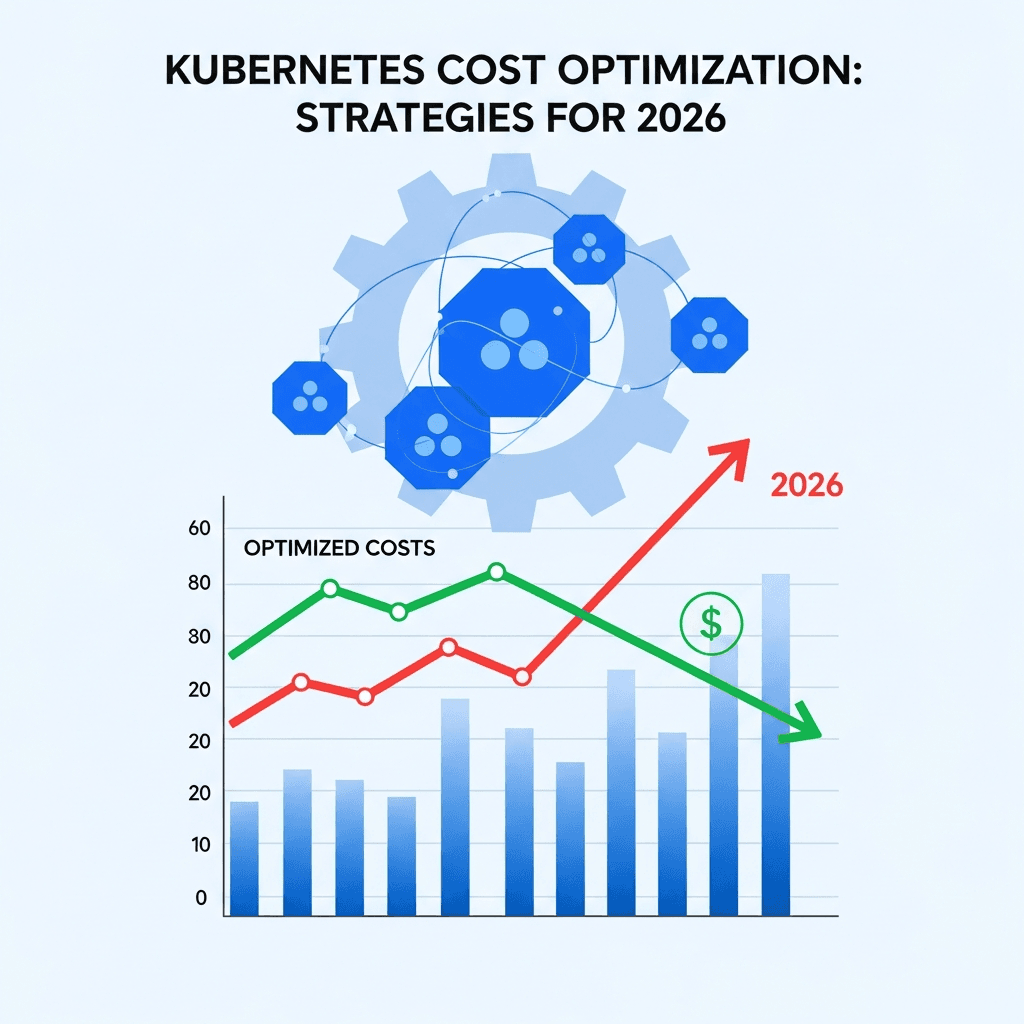
Kubernetes has become the de facto operating system for the cloud-native era, empowering organizations to build and scale applications with unprecedented agility. However, this power comes with a significant challenge: managing cloud costs. As we look towards 2026, the complexity of Kubernetes deployments continues to grow, making cost optimization not just a best practice, but a critical imperative for financial sustainability.
Unoptimized Kubernetes clusters can quickly become a significant drain on budgets, with many organizations reportedly overspending by 30-50% or more. This comprehensive guide delves into advanced strategies, tools, and methodologies that will enable you to take control of your Kubernetes expenditure, ensuring your infrastructure is not only robust and performant but also cost-efficient for the years to come. We'll explore how to integrate FinOps principles, leverage intelligent automation, and make data-driven decisions to achieve significant savings without compromising reliability or developer velocity.
Prerequisites
To get the most out of this guide, you should have:
- A foundational understanding of Kubernetes concepts (Pods, Deployments, Services, Nodes, etc.).
- Familiarity with cloud provider basics (e.g., AWS EC2, Azure VMs, GCP Compute Engine).
- An awareness of your organization's current cloud spending patterns (if any).
1. Understanding Your Current Spend & Embracing FinOps Principles
The first step to optimizing costs is to understand where your money is going. Many organizations lack granular visibility into their Kubernetes spend, making it impossible to identify waste. FinOps, a cultural practice that brings financial accountability to the variable spend model of cloud, is crucial here. It involves people, process, and tools to enable collaboration between engineering, finance, and business teams.
FinOps Pillars:
- Inform: Gain visibility into costs.
- Optimize: Drive efficiency through technical and process changes.
- Operate: Continuously monitor and improve.
Tools like Kubecost, CloudHealth, or your cloud provider's native billing dashboards (AWS Cost Explorer, Azure Cost Management, GCP Billing Reports) integrated with Kubernetes-specific labels and annotations are essential for breaking down costs by namespace, team, application, or environment.
# Example of applying labels for cost tracking
apiVersion: apps/v1
kind: Deployment
metadata:
  name: my-app-deployment
  labels:
    app: my-app
    team: finance
    environment: production
spec:
  replicas: 3
  selector:
    matchLabels:
      app: my-app
  template:
    metadata:
      labels:
        app: my-app
        team: finance
        environment: production
    spec:
      containers:
      - name: my-app
        image: my-registry/my-app:1.0.0
        resources:
          requests:
            memory: "256Mi"
            cpu: "200m"
          limits:
            memory: "512Mi"
            cpu: "400m"
2. Right-Sizing Workloads with Resource Requests & Limits
One of the most common sources of waste in Kubernetes is over-provisioning resources for pods. Defining accurate CPU and memory requests and limits is fundamental to efficient scheduling and cost management.
- Requests: Guarantee minimum resources for a pod. This directly influences node scheduling. Undersized requests lead to poor performance; oversized requests lead to idle resources.
- Limits: Cap the maximum resources a pod can consume. This prevents a single misbehaving pod from monopolizing node resources and impacting other workloads.
Tools like the Vertical Pod Autoscaler (VPA) in recommendation mode or Goldilocks (an open-source utility that leverages VPA) can analyze historical usage data and recommend optimal resource requests and limits. Regularly reviewing and adjusting these values is crucial.
# Example: Defining optimal resource requests and limits
apiVersion: apps/v1
kind: Deployment
metadata:
  name: high-traffic-api
spec:
  replicas: 5
  selector:
    matchLabels:
      app: high-traffic-api
  template:
    metadata:
      labels:
        app: high-traffic-api
    spec:
      containers:
      - name: api-container
        image: myorg/high-traffic-api:v2.1
        resources:
          requests:
            cpu: "500m"  # Request 0.5 CPU core
            memory: "1Gi" # Request 1 Gigabyte of memory
          limits:
            cpu: "1000m" # Limit to 1 CPU core
            memory: "2Gi" # Limit to 2 Gigabytes of memory
3. Efficient Node Provisioning & Autoscaling
Dynamically adjusting cluster size to meet demand is a cornerstone of Kubernetes cost optimization. This involves two primary components:
Horizontal Pod Autoscaler (HPA)
HPA automatically scales the number of pod replicas based on observed CPU utilization, memory usage, or custom metrics (e.g., requests per second, queue length). This ensures you only run the necessary number of pods for your application's current load.
# Example: HPA scaling based on CPU utilization
apiVersion: autoscaling/v2
kind: HorizontalPodAutoscaler
metadata:
  name: my-app-hpa
spec:
  scaleTargetRef:
    apiVersion: apps/v1
    kind: Deployment
    name: my-app-deployment
  minReplicas: 2
  maxReplicas: 10
  metrics:
  - type: Resource
    resource:
      name: cpu
      target:
        type: Utilization
        averageUtilization: 60 # Target 60% average CPU utilization
  # - type: Resource
  #   resource:
  #     name: memory
  #     target:
  #       type: AverageValue
  #       averageValue: "500Mi" # Example: Target 500Mi average memory usage (less common for scaling)
Cluster Autoscaler (CA) & Karpenter
While HPA scales pods, the Cluster Autoscaler (CA) scales the underlying nodes. CA monitors for unschedulable pods and automatically adds nodes, and removes nodes when they are underutilized. For more advanced and efficient node provisioning, tools like Karpenter (an open-source, high-performance Kubernetes cluster autoscaler built by AWS) go beyond CA's capabilities. Karpenter can launch nodes based on actual pod requirements, leveraging different instance types, architectures, and purchasing options (e.g., spot instances) to minimize cost and improve scheduling latency.
Best Practice: Combine HPA and CA/Karpenter for a fully elastic and cost-optimized cluster.
4. Leveraging Spot Instances and Reserved Instances/Savings Plans
Cloud providers offer various pricing models, and intelligently combining them can lead to significant savings.
-
Spot Instances (or Preemptible VMs/Spot VMs): These are spare compute capacity offered at a steep discount (up to 90% off on-demand prices). The catch is that they can be interrupted with short notice. They are ideal for fault-tolerant, stateless, or batch workloads. Using Karpenter with spot instances simplifies their management immensely.
-
Reserved Instances (RIs) / Savings Plans: For stable, long-running workloads, committing to a 1 or 3-year term can yield substantial discounts (20-70%). These are best suited for your baseline, predictable compute needs. Analyze historical usage to determine your minimum required capacity.
Strategy: Use RIs/Savings Plans for your stable, predictable base load and augment with Spot Instances for burstable or less critical workloads. Ensure your applications are designed to tolerate interruptions when running on Spot instances (e.g., graceful shutdown, checkpointing, using Pod Disruption Budgets).
5. Optimizing Storage Costs
Storage can be a silent cost killer. Kubernetes abstracts storage through Persistent Volumes (PVs) and Persistent Volume Claims (PVCs), which are provisioned via Storage Classes.
-
Storage Classes: Define different tiers of storage (e.g., fast SSD for databases, standard HDD for logs, archival storage for backups). Ensure applications use the appropriate class.
-
Dynamic Provisioning: Automate the creation of storage resources only when needed.
-
Lifecycle Policies: For data stored in external object storage (e.g., S3, Azure Blob Storage) accessed by Kubernetes applications, implement lifecycle policies to automatically transition older data to cheaper archival tiers or delete it.
-
Monitoring: Regularly review PV/PVC usage to identify unattached volumes, oversized volumes, or stale data that can be cleaned up.
# Example: Defining a StorageClass for cost-effective standard storage
apiVersion: storage.k8s.io/v1
kind: StorageClass
metadata:
  name: standard-ssd-replicated
provisioner: kubernetes.io/aws-ebs # Or azure-disk, pd.csi.storage.gke.io, etc.
parameters:
  type: gp3 # AWS GP3 volumes offer better performance/cost than GP2
  fsType: ext4
  iopsPerGB: "3"
  throughput: "125"
reclaimPolicy: Delete # Or Retain, depending on your data retention policy
volumeBindingMode: WaitForFirstConsumer # Optimize for scheduling
6. Implementing Pod Disruption Budgets (PDBs) and Eviction Policies
While PDBs are primarily for availability, they indirectly impact cost by influencing how gracefully nodes can be drained or recycled. When combined with intelligent autoscaling and node lifecycle management, PDBs ensure that cost-saving actions (like removing underutilized nodes or preempting spot instances) don't negatively impact application availability more than necessary. This prevents cascading failures that could lead to compensatory over-provisioning.
# Example: PDB ensuring at least 2 replicas are always available
apiVersion: policy/v1
kind: PodDisruptionBudget
metadata:
  name: my-app-pdb
spec:
  minAvailable: 2
  selector:
    matchLabels:
      app: my-app
7. Namespace-Level Cost Allocation and Chargeback
For larger organizations, attributing costs to specific teams, projects, or departments is vital for accountability and informed decision-making. This often involves:
- Consistent Tagging/Labeling: Enforce mandatory labels on all Kubernetes resources (and underlying cloud resources) for team, project, environment, etc.
- Cost Reporting Tools: Utilize tools like Kubecost, which can break down costs by namespace, label, or even individual pod.
- Chargeback/Showback: Implement a system where teams are either directly charged for their resource consumption (chargeback) or shown the cost implications of their deployments (showback). This fosters a culture of cost awareness among developers.
8. Automating Cost Management with Policies (OPA/Kyverno)
Preventing costly misconfigurations at the source is more effective than fixing them later. Admission controllers, powered by policy engines like Open Policy Agent (OPA) or Kyverno, can enforce cost-aware policies across your cluster.
Examples of Policies:
- Require all pods to have CPU/memory requests and limits.
- Prevent deployments from using oversized default resource limits.
- Enforce specific storage classes for different namespaces.
- Ensure all resources have mandatory cost-tracking labels.
# Example Kyverno policy to enforce resource requests/limits
apiVersion: kyverno.io/v1
kind: ClusterPolicy
metadata:
  name: require-resource-requests-limits
  annotations:
    policies.kyverno.io/category: "Cost Optimization"
    policies.kyverno.io/description: "Requires all containers to define CPU and memory requests and limits."
spec:
  validationFailureAction: enforce
  rules:
  - name: validate-container-resources
    match:
      any:
      - resources:
          kinds:
          - Pod
          - Deployment
          - StatefulSet
          - DaemonSet
    validate:
      message: "CPU and memory requests and limits are required for all containers."
      pattern:
        spec:
          containers:
            - resources:
                requests:
                  cpu: "?*"
                  memory: "?*"
                limits:
                  cpu: "?*"
                  memory: "?*"
9. Advanced Scheduling and Topology-Awareness
Optimizing where pods run can also reduce costs.
- Node Affinity/Anti-affinity: Guide pods to specific nodes (e.g., cheaper instance types, nodes with specific hardware) or prevent them from running on the same node.
- Taints and Tolerations: Dedicate nodes for specific workloads (e.g., GPU nodes, high-memory nodes) to prevent general workloads from consuming expensive resources.
- Pod Topology Spread Constraints: Distribute pods across different failure domains (zones, regions) for high availability, which can sometimes reduce the need for excessive over-provisioning.
- Descheduling/Eviction: Tools like
deschedulercan evict pods from over-utilized nodes or nodes that can be scaled down, allowing the Cluster Autoscaler to remove them.
10. Monitoring and Alerting for Cost Anomalies
Continuous vigilance is key. Implement robust monitoring and alerting systems to detect cost anomalies or potential overruns early.
- Integration: Connect your cost data (from Kubecost, cloud billing APIs) with your monitoring stack (e.g., Prometheus and Grafana).
- Key Metrics: Monitor metrics like actual CPU/memory utilization vs. requested/limited, node utilization, storage usage, and cloud provider billing data.
- Alerting: Set up alerts for:
- Budget thresholds being exceeded.
- Significant deviations from expected spend patterns.
- Underutilized nodes or persistent volumes.
- Pods consistently exceeding their resource limits (indicating potential under-provisioning or misconfiguration).
11. Continuous Optimization with GitOps and Automation
Cost optimization is not a one-time task but an ongoing process. Integrate cost-aware changes into your existing GitOps workflows and CI/CD pipelines.
- Automate Resource Adjustments: Use VPA in
Automode (with caution and thorough testing) or integrate VPA recommendations into pull requests for manual review. - Automate Cleanup: Regularly scan for and automatically delete unused PVs, old images, or stale resources.
- Policy-as-Code: Manage all cost-related policies (OPA/Kyverno) as code in your Git repository.
By treating cost optimization as an integral part of your operational excellence, you embed it into your development and deployment lifecycle, ensuring sustained efficiency.
Best Practices for Kubernetes Cost Optimization
- Start Small, Iterate Often: Don't try to optimize everything at once. Pick a high-impact area, implement changes, measure, and then iterate.
- Involve Developers: Educate developers on the cost implications of their code and configurations. Foster a FinOps culture where everyone feels responsible for cloud spend.
- Leverage Automation: Manual optimization is unsustainable. Automate right-sizing, scaling, and policy enforcement wherever possible.
- Monitor and Review Regularly: Cloud environments are dynamic. What's optimal today might not be tomorrow. Set up dashboards and regular review cycles.
- Balance Cost and Performance: Never sacrifice critical performance or reliability for cost savings. Understand your application's SLOs and SLAs.
- Centralized Cost Management: Utilize a single pane of glass for all cloud and Kubernetes cost visibility.
Common Pitfalls to Avoid
- Ignoring Resource Requests/Limits: The default is often inefficient. Always define these.
- Over-relying on Default Settings: Cloud provider and Kubernetes defaults are rarely optimized for cost.
- Lack of Monitoring and Visibility: You can't optimize what you can't measure.
- Sacrificing Reliability for Cost: Aggressive cost-cutting can lead to outages, which are far more expensive in the long run.
- "Set It and Forget It" Mentality: Kubernetes environments are dynamic; optimization requires continuous effort.
- Not Leveraging Spot Instances for Suitable Workloads: Missing out on significant discounts for fault-tolerant applications.
- Ignoring Storage Costs: Often overlooked, but can accumulate quickly.
Conclusion
Kubernetes cost optimization for 2026 demands a proactive, data-driven, and culturally integrated approach. By embracing FinOps principles, implementing intelligent autoscaling, right-sizing workloads, leveraging diverse pricing models, and automating policy enforcement, organizations can achieve significant savings without compromising performance or reliability. The journey is continuous, requiring constant monitoring, analysis, and adaptation. By embedding these strategies into your daily operations, you can transform your Kubernetes infrastructure into a lean, efficient, and financially sustainable platform ready for the challenges and opportunities of the future.
Start today by gaining visibility into your current spend, engaging your teams, and implementing the first few optimizations. The savings you uncover will not only boost your bottom line but also empower your teams to build and innovate more freely.

Written by
CodewithYohaFull-Stack Software Engineer with 7+ years of experience in Java, Spring Boot, and cloud architecture across AWS, Azure, and GCP. Writing production-grade engineering patterns for developers who ship real software.