Data Engineering for Web Devs: Airflow & dbt Pipeline Mastery

Introduction
As a web developer, you're adept at building user interfaces, crafting robust backend logic, and managing databases. However, the world of data extends far beyond transactional operations. Modern web applications thrive on data-driven insights: personalized user experiences, sophisticated analytics, recommendation engines, and even AI/ML features. This necessitates a deeper understanding of how data flows, is processed, and transformed – the realm of data engineering.
Traditionally, data engineering has been a specialized field. But with the rise of cloud-native tools and the increasing demand for data literacy across engineering teams, web developers are uniquely positioned to bridge the gap between application logic and data insights. This guide will introduce you to building powerful data pipelines using two industry-leading tools: Apache Airflow for orchestration and dbt (data build tool) for data transformation. By the end, you'll have the knowledge to construct reliable, scalable, and maintainable data pipelines, elevating your full-stack capabilities to include data engineering.
Prerequisites
To get the most out of this guide, you should have:
- Basic Python knowledge: Airflow DAGs are written in Python.
- Intermediate SQL skills: dbt models are primarily SQL.
- Familiarity with the command line: For setting up tools and running commands.
- Understanding of Docker and Docker Compose: Recommended for local setup of Airflow and a database.
- A text editor/IDE: VS Code, PyCharm, etc.
The Evolving Role of Data in Web Development
Gone are the days when web applications were merely about CRUD (Create, Read, Update, Delete) operations. Today, users expect highly personalized experiences, instant feedback, and intelligent features. This shift has profound implications for how data is handled:
- Analytics & Reporting: Understanding user behavior, feature usage, and business performance is crucial.
- Personalization: Tailoring content, recommendations, and ads to individual users.
- A/B Testing: Experimenting with different features and measuring their impact.
- Machine Learning: Fueling predictive models for fraud detection, churn prediction, and more.
- Data Consistency: Ensuring data integrity across various services and data stores.
Web developers, often at the forefront of user interaction, possess invaluable context about the data generated by their applications. Learning data engineering principles allows them to contribute to the entire data lifecycle, from capturing raw events to delivering actionable insights, fostering a more data-informed development culture.
Understanding Data Pipelines: ETL vs. ELT
Data pipelines are sequences of automated processes that move and transform raw data into a usable format for analysis, reporting, or machine learning. Historically, the dominant paradigm was ETL (Extract, Transform, Load):
- Extract: Data is pulled from source systems (databases, APIs, logs).
- Transform: Data is cleaned, normalized, aggregated, and enriched before loading.
- Load: The transformed data is loaded into a target data warehouse or database.
While effective, ETL often required significant upfront schema design and could be rigid. The modern data landscape, characterized by powerful cloud data warehouses (Snowflake, BigQuery, Redshift) and abundant storage, has popularized ELT (Extract, Load, Transform):
- Extract: Data is pulled from source systems.
- Load: Raw data is loaded directly into a scalable data warehouse.
- Transform: Data transformations occur within the data warehouse, leveraging its computational power.
Advantages of ELT:
- Flexibility: Load raw data first, transform later as business requirements evolve.
- Scalability: Leverage the data warehouse's compute for transformations.
- Speed: Faster ingestion of raw data.
- Auditability: Retain raw data for auditing and re-transformation if needed.
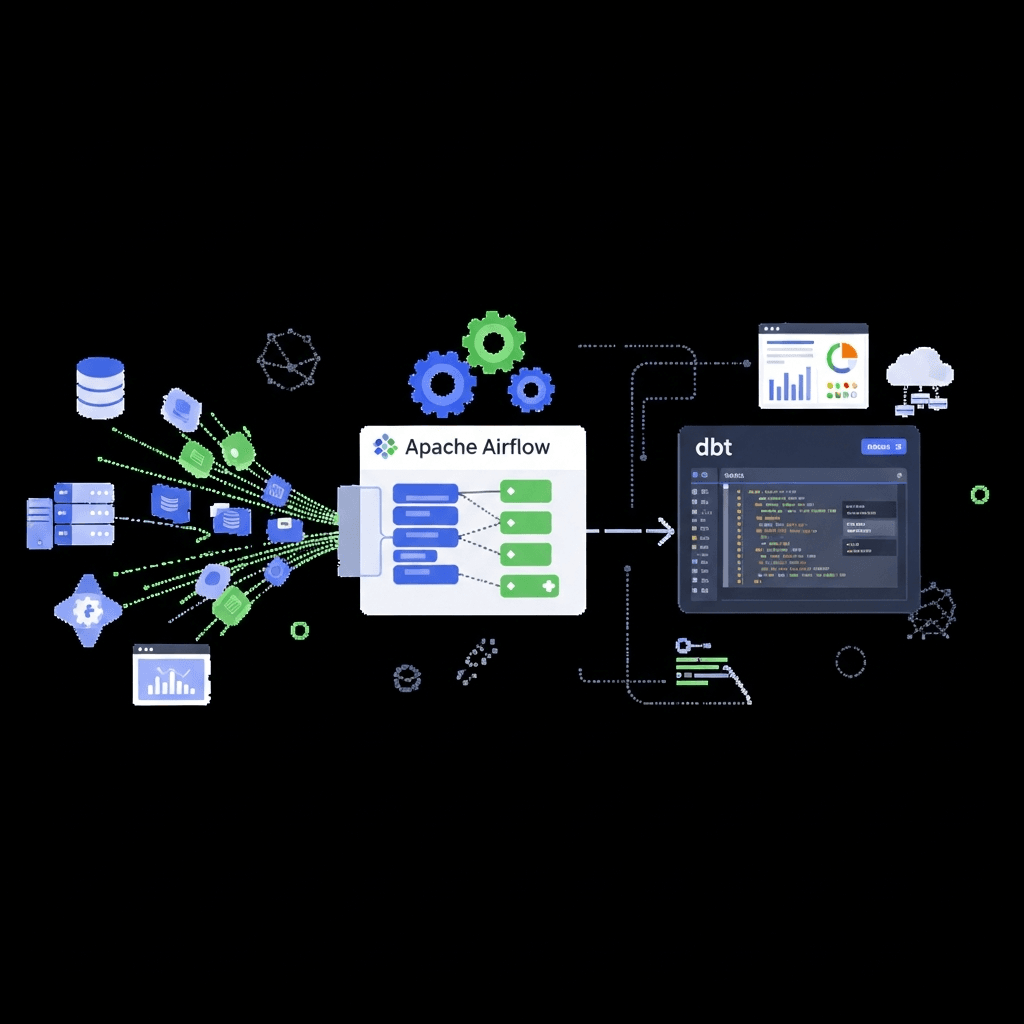
In an ELT world, Airflow excels at orchestrating the E (Extract) and L (Load) steps, and then triggering the T (Transform) step. dbt is purpose-built for that T (Transform) step within the data warehouse.
Introducing Apache Airflow: The Orchestration Engine
Apache Airflow is an open-source platform to programmatically author, schedule, and monitor workflows. It allows you to define workflows as Directed Acyclic Graphs (DAGs) of tasks. Each node in the graph is a task, and edges define dependencies between tasks.
Key Airflow Concepts:
- DAG: A collection of tasks with dependencies, representing a complete workflow. DAGs are defined in Python code.
- Task: A single unit of work within a DAG. Tasks are instances of
Operators. - Operator: A pre-defined template for a task, e.g.,
BashOperator(to run bash commands),PythonOperator(to run Python callables),PostgresOperator(to run SQL on Postgres). - Task Instance: A specific run of a task at a specific point in time.
- Scheduler: The component that monitors DAGs and triggers tasks based on their schedule and dependencies.
- Webserver: A UI to visualize DAGs, monitor progress, and manage workflows.
- Worker: Executes tasks (can be local, or distributed across multiple machines).
- Metadata Database: Stores information about DAGs, task states, connections, etc.
Why Airflow for pipelines?
- Pythonic: Define workflows in familiar Python code.
- Dynamic: Generate DAGs dynamically.
- Scalable: Distribute task execution across multiple workers.
- Robust: Built-in retries, timeouts, and backfilling capabilities.
- Monitoring: Comprehensive UI for visualizing DAGs, task states, and logs.
Setting Up Airflow Locally with Docker Compose
Setting up Airflow can be complex due to its multiple components. Docker Compose simplifies this by orchestrating all necessary services. We'll use the official Airflow Docker Compose setup.
-
Create a directory for your Airflow project:
bash
mkdir airflow_dbt_project cd airflow_dbt_project
2.  **Download the official `docker-compose.yaml`:**

```bash
curl -LfO "https://airflow.apache.org/docs/apache-airflow/2.7.0/docker-compose.yaml"
(Note: Replace 2.7.0 with the latest stable version if desired)
-
Create necessary directories and set environment variables:
bash
mkdir ./dags ./logs ./plugins echo -e "AIRFLOW_UID=$(id -u) AIRFLOW_GID=0" > .env
4.  **Initialize the Airflow database:**

```bash
docker compose up airflow-init
-
Start Airflow services:
bash
docker compose up -d
Now, you can access the Airflow UI at `http://localhost:8080`. The default credentials are `airflow`/`airflow`.

## Building Your First Airflow DAG

Let's create a simple DAG that simulates data extraction and then prints a message.

Create a file `my_first_dag.py` inside your `dags` directory:

```python
from airflow import DAG
from airflow.operators.bash import BashOperator
from airflow.operators.python import PythonOperator
from datetime import datetime

def _extract_data():
"""Simulates extracting data from a source."""
print("Simulating data extraction...")
# In a real scenario, this would involve API calls, database queries, etc.
with open('/opt/airflow/dags/extracted_data.txt', 'w') as f:
    f.write("user_id,username\n")
    f.write("1,alice\n")
    f.write("2,bob\n")
print("Data extraction complete.")

with DAG(
dag_id='web_dev_data_pipeline_v1',
start_date=datetime(2023, 1, 1),
schedule_interval=None, # Run manually for now
catchup=False,
tags=['web_dev', 'data_pipeline'],
) as dag:

extract_task = PythonOperator(
    task_id='extract_raw_data',
    python_callable=_extract_data,
)

load_to_staging_task = BashOperator(
    task_id='load_to_staging',
    bash_command='echo "Loading extracted_data.txt to staging area (e.g., S3 or local DB)"',
)

notify_completion = BashOperator(
    task_id='notify_completion',
    bash_command='echo "Raw data pipeline completed successfully!"',
)

# Define task dependencies
extract_task >> load_to_staging_task >> notify_completion
Explanation:
DAGobject: Defines the DAG's metadata (dag_id,start_date,schedule_interval)._extract_datafunction: A simple Python function that simulates writing some data to a file.PythonOperator: Executes a Python callable (our_extract_datafunction).BashOperator: Executes a bash command.>>: This operator defines task dependencies.task_a >> task_bmeanstask_bwill run only aftertask_acompletes successfully.
After saving, refresh the Airflow UI. You should see web_dev_data_pipeline_v1. Toggle it on and trigger it manually. Observe the task progression in the Graph View.
Introducing dbt (data build tool): The Transformation Layer
dbt (data build tool) enables data analysts and engineers to transform data in their warehouse by simply writing SQL SELECT statements. dbt handles the complexities of dependency management, materialization, testing, and documentation.
Why dbt for transformations?
- SQL-first: Leverage your existing SQL skills.
- Version Control: Models are SQL files, easily tracked with Git.
- Modularity: Build complex transformations from simpler, reusable models.
- Testing: Define data quality tests (e.g.,
not_null,unique). - Documentation: Generate project documentation automatically.
- Materializations: Control how models are built (views, tables, incremental).
- Community: Large and active community, extensive packages.
dbt operates on the principle of "analytics engineering" – applying software engineering best practices to data transformation.
Setting Up dbt for Your Project
We'll set up dbt to connect to a PostgreSQL database, which we can run locally via Docker Compose. Add the following service to your docker-compose.yaml (within the services section):
  postgres:
    image: postgres:13
    environment:
      POSTGRES_DB: analytics
      POSTGRES_USER: airflow
      POSTGRES_PASSWORD: airflow
    ports:
      - "5432:5432"
    healthcheck:
      test: [ "CMD-SHELL", "pg_isready -U airflow -d analytics" ]
      interval: 5s
      timeout: 5s
      retries: 5
    volumes:
      - ./dbt_data:/var/lib/postgresql/data # Persist data
Then, restart your Docker Compose services:
docker compose down
docker compose up -d
Install dbt:
pip install dbt-postgresInitialize a dbt project:
mkdir dbt_project
cd dbt_project
dbt init my_web_app_analytics
Follow the prompts, selecting postgres as your database.
Configure profiles.yml:
Edit ~/.dbt/profiles.yml (or dbt_project/my_web_app_analytics/profiles.yml if you chose to keep it local) to connect to your local PostgreSQL:
my_web_app_analytics:
  target: dev
  outputs:
    dev:
      type: postgres
      host: localhost
      port: 5432
      user: airflow
      password: airflow
      dbname: analytics
      schema: public # Or a specific schema for your dbt models
      threads: 1
      search_path: ["public"]
Test the connection:
dbt debugThis should show a successful connection to your PostgreSQL database.
Crafting Data Models with dbt
Navigate into your dbt project directory: cd my_web_app_analytics.
1. Create a raw data table in Postgres:
Connect to your local PostgreSQL (e.g., using psql -h localhost -U airflow -d analytics) and create a table to simulate our raw extracted data:
CREATE TABLE public.raw_users (
    user_id SERIAL PRIMARY KEY,
    username VARCHAR(255) NOT NULL,
    email VARCHAR(255),
    created_at TIMESTAMP DEFAULT CURRENT_TIMESTAMP,
    updated_at TIMESTAMP DEFAULT CURRENT_TIMESTAMP
);

INSERT INTO public.raw_users (username, email) VALUES
('alice', 'alice@example.com'),
('bob', 'bob@example.com'),
('charlie', 'charlie@example.com');
2. Create a staging model:
Staging models are typically simple SELECT statements that clean and standardize raw data. Create models/staging/stg_raw_users.sql:
-- models/staging/stg_raw_users.sql

SELECT
    user_id,
    username,
    email,
    created_at,
    updated_at
FROM {{ source('public', 'raw_users') }}
(Note: We need to define raw_users as a source in dbt_project.yml or a schema.yml file. Let's add it to schema.yml)
3. Create a dimension model:
Dimension models represent core entities (users, products, etc.) and are often built on top of staging models. Create models/marts/dim_users.sql:
-- models/marts/dim_users.sql

SELECT
    user_id,
    username,
    email,
    created_at AS user_created_at
FROM {{ ref('stg_raw_users') }}
WHERE email IS NOT NULL
4. Define sources, tests, and documentation with schema.yml:
Create models/schema.yml:
version: 2

sources:
  - name: public # This references the schema in your database
    database: analytics
    schema: public
    tables:
      - name: raw_users
        description: "Raw user data from the application database."
        columns:
          - name: user_id
            description: "Primary key for raw users."
            tests:
              - unique
              - not_null

models:
  - name: stg_raw_users
    description: "Staging model for raw user data, cleaning and selecting relevant columns."
    columns:
      - name: user_id
        description: "Unique identifier for the user."
        tests:
          - unique
          - not_null

  - name: dim_users
    description: "Dimension table for users, ready for analytics."
    columns:
      - name: user_id
        description: "Unique identifier for the user."
        tests:
          - unique
          - not_null
      - name: email
        tests:
          - unique
5. Run dbt:
dbt run
dbt test
dbt docs generate
dbt docs serve
dbt run will execute your models, creating stg_raw_users and dim_users as views/tables in your PostgreSQL database. dbt test will run the defined tests. dbt docs generate and dbt docs serve will create and host local documentation for your project.
Integrating Airflow and dbt: The ELT Workflow
Now, let's bring Airflow and dbt together. Airflow will orchestrate the data extraction and loading, and then trigger dbt to perform the transformations.
We'll modify our Airflow DAG to include a dbt step. For simplicity, we'll use Airflow's BashOperator to execute dbt commands. For more advanced use cases, consider the dbt-airflow package.
Update my_first_dag.py in your dags directory:
from airflow import DAG
from airflow.operators.bash import BashOperator
from airflow.operators.python import PythonOperator
from datetime import datetime
from airflow.utils.dates import days_ago

def _extract_data():
    """Simulates extracting data and loading it into raw_users table."""
    print("Simulating data extraction and loading...")
    # In a real scenario, this would involve connecting to a source DB,
    # fetching data, and then inserting/upserting into raw_users.
    # For this example, we'll assume the raw_users table is already populated
    # or we'd have a more robust loader here.
    print("Assuming raw_users table is populated or data loaded via another task.")

with DAG(
    dag_id='web_dev_data_pipeline_v2',
    start_date=days_ago(1),
    schedule_interval='@daily', # Run daily
    catchup=False,
    tags=['web_dev', 'data_pipeline', 'dbt'],
    default_args={
        'owner': 'airflow',
        'depends_on_past': False,
        'email_on_failure': False,
        'email_on_retry': False,
        'retries': 1,
    }
) as dag:

    # Task 1: Simulate data extraction and loading into the raw layer
    # In a real ELT pipeline, this might involve a Fivetran/Singer tap, or a custom Python script
    # that extracts data from an API/DB and loads it into your PostgreSQL's raw_users table.
    extract_load_raw_data = PythonOperator(
        task_id='extract_load_raw_data',
        python_callable=_extract_data,
    )

    # Task 2: Run dbt models for transformation
    # We need to execute dbt from within the dbt_project directory.
    # The 'cd /opt/airflow/dbt_project/my_web_app_analytics &&' part is crucial.
    run_dbt_models = BashOperator(
        task_id='run_dbt_models',
        bash_command=(
            'cd /opt/airflow/dbt_project/my_web_app_analytics && ' # Navigate to dbt project
            '/usr/local/bin/dbt run --profiles-dir /opt/airflow/dbt_project/my_web_app_analytics' # Run dbt models
        ),
        env={'DBT_PROFILES_DIR': '/opt/airflow/dbt_project/my_web_app_analytics'}
    )

    # Task 3: Run dbt tests for data quality
    run_dbt_tests = BashOperator(
        task_id='run_dbt_tests',
        bash_command=(
            'cd /opt/airflow/dbt_project/my_web_app_analytics && ' # Navigate to dbt project
            '/usr/local/bin/dbt test --profiles-dir /opt/airflow/dbt_project/my_web_app_analytics' # Run dbt tests
        ),
        env={'DBT_PROFILES_DIR': '/opt/airflow/dbt_project/my_web_app_analytics'}
    )

    # Task 4: Notify completion
    notify_completion = BashOperator(
        task_id='notify_pipeline_completion',
        bash_command='echo "Full ELT pipeline completed successfully!"',
    )

    # Define dependencies
    extract_load_raw_data >> run_dbt_models >> run_dbt_tests >> notify_completion
Important notes for the Airflow-dbt integration:
-
dbt installation in Airflow container: The
BashOperatorneeds to find thedbtexecutable. If you're using the default Airflow Docker setup,dbt-postgresneeds to be installed inside the Airflow worker container. You might need to create a custom Dockerfile for Airflow or manually install it if you're experimenting.- For a quick test, you can
docker exec -it <airflow-worker-container-id> bashand thenpip install dbt-postgres.
- For a quick test, you can
-
--profiles-dir: dbt needs to know where to find yourprofiles.yml. We explicitly point it to the dbt project directory within the Airflow container's filesystem (/opt/airflow/dbt_project/my_web_app_analytics). This path needs to be accessible from the Airflow worker. -
Mounting dbt project: Ensure your
dbt_projectdirectory is mounted into the Airflow container. Add a volume mount to theworkerandschedulerservices in yourdocker-compose.yaml:yaml# ... inside worker service ... volumes: - ./dags:/opt/airflow/dags - ./logs:/opt/airflow/logs - ./plugins:/opt/airflow/plugins - ./dbt_project:/opt/airflow/dbt_project # Add this line # ... repeat for scheduler service ...
After updating your docker-compose.yaml and my_first_dag.py, restart Docker Compose (docker compose down && docker compose up -d). You should see web_dev_data_pipeline_v2 in the Airflow UI. Enable and trigger it. Watch the tasks execute, including the dbt run and test commands.
Best Practices for Robust Data Pipelines
Building reliable data pipelines requires more than just connecting tools. Here are some best practices:
- Idempotency: Ensure that running a task multiple times with the same inputs produces the same output and has no unintended side effects. This is crucial for retries.
- Error Handling & Alerting: Implement robust error handling (e.g., Airflow callbacks for email/Slack alerts,
on_failure_callback). Monitor logs and set up alerts for pipeline failures. - Logging: Use structured logging within your Python scripts and ensure Airflow collects all task logs. Good logs are invaluable for debugging.
- Modularity & Reusability: Break down complex DAGs into smaller, manageable tasks. In dbt, create atomic, reusable models.
- Testing: Unit test your Python operators. Crucially, use dbt's built-in testing framework for data quality and schema validation. Consider data reconciliation tests.
- Version Control: Keep all your DAGs and dbt models under Git version control. This ensures collaboration, auditability, and rollback capabilities.
- Secrets Management: Never hardcode credentials. Use Airflow Connections and Variables for sensitive information, or integrate with external secrets managers (e.g., HashiCorp Vault, AWS Secrets Manager).
- Monitoring & Observability: Beyond Airflow's UI, integrate with external monitoring tools (e.g., Prometheus, Grafana) to track pipeline health, execution times, and resource usage.
- Clear Naming Conventions: Use consistent and descriptive names for DAGs, tasks, dbt models, and columns to improve readability and maintainability.
- Documentation: Document your DAGs (docstrings), dbt models (
schema.yml), and overall pipeline architecture.dbt docsis excellent for this.
Common Pitfalls and How to Avoid Them
Even with powerful tools, pitfalls can derail your data engineering efforts:
- Monolithic DAGs: Trying to cram too much logic into a single, giant DAG makes it hard to manage, debug, and scale. Break down workflows into smaller, focused DAGs or sub-DAGs.
- Lack of Testing: Skipping dbt tests or not validating data quality leads to silent data corruption, eroding trust in your data. Test early, test often.
- Ignoring Data Quality: Beyond schema tests, implement data quality checks for freshness, completeness, and accuracy. What happens if an upstream system sends malformed data?
- Resource Contention: Running too many resource-intensive tasks concurrently on limited infrastructure can lead to deadlocks or slow performance. Optimize task parallelism and scale your Airflow workers.
- Poor Dependency Management: Unclear or incorrect task dependencies in Airflow can lead to tasks running out of order or failing unexpectedly. Ensure your DAG graph accurately reflects the logical flow.
- Inconsistent Data Types: Loading data with inconsistent types (e.g., a column sometimes string, sometimes integer) can break downstream transformations. Enforce schemas at ingestion.
- Over-reliance on Manual Intervention: If you constantly need to manually restart failed tasks or tweak parameters, your pipeline isn't truly automated. Invest in robust error handling and self-correction.
- Not Understanding Airflow's Idempotency: If a task isn't idempotent, retries can lead to duplicate data or incorrect states. Design tasks to be safely re-runnable.
Conclusion
By mastering Apache Airflow for orchestration and dbt for data transformation, web developers can unlock a new dimension of capabilities, moving beyond application logic to become full-stack data practitioners. You've learned how to set up these tools, build your first DAGs and dbt models, and integrate them into a cohesive ELT pipeline.
This newfound skillset allows you to:
- Understand the full data lifecycle of your web applications.
- Build reliable systems that provide high-quality data for analytics and AI.
- Bridge the gap between application development and data science/analytics teams.
- Drive more informed decisions for your products and business.
The journey into data engineering is continuous. Explore advanced Airflow features like XComs, custom operators, and sensor. Dive deeper into dbt's Jinja templating, packages, and advanced materializations. The world of data is vast and exciting, and with these tools, you're well-equipped to navigate it.
Start building, experimenting, and transforming your web development career into a data-powered one!
Written by
CodewithYohaFull-Stack Software Engineer with 7+ years of experience in Java, Spring Boot, and cloud architecture across AWS, Azure, and GCP. Writing production-grade engineering patterns for developers who ship real software.