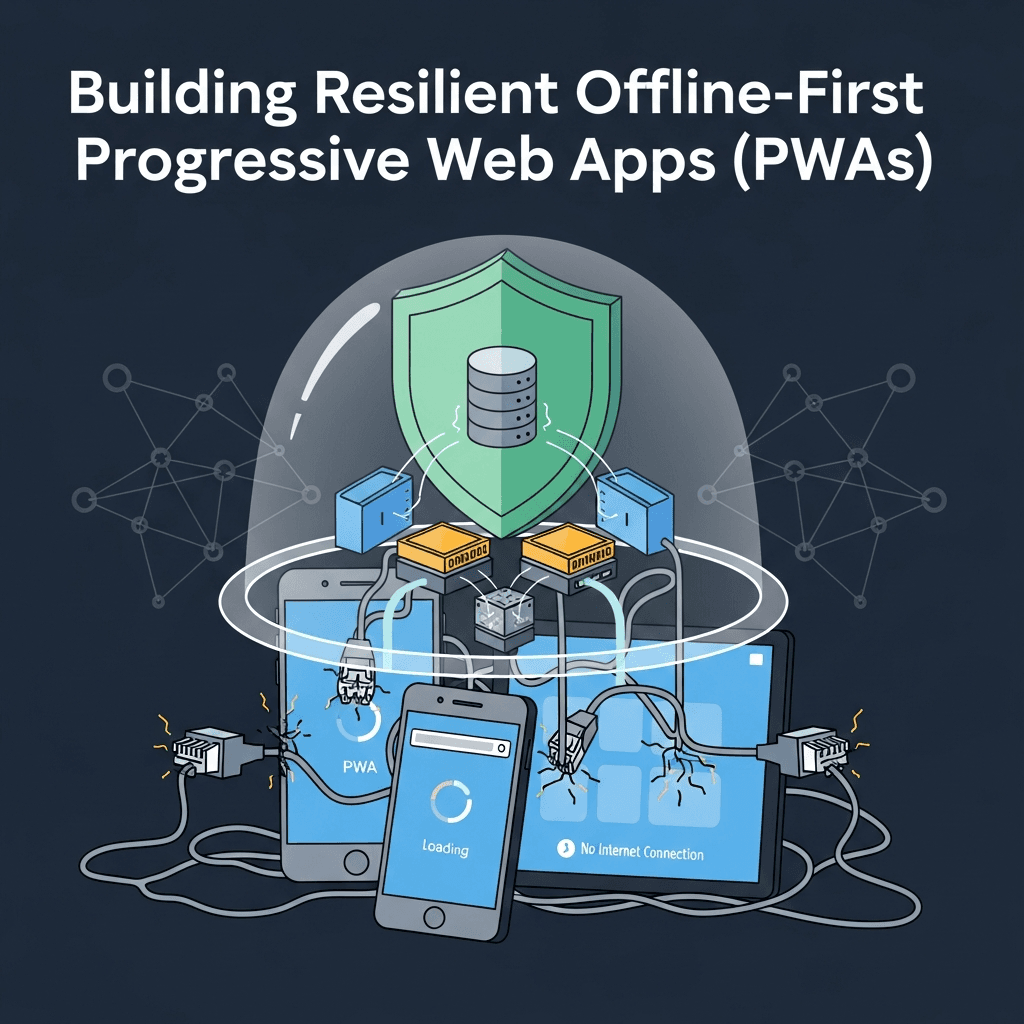
Introduction: The Imperative of Resilience in Modern Web Apps
In an increasingly connected world, the irony is that network reliability remains a significant challenge. Users expect instant access and seamless experiences, regardless of their internet connection status – be it a flaky public Wi-Fi, a remote area with spotty coverage, or even a complete lack of connectivity. This expectation gave rise to the "offline-first" paradigm, a core tenet of Progressive Web Apps (PWAs).
An offline-first PWA is designed to function reliably and efficiently even when the network is unavailable or slow. Instead of failing gracefully, it thrives by prioritizing local data and operations, only syncing with the server when a connection is stable. This approach not only enhances user experience by ensuring uninterrupted access but also significantly boosts performance, as resources are served from local caches.
This comprehensive guide will walk you through the essential components and best practices for building resilient offline-first PWAs. We'll explore the underlying technologies, delve into practical implementation details, and equip you with the knowledge to craft web applications that are truly robust and user-centric.
Prerequisites
To get the most out of this guide, a basic understanding of:
- HTML, CSS, and JavaScript.
- Asynchronous JavaScript (Promises, async/await).
- Modern browser developer tools.
- A local development environment (e.g., Node.js with a simple static file server).
What is Offline-First and Why Does it Matter?
Offline-first is an architectural philosophy where the application primarily relies on local data storage and processes. Network requests are secondary, used mainly for synchronization and initial data fetching. This contrasts sharply with traditional web apps that often display a blank page or an error message when the connection drops.
Why is it crucial?
- Uninterrupted User Experience: Users can continue to browse, interact, and even submit data without being blocked by network issues.
- Enhanced Performance: Serving assets and data from local cache is inherently faster than fetching from a remote server, leading to near-instant load times.
- Increased Reliability: The app becomes less susceptible to network fluctuations, providing a consistent experience.
- Reduced Server Load: Fewer repeated requests for static assets mean less strain on your backend.
- Engagement and Retention: A reliable app is a delightful app, fostering greater user engagement and retention.
Core Pillars of Offline-First PWAs
Building an offline-first PWA relies on several key browser technologies:
- Service Workers: The programmable proxy between your app and the network, intercepting requests and managing caches.
- Cache API: A powerful mechanism for storing network responses (HTML, CSS, JS, images, JSON data) locally.
- IndexedDB / Local Storage: Client-side databases for persistent, structured data storage.
- Background Sync API: Allows deferring network requests until the user has a stable connection.
1. The Foundation: Service Workers – The Brain of Your PWA
Service Workers are JavaScript files that run in the background, separate from the main browser thread. They act as a programmable network proxy, intercepting all network requests made by your PWA. This power allows them to control how your app handles assets and data, enabling advanced caching, offline capabilities, and push notifications.
Service Worker Lifecycle
- Registration: Your main JavaScript file registers the service worker.
- Installation: The browser downloads and attempts to install the service worker. During this phase, you typically pre-cache essential static assets.
- Activation: After successful installation, the service worker takes control of the page. This is a good time to clean up old caches.
Code Example: Registering a Service Worker
First, create a file named service-worker.js in your project's root directory. Then, register it in your main application script (e.g., app.js or directly in index.html).
// app.js

if ('serviceWorker' in navigator) {
  window.addEventListener('load', () => {
    navigator.serviceWorker.register('/service-worker.js')
      .then(registration => {
        console.log('Service Worker registered with scope:', registration.scope);
      })
      .catch(error => {
        console.error('Service Worker registration failed:', error);
      });
  });
}

// service-worker.js (initial minimal setup)

console.log('Hello from service worker!');

self.addEventListener('install', event => {
  console.log('Service Worker installing...');
  // Perform install steps, e.g., pre-caching assets
});

self.addEventListener('activate', event => {
  console.log('Service Worker activating...');
  // Perform activation steps, e.g., cleaning up old caches
});

self.addEventListener('fetch', event => {
  // This is where we'll implement caching strategies
  console.log('Service Worker fetching:', event.request.url);
});
2. Caching Strategies with Service Workers: The Memory of Your PWA
The Cache API is a storage mechanism available to service workers, allowing them to store Request and Response objects. The key to resilience lies in choosing the right caching strategy for different types of assets.
Common Caching Strategies
-
Cache-First, then Network (for static assets):
- Check cache first. If found, return it.
- If not in cache, go to network, cache the response, and return it.
- Ideal for static assets (HTML, CSS, JS, images) that don't change often.
-
Network-First, then Cache (for frequently updated data):
- Go to network first. If successful, return response and update cache.
- If network fails, fall back to cache.
- Useful for data that needs to be as fresh as possible, but still needs offline access.
-
Stale-While-Revalidate (for dynamic content):
- Return cached response immediately (if available).
- In parallel, fetch from network, update cache, and potentially update UI if data changed.
- Provides instant response while ensuring data freshness in the background.
-
Cache-Only (for immutable assets):
- Only serve from cache. Never go to network.
- Used for pre-cached assets that are guaranteed not to change (e.g., versioned library files).
-
Network-Only (for non-cacheable requests):
- Always go to network. Never use cache.
- Suitable for requests that should never be cached (e.g., analytics pings, non-GET requests).
Code Example: Implementing Caching Strategies
// service-worker.js

const CACHE_NAME = 'my-pwa-cache-v1';
const DATA_CACHE_NAME = 'my-pwa-data-cache-v1';

const urlsToCache = [
  '/',
  '/index.html',
  '/styles.css',
  '/app.js',
  '/images/logo.png'
];

self.addEventListener('install', event => {
  console.log('Service Worker installing...');
  event.waitUntil(
    caches.open(CACHE_NAME)
      .then(cache => {
        console.log('Opened cache');
        return cache.addAll(urlsToCache);
      })
  );
});

self.addEventListener('activate', event => {
  console.log('Service Worker activating...');
  event.waitUntil(
    caches.keys().then(cacheNames => {
      return Promise.all(
        cacheNames.map(cacheName => {
          if (cacheName !== CACHE_NAME && cacheName !== DATA_CACHE_NAME) {
            console.log('Deleting old cache:', cacheName);
            return caches.delete(cacheName);
          }
        })
      );
    })
  );
  self.clients.claim(); // Ensures the service worker takes control immediately
});

self.addEventListener('fetch', event => {
  // Strategy 1: Cache-First for static assets
  if (urlsToCache.some(url => event.request.url.includes(url.replace('/', '')))) {
    event.respondWith(
      caches.match(event.request)
        .then(response => {
          if (response) {
            return response; // Return from cache
          }
          return fetch(event.request) // Go to network
            .then(networkResponse => {
              return caches.open(CACHE_NAME)
                .then(cache => {
                  cache.put(event.request, networkResponse.clone()); // Cache network response
                  return networkResponse;
                });
            })
            .catch(() => {
              // Fallback for offline if network fails and not in cache
              return caches.match('/offline.html'); // Or a generic offline page
            });
        })
    );
    return;
  }

  // Strategy 2: Stale-While-Revalidate for API data (e.g., /api/posts)
  if (event.request.url.includes('/api/')) {
    event.respondWith(
      caches.open(DATA_CACHE_NAME).then(cache => {
        return cache.match(event.request).then(cachedResponse => {
          const networkFetch = fetch(event.request).then(networkResponse => {
            // Update cache with new network response
            cache.put(event.request, networkResponse.clone());
            return networkResponse;
          }).catch(() => {
            // Network failed, if there's no cached response, throw error
            if (!cachedResponse) {
              throw new Error('Network request failed and no cache available.');
            }
          });

          // Return cached response immediately if available, otherwise wait for network
          return cachedResponse || networkFetch;
        });
      })
    );
    return;
  }

  // Default: Network-First for other requests, or just fetch
  event.respondWith(
    fetch(event.request).catch(() => {
      return caches.match('/offline.html'); // Fallback for general network failures
    })
  );
});
3. Persistent Data Storage: IndexedDB and Local Storage
While the Cache API is excellent for network responses, you'll often need to store structured application data (e.g., user-generated content, configuration settings) that isn't directly a network request. This is where client-side databases come in.
- IndexedDB: A low-level API for client-side storage of large amounts of structured data. It's asynchronous, transactional, and supports indexes for efficient querying. Ideal for complex data models, large datasets, and when you need database-like features.
- Local Storage / Session Storage: Simple key-value pair storage.
Local Storagepersists across browser sessions, whileSession Storageis cleared when the browser tab is closed. Best for small, simple data (e.g., user preferences, tokens).
For offline-first, IndexedDB is generally preferred due to its capacity and structured nature.
Code Example: Storing Data with IndexedDB
Using a wrapper library like idb (a lightweight promise-based wrapper) simplifies IndexedDB operations.
// app.js (after installing 'idb' via npm or including it via CDN)

import { openDB } from 'idb';

const DB_NAME = 'my-pwa-db';
const STORE_NAME = 'posts';

async function initDB() {
  const db = await openDB(DB_NAME, 1, {
    upgrade(db) {
      if (!db.objectStoreNames.contains(STORE_NAME)) {
        db.createObjectStore(STORE_NAME, { keyPath: 'id', autoIncrement: true });
      }
    },
  });
  return db;
}

async function addPost(post) {
  const db = await initDB();
  const tx = db.transaction(STORE_NAME, 'readwrite');
  await tx.store.add(post);
  await tx.done;
  console.log('Post added to IndexedDB:', post);
}

async function getPosts() {
  const db = await initDB();
  const posts = await db.getAll(STORE_NAME);
  console.log('Posts from IndexedDB:', posts);
  return posts;
}

// Example Usage:
// addPost({ title: 'My Offline Post', content: 'This was written while offline!', timestamp: Date.now() });
// getPosts().then(posts => console.log(posts));
4. Handling Offline Data Entry and Synchronization: Bridging the Gap
One of the most powerful aspects of offline-first is allowing users to perform actions (like submitting forms) even without a connection. These actions need to be queued and synchronized when the network returns.
Background Sync API
This API allows your service worker to defer tasks that require network connectivity until the user has a stable connection. It's excellent for ensuring that offline form submissions eventually reach the server.
- Register a sync event: When an offline action occurs, register a sync tag.
- Service Worker listens: The service worker listens for the
syncevent. - Network returns: When the network becomes available, the browser triggers the
syncevent in the service worker. - Process queued data: The service worker then attempts to send the queued data.
Code Example: Offline Form Submission with Background Sync
First, modify app.js to store data in IndexedDB and register a sync event:
// app.js

// ... (initDB, addPost functions from previous example)

async function submitPostOffline(post) {
  await addPost(post); // Store in IndexedDB immediately

  if ('serviceWorker' in navigator && 'SyncManager' in window) {
    const registration = await navigator.serviceWorker.ready;
    try {
      await registration.sync.register('sync-new-posts');
      console.log('Background sync registered for new posts.');
    } catch (error) {
      console.error('Background sync registration failed:', error);
      // Fallback: If sync fails, perhaps alert user or try sending immediately if online
    }
  } else {
    console.warn('Background Sync not supported. Post stored locally, manual sync needed.');
    // Fallback for browsers without Background Sync: Implement a custom retry mechanism
    // or inform the user that data will only sync when online and app is open.
  }
}

// Example usage for a form submission:
// const newPost = { title: 'New Idea', content: 'Drafted offline', timestamp: Date.now() };
// submitPostOffline(newPost);
Now, in your service-worker.js, listen for the sync event and process the queued data:
// service-worker.js

// ... (Existing install, activate, fetch listeners)

import { openDB } from 'idb'; // Assuming idb is available in service worker scope

const DB_NAME = 'my-pwa-db';
const STORE_NAME = 'posts';

// Helper to get DB instance in SW
async function getDB() {
  const db = await openDB(DB_NAME, 1);
  return db;
}

self.addEventListener('sync', event => {
  if (event.tag === 'sync-new-posts') {
    console.log('Sync event triggered for new posts!');
    event.waitUntil(syncNewPosts());
  }
});

async function syncNewPosts() {
  const db = await getDB();
  const tx = db.transaction(STORE_NAME, 'readwrite');
  const posts = await tx.store.getAll();

  for (const post of posts) {
    try {
      const response = await fetch('/api/posts', {
        method: 'POST',
        headers: {
          'Content-Type': 'application/json',
        },
        body: JSON.stringify(post),
      });

      if (response.ok) {
        console.log('Post successfully synced:', post.id);
        await tx.store.delete(post.id); // Remove from IndexedDB after successful sync
      } else {
        console.error('Failed to sync post:', post.id, response.statusText);
        // Handle server errors (e.g., keep in DB for retry, mark as failed)
      }
    } catch (error) {
      console.error('Network error during sync for post:', post.id, error);
      // If network fails during sync, the browser will retry the sync event later.
      // Crucially, DO NOT delete from IndexedDB here.
      throw error; // Throwing error ensures the sync event is retried
    }
  }
  await tx.done;
  console.log('Finished syncing new posts.');
}
5. User Interface Feedback for Offline Status: Keeping Users Informed
Transparency is key. Users need to know when they are offline, what actions are affected, and when their data is being synchronized. This builds trust and manages expectations.
Detecting Network Status
navigator.onLine: A simple boolean, though it only indicates network availability, not necessarily connectivity to a specific server.online/offlineevents: Listen for these events onwindowto react to network status changes.
Code Example: Displaying an Offline Banner
// app.js

const offlineBanner = document.getElementById('offline-banner');

function updateOnlineStatus() {
  if (navigator.onLine) {
    offlineBanner.style.display = 'none';
    console.log('App is online!');
    // Potentially trigger a manual sync check here if Background Sync isn't supported
  } else {
    offlineBanner.style.display = 'block';
    console.log('App is offline!');
  }
}

window.addEventListener('online', updateOnlineStatus);
window.addEventListener('offline', updateOnlineStatus);

// Initial check on load
updateOnlineStatus();

// In your HTML:
// <div id="offline-banner" style="display: none; background-color: #ffc107; color: #333; padding: 10px; text-align: center;">
//   You are currently offline. Some features may be limited.
// </div>
6. Optimizing for Performance (Even When Online)
An offline-first approach naturally leads to performance benefits, but conscious optimization is still crucial.
- Pre-caching Critical Assets: The
installevent of the service worker is the ideal place to pre-cache your app shell (HTML, CSS, JS, essential images) ensuring subsequent loads are instant. - Lazy Loading: Defer loading non-critical resources (e.g., images below the fold, certain JavaScript modules) until they are needed.
- Image Optimization: Compress images, use responsive image techniques (
srcset), and modern formats like WebP. - Code Splitting: Break down your JavaScript bundles into smaller chunks that can be loaded on demand.
- Minification and Compression: Reduce file sizes of all assets.
7. Push Notifications and Background Tasks
Service Workers also enable powerful re-engagement features like push notifications. Users can opt-in to receive messages from your PWA, even when the browser is closed.
How it Works
- User grants permission: The app requests permission for notifications.
- Subscription: The app subscribes the user to a push service, getting an endpoint URL.
- Server sends push: Your backend sends a message to the push service, which then delivers it to the user's browser.
- Service Worker receives: The service worker intercepts the
pushevent and can display a notification or perform background tasks.
Code Example: Basic Push Notification Setup
// app.js

async function subscribeUserForPush() {
  if (!('serviceWorker' in navigator && 'PushManager' in window)) {
    console.warn('Push messaging is not supported.');
    return;
  }

  const registration = await navigator.serviceWorker.ready;
  const subscription = await registration.pushManager.getSubscription();

  if (subscription) {
    console.log('User is already subscribed:', subscription);
    return subscription;
  }

  const response = await fetch('/api/vapid-public-key'); // Your server provides this
  const vapidPublicKey = await response.text();

  const newSubscription = await registration.pushManager.subscribe({
    userVisibleOnly: true,
    applicationServerKey: urlBase64ToUint8Array(vapidPublicKey) // Helper function needed
  });

  // Send subscription to your server
  await fetch('/api/subscribe', {
    method: 'POST',
    headers: { 'Content-Type': 'application/json' },
    body: JSON.stringify(newSubscription),
  });

  console.log('User subscribed:', newSubscription);
  return newSubscription;
}

// Helper to convert VAPID public key
function urlBase64ToUint8Array(base64String) {
  const padding = '='.repeat((4 - base64String.length % 4) % 4);
  const base64 = (base64String + padding)
    .replace(/\-/g, '+')
    .replace(/_/g, '/');
  const rawData = window.atob(base64);
  const outputArray = new Uint8Array(rawData.length);
  for (let i = 0; i < rawData.length; ++i) {
    outputArray[i] = rawData.charCodeAt(i);
  }
  return outputArray;
}

// In your service-worker.js:
self.addEventListener('push', event => {
  const data = event.data ? event.data.json() : {};
  const title = data.title || 'PWA Notification';
  const options = {
    body: data.body || 'You have a new message!',
    icon: data.icon || '/images/icon-192x192.png',
    badge: data.badge || '/images/badge-96x96.png',
    data: data.url ? { url: data.url } : null
  };

  event.waitUntil(
    self.registration.showNotification(title, options)
  );
});

self.addEventListener('notificationclick', event => {
  event.notification.close();
  if (event.action === 'explore' || event.action === 'close') { // Example actions
    // Handle specific actions if defined
  }
  // Default action: open URL if provided
  if (event.notification.data && event.notification.data.url) {
    event.waitUntil(
      clients.openWindow(event.notification.data.url)
    );
  }
});
8. Auditing and Debugging PWAs
Developing resilient PWAs requires diligent testing and debugging. Modern browser developer tools are indispensable.
- Lighthouse: Built into Chrome DevTools (Audits tab), Lighthouse provides a comprehensive score for PWA, Performance, Accessibility, Best Practices, and SEO. It offers actionable recommendations.
- Chrome DevTools - Application Tab:
- Service Workers: View registered service workers, their status, and manually update, unregister, or stop them. Crucially, check the "Update on reload" checkbox for development.
- Cache Storage: Inspect the contents of your
Cache APIinstances. - IndexedDB: View and modify data stored in your
IndexedDBdatabases. - Storage: Clear site data, including caches and
IndexedDB. - Manifest: Verify your
web app manifestproperties.
- Network Tab (Offline Checkbox): Simulate offline conditions to test your caching strategies and offline behavior.
9. Real-World Use Cases for Offline-First PWAs
Offline-first PWAs are transforming various industries:
- E-commerce: Users can browse products, add to cart, and view past orders even without internet. Purchases are synced when online.
- Field Service Applications: Technicians can access manuals, record data, and complete forms in remote areas with no connectivity, syncing later.
- News and Content Apps: Readers can download articles or entire publications to read on commutes or in areas with poor reception.
- Education Platforms: Students can access learning materials, take quizzes, and submit assignments offline.
- Social Media/Messaging: Draft messages, view cached feeds, and send posts that sync when connectivity is restored.
10. Best Practices for Resilient PWAs
- Progressive Enhancement: Start with a baseline experience that works for all users, then enhance it with PWA features for capable browsers.
- Clear Caching Strategies: Don't just cache everything. Understand your assets and data, and apply the most appropriate strategy (Cache-First, Network-First, Stale-While-Revalidate).
- Robust Error Handling: Anticipate network failures, server errors, and data inconsistencies. Provide meaningful fallback experiences and user feedback.
- Service Worker Versioning: Always update your
CACHE_NAMEwhen deploying changes to your cached assets. This ensures users get the latest version and old caches are cleaned up (activateevent). - Testing Offline Scenarios Thoroughly: Don't just rely on
navigator.onLine. Use DevTools to simulate various network conditions (offline, slow 3G) and test all critical user flows. - Graceful Degradation: If a feature requires a network connection and cannot be made offline-first, disable it gracefully or inform the user rather than breaking the app.
- Small, Incremental Updates: For data synchronization, send only changed data, not the entire dataset, to reduce bandwidth usage.
- Consider Data Conflicts: For multi-user or frequently updated data, plan for merge conflicts when syncing offline changes back to the server.
Common Pitfalls to Avoid
- Over-caching or Under-caching: Caching too much can consume user storage; caching too little defeats the purpose of offline-first.
- Not Handling Service Worker Updates Correctly: If you change your
service-worker.jsbut don't updateCACHE_NAME, users might be stuck with old cached assets. - Ignoring Network Status: Assuming
navigator.onLineis foolproof or not providing UI feedback when offline. - Complex Data Synchronization Logic: Keep your sync logic as simple as possible. Overly complex systems are prone to bugs.
- Blocking the Main Thread: Service worker operations should be asynchronous and non-blocking. Avoid long-running synchronous tasks.
- Not Testing on Real Devices: Emulators and DevTools are great, but real-world network conditions and device limitations can reveal unexpected issues.
Conclusion: The Future is Offline-First
Building resilient offline-first Progressive Web Apps is no longer a luxury but a necessity for delivering exceptional user experiences in an unpredictable digital landscape. By mastering Service Workers, strategic caching, persistent data storage with IndexedDB, and intelligent synchronization with the Background Sync API, you can create web applications that are fast, reliable, and truly user-centric.
The offline-first paradigm shifts the focus from server-dependent experiences to empowering users with immediate access and uninterrupted functionality. Embrace these techniques, and you'll not only build more robust applications but also future-proof your web presence, ensuring your users remain engaged, regardless of their connectivity. Start building your resilient PWA today and unlock the full potential of the modern web!

Written by
CodewithYohaFull-Stack Software Engineer with 7+ years of experience in Java, Spring Boot, and cloud architecture across AWS, Azure, and GCP. Writing production-grade engineering patterns for developers who ship real software.