
Building Real-Time Apps: WebSockets vs. Server-Sent Events Explained

Introduction: The Pulse of Real-Time Web Applications
In today's fast-paced digital world, users expect instant updates, live data, and seamless interactions. Traditional web applications, built on the request-response model of HTTP, often fall short of these expectations. Imagine a chat application where you have to constantly refresh to see new messages, or a stock ticker that updates only once a minute. This is where real-time technologies step in, transforming static web experiences into dynamic, live environments.
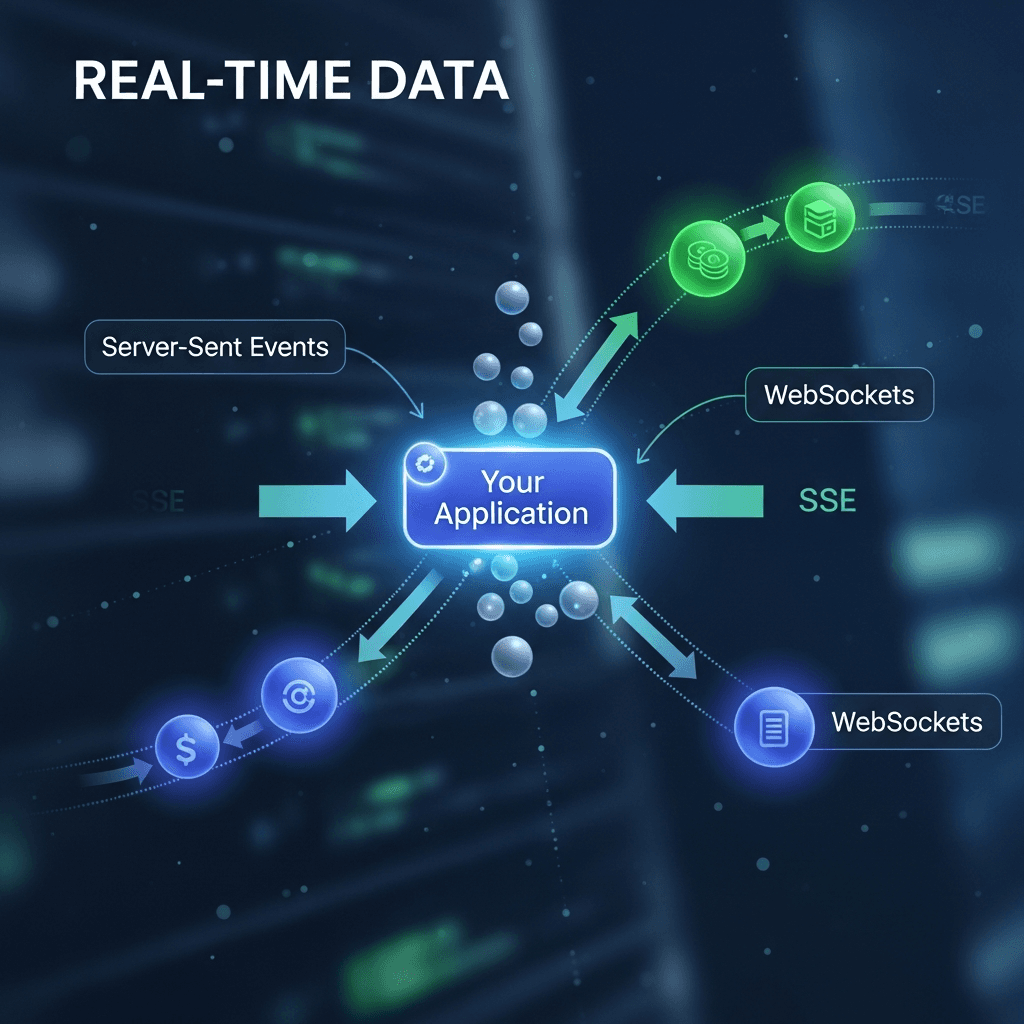
Real-time applications are systems that respond to events as they happen, providing immediate feedback and data updates without requiring explicit user actions like page reloads. They are the backbone of modern interactive experiences, from collaborative editing tools and online gaming to live dashboards and instant messaging. Two primary technologies have emerged as front-runners for building such applications: WebSockets and Server-Sent Events (SSE).
This comprehensive guide will dive deep into both WebSockets and Server-Sent Events, exploring their underlying mechanisms, practical implementation, and the nuanced considerations that help you choose the right tool for your specific real-time needs. By the end, you'll have a solid understanding of how to build robust, high-performance real-time features into your web applications.
Prerequisites
To get the most out of this guide, a basic understanding of the following concepts will be beneficial:
- Web Development Fundamentals: HTML, CSS, and JavaScript.
- HTTP Protocol: Request-response cycle, headers, and status codes.
- Node.js and npm: For server-side examples.
- Command Line Interface: Basic usage for running server applications.
1. The Need for Real-Time: Limitations of Traditional HTTP
Before we explore WebSockets and SSE, let's understand why traditional HTTP isn't ideal for real-time communication. HTTP is a stateless, request-response protocol. A client sends a request, the server processes it and sends a response, and then the connection is typically closed. For real-time updates, this model presents significant challenges:
- Polling: The client repeatedly sends requests to the server at fixed intervals to check for new data. This is inefficient as most requests return no new data, wasting bandwidth and server resources. It also introduces latency, as updates are only received at the next polling interval.
- Long Polling: An improvement over basic polling, where the client makes a request, and the server holds the connection open until new data is available or a timeout occurs. Once data is sent, the connection closes, and the client immediately initiates a new request. While reducing empty responses, it still involves connection setup/teardown overhead for each update and can be complex to manage at scale.
Both polling and long polling are workarounds that simulate real-time behavior but introduce significant overhead and latency. They are not true persistent, low-latency communication channels.
2. Understanding WebSockets: Bidirectional, Persistent Communication
WebSockets provide a full-duplex communication channel over a single, long-lived TCP connection. Unlike HTTP, once a WebSocket connection is established, both the client and the server can send and receive data asynchronously at any time, making it ideal for applications requiring continuous, bidirectional data exchange.
How WebSockets Work
- Handshake: The process begins with an HTTP upgrade request from the client to the server. This is a standard HTTP GET request with specific headers (
Upgrade: websocket,Connection: Upgrade,Sec-WebSocket-Key,Sec-WebSocket-Version). - Upgrade: If the server supports WebSockets, it responds with an HTTP 101 Switching Protocols status code and relevant WebSocket headers. This completes the handshake, and the connection is 'upgraded' from HTTP to a WebSocket protocol.
- Data Transfer: After the handshake, the connection remains open, and data frames can be sent in either direction without the overhead of HTTP headers. This results in very low latency and high efficiency.
- Closing: Either party can initiate the closing of the WebSocket connection.
Key Characteristics:
- Full-Duplex: Both client and server can send messages independently.
- Persistent Connection: Stays open until explicitly closed, reducing overhead.
- Low Latency: Minimal protocol overhead after handshake.
- Protocol Agnostic: Can transmit any type of data (text, binary).
Common Use Cases for WebSockets:
- Chat Applications: Instant messaging, group chats.
- Online Gaming: Real-time multiplayer interactions.
- Live Dashboards/Feeds: Stock tickers, sports scores, monitoring tools.
- Collaborative Tools: Document editing, whiteboards.
- IoT Device Communication: Command and control.
3. Implementing WebSockets (Server-Side with Node.js)
For server-side WebSocket implementation, we'll use Node.js with the popular ws library, a simple and fast WebSocket client and server library.
// server.js
const WebSocket = require('ws');

// Create a WebSocket server on port 8080
const wss = new WebSocket.Server({ port: 8080 });

wss.on('connection', ws => {
    console.log('Client connected');

    // Event listener for messages from clients
    ws.on('message', message => {
        console.log(`Received: ${message}`);

        // Echo the message back to the sender
        ws.send(`Server received: ${message}`);

        // Broadcast the message to all connected clients (excluding sender)
        wss.clients.forEach(client => {
            if (client !== ws && client.readyState === WebSocket.OPEN) {
                client.send(`Broadcast: ${message}`);
            }
        });
    });

    // Event listener for connection close
    ws.on('close', () => {
        console.log('Client disconnected');
    });

    // Event listener for errors
    ws.on('error', error => {
        console.error('WebSocket error:', error);
    });

    // Send a welcome message to the newly connected client
    ws.send('Welcome to the WebSocket server!');
});

console.log('WebSocket server started on ws://localhost:8080');
Explanation:
const wss = new WebSocket.Server({ port: 8080 });: Initializes a WebSocket server listening on port 8080.wss.on('connection', ws => { ... });: This event fires whenever a new client successfully establishes a WebSocket connection. Thewsobject represents the individual client connection.ws.on('message', message => { ... });: Listens for messages sent by this specific client. Themessagevariable contains the data sent from the client.ws.send(...): Sends data back to the specific client that sent the message.wss.clients.forEach(...): Iterates through all currently connected clients. This is how you would implement broadcasting functionality, sending messages to multiple or all clients.ws.on('close', ...),ws.on('error', ...): Essential for robust applications, handling disconnections and errors gracefully.
To run this server, save it as server.js, install ws (npm install ws), and then run node server.js.
4. Implementing WebSockets (Client-Side with JavaScript)
The browser's native WebSocket API provides a straightforward way to connect to and interact with WebSocket servers.
<!-- index.html -->
<!DOCTYPE html>
<html lang="en">
<head>
    <meta charset="UTF-8">
    <meta name="viewport" content="width=device-width, initial-scale=1.0">
    <title>WebSocket Client</title>
</head>
<body>
    <h1>WebSocket Client</h1>
    <div id="messages"></div>
    <input type="text" id="messageInput" placeholder="Type a message...">
    <button id="sendButton">Send</button>

    <script>
        const messagesDiv = document.getElementById('messages');
        const messageInput = document.getElementById('messageInput');
        const sendButton = document.getElementById('sendButton');

        // Establish WebSocket connection
        const ws = new WebSocket('ws://localhost:8080');

        // Event listener for connection open
        ws.onopen = () => {
            console.log('Connected to WebSocket server');
            messagesDiv.innerHTML += '<p><em>Connected to server</em></p>';
        };

        // Event listener for messages from the server
        ws.onmessage = event => {
            console.log('Message from server:', event.data);
            messagesDiv.innerHTML += `<p><strong>Server:</strong> ${event.data}</p>`;
        };

        // Event listener for connection close
        ws.onclose = () => {
            console.log('Disconnected from WebSocket server');
            messagesDiv.innerHTML += '<p><em>Disconnected from server</em></p>';
        };

        // Event listener for errors
        ws.onerror = error => {
            console.error('WebSocket error:', error);
            messagesDiv.innerHTML += `<p style="color: red;"><em>Error: ${error.message}</em></p>`;
        };

        // Send message when button is clicked
        sendButton.onclick = () => {
            const message = messageInput.value;
            if (message) {
                ws.send(message);
                messagesDiv.innerHTML += `<p><strong>You:</strong> ${message}</p>`;
                messageInput.value = '';
            }
        };
    </script>
</body>
</html>
Explanation:
const ws = new WebSocket('ws://localhost:8080');: Creates a new WebSocket connection to the specified URL. Usewss://for secure connections.ws.onopen: Fired when the connection is successfully established.ws.onmessage: Fired when the client receives a message from the server.event.datacontains the message content.ws.onclose: Fired when the connection is closed.ws.onerror: Fired if an error occurs during the connection or communication.ws.send(message): Sends data to the connected WebSocket server.
Open this HTML file in your browser while the Node.js server is running to see it in action.
5. Understanding Server-Sent Events (SSE): Unidirectional Updates
Server-Sent Events (SSE) provide a simpler, unidirectional mechanism for the server to push updates to the client. Unlike WebSockets, SSE is built directly on top of HTTP and maintains an open HTTP connection. It's designed for scenarios where the client primarily needs to receive updates from the server, but doesn't need to send frequent messages back.
How SSE Works
- Client Request: The client makes a standard HTTP GET request to a specific endpoint.
- Server Response: The server responds with a special
Content-Type: text/event-streamheader. It then keeps the HTTP connection open and sends data as a series of events. - Event Format: Each event is a block of text terminated by two newline characters (
\n\n). Events can have aneventtype, anid, and adatafield. - Automatic Reconnection: The browser's
EventSourceAPI automatically attempts to reconnect if the connection is dropped.
Key Characteristics:
- Unidirectional: Server pushes data to the client; client cannot easily send data back (would require separate HTTP requests).
- HTTP-Based: Uses standard HTTP/TCP, making it easier to integrate with existing infrastructure (e.g., proxies).
- Automatic Reconnection: Built-in feature of the
EventSourceAPI. - Simpler Protocol: Less overhead than WebSockets for simple server-to-client streaming.
Common Use Cases for SSE:
- News Feeds: Live updates from a news source.
- Stock Tickers: Real-time stock price updates.
- Live Sports Scores: Continuous score updates.
- Notifications: User notifications, system alerts.
- Progress Indicators: Long-running background job progress.
6. Implementing SSE (Server-Side with Node.js)
Implementing SSE on the server involves setting the correct HTTP headers and then continuously writing data to the response stream.
// sse-server.js
const http = require('http');

http.createServer((req, res) => {
    // Ensure the request path is for our SSE endpoint
    if (req.url === '/events') {
        // Set necessary headers for SSE
        res.writeHead(200, {
            'Content-Type': 'text/event-stream',
            'Cache-Control': 'no-cache',
            'Connection': 'keep-alive'
        });

        // Send a comment line to ensure connection is established (optional but good practice)
        res.write(': Connected\n\n');

        let counter = 0;
        const intervalId = setInterval(() => {
            // Each message must be prefixed with 'data:' and end with '\n\n'
            // You can also add 'event: <event_type>' and 'id: <event_id>'
            const data = `Server time: ${new Date().toLocaleTimeString()} (Event ${counter++})`;
            res.write(`data: ${data}\n\n`);

            // Example of a custom event type
            if (counter % 5 === 0) {
                res.write(`event: customEvent\n`);
                res.write(`data: This is a custom event at count ${counter}\n\n`);
            }
        }, 1000);

        // Handle client disconnection
        req.on('close', () => {
            console.log('Client disconnected from SSE');
            clearInterval(intervalId);
            res.end(); // Important to end the response
        });

    } else {
        res.writeHead(404);
        res.end('Not Found');
    }
}).listen(8081, () => {
    console.log('SSE server listening on http://localhost:8081');
});
Explanation:
res.writeHead(200, { ... });: Sets the crucial headers:Content-Type: text/event-stream: Informs the client that this is an SSE stream.Cache-Control: no-cache: Prevents caching of events.Connection: keep-alive: Ensures the connection remains open.
res.write('data: ...\n\n');: This is the core of SSE. Each event starts withdata:and is terminated by two newline characters. You can also specify anevent:type andid:for more control.clearInterval(intervalId)andres.end(): Clean up resources when the client disconnects.
Save as sse-server.js and run node sse-server.js.
7. Implementing SSE (Client-Side with JavaScript)
The browser's native EventSource API is designed specifically for consuming SSE streams.
<!-- sse-client.html -->
<!DOCTYPE html>
<html lang="en">
<head>
    <meta charset="UTF-8">
    <meta name="viewport" content="width=device-width, initial-scale=1.0">
    <title>SSE Client</title>
</head>
<body>
    <h1>Server-Sent Events Client</h1>
    <div id="events"></div>

    <script>
        const eventsDiv = document.getElementById('events');

        // Establish EventSource connection
        const eventSource = new EventSource('http://localhost:8081/events');

        // Event listener for generic messages (unnamed events)
        eventSource.onmessage = event => {
            console.log('Received generic event:', event.data);
            eventsDiv.innerHTML += `<p><strong>Generic Event:</strong> ${event.data}</p>`;
        };

        // Event listener for custom events (e.g., 'customEvent')
        eventSource.addEventListener('customEvent', event => {
            console.log('Received custom event:', event.data);
            eventsDiv.innerHTML += `<p style="color: blue;"><strong>Custom Event:</strong> ${event.data}</p>`;
        });

        // Event listener for connection open
        eventSource.onopen = () => {
            console.log('Connected to SSE server');
            eventsDiv.innerHTML += '<p><em>Connected to server</em></p>';
        };

        // Event listener for errors
        eventSource.onerror = error => {
            console.error('EventSource error:', error);
            eventsDiv.innerHTML += `<p style="color: red;"><em>Error: ${error.message || 'Connection lost'}</em></p>`;
            // EventSource automatically tries to reconnect
        };

        // You can manually close the connection if needed
        // setTimeout(() => {
        //     eventSource.close();
        //     console.log('SSE connection closed manually');
        // }, 10000);
    </script>
</body>
</html>
Explanation:
const eventSource = new EventSource('http://localhost:8081/events');: Creates a newEventSourceobject, connecting to the specified SSE endpoint.eventSource.onmessage: Fired for any unnameddata:events received from the server.eventSource.addEventListener('customEvent', ...): Allows listening for specificevent:types defined by the server.eventSource.onopen,eventSource.onerror: Handle connection status and errors.EventSourceautomatically handles reconnection attempts on error or disconnection.
Open this HTML file in your browser while the Node.js SSE server is running.
8. WebSockets vs. SSE: Choosing the Right Tool
Both WebSockets and SSE enable real-time communication, but they excel in different scenarios. The choice depends on your application's specific requirements.
| Feature | WebSockets | Server-Sent Events (SSE) |
|---|---|---|
| Communication | Full-duplex (bidirectional) | Unidirectional (server-to-client only) |
| Underlying Protocol | Custom WebSocket protocol over TCP (after HTTP upgrade) | Standard HTTP/1.1 (long-lived connection) |
| Overhead | Low after handshake | Low, HTTP-based, simpler protocol |
| Data Types | Text, Binary | Text only (UTF-8) |
| Browser Support | Excellent (all modern browsers) | Excellent (all modern browsers, except IE) |
| Complexity | More complex to implement (custom protocol) | Simpler, leverages existing HTTP |
| Automatic Reconnect | Must be implemented manually (e.g., via a library like socket.io) | Built-in to EventSource API |
| Proxies/Firewalls | Can sometimes be blocked (due to non-standard port/protocol) | Works well, as it's standard HTTP |
| Scalability | Requires sticky sessions or message brokers for horizontal scaling | Easier to scale horizontally (stateless HTTP requests) |
When to use WebSockets:
- High-frequency, bidirectional communication: Chat applications, online gaming, collaborative editing.
- Low-latency requirements: Any application where even slight delays are unacceptable.
- Sending binary data: For example, streaming video or audio data.
- Complex interactions: When clients need to frequently send data back to the server in response to events.
When to use Server-Sent Events (SSE):
- Unidirectional data flow: When the server primarily pushes updates to the client, and client responses are infrequent or can be handled via separate HTTP requests.
- Simplicity and ease of implementation: If you need real-time updates without the complexity of a full WebSocket setup.
- Existing HTTP infrastructure: Works seamlessly with HTTP proxies and load balancers without special configurations.
- Notifications, live feeds, dashboards: Stock tickers, news updates, progress bars, sports scores.
In summary: If your application needs constant two-way communication, WebSockets are the clear winner. If you just need a continuous stream of updates from the server, SSE offers a simpler, more robust solution built on HTTP.
9. Best Practices for Real-Time Applications
Building robust real-time applications requires more than just knowing the protocols. Here are some best practices:
Error Handling and Reconnections
- Client-side: Always implement
onerrorandonclosehandlers. For WebSockets, implement exponential backoff reconnection logic.EventSourcehandles this automatically for SSE. - Server-side: Gracefully handle client disconnections (
ws.on('close'),req.on('close')). Log errors and implement retry mechanisms for external dependencies.
Scalability
- Horizontal Scaling: Real-time connections can be resource-intensive. For multiple server instances, you'll need a way for clients to connect to any server and still receive relevant messages.
- Sticky Sessions: For WebSockets, a load balancer can direct a client's subsequent requests (after the initial handshake) to the same server instance. This is often problematic and not ideal for true scalability.
- Message Brokers: Use a publish/subscribe (pub/sub) system like Redis Pub/Sub, Apache Kafka, or RabbitMQ. When a server receives a message, it publishes it to the broker, and all other connected server instances (subscribers) receive it and can then relay it to their connected clients. This decouples servers and allows for stateless scaling.
- Resource Management: Monitor concurrent connections, memory usage, and CPU load. Optimize message size and frequency.
Security
- Authentication and Authorization: Secure your WebSocket/SSE endpoints. Authenticate users during the initial connection (e.g., using JWTs passed in headers or query parameters during the handshake) and authorize access to specific channels or data streams.
- Input Validation: Sanitize and validate all incoming messages from clients to prevent injection attacks (e.g., XSS, SQL injection if messages are stored).
- Rate Limiting: Prevent abuse by limiting the number of messages a client can send within a certain time frame.
- TLS/SSL: Always use secure
wss://for WebSockets andhttps://for SSE in production to encrypt data in transit.
Message Formatting
- JSON: Use JSON for structured data exchange. It's universally understood and easy to parse.
ws.send(JSON.stringify({ type: 'chatMessage', payload: { user: 'Alice', text: 'Hello!' } }));event.datacan also beJSON.parse(event.data). Always wrap parsing in atry-catchblock.
Heartbeats (Ping/Pong)
- WebSockets: Implement periodic 'ping' messages from the server (and 'pong' responses from clients) to detect dead connections and keep proxies/load balancers from closing idle connections. The
wslibrary has built-in support for this. - SSE: Not strictly necessary as the underlying HTTP connection has its own keep-alive mechanisms, and
EventSourcehandles reconnections.
10. Common Pitfalls to Avoid
- Ignoring Error Handling: Failing to implement proper
onerrorandonclosehandlers leads to brittle applications that crash or silently fail. - Not Planning for Scalability Early: Building a real-time application without considering horizontal scaling from the start can lead to costly refactoring down the line, especially for WebSockets.
- Security Vulnerabilities: Sending sensitive data over unencrypted connections (
ws://,http://), or not validating client input, are major security risks. - Misunderstanding Protocol Limitations: Using SSE for bidirectional chat or WebSockets for simple unidirectional notifications can lead to over-engineering or inefficient solutions.
- Resource Exhaustion: Too many open connections, unoptimized message frequency, or large message payloads can overwhelm your server resources.
- Browser Compatibility: While modern browsers support both, be mindful of older browser support, especially for SSE (IE does not support
EventSource). - Proxy/Firewall Issues: Ensure your WebSockets can traverse proxies and firewalls. Some corporate networks might block non-standard ports or the WebSocket handshake. SSE, being HTTP-based, generally faces fewer issues.
Conclusion: Empowering Dynamic Web Experiences
WebSockets and Server-Sent Events are powerful tools that have fundamentally changed how we build interactive web applications. By understanding their distinct characteristics, strengths, and weaknesses, you can make informed decisions to implement real-time features that are not only functional but also efficient, scalable, and secure.
WebSockets shine in scenarios demanding high-frequency, bidirectional communication, making them perfect for collaborative tools and intense gaming. Server-Sent Events, on the other hand, offer a simpler, robust solution for unidirectional data streams like live feeds and notifications, leveraging the familiarity of HTTP.
As the web continues to evolve towards more dynamic and responsive user experiences, mastering these real-time technologies is an invaluable skill for any modern web developer. Experiment with both, build small projects, and observe how they transform static content into living, breathing applications. The real-time web is here to stay, and with WebSockets and SSE, you have the power to build its future.
Written by
CodewithYohaFull-Stack Software Engineer with 7+ years of experience in Java, Spring Boot, and cloud architecture across AWS, Azure, and GCP. Writing production-grade engineering patterns for developers who ship real software.