
Building LLM Apps with LangGraph: Orchestrating Complex Agent Workflows

Introduction
The landscape of Large Language Models (LLMs) is rapidly evolving, moving beyond simple question-answering or text generation tasks. While powerful, raw LLMs are inherently stateless and often struggle with complex, multi-step problems that require iterative reasoning, tool use, and dynamic decision-making. Imagine an application that needs to: search the web, summarize findings, generate code, debug it, and then refine its approach based on execution results. Traditional LangChain chains, while effective for sequential operations, can become unwieldy when dealing with non-linear paths, conditional logic, and the crucial ability to "loop back" for self-correction.
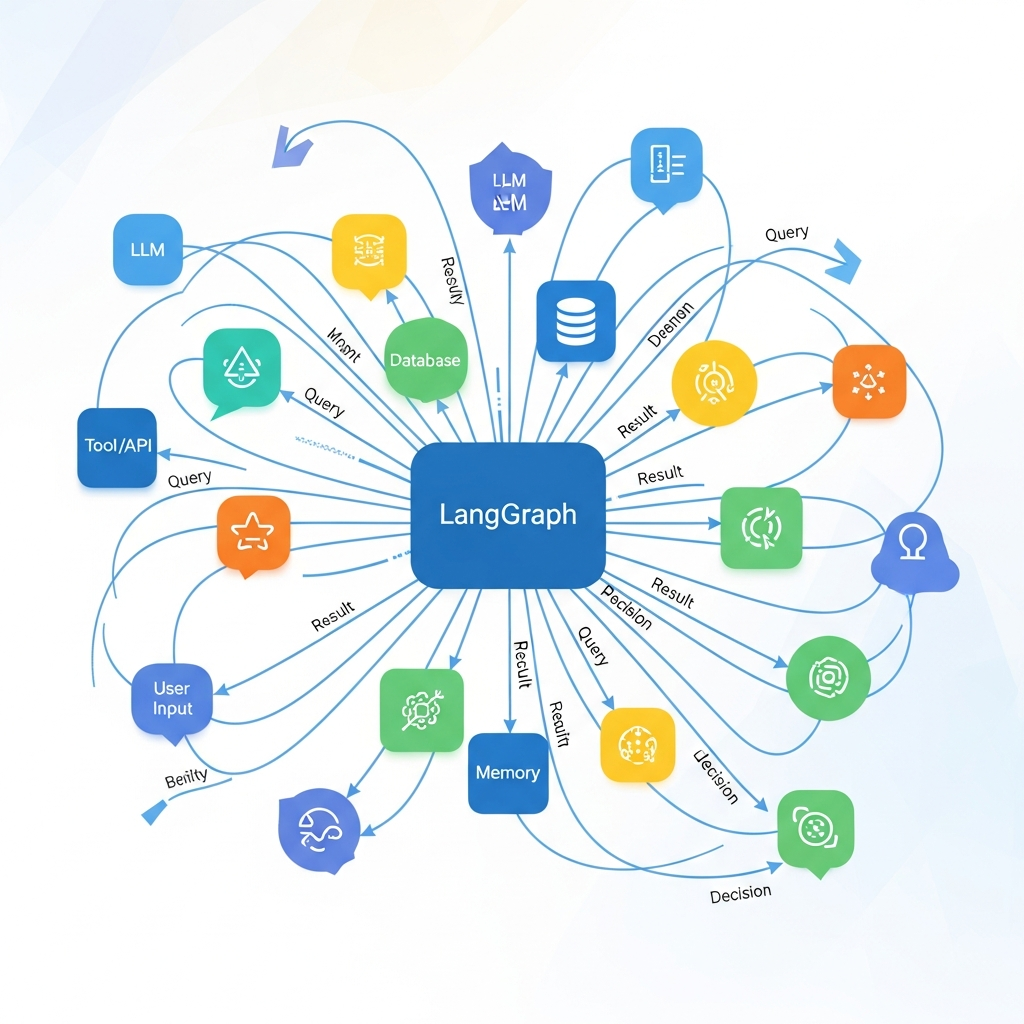
This is where LangGraph steps in. Built on top of LangChain, LangGraph provides a powerful framework for building stateful, cyclic graphs of agents. It allows you to define complex workflows where different nodes (LLM calls, tool invocations, custom functions) interact, update a shared state, and transition based on dynamic conditions. Think of it as a state machine for your AI agents, enabling them to engage in sophisticated reasoning, explore multiple paths, and correct their course when necessary.
In this comprehensive guide, we'll dive deep into LangGraph, exploring its core concepts, demonstrating how to build increasingly complex agent workflows, and equipping you with the knowledge to architect robust, intelligent LLM applications for real-world challenges.
Prerequisites
To get the most out of this guide, a basic understanding of the following is recommended:
- Python: Familiarity with Python syntax and programming concepts.
- LangChain Fundamentals: Knowledge of LLMs, prompts, tools, and basic chains (though we will briefly touch upon them).
- API Keys: An OpenAI API key (or similar provider like Anthropic, Google Gemini) to interact with LLMs.
Understanding the Core Concepts of LangGraph
LangGraph's power comes from a few fundamental concepts that allow for flexible and dynamic agentic behavior:
Nodes
Nodes are the atomic units of computation within your LangGraph workflow. Each node represents a specific action or step. This could be:
- An LLM call (e.g., generating a response, deciding on a tool to use).
- A tool invocation (e.g., calling a web search API, executing Python code, querying a database).
- A custom function (e.g., parsing output, formatting data, applying business logic).
Nodes take the current state as input and return an update to that state.
Edges
Edges define the transitions between nodes. They dictate the flow of execution within the graph. There are two primary types of edges:
- Normal Edges: Unconditionally direct the flow from one node to another. After
Node Aexecutes,Node Bwill execute next. - Conditional Edges: Introduce dynamic routing. After a node executes, a special function is called that inspects the updated state and determines which of several possible next nodes to execute. This is crucial for decision-making within agents.
Graph
The graph itself is the collection of nodes and edges that define your workflow. LangGraph uses a StateGraph object to build this structure. You define your nodes, connect them with edges, set a starting point, and optionally define an ending point. The graph can be cyclic, meaning execution can loop back to previous nodes, enabling iterative processes.
State
State is arguably the most critical concept in LangGraph. Unlike traditional stateless LLM calls, LangGraph maintains a mutable AgentState object that is passed between nodes. Each node receives the current state, performs its operation, and returns an update to the state. This allows information, decisions, and accumulated results to persist and evolve throughout the entire workflow. You define the schema of your state, typically as a dictionary-like object, ensuring all relevant information (e.g., messages, tool outputs, intermediate thoughts, flags) is accessible to any node that needs it.
Cycles
The ability to create cycles (loops) in the graph is what truly distinguishes LangGraph for complex agentic behavior. Cycles allow agents to:
- Iterate: Repeatedly try an action, observe the result, and refine the next step.
- Self-correct: Detect errors or suboptimal outcomes and re-plan.
- Explore: Follow multiple paths until a satisfactory conclusion is reached.
This iterative nature mimics human problem-solving and is essential for building robust, autonomous agents.
Setting Up Your Environment
First, let's install the necessary libraries and set up our API key.
# Install required packages
%pip install --upgrade --quiet langchain-openai langgraph

# Set environment variables for API keys
import os
# Replace with your actual OpenAI API key or use environment variable
os.environ["OPENAI_API_KEY"] = "YOUR_OPENAI_API_KEY"

# Optional: For better logging and tracing
# os.environ["LANGCHAIN_TRACING_V2"] = "true"
# os.environ["LANGCHAIN_API_KEY"] = "YOUR_LANGCHAIN_API_KEY"

from typing import TypedDict, Annotated, List, Union
import operator
from langchain_core.agents import AgentAction, AgentFinish
from langchain_core.messages import BaseMessage, HumanMessage
from langchain_openai import ChatOpenAI
from langgraph.graph import StateGraph, END
Building a Simple Conversational Agent with LangGraph
Let's start with a foundational example: a simple conversational agent that responds to user input. This will introduce the basic structure of a StateGraph.
First, we define our agent's state. For a simple chat, we just need a list of messages.
class AgentState(TypedDict):
    """The state for our agent graph.

    - `messages`: A list of messages passed between nodes.
    """
    messages: Annotated[List[BaseMessage], operator.add]


# Define the LLM we'll use
llm = ChatOpenAI(model="gpt-4o-mini", temperature=0)

# Define the agent node
def call_llm(state: AgentState):
    """Invokes the LLM to generate a response based on the current messages.
    """
    messages = state["messages"]
    response = llm.invoke(messages)
    return {"messages": [response]}


# Build the graph
workflow = StateGraph(AgentState)

# Add the node that calls the LLM
workflow.add_node("llm_node", call_llm)

# Set the entry point to the LLM node
workflow.set_entry_point("llm_node")

# After the LLM node, we consider the conversation finished for this turn
workflow.add_edge("llm_node", END)

# Compile the graph
app = workflow.compile()

# Test the simple agent
print("\n--- Simple Agent Test ---")
inputs = {"messages": [HumanMessage(content="Hello, what is your name?")]}
for s in app.stream(inputs):
    print(s)

inputs = {"messages": [HumanMessage(content="Tell me a short story.")]}
for s in app.stream(inputs):
    print(s)
In this example:
- We define
AgentStatewith amessagesfield, usingAnnotatedandoperator.addto ensure new messages are appended to the list. call_llmis our single node, taking the state, invoking the LLM, and returning an updated state with the LLM's response.StateGraphinitializes our workflow.add_noderegisters our function as a node.set_entry_pointspecifies where the graph execution begins.add_edge("llm_node", END)signifies that afterllm_nodeexecutes, the graph terminates for that turn.app.streamallows us to see the state changes as the graph executes.
Introducing Tools and Conditional Edges
Real-world agents need to interact with external systems. This requires tools and the ability to decide when to use them. We'll introduce a simple calculator tool and modify our agent to conditionally use it.
from langchain_core.tools import tool

@tool
def multiply(a: float, b: float) -> float:
    """Multiply two numbers together."""
    return a * b

@tool
def add(a: float, b: float) -> float:
    """Add two numbers together."""
    return a + b

# List of tools available to the agent
tools = [multiply, add]

# Modify the LLM to be tool-aware
llm_with_tools = llm.bind_tools(tools)

# --- Define the agent's state for tool usage ---
# We'll reuse the AgentState from before, as it just needs messages.
# For more complex agents, you might add fields like 'tool_output', 'plan', etc.

# --- Define nodes ---
def agent_node(state: AgentState):
    """Node that calls the LLM, potentially with tool use capabilities."""
    messages = state["messages"]
    response = llm_with_tools.invoke(messages)
    return {"messages": [response]}

# This node will invoke a tool if the LLM decides to use one
from langgraph.prebuilt import ToolNode
tool_node = ToolNode(tools)

# --- Define conditional logic ---
def should_continue(state: AgentState) -> str:
    """Determines whether to continue with tool execution or end the conversation.

    Based on the last message from the LLM.
    """
    last_message = state["messages"][-1]
    if isinstance(last_message, AgentAction):
        return "continue_tool"
    else:
        return "end_conversation"

# --- Build the graph with conditional edges ---
workflow_tools = StateGraph(AgentState)

workflow_tools.add_node("llm_node", agent_node)
workflow_tools.add_node("tool_node", tool_node)

workflow_tools.set_entry_point("llm_node")

# Add a conditional edge from the LLM node
# If the LLM wants to use a tool, go to 'tool_node', otherwise end.
workflow_tools.add_conditional_edges(
    "llm_node",       # Source node
    should_continue,  # Function to determine next path
    {
        "continue_tool": "tool_node",
        "end_conversation": END
    }
)

# After the tool node, we want to go back to the LLM to process the tool output
workflow_tools.add_edge("tool_node", "llm_node")

app_tools = workflow_tools.compile()

print("\n--- Agent with Tools Test ---")
inputs = {"messages": [HumanMessage(content="What is 12 multiplied by 3?")]}
for s in app_tools.stream(inputs):
    print(s)

inputs = {"messages": [HumanMessage(content="What is the capital of France?")]}
for s in app_tools.stream(inputs):
    print(s)
Key additions here:
- Tools: We define
multiplyandaddfunctions and wrap them with@tool. llm_with_tools: The LLM is bound with these tools, enabling it to generateAgentActionmessages when it decides to use a tool.ToolNode: LangGraph provides a convenientToolNodepre-built, which takes a list of tools and automatically invokes the correct one based onAgentActionin the state.should_continue: This function inspects the last message from the LLM. If it's anAgentAction(meaning the LLM wants to use a tool), it returns"continue_tool". Otherwise, it returns"end_conversation".add_conditional_edges: This is the heart of dynamic routing. It usesshould_continueto direct the flow either totool_nodeorEND.- Cycle: Notice
workflow_tools.add_edge("tool_node", "llm_node"). After a tool is executed, its output is added to the messages, and the flow returns tollm_node. This allows the LLM to see the tool's result and decide the next step (e.g., provide a final answer, use another tool).
Managing State for Complex Workflows
As agents become more sophisticated, managing their internal state becomes paramount. AgentState is not just for messages; it can store any information relevant to the agent's current task, plan, and history. Let's create a more detailed state.
class ComplexAgentState(TypedDict):
    messages: Annotated[List[BaseMessage], operator.add]
    plan: Annotated[str, operator.setitem] # The agent's current plan
    steps: Annotated[List[str], operator.add] # History of steps taken
    tool_output: Annotated[Union[str, None], operator.setitem] # Last tool output
    iterations: Annotated[int, operator.add] # Counter for iterations

# Example of how to use this state in a node
def planning_node(state: ComplexAgentState):
    """A node that updates the agent's plan and increments iteration count."""
    current_messages = state["messages"]
    # Let's say LLM generated a plan here (for simplicity, hardcode)
    new_plan = "Perform a web search for the user's query and summarize results."
    current_iterations = state.get("iterations", 0)
    return {
        "plan": new_plan,
        "iterations": 1, # Increment by 1
        "steps": [f"Iteration {current_iterations + 1}: Plan set to '{new_plan}'"]
    }

# In a real scenario, the LLM would generate the plan based on messages.
# For example:
# plan_llm = ChatOpenAI(model="gpt-4o-mini", temperature=0)
# def planning_node_llm(state: ComplexAgentState):
#     response = plan_llm.invoke([HumanMessage(content=f"Based on the following messages: {state['messages']}, what is the next step or plan?")])
#     return {"plan": response.content, "iterations": 1, "steps": [f"Plan: {response.content}"]}
In ComplexAgentState:
operator.addformessagesandstepsmeans new items are appended to the list.operator.setitemforplanandtool_outputmeans the new value completely replaces the old one.iterationsusesoperator.addwith an integer, effectively incrementing it.
This robust state management is critical for agents that need to remember more than just conversation history. They can track their goals, progress, intermediate findings, and even self-reflection notes.
Implementing Iterative Reasoning and Self-Correction (Cycles)
This is where LangGraph truly shines. Let's build an agent that can iteratively refine its answer or use multiple tools until a satisfactory result is achieved. We'll simulate a research agent that might need to search multiple times or re-evaluate its approach.
Let's assume we have a (mock) search tool:
from langchain_core.messages import ToolMessage

@tool
def mock_search(query: str) -> str:
    """Searches a mock database or the web for information."""
    if "Python" in query and "creator" in query:
        return "Guido van Rossum is the creator of Python."
    elif "capital of France" in query:
        return "Paris is the capital of France."
    else:
        return f"No direct answer found for '{query}'. Try rephrasing."

tools_research = [mock_search]
llm_research_agent = llm.bind_tools(tools_research)
research_tool_node = ToolNode(tools_research)

def research_agent_node(state: ComplexAgentState):
    """Agent node for research. Decides to search or answer."""
    messages = state["messages"]
    response = llm_research_agent.invoke(messages)
    return {"messages": [response]}

def decide_next_step(state: ComplexAgentState) -> str:
    """Conditional logic for the research agent."""
    last_message = state["messages"][-1]
    iterations = state.get("iterations", 0)

    if isinstance(last_message, AgentAction):
        # LLM wants to use a tool
        return "call_tool"
    elif "No direct answer found" in last_message.content and iterations < 2:
        # If search failed and we haven't tried too many times, try LLM again to re-plan
        return "re_evaluate"
    else:
        # LLM provides a final answer or we've iterated enough
        return "end"

# Build the research workflow
research_workflow = StateGraph(ComplexAgentState)

research_workflow.add_node("agent", research_agent_node)
research_workflow.add_node("call_tool", research_tool_node)

research_workflow.set_entry_point("agent")

# Conditional edges from the agent node
research_workflow.add_conditional_edges(
    "agent",
    decide_next_step,
    {
        "call_tool": "call_tool",
        "re_evaluate": "agent", # Loop back to agent to re-think
        "end": END
    }
)

# After calling a tool, always go back to the agent to process the output
research_workflow.add_edge("call_tool", "agent")

research_app = research_workflow.compile()

print("\n--- Research Agent Test (Iterative) ---")
inputs_1 = {"messages": [HumanMessage(content="Who is the creator of Python?")], "iterations": 0}
for s in research_app.stream(inputs_1):
    print(s)

print("\n--- Research Agent Test (Re-evaluation) ---")
inputs_2 = {"messages": [HumanMessage(content="Tell me about the history of quantum entanglement.")], "iterations": 0}
for s in research_app.stream(inputs_2):
    print(s)

print("\n--- Research Agent Test (Final Answer after iteration limit) ---")
inputs_3 = {"messages": [HumanMessage(content="Explain the concept of 'serendipity' in detail.")], "iterations": 0}
for s in research_app.stream(inputs_3):
    print(s)
Here's how the iterative reasoning works:
research_agent_node(LLM): Receives the query, potentially decides to usemock_search.decide_next_step:- If
AgentActionis returned, it goes tocall_tool. - If the search result indicates "No direct answer" AND we haven't exceeded
iterations(e.g., tried twice), it loops back to"agent"(the LLM) for it to re-evaluate or re-phrase the query. - Otherwise (final answer or too many iterations), it goes to
END.
- If
call_tool: Executesmock_search.- Edge back to
agent: After the tool, the output is added to messages, and the flow returns to theagentnode. The LLM then sees the tool's output and can decide its next step based ondecide_next_step.
This cycle (agent -> call_tool -> agent) allows for dynamic, iterative problem-solving, which is fundamental to complex agentic behavior.
Real-World Use Case: A Multi-Tool Research and Content Generation Agent
Let's outline a more complex agent that can perform research, summarize, and then generate content based on its findings. This agent might use several tools and have multiple decision points.
Scenario: A content creation agent that takes a topic, researches it using a web search tool, summarizes the findings using a summarization tool (or an LLM acting as one), and then drafts an article.
Architecture Sketch:
Nodes:
research_planner_node(LLM): Takes the initial query, generates a research plan (e.g., "Search for X, then Y"). UpdatesAgentState.plan.search_tool_node(Tool): Invokes a web search API with a query derived from theplanormessages. UpdatesAgentState.tool_outputwith search results.summarizer_node(LLM/Tool): Takes raw search results, summarizes them. UpdatesAgentState.summary.draft_generator_node(LLM): Takes thesummaryand the originalquery, generates a draft article. UpdatesAgentState.draft.refinement_node(LLM): Critiques thedraft, suggests improvements. UpdatesAgentState.refinement_feedback.
State (ComplexAgentState extended):
messages: List[BaseMessage]plan: strsearch_results: strsummary: strdraft: strrefinement_feedback: striterations: int(for drafting/refinement cycles)
Conditional Edges (Examples):
- From
research_planner_node:- If
planindicates a search: go tosearch_tool_node. - If
planindicates direct answer (e.g., simple fact): go todraft_generator_node.
- If
- From
search_tool_node:- If
search_resultsare good: go tosummarizer_node. - If
search_resultsare poor: go back toresearch_planner_nodeto re-plan or re-phrase query.
- If
- From
draft_generator_node:- Go to
refinement_node.
- Go to
- From
refinement_node:- If
refinement_feedbackis "good enough": go toEND. - If
refinement_feedbacksuggests changes anditerations< max: go back todraft_generator_nodeto revise. - Else: go to
END(even if not perfect, to avoid infinite loops).
- If
This example demonstrates how LangGraph enables complex decision trees and iterative loops, orchestrating multiple LLM calls and tool uses to achieve a sophisticated goal.
Advanced LangGraph Features and Best Practices
Checkpointing
For long-running agents or conversational bots, persisting the agent's state is crucial for resuming conversations or recovering from failures. LangGraph provides checkpointing capabilities.
# Example of setting up checkpointing (requires a database, e.g., SQLite)
# from langgraph.checkpoint.sqlite import SqliteSaver
# memory = SqliteSaver.from_conn_string(":memory:") # Or a file path

# app_with_memory = research_workflow.compile(checkpointer=memory)

# To load a state later:
# config = {"configurable": {"thread_id": "some-unique-id"}}
# app_with_memory.invoke({"messages": [HumanMessage(content="Continue our last discussion.")]}, config)
Checkpointing stores the entire AgentState for a given thread_id, allowing you to pick up exactly where you left off.
Human-in-the-Loop
Sometimes, an agent needs human intervention or approval. You can design a node that pauses execution and waits for human input before proceeding.
# A node that could prompt for human review
def human_review_node(state: ComplexAgentState):
    print(f"\n--- Human Review Required ---\nDraft: {state.get('draft', 'No draft yet')}")
    feedback = input("Enter feedback or 'approve' to continue: ")
    if feedback.lower() == 'approve':
        return {"refinement_feedback": "Approved by human"}
    else:
        return {"refinement_feedback": f"Human feedback: {feedback}"}

# Integrate this node into your graph with conditional edges
# Example: From 'draft_generator_node', go to 'human_review_node'
# Then from 'human_review_node', if approved, go to END, else go back to 'draft_generator_node'
Graph Visualization
Complex graphs can be hard to understand. LangGraph offers tools to visualize your workflows, often using mermaid syntax, which is invaluable for debugging and documentation.
# To visualize the graph (requires pygraphviz or graphviz installed)
# from IPython.display import Image, display
# from langgraph.graph import StateGraph

# print(research_app.get_graph().draw_mermaid_ascii())
# Or for a more visual output:
# display(Image(research_app.get_graph().draw_png()))
Error Handling
Nodes can fail (e.g., tool API errors, LLM hallucination). Implement robust error handling within your nodes and use conditional edges to route to error recovery nodes or gracefully terminate.
Asynchronous Execution
LangGraph supports asynchronous execution (async/await), which is crucial for building high-performance, concurrent applications, especially when dealing with I/O-bound operations like external API calls.
# All nodes can be defined as async functions:
# async def async_llm_node(state: AgentState):
#     response = await llm_with_tools.ainvoke(state["messages"])
#     return {"messages": [response]}

# Then you can use app.astream() or app.ainvoke()
Common Pitfalls and How to Avoid Them
-
State Management Complexity:
- Pitfall: Overloading the
AgentStatewith too much unstructured information, making it hard for LLMs to parse or for developers to manage. - Solution: Design your
AgentStateschema carefully. UseTypedDictfor clarity. Keep state fields focused on distinct pieces of information. Consider separate state fields for raw inputs, parsed outputs, plans, and results.
- Pitfall: Overloading the
-
Prompt Engineering for Routing:
- Pitfall: The LLM failing to consistently output the correct
AgentActionor conditional string, leading to incorrect graph transitions or errors. - Solution: Be explicit in your prompts about the expected output format for tool calls or routing decisions. Provide examples (few-shot prompting). Use Pydantic output parsers or LangChain's
bind_toolsfor structured outputs.
- Pitfall: The LLM failing to consistently output the correct
-
Infinite Loops:
- Pitfall: Agents getting stuck in a cycle (e.g., repeatedly trying the same tool, re-planning endlessly) without making progress or reaching an
ENDstate. - Solution: Implement iteration counters in your
AgentStateand use them in conditional edges to set a maximum number of retries or cycles. Include fallback paths or anENDcondition for when limits are reached.
- Pitfall: Agents getting stuck in a cycle (e.g., repeatedly trying the same tool, re-planning endlessly) without making progress or reaching an
-
Tool Output Parsing:
- Pitfall: Tools returning varied or unstructured outputs that are difficult for the LLM or subsequent nodes to process.
- Solution: Encapsulate tool calls within a node that includes robust parsing logic. Standardize tool outputs as much as possible. If an LLM needs to interpret tool output, prompt it clearly on how to do so.
-
Debugging Complex Graphs:
- Pitfall: It can be challenging to trace the execution path and state changes in a large, cyclic graph.
- Solution: Utilize LangGraph's graph visualization tools (
draw_mermaid_ascii,draw_png). Useapp.stream()to observe state changes step-by-step. Implement detailed logging within your nodes to print what's happening and how the state is being updated.
Conclusion
LangGraph empowers developers to move beyond simplistic prompt-response applications and build truly intelligent, autonomous LLM agents. By providing a robust framework for stateful, cyclic workflows, it addresses the inherent limitations of stateless LLMs, enabling them to engage in complex reasoning, use tools effectively, and self-correct their actions.
We've covered the foundational concepts of nodes, edges, state, and cycles, demonstrated how to build agents with tool use and iterative reasoning, and discussed best practices for managing state and avoiding common pitfalls. The ability to orchestrate multi-step processes with dynamic decision-making is a game-changer for building sophisticated AI applications in areas like complex research, automated customer support, code generation and debugging, and much more.
As the field of agentic AI continues to evolve, LangGraph provides a powerful and flexible foundation for innovation. Start experimenting, build your own complex agents, and unlock the next generation of LLM-powered applications.
Written by
CodewithYohaFull-Stack Software Engineer with 7+ years of experience in Java, Spring Boot, and cloud architecture across AWS, Azure, and GCP. Writing production-grade engineering patterns for developers who ship real software.