Advanced CI/CD with GitHub Actions: Modular Workflows & Custom Runners

Introduction
GitHub Actions has rapidly become a cornerstone for modern CI/CD pipelines, offering unparalleled flexibility and integration within the GitHub ecosystem. While its basic features are powerful for automating builds, tests, and deployments, real-world enterprise scenarios often demand more sophisticated solutions. As projects grow in complexity, teams face challenges like maintaining consistent build environments, reusing common workflow logic, and executing tasks on specialized hardware or within private networks.
This is where advanced GitHub Actions capabilities truly shine. This comprehensive guide will delve deep into two pivotal features: Modular Workflows (Reusable Workflows) and Custom (Self-Hosted) Runners. Mastering these concepts will empower you to build highly scalable, maintainable, secure, and efficient CI/CD pipelines that can adapt to virtually any requirement. We'll explore the 'why' behind these features, the 'how' through practical code examples, and the best practices to ensure your advanced CI/CD setup is robust and future-proof.
Prerequisites
Before diving into the advanced topics, it's assumed you have:
- A basic understanding of GitHub Actions concepts (workflows, jobs, steps, actions).
- Familiarity with YAML syntax.
- A GitHub account and a repository to experiment with.
- For custom runners, access to a Linux, Windows, or macOS machine (physical or virtual) with administrative privileges.
The Evolution of CI/CD with GitHub Actions
Continuous Integration and Continuous Delivery (CI/CD) have transformed software development, enabling faster release cycles and higher code quality. Tools like Jenkins, Travis CI, GitLab CI, and CircleCI paved the way, each offering unique strengths. GitHub Actions entered the scene later but quickly gained traction due to its native integration with GitHub repositories, a vast marketplace of community actions, and a generous free tier.
Initially, most GitHub Actions workflows were monolithic, with all steps defined within a single .yml file. While sufficient for simpler projects, this approach led to duplication, maintainability headaches, and limited flexibility for complex, multi-repository, or specialized environment needs. The introduction of features like reusable workflows and custom runners directly addresses these limitations, pushing GitHub Actions into the realm of enterprise-grade CI/CD orchestration.
Understanding Modular Workflows (Reusable Workflows)
Modularity is a fundamental principle in software engineering, and it applies equally to CI/CD pipelines. Just as you wouldn't copy-paste the same function across multiple codebases, you shouldn't duplicate the same build or deployment logic across different workflows or repositories. This is where GitHub's reusable workflows come into play.
Why Modularity?
- Reusability: Define common steps (e.g., build, test, deploy to a specific environment) once and reuse them across many workflows or repositories.
- Maintainability: Changes to a shared process only need to be made in one place.
- Readability: Calling a reusable workflow abstracts away complexity, making the calling workflow easier to understand.
- DRY Principle: Don't Repeat Yourself, reducing errors and inconsistencies.
- Consistency: Ensures all projects adhere to the same standards and processes.
How Reusable Workflows Work
A reusable workflow is a standard workflow file (.yml) that includes the workflow_call trigger. This trigger allows other workflows to invoke it, passing inputs and potentially receiving outputs. It's akin to calling a function or a subroutine.
Key components:
workflow_call: The trigger that makes a workflow reusable.inputs: Defines the parameters that the calling workflow can pass to the reusable workflow. Each input can have adescription,requiredboolean, andtype(boolean, number, string).outputs: Defines the values that the reusable workflow can pass back to the calling workflow. Each output has adescriptionandvalue.secrets: Allows the reusable workflow to accept secrets from the calling workflow. These are not passed as direct inputs but are mapped from the caller's secrets context.
Implementing Reusable Workflows (Code Example 1)
Let's create a scenario where we have multiple microservices, and each needs to run a consistent set of linting and unit tests. Instead of duplicating these steps in every microservice's workflow, we'll create a reusable workflow.
Step 1: Create the Reusable Workflow
Create a file named .github/workflows/reusable-lint-test.yml in a central repository (or the same repository as the calling workflow, but a central repo is better for organization-wide reuse):
# .github/workflows/reusable-lint-test.yml
name: Reusable Lint and Test

on:
  workflow_call:
    inputs:
      node-version:
        description: 'Node.js version to use'
        required: false
        type: string
        default: '18.x'
      working-directory:
        description: 'Working directory for the project'
        required: false
        type: string
        default: '.'
      cache-key-prefix:
        description: 'Prefix for npm cache key'
        required: false
        type: string
        default: 'npm-cache-'
    outputs:
      test-summary:
        description: 'Summary of test results'
        value: ${{ jobs.lint_and_test.outputs.test-summary }}
    secrets:
      NPM_TOKEN:
        description: 'NPM token for private packages'
        required: false

jobs:
  lint_and_test:
    runs-on: ubuntu-latest
    outputs:
      test-summary: ${{ steps.generate_summary.outputs.summary }}
    steps:
      - name: Checkout code
        uses: actions/checkout@v4
        with:
          path: ${{ inputs.working-directory }}

      - name: Setup Node.js
        uses: actions/setup-node@v4
        with:
          node-version: ${{ inputs.node-version }}
          cache: 'npm'
          cache-dependency-path: '${{ inputs.working-directory }}/package-lock.json'

      - name: Install dependencies
        working-directory: ${{ inputs.working-directory }}
        run: npm ci
        env:
          NODE_AUTH_TOKEN: ${{ secrets.NPM_TOKEN }}

      - name: Run ESLint
        working-directory: ${{ inputs.working-directory }}
        run: npm run lint

      - name: Run Unit Tests
        working-directory: ${{ inputs.working-directory }}
        run: npm test
        id: run_tests

      - name: Generate Test Summary
        id: generate_summary
        run: |
          echo "Tests completed successfully in ${{ inputs.working-directory }}."
          echo "summary=All tests passed!" >> "$GITHUB_OUTPUT"
Explanation:
on: workflow_call:makes this workflow reusable.inputs:definesnode-version,working-directory, andcache-key-prefixthat the caller can provide.outputs:definestest-summarywhich will be passed back to the caller.secrets:specifies thatNPM_TOKENcan be passed as a secret from the caller.- The
lint_and_testjob performs standard Node.js setup, dependency installation, linting, and testing within the specifiedworking-directory. - The
test-summaryoutput is generated and made available to the caller.
Step 2: Create the Calling Workflow
Now, create a file named .github/workflows/main.yml in your project repository that will call the reusable workflow:
# .github/workflows/main.yml
name: Main Project CI

on:
  push:
    branches:
      - main
  pull_request:
    branches:
      - main

jobs:
  call-lint-test:
    uses: ./.github/workflows/reusable-lint-test.yml@main # Or owner/repo/.github/workflows/reusable-lint-test.yml@main for cross-repo
    with:
      node-version: '20.x'
      working-directory: 'my-app'
    secrets:
      NPM_TOKEN: ${{ secrets.PROJ_NPM_TOKEN }} # Map caller's secret to reusable workflow's secret

  deploy:
    needs: call-lint-test
    runs-on: ubuntu-latest
    steps:
      - name: Get Test Summary
        run: |
          echo "Received test summary: ${{ needs.call-lint-test.outputs.test-summary }}"

      - name: Deploy Application
        run: echo "Deploying application after successful tests..."
Explanation:
uses: ./.github/workflows/reusable-lint-test.yml@mainspecifies the path to the reusable workflow. For cross-repository reuse, it would beowner/repo/.github/workflows/reusable-lint-test.yml@main.with:passes thenode-versionandworking-directoryinputs.secrets:maps the calling workflow'sPROJ_NPM_TOKENsecret to the reusable workflow'sNPM_TOKENsecret.- The
deployjobneeds: call-lint-testto ensure it runs only after the lint and test job is successful, and it can access thetest-summaryoutput.
Advanced Reusable Workflow Patterns
Beyond basic invocation, reusable workflows support more complex patterns:
Chaining Reusable Workflows
You can chain multiple reusable workflows, where the output of one becomes the input for another. This creates a powerful modular pipeline.
# .github/workflows/main.yml (Chained Example)
name: Chained Workflow Example

on: [push]

jobs:
  build:
    uses: owner/repo/.github/workflows/reusable-build.yml@main
    with:
      project-path: './frontend'
    secrets:
      BUILD_SECRET: ${{ secrets.FRONTEND_BUILD_SECRET }}

  test:
    needs: build
    uses: owner/repo/.github/workflows/reusable-test.yml@main
    with:
      build-artifact-path: ${{ needs.build.outputs.artifact-path }}
    secrets:
      TEST_SECRET: ${{ secrets.FRONTEND_TEST_SECRET }}

  deploy:
    needs: test
    uses: owner/repo/.github/workflows/reusable-deploy.yml@main
    with:
      tested-artifact-path: ${{ needs.test.outputs.tested-artifact-path }}
      environment: 'production'
    secrets:
      DEPLOY_SECRET: ${{ secrets.PROD_DEPLOY_SECRET }}
Conditional Execution
You can use if conditions within reusable workflows or on the job that calls them to control execution based on inputs or other contexts.
# Reusable workflow with conditional job
# .github/workflows/reusable-conditional.yml
name: Reusable Conditional Step

on:
  workflow_call:
    inputs:
      run-optional-step:
        type: boolean
        default: false
        required: false

jobs:
  main_job:
    runs-on: ubuntu-latest
    steps:
      - name: Always run this
        run: echo "This step always runs."

      - name: Run optional step
        if: ${{ inputs.run-optional-step }}
        run: echo "This step runs only if 'run-optional-step' is true."
Composite Actions vs. Reusable Workflows
It's important to differentiate between reusable workflows and composite actions:
- Composite Actions: Group multiple
runcommands and other actions into a single action. They run within a single job on the same runner. Ideal for encapsulating a sequence of steps that always run together. - Reusable Workflows: Group one or more jobs. They can run on different runners, have their own
runs-oncontext, and can be chained. Ideal for orchestrating larger, multi-job processes or entire CI/CD stages.
Choose composite actions for smaller, job-internal step sequences and reusable workflows for larger, multi-job, or cross-repository orchestration.
Introducing Custom (Self-Hosted) Runners
While GitHub-hosted runners (like ubuntu-latest, windows-latest, macos-latest) are convenient and cover most use cases, they come with certain limitations:
- Fixed Specifications: You can't customize hardware (e.g., specific GPUs, more RAM/CPU).
- Network Access: They run in GitHub's cloud and cannot directly access resources in your private network (e.g., internal databases, artifact repositories, on-premise Kubernetes clusters) without complex tunneling.
- Pre-installed Software: While extensive, you might need highly specific or proprietary software not available by default.
- Execution Environment: You might need a specific OS version or configuration not offered.
- Cost: For very high usage, self-hosting can sometimes be more cost-effective.
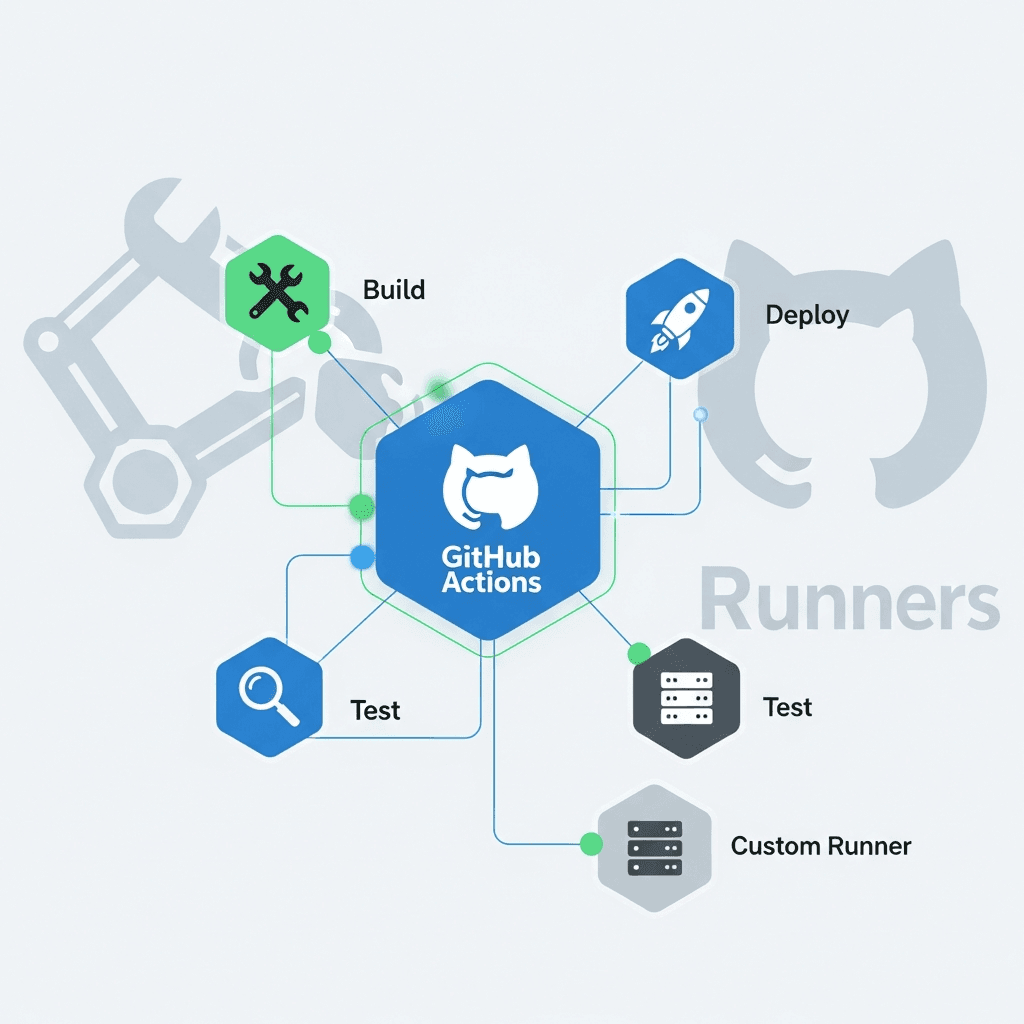
Custom (Self-Hosted) Runners solve these problems. A self-hosted runner is any machine (physical, virtual, container) that you manage and that has the GitHub Actions runner application installed. This machine then registers with GitHub and waits for jobs to be dispatched to it.
Why Use Custom Runners?
- Specialized Hardware: Run jobs on machines with GPUs, custom processors (e.g., ARM), or large memory configurations.
- Private Network Access: Execute tasks that require access to internal company resources behind a firewall.
- Custom Tooling: Pre-install specific compilers, SDKs, or proprietary tools that aren't available on GitHub-hosted runners.
- Longer Build Times: Avoid GitHub-hosted runner timeouts for extremely long-running jobs.
- Security & Compliance: Maintain full control over the execution environment, which can be critical for certain compliance requirements.
- Cost Optimization: For very high usage, running your own runners on existing infrastructure might be cheaper than GitHub-hosted minutes.
Security Implications
Running self-hosted runners requires careful security considerations:
- Untrusted Code: Runners execute code from your repository. Ensure your runner environment is isolated and secured, especially if it has access to sensitive internal networks.
- Access Tokens: The runner application uses a GitHub Personal Access Token (PAT) or installation token to authenticate. This token should have the minimum necessary permissions.
- Network Security: Ensure your runner machine is properly firewalled and only accessible to necessary services.
- Updates: Regularly update the runner application and the underlying OS to patch vulnerabilities.
Setting Up a Self-Hosted Runner (Code Example 2)
Let's walk through setting up a self-hosted runner on a Linux machine. The process is similar for Windows and macOS.
Step 1: Add a New Runner in GitHub
- Navigate to your repository (or organization) settings.
- Go to
Actions->Runners. - Click
New self-hosted runner. - Select your operating system (Linux, macOS, Windows) and architecture.
- GitHub will provide a set of commands to download, configure, and run the runner application.
Step 2: Configure and Install on Your Machine (Linux Example)
On your Linux machine (e.g., Ubuntu Server):
# Create a directory for the runner application
mkdir actions-runner && cd actions-runner

# Download the latest runner package
# Replace the URL with the one provided by GitHub for your OS/architecture
curl -o actions-runner-linux-x64-2.311.0.tar.gz -L https://github.com/actions/runner/releases/download/v2.311.0/actions-runner-linux-x64-2.311.0.tar.gz

# Verify the integrity (optional but recommended)
echo "<SHA256_HASH_FROM_GITHUB>  actions-runner-linux-x64-2.311.0.tar.gz" | shasum -a 256 --check

# Extract the installer
tar xzf actions-runner-linux-x64-2.311.0.tar.gz

# Run the configuration script
# Replace <YOUR_RUNNER_TOKEN> with the token provided by GitHub
./config.sh --url https://github.com/<YOUR_USERNAME>/<YOUR_REPOSITORY> --token <YOUR_RUNNER_TOKEN> --labels my-custom-runner,linux,gpu

# The config script will ask for runner name and labels.
# Labels are crucial for targeting specific runners in your workflows.
# Example labels: my-custom-runner, linux, gpu, arm6n

# Install as a service (recommended for production)
sudo ./svc.sh install
sudo ./svc.sh start

# To check status:
sudo ./svc.sh status
Explanation:
- The
config.shscript registers the runner with your GitHub repository (or organization) using the provided URL and token. It also allows you to assign unique labels to your runner. These labels are key for workflow targeting. - Installing as a service (
svc.sh) ensures the runner automatically starts on boot and runs in the background, making it resilient to reboots.
Once started, the runner will appear online in your GitHub repository's Actions -> Runners settings.
Managing and Scaling Custom Runners
For more advanced scenarios, managing a fleet of custom runners is essential.
Runner Groups
Organize your runners into logical groups (e.g., Production-Runners, Dev-Runners, GPU-Cluster). This simplifies management and access control. You can configure which repositories or organizations can use specific runner groups.
Labels for Targeting
Labels are the primary mechanism for workflows to select specific self-hosted runners. When defining a job, you can use runs-on: with an array of labels:
jobs:
  build-gpu-model:
    runs-on: [self-hosted, linux, gpu, large-memory]
    steps:
      - ...
The job will be dispatched to any online self-hosted runner that has all of the specified labels.
Auto-Scaling Custom Runners
Manually managing runners is feasible for a small number, but for dynamic workloads, auto-scaling is crucial. This involves provisioning and de-provisioning runner instances based on demand. Popular approaches include:
- Cloud Provider Integrations: Use cloud services like AWS EC2 Auto Scaling Groups, Azure Virtual Machine Scale Sets, or Google Compute Engine Managed Instance Groups to automatically scale VMs running the runner application.
- Kubernetes: Deploy runners as Pods in a Kubernetes cluster, leveraging tools like
actions-runner-controller(ARC) to manage their lifecycle and scale based on GitHub Actions queue. - Third-Party Solutions: Several commercial and open-source solutions exist that integrate with various cloud providers and container orchestration systems to provide robust auto-scaling for GitHub Actions runners.
Combining Modular Workflows with Custom Runners (Code Example 3)
Let's enhance our previous reusable workflow example to leverage a custom runner. Imagine our linting and testing process now requires a specialized environment that only our my-custom-runner (which we set up earlier) can provide.
Step 1: Modify the Reusable Workflow to Accept Runner Labels
We'll add an input to the reusable workflow so the caller can specify the runner labels.
# .github/workflows/reusable-lint-test.yml (Modified)
name: Reusable Lint and Test

on:
  workflow_call:
    inputs:
      node-version:
        description: 'Node.js version to use'
        required: false
        type: string
        default: '18.x'
      working-directory:
        description: 'Working directory for the project'
        required: false
        type: string
        default: '.'
      runner-labels:
        description: 'Labels for the runner to use (e.g., self-hosted, linux)'
        required: false
        type: string
        default: 'ubuntu-latest' # Default to GitHub-hosted if not specified
      cache-key-prefix:
        description: 'Prefix for npm cache key'
        required: false
        type: string
        default: 'npm-cache-'
    outputs:
      test-summary:
        description: 'Summary of test results'
        value: ${{ jobs.lint_and_test.outputs.test-summary }}
    secrets:
      NPM_TOKEN:
        description: 'NPM token for private packages'
        required: false

jobs:
  lint_and_test:
    runs-on: ${{ fromJson(format('["{0}"]', inputs.runner-labels)) }} # Use fromJson to parse string to array
    outputs:
      test-summary: ${{ steps.generate_summary.outputs.summary }}
    steps:
      - name: Checkout code
        uses: actions/checkout@v4
        with:
          path: ${{ inputs.working-directory }}

      - name: Setup Node.js
        uses: actions/setup-node@v4
        with:
          node-version: ${{ inputs.node-version }}
          cache: 'npm'
          cache-dependency-path: '${{ inputs.working-directory }}/package-lock.json'

      - name: Install dependencies
        working-directory: ${{ inputs.working-directory }}
        run: npm ci
        env:
          NODE_AUTH_TOKEN: ${{ secrets.NPM_TOKEN }}

      - name: Run ESLint
        working-directory: ${{ inputs.working-directory }}
        run: npm run lint

      - name: Run Unit Tests
        working-directory: ${{ inputs.working-directory }}
        run: npm test
        id: run_tests

      - name: Generate Test Summary
        id: generate_summary
        run: |
          echo "Tests completed successfully in ${{ inputs.working-directory }}."
          echo "summary=All tests passed!" >> "$GITHUB_OUTPUT"
Explanation:
- We added a
runner-labelsinput of typestring. - The
runs-onproperty now usesfromJson(format('["{0}"]', inputs.runner-labels))to dynamically set the runner labels. This allows passing a comma-separated string like'self-hosted,linux,gpu'from the calling workflow, which is then converted into a YAML array forruns-on.
Step 2: Modify the Calling Workflow
Now, the calling workflow can specify the custom runner labels:
# .github/workflows/main.yml (Modified to use custom runner)
name: Main Project CI with Custom Runner

on:
  push:
    branches:
      - main
  pull_request:
    branches:
      - main

jobs:
  call-lint-test:
    uses: ./.github/workflows/reusable-lint-test.yml@main
    with:
      node-version: '20.x'
      working-directory: 'my-app'
      runner-labels: 'self-hosted,linux,my-custom-runner' # Specify custom runner labels
    secrets:
      NPM_TOKEN: ${{ secrets.PROJ_NPM_TOKEN }}

  deploy:
    needs: call-lint-test
    runs-on: ubuntu-latest # This deploy job still uses a GitHub-hosted runner
    steps:
      - name: Get Test Summary
        run: |
          echo "Received test summary: ${{ needs.call-lint-test.outputs.test-summary }}"

      - name: Deploy Application
        run: echo "Deploying application after successful tests..."
Explanation:
- The
call-lint-testjob now passesrunner-labels: 'self-hosted,linux,my-custom-runner'to the reusable workflow. This ensures that the linting and testing steps run on a custom runner with these specific labels. - The
deployjob continues to use a GitHub-hosted runner, demonstrating how you can mix and match runner types within a single pipeline.
This setup provides immense flexibility, allowing you to centralize common processes while dynamically dispatching them to the most appropriate execution environment.
Best Practices for Advanced CI/CD with GitHub Actions
To ensure your advanced CI/CD setup is robust, secure, and efficient, consider these best practices:
- Granular Permissions for Reusable Workflows: Use the
permissionskey in your reusable workflows to define the minimum necessary permissions. This prevents over-privileged workflows from being exploited.yaml# .github/workflows/reusable-workflow.yml permissions: contents: read pull-requests: write # Only if needed - Secure Secret Management:
- Always pass secrets using the
secretscontext inworkflow_call, never asinputs. - Limit the scope of secrets (repository-level vs. organization-level).
- Rotate secrets regularly.
- Always pass secrets using the
- Versioning Reusable Workflows: Always reference reusable workflows by a specific Git ref (e.g.,
@main,@v1.0.0,@commit_sha). Avoid@masteror@headfor production workflows to prevent unexpected changes.yamluses: owner/repo/.github/workflows/reusable-build.yml@v1.0.0 - Idempotent Workflows: Design your workflows such that running them multiple times with the same inputs produces the same result. This is crucial for recovery and debugging.
- Containerize Jobs within Runners: Even on self-hosted runners, consider running individual jobs within Docker containers. This provides better isolation, ensures consistent environments, and simplifies dependency management.
yaml
jobs: my-job: runs-on: [self-hosted, linux] container: node:20-slim # Run job inside a Node.js container steps: - uses: actions/checkout@v4 - run: npm install - run: npm test - Monitoring and Alerting: Implement monitoring for your self-hosted runners (CPU, memory, disk, network) and set up alerts for offline runners or resource exhaustion. Use GitHub's built-in workflow run insights and logs.
- Test Your Workflows: Just like application code, workflows can have bugs. Test your reusable workflows and custom runner configurations thoroughly in a non-production environment.
- Regularly Update Runner Software: Keep your self-hosted runner application and the underlying operating system/dependencies up to date to benefit from new features and security patches.
Common Pitfalls and Troubleshooting
Even with careful planning, issues can arise. Here are common pitfalls and how to troubleshoot them:
- Runner Offline/Not Picking Up Jobs:
- Check Runner Status: Verify the runner is online in GitHub settings (
Actions->Runners). - Service Status: Ensure the runner service is running on the host machine (
sudo ./svc.sh statusor equivalent). - Network Connectivity: Confirm the runner machine can reach
github.comandapi.github.com. - Logs: Check the runner application logs for errors.
- Check Runner Status: Verify the runner is online in GitHub settings (
- Permission Errors:
- Workflow Permissions: Ensure the workflow has the necessary
permissionsdefined, especially for interacting with GitHub APIs (e.g.,contents: write,pull-requests: write). - Runner User Permissions: On self-hosted runners, the user running the
actions-runnerservice might lack permissions for certain directories or operations.
- Workflow Permissions: Ensure the workflow has the necessary
- Incorrect Input/Output Handling in Reusable Workflows:
- Type Mismatch: Ensure the
typedefined inworkflow_call.inputsmatches the type of value being passed. - Required Inputs: If an input is
required: true, ensure it's always provided by the caller. - Output Mapping: Double-check that
jobs.<job_id>.outputs.<output_id>correctly maps tosteps.<step_id>.outputs.<output_name>.
- Type Mismatch: Ensure the
- Dependency Conflicts on Self-Hosted Runners: If you run multiple different types of jobs on the same self-hosted runner, dependency conflicts (e.g., different Node.js/Python versions) can occur. Using containerized jobs (
container: <image>) is the best way to mitigate this. - Timeouts: GitHub-hosted runners have execution limits. If your jobs are consistently timing out, consider optimizing steps, breaking down large jobs, or switching to a self-hosted runner with higher resources.
- Debugging Strategies:
- Detailed Logging: Add
echostatements and run commands with verbose flags (-v,--debug) to get more output. - SSH into Runner (Self-Hosted): For complex issues on self-hosted runners, temporarily SSH into the machine while a job is running (if possible and secure) to inspect the environment and manually execute commands.
- Re-run Jobs with Debug Logging: GitHub allows re-running jobs with debug logging enabled, which provides more verbose output from the runner application.
- Detailed Logging: Add
Conclusion
GitHub Actions, with its features like modular workflows and custom runners, transcends basic CI/CD automation to offer a truly powerful and adaptable platform for modern software development. By embracing reusable workflows, you can standardize processes, reduce duplication, and significantly improve the maintainability and readability of your pipelines. Custom runners, on the other hand, unlock the ability to execute jobs in highly specific, resource-intensive, or network-restricted environments, giving you ultimate control over your build and deployment infrastructure.
Mastering these advanced concepts is not just about leveraging more features; it's about building resilient, scalable, and secure CI/CD systems that can evolve with your organization's needs. As you continue your journey with GitHub Actions, remember the principles of modularity, security, and continuous improvement. Experiment with these features, apply the best practices, and don't shy away from troubleshooting – the effort will pay dividends in the efficiency and reliability of your development pipeline.
Start experimenting today, and unlock the full potential of advanced CI/CD with GitHub Actions!
Written by
CodewithYohaFull-Stack Software Engineer with 7+ years of experience in Java, Spring Boot, and cloud architecture across AWS, Azure, and GCP. Writing production-grade engineering patterns for developers who ship real software.